
Introduction
In my previous article, we discussed how to disable a USB port in Windows 8. This article explains how to enable a USB port in Windows 8. We need to block a USB port when we want to protect our computer from viruses and other vulnerabilities from USB ports. To disable the USB port in the previous article we used a Registry Editor setting so to enable a USB port we can also use the Registry Editor setting. And this example only works for when the USB is blocked by a Registry Editor setting.
How to enable a USB port in Windows 8?
Step 1
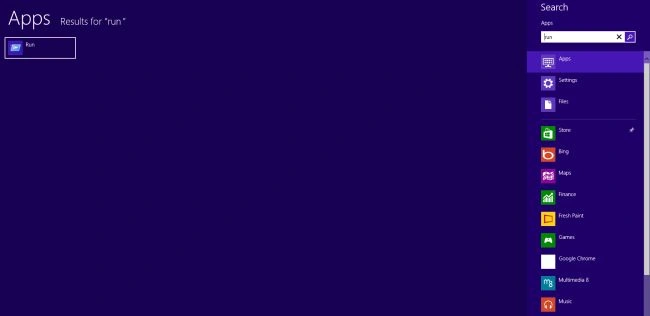
Go in the search box and type "Run" and click on the application that is shown or press "Win + R".
Step 2
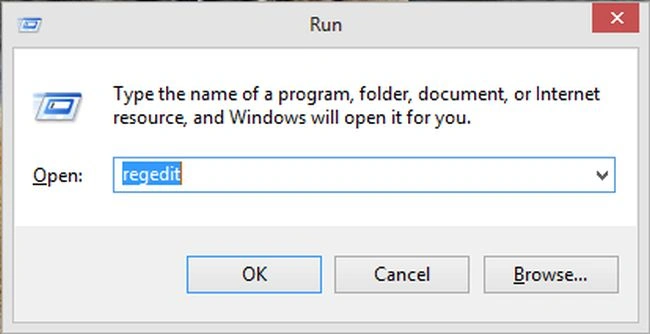
In the run window type "regedit" and click on "OK".
Step 3
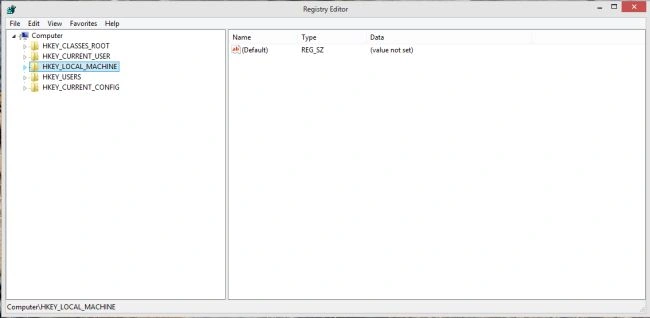
A "Registry Editor" window will be opened.
Step 4
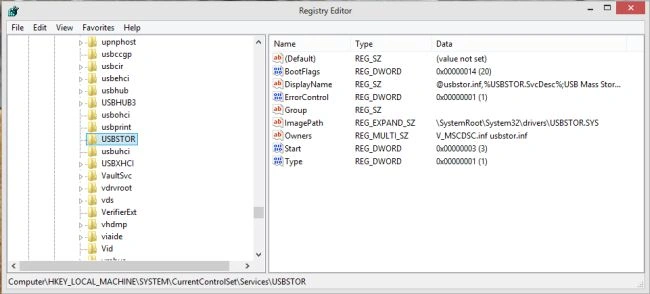
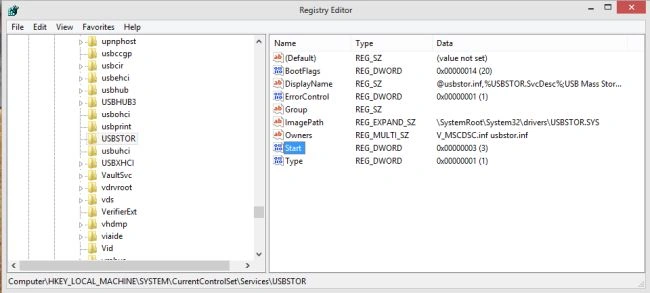
In the Registry Editor go to "HKEY_LOCAL_MACHINE\SYSTEM\CurrentControlSet\Services\USBSTOR".
Step 5
In the right panel double-click on "Start" and a new window will be opened.
Step 6
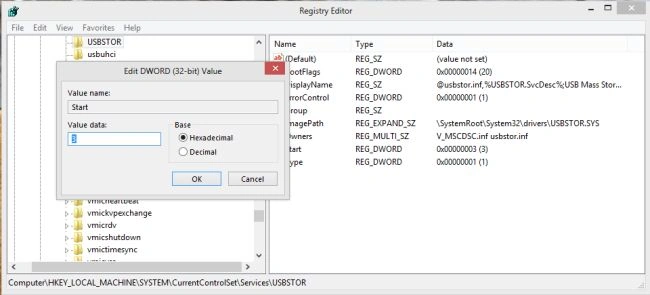
In this window type "3" in the value's data and click on "Hexadecimal", click on "OK".
Step 7
Restart your computer to apply this setting.
To Disable a USB port visit this link:
Summary
In this article, we learned about How to Enable USB Port in Windows 8.


Madan PrasadPosted Oct 23, 2018, 7:08 PM EDT
I have 3 USB port out of three one is working and other two not working, how to rectify it
Prabhakar MauryaeditedPosted Mar 19, 2013, 1:50 AM EDTEdited Mar 19, 2013, 1:51 AM EDT
You can use Registry Editor to block USB Port without losing any soft follow this link its will be help full. http://www.c-sharpcorner.com/UploadFile/7e39ca/how-to-disable-usb-port-in-windows-8/
Chet LysikPosted Mar 15, 2013, 2:05 PM EDT
In windows 8 how do l disconnect from a USB port without losing my stuff on an ext. flash drive?
Hyder MPosted Feb 28, 2013, 7:48 AM EST
My desktop have 8 USB ports, 4 front and 4 at the back. I need to disable only the rear ports. Can you advise how. I upgraded my desktop from window 7 to window 8 pro. Thanks.
Prabhakar MauryaPosted Jan 30, 2013, 5:43 AM EST
http://www.c-sharpcorner.com/UploadFile/7e39ca/how-to-assign-static-ip-address-in-windows-8/
Pankaj KumarPosted Dec 5, 2012, 7:40 PM EST
Its no nice Prabhakar, and how to create IP address for system