
The MultiView and View controls are new addition to ASP.NET 2.0. If you have ever created a Tab Control in ASP.NET, you will find MultiView and View control very familiar.
A View control works as a container of common controls and a MutliView control works as a container of several View controls. In this step by step tutorial, I will show you how to create a MultiView control and generate different views depending on the selection.
First of all, I create three links and drop one MultiView control on the page. My page looks like Figure 1. So idea here is if I click on My Websites link, I should see a list of web sites. When I click on My Schedule, I should see a calendar control, and when I click on Upload Photo link, I should see something where I can upload a photo. As you can see, this is very similar to a Tab Control and Tab Pages.
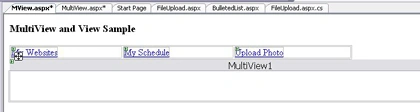
Figure 1. MiltiView
Now I drop three View controls on MultiView control as you can see in Figure 2.
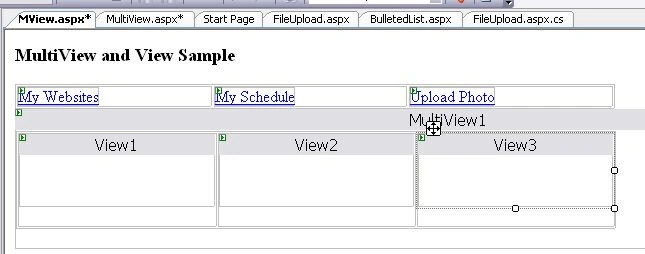
Figure 2. MultiView with three Views
Now next thing I want to do is design my Views. As you can see from Figure 3, I put a BulletedList with hyper links on it. On second view, I put a Calendar control and on third View, I drop a File UpLoad control.
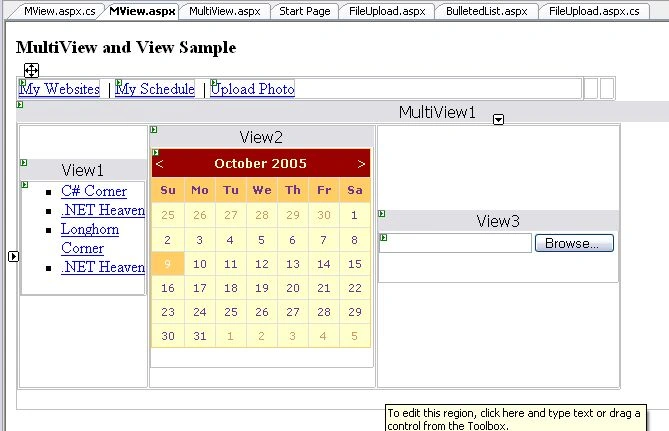
Figure 3. Multiview with three Views and controls
MultiView's ActiveViewIndex property decides which view is active. So now I am going to add my hyperlinks click event handlers. As you see in the following code, I simply set the ActiveViewIndex property to 0, 1, and 2 respectively, which represents first, second, and third Views respectively.
protected void MyWebSitesLink_Click(object sender, EventArgs e){
MultiView1.ActiveViewIndex = 0;
} protected void MyScheduleLink_Click(object sender, EventArgs e)
{
MultiView1.ActiveViewIndex = 1;
} protected void UploadPhotoLink_Click(object sender, EventArgs e)
{
MultiView1.ActiveViewIndex = 2;
}
The View control has a TabIndex (remember I said View works as a Tab Page ;-) ), which sets the TabInxex of a View. The TabIndex is mapped with the ActiveViewIndex of MultiView control.
Now I simply run my sample and click on My Websites, My Schedule, and Upload Photo links and it loads different views.
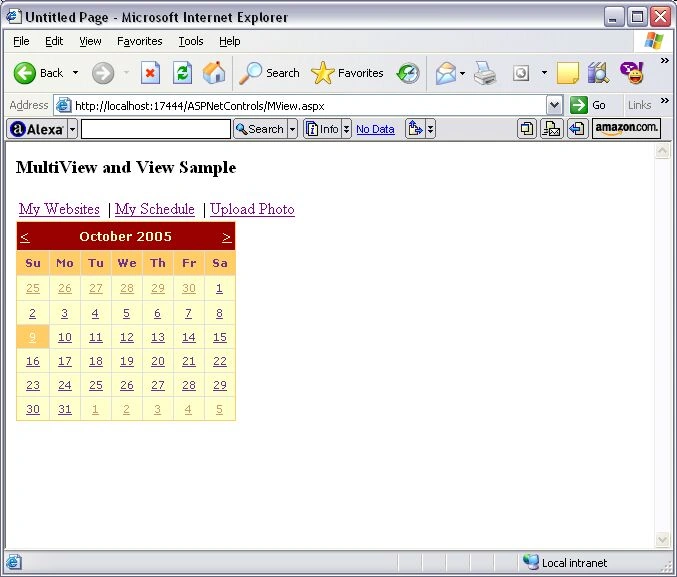
Figure 4. MultiView in Action


Jude WoodPosted Jun 6, 2011, 12:39 AM EDT
Good article that got me started on using this control.
AndrejPosted Oct 9, 2009, 2:48 AM EDT
Hello! Why your example not contains designer-files?
joe smithPosted Mar 15, 2008, 6:44 AM EDT
I would like to show my views the depends on my radio button list selection , let say i have a list with "yes" and " no" if i select yes i would like to populate view 1 and if i clicked on no i would like to populate view 2.
uma booshanamPosted Dec 4, 2007, 6:15 AM EST
Hi, Nice article Can u help me with this problem i hv four views , 3 contains datagrid with POSITION - Not Defined , 1 contains txtbox with value from database POSITION-ABSOLUTE , the views with controls POSITION - Not Defined appear normally in the screen (like in tabs) , but the view with control POSITION-ABSOLUTE remains as in design mode ( not in the tab) thanks in advance
mary premaPosted Jun 10, 2007, 10:31 PM EDT
i m using multiview control where displaying controls (checkbox, textbox button) dynamically , how i ll pass the these value from one view to another view , can i make dynamically event handling .
Sami ssPosted May 19, 2007, 10:27 AM EDT
can u plz help me for making this calendar more advanced with schaduling option.how can i connect it to database
Vishal PandeyeditedPosted May 10, 2006, 1:49 AM EDTEdited Jan 8, 2007, 8:52 PM EST
hii tripti, i m using multiview control where displaying controls (checkbox, textbox button) dynamically , how i ll pass the these value from one view to another view , can i make dynamically event handling . thanks regards kapil saraf