
Before proceeding to this article, please go through my previous articles:
- ASP.NET WEB API with Entity Framework 6 code first technique - Part I
- ASP.NET WEB API with Entity Framework 6 code first technique - Part 2
- ASP.NET WEB API with Entity Framework - Part 3
In this article I am going to use the UI for explaining the token based individual authentication and authorization in ASP.NET Web API. Get the details about how to create an individual authentication template in ASP.NET Web API here.
In my previous article I have explained token based authentication using POST MAN tool, now we are going to create a UI to do those operations
Let us start with Registration:
1. Create an HTML page in the project which we created in part-3 and name it Register.html
/api/account/Register is the API used for registration
Register.html
- <!DOCTYPE html>
- <html>
- <head>
- <title></title>
- <script src="Scripts/jquery-1.10.2.min.js"></script>
- <script src="scripts/jquery-1.9.1.min.js"></script>
- <link href="Content/bootstrap.min.css" rel="stylesheet" />
- <meta charset="utf-8" />
- </head>
- <body>
- <div class="container">
- <div class="row">
- <h3>Registration</h3>
- <br>
- <div class="col-lg-4">
- <div class="row">
- <div class="form-group">
- <label style=> Email/UserName</label>
- <input class="form-control" type="text" id="txt_Email" />
- </div>
- </div>
- <div class="row">
- <div class="form-group">
- Password
- <input class="form-control" type="password" id="txt_Pwd" />
- </div>
- </div>
- <div class="row">
- <div class="form-group">
- Confirm Password
- <input class="form-control" type="password" id="txt_Confirm_Pwd" />
- </div>
- </div>
- <br />
- <div class="row">
- <button id="Txt_Btn" onclick="Btn_click()" class="btn btn-default">Register</button>
- </div>
- </div>
- </div>
- </div>
- <script>
- $(document).ready(function () {
- function showError(jqXHR) {alert(jqXHR.status + ': ' + jqXHR.statusText);}
- $("#Txt_Btn").click(function () {
- var data = {
- Email: $("#txt_Email").val(),
- Password: $("#txt_Pwd").val(),
- ConfirmPassword: $("#txt_Confirm_Pwd").val(),
- };
- $.ajax({
- type: 'POST',
- url: '/api/Account/Register',
- contentType: 'application/json; charset=utf-8',
- data: JSON.stringify(data)
- }).done(function (data) {
- alert("Registration Sucessfull!")
- }).fail(showError);
- })
- })
- </script>
- </body>
- </html>
Result in Browser
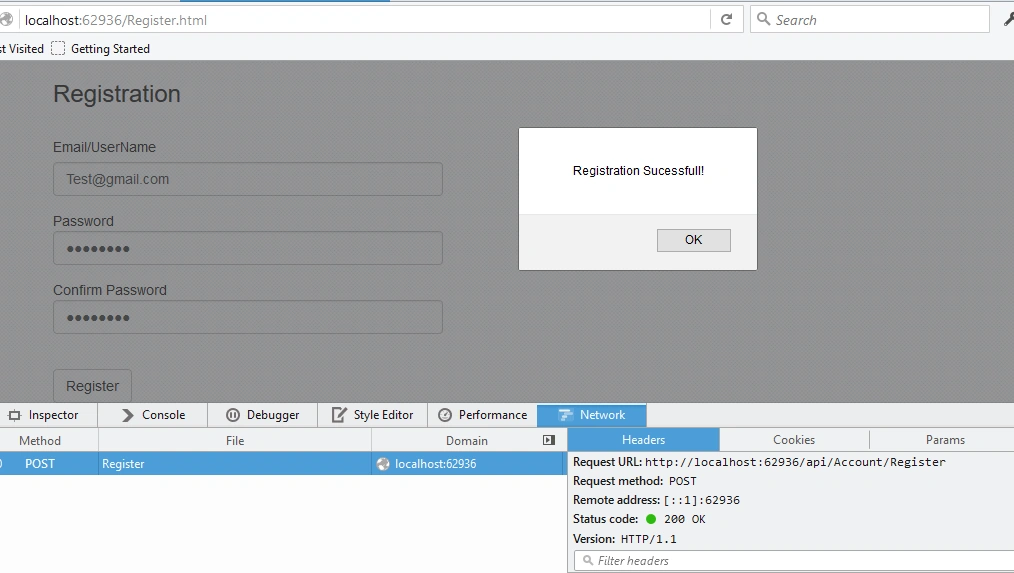
HTTP POST request Params

Record successfully stored in the table

2. Create one more HTML page in the project and name it Login.html,
Login.html
- <!DOCTYPE html>
- <html>
- <head>
- <title></title>
- <script src="Scripts/jquery-1.10.2.min.js"></script>
- <script src="scripts/jquery-1.9.1.min.js"></script>
- <link href="Content/bootstrap.min.css" rel="stylesheet" />
- <meta charset="utf-8" />
- </head>
- <body>
- <h3>
- Log In
- </h3>
- <div class="container">
- <div class="row">
- <div class="col-lg-3">
- <div class="row">
- <div class="form-group">
- <input class="form-control" type="text" id="txt_Email" />
- </div>
- </div>
- <div class="row">
- <div class="form-group">
- Password
- <input class="form-control" type="password" id="txt_Pwd" />
- </div>
- </div>
- <br />
- <div class="row">
- <button id="Txt_Btn" class="btn btn-default">Login</button>
- </div>
- </div>
- </div>
- <br />
- <div class="row">
- <button id="Txt_Btn_API" class="btn btn-default">Call authorize action</button>
- </div>
- </div>
- <script>
- $(document).ready(function () {
- var tokenKey = 'acc_Token'
- function showError(jqXHR) {alert(jqXHR.status + ': ' + jqXHR.statusText);}
- $("#Txt_Btn_API").click(function()
- {
- var token = sessionStorage.getItem(tokenKey);
- alert(token);
- var headers = {};
- if (token) {
- headers.Authorization = 'Bearer ' + token;
- }
- $.ajax({
- type: 'GET',
- url: 'api/values',
- headers: headers
- }).done(function (data) {
- alert(data);
- sessionStorage.setItem(tokenKey, data.access_token);
- }).fail(showError);
- });
- $("#Txt_Btn").click(function () {
- var loginData = {
- grant_type: 'password',
- username: $("#txt_Email").val(),
- password: $("#txt_Pwd").val(),
- };
- $.ajax({
- type: 'POST',
- url: '/Token',
- data: loginData
- }).done(function (data) {
- // Cache the access token in session storage.
- sessionStorage.setItem(tokenKey, data.access_token);
- alert("Welcome");
- }).fail(showError);
- });
- });
- </script>
- </body>
- </html>
Enter the Email and the password and hit login button,
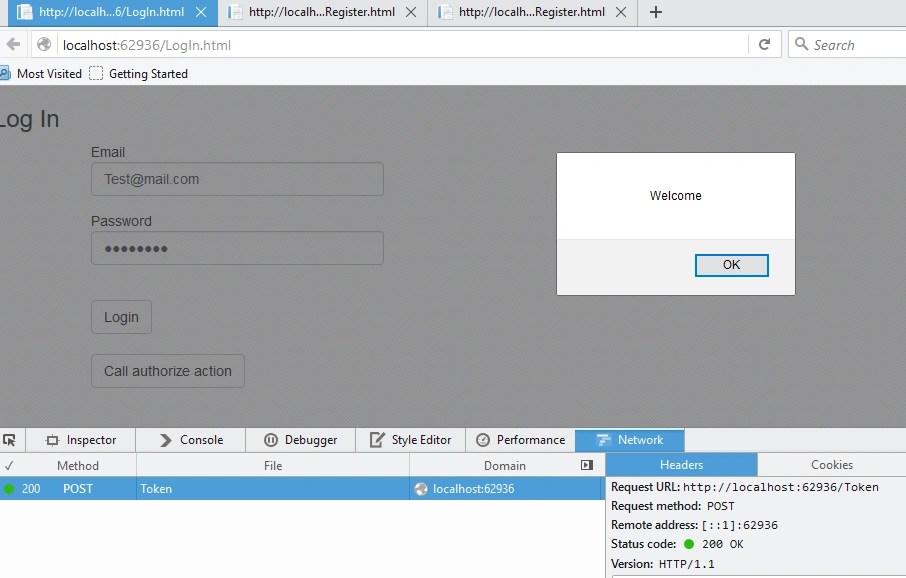
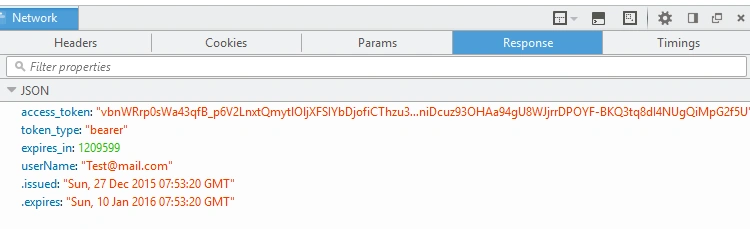
Now we are successfully logged in using Token End Point, The response of the Token request to Login as a user.
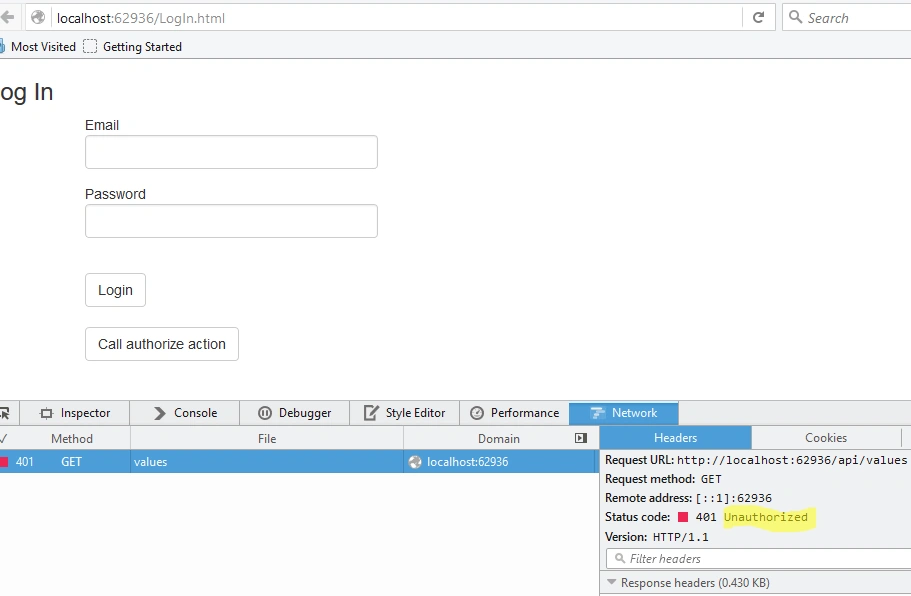
It's time to access the authorize action methods in the application, For example, consider the following authorize action method which is in ValuesController:
- [Authorize]
- public class ValuesController : ApiController
- {
- // GET api/values
- public string Get()
- {
- var userName = this.RequestContext.Principal.Identity.Name;
- return String.Format("Hello, {0}.", userName);
- }
- }
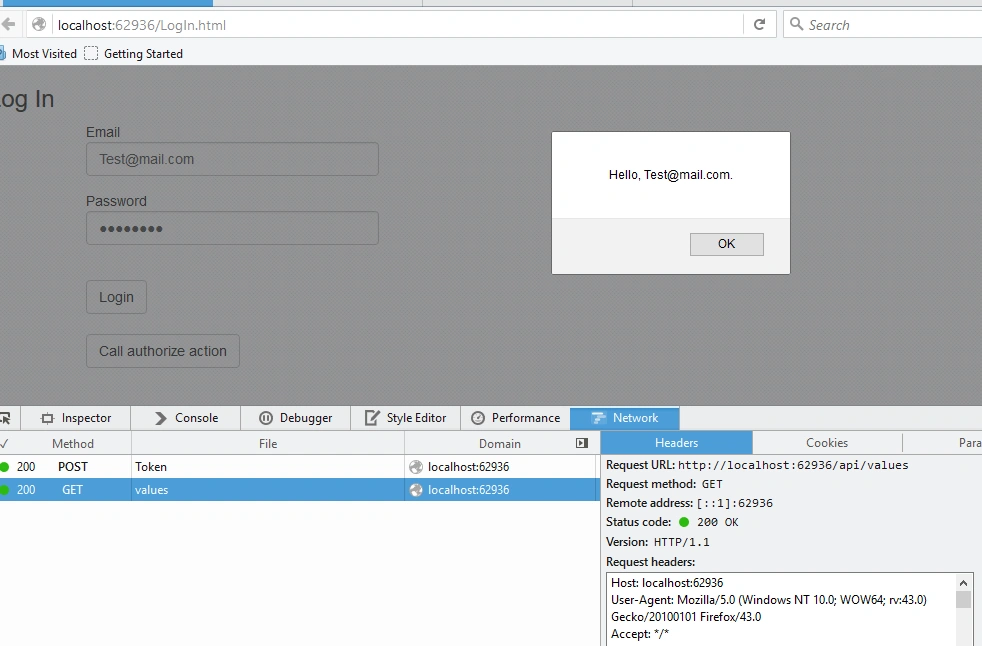
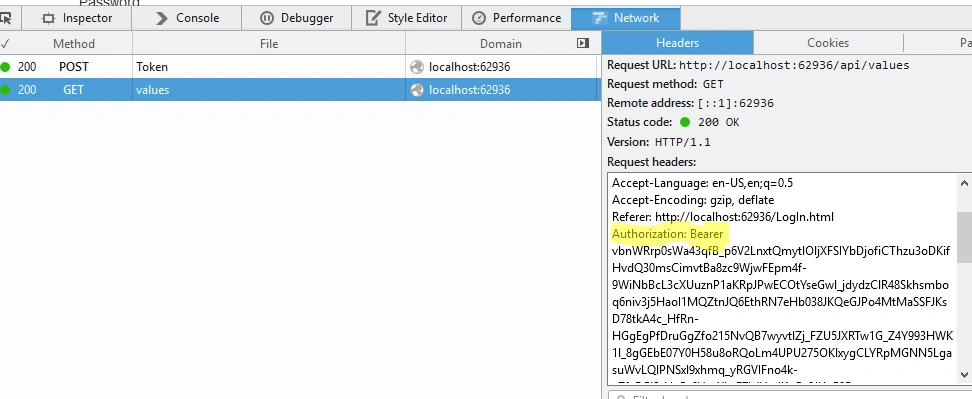
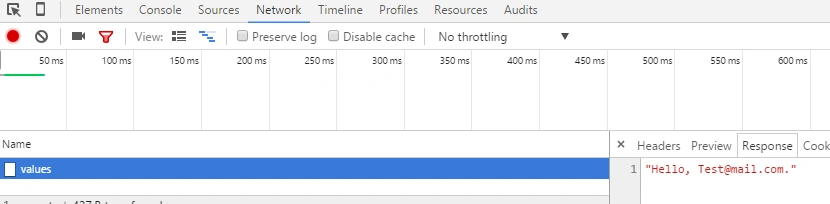
Since we are using the session storage the token will be stored till the page session expires, if we have opened the application in separate tab/window in browser then our token will be cleared.
Using Local Storage:
Login.html
- <!DOCTYPE html>
- <html>
- <head>
- <title></title>
- <script src="Scripts/jquery-1.10.2.min.js"></script>
- <script src="scripts/jquery-1.9.1.min.js"></script>
- <link href="Content/bootstrap.min.css" rel="stylesheet" />
- <meta charset="utf-8" />
- </head>
- <body>
- <h3>
- Log In
- </h3>
- <div class="container">
- <div class="row">
- <div class="col-lg-3">
- <div class="row">
- <div class="form-group">
- <input class="form-control" type="text" id="txt_Email" />
- </div>
- </div>
- <div class="row">
- <div class="form-group">
- Password
- <input class="form-control" type="password" id="txt_Pwd" />
- </div>
- </div>
- <br />
- <div class="row">
- <button id="Txt_Btn" class="btn btn-default">Login</button>
- </div>
- </div>
- </div>
- <br />
- <div class="row">
- <button id="Txt_Btn_API" class="btn btn-default">Call authorize action</button>
- </div>
- </div>
- <script>
- $(document).ready(function () {
- var tokenKey = 'acc_Token'
- function showError(jqXHR) {alert(jqXHR.status + ': ' + jqXHR.statusText);}
- $("#Txt_Btn_API").click(function()
- {
- var token = localStorage.getItem(tokenKey);
- alert(token);
- var headers = {};
- if (token) {
- headers.Authorization = 'Bearer ' + token;
- }
- $.ajax({
- type: 'GET',
- url: 'api/values',
- headers: headers
- }).done(function (data) {
- alert(data);
- localStorage.setItem(tokenKey, data.access_token);
- }).fail(showError);
- });
- $("#Txt_Btn").click(function () {
- var loginData = {
- grant_type: 'password',
- username: $("#txt_Email").val(),
- password: $("#txt_Pwd").val(),
- };
- $.ajax({
- type: 'POST',
- url: '/Token',
- data: loginData
- }).done(function (data) {
- // Cache the access token in local storage.
- localStorage.setItem(tokenKey, data.access_token);
- alert("Welcome");
- }).fail(showError);
- });
- });
- </script>
- </body>
- </html>
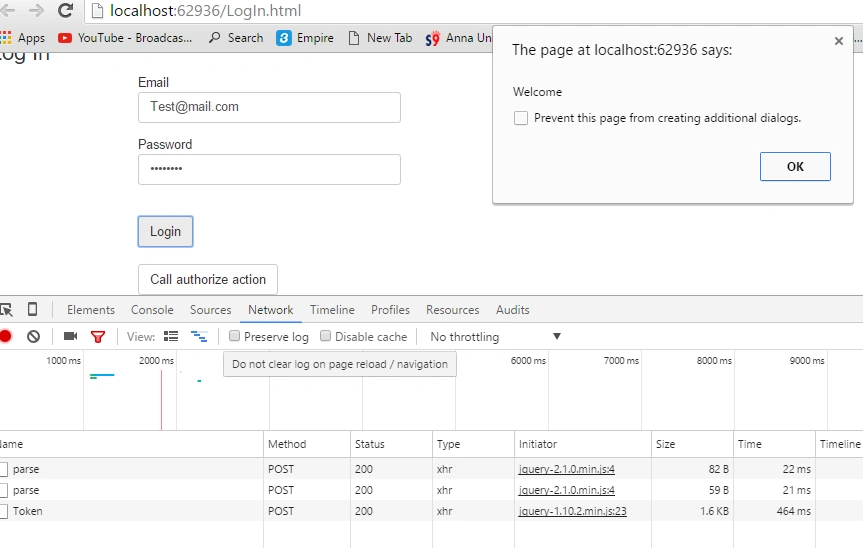
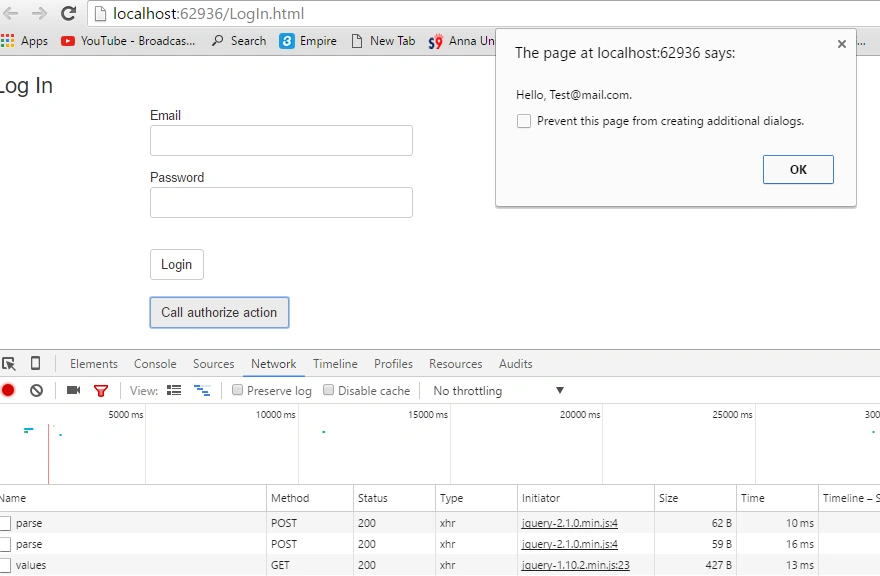
By using local storage the token is stored locally in the browser and it will persist till the token is removed from the local browser memory.
Logout:
HTML Code:
- <!DOCTYPE html>
- <html>
- <head>
- <title></title>
- <script src="Scripts/jquery-1.10.2.min.js"></script>
- <script src="scripts/jquery-1.9.1.min.js"></script>
- <link href="Content/bootstrap.min.css" rel="stylesheet" />
- <meta charset="utf-8" />
- </head>
- <body>
- <h3>
- Log In
- </h3>
- <div class="container">
- <div class="row">
- <div class="col-lg-3">
- <div class="row">
- <div class="form-group">
- <input class="form-control" type="text" id="txt_Email" />
- </div>
- </div>
- <div class="row">
- <div class="form-group">
- Password
- <input class="form-control" type="password" id="txt_Pwd" />
- </div>
- </div>
- <br />
- <div class="row">
- <button id="Txt_Btn" class="btn btn-default">Login</button>
- <button id="Txt_Btn_Logout" class="btn btn-default">Log Out</button>
- </div>
- </div>
- </div>
- <br />
- <div class="row">
- <button id="Txt_Btn_API" class="btn btn-default">Call authorize action</button>
- </div>
- </div>
- <script>
- $(document).ready(function () {
- var tokenKey = 'acc_Token'
- function showError(jqXHR) {alert(jqXHR.status + ': ' + jqXHR.statusText);}
- $("#Txt_Btn_API").click(function()
- {
- var token = localStorage.getItem(tokenKey);
- alert(token);
- var headers = {};
- if (token) {
- headers.Authorization = 'Bearer ' + token;
- }
- $.ajax({
- type: 'GET',
- url: 'api/values',
- headers: headers
- }).done(function (data) {
- alert(data);
- localStorage.setItem(tokenKey, data.access_token);
- }).fail(showError);
- });
- $("#Txt_Btn_Logout").click(function () {
- localStorage.removeItem(tokenKey);
- alert("You have logged out sucessfully!")
- });
- $("#Txt_Btn").click(function () {
- var loginData = {
- grant_type: 'password',
- username: $("#txt_Email").val(),
- password: $("#txt_Pwd").val(),
- };
- $.ajax({
- type: 'POST',
- url: '/Token',
- data: loginData
- }).done(function (data) {
- // Cache the access token in local storage.
- localStorage.setItem(tokenKey, data.access_token);
- alert("Welcome");
- }).fail(showError);
- });
- });
- </script>
- </body>
- </html>
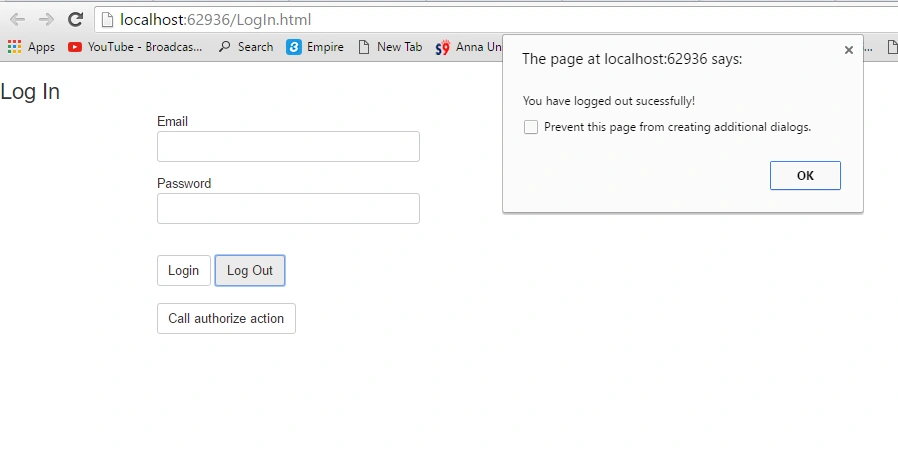
Authorization based on user
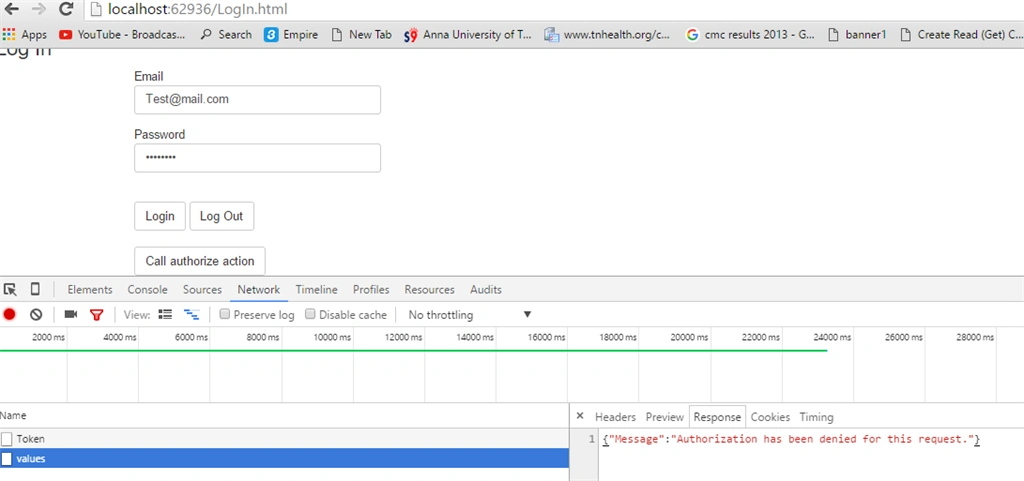
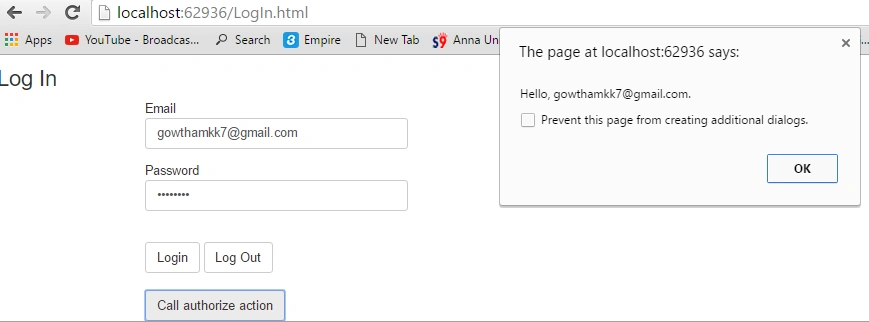
For example, consider the following authorize action method which is in values controller:
- [Authorize(Users="[email protected]")]
- public string Get()
- {
- var userName = this.RequestContext.Principal.Identity.Name;
- return String.Format("Hello, {0}.", userName);
- }


Arul RPosted Jan 17, 2016, 5:47 AM EST
Thanks for nice article
Humayun Kabir MamunPosted Dec 27, 2015, 6:13 PM EST
Nice...
Banketeshvar NarayanPosted Dec 27, 2015, 8:26 AM EST
Very Nice Articles Series
Ankur MistryTOP 100Posted Dec 27, 2015, 6:13 AM EST
Nice