
This article discusses how to create a simple WCF service and how to call this service in our Client Console Application. In this example we will add three integers and the output will be shown in the Console Application.
Follow this simple procedure to create the service.
Step 1: First we will select "File" -> "New" -> "Web Site...". Then the following window will be shown: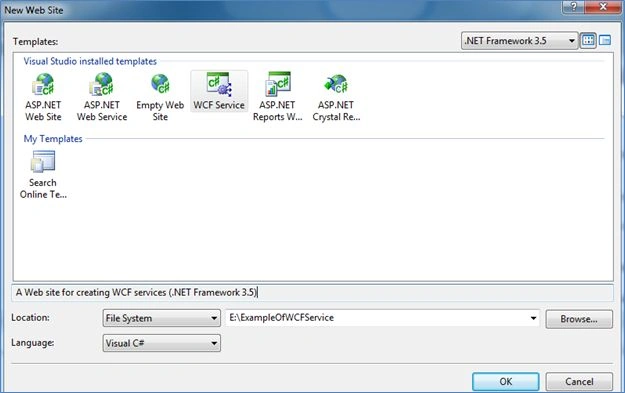
Here we select "WCF Service" and then type the name of the service (ExampleOfWCFService).
Step 2: There are two files in the App_Code Folder: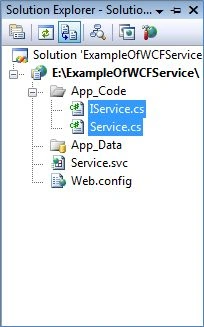
Now we will write the code in the IService.cs page. Here we will create OperationContract like this:
[OperationContract]
int Add(int a, int b, int c);
Here we create an Operation Contract in which we declare the Add function and its three variables.
Step 3: Now we will write the code in the Service.cs Page:
public int Add(int a, int b, int c)
{
return a + b + c;
}
Here we calculate the sum of the three variables and return it to the function.
Now run the program: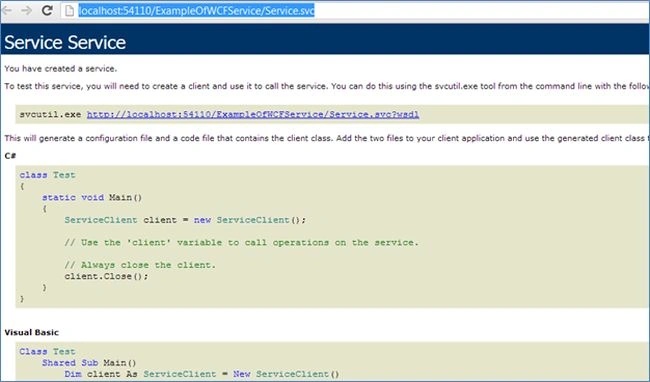
Copy the address of the service; it is useful for finding the service in the client application.
Step 4: Now we will create a Console Application like this:
First we select "File" -> "New" -> "Project...". The Following window will be shown: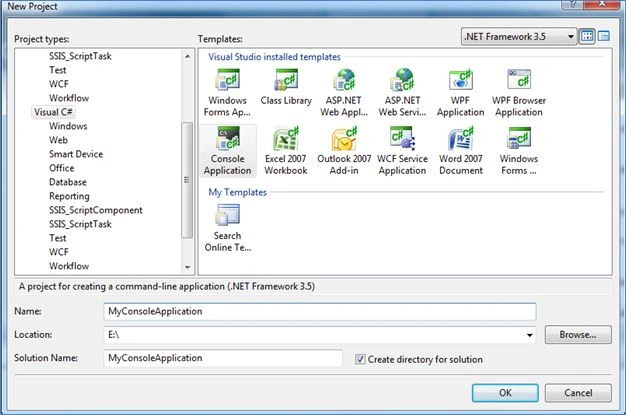
Now we create a Console Application (MyConsoleApplication).
Step 5: Now we will add the Service Refrence of our WCF Service like this. We will right-click on our Console Application like this: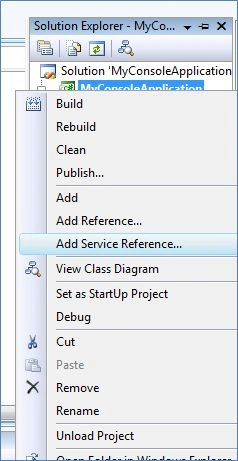
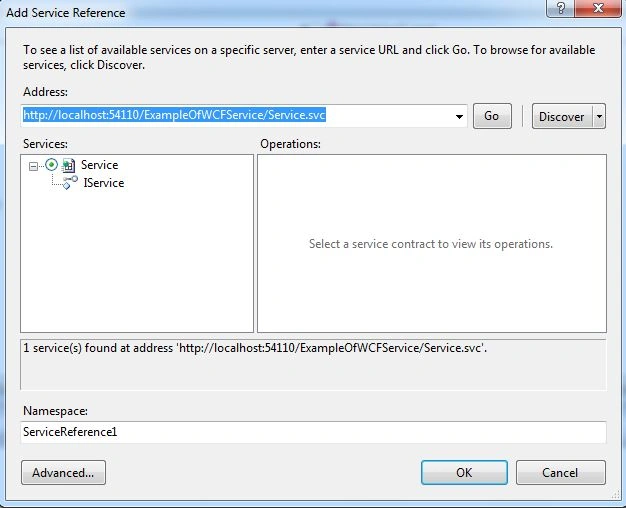
Here we will type or paste the address of our WCF Service and then click "Ok". Now we will write the following code, but first we will add the directive by right-clicking on the ServiceClient and then select the "Resolve" > "Using MyConsoleApplication.ServiceReference1" like this:
After that the following directive will be added:
using MyConsoleApplication.ServiceReference1;
Now we will write the code:
ServiceReference1.ServiceClient myService = new ServiceClient();
Console.WriteLine("Result:");
int add = myService.Add(3, 21,27);
Console.WriteLine(add);
Console.ReadLine();
Here we use the addition "3+21+27" so the output will be: "51".
Output: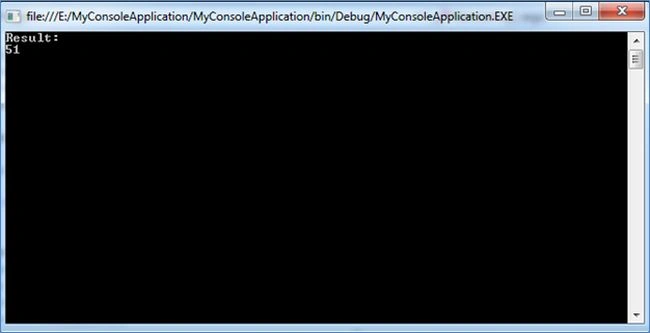


Gowtham RajamanickamTOP 100Posted Mar 12, 2015, 10:15 PM EDT
great and simple...
Mahak GuptaPosted Nov 26, 2013, 6:06 AM EST
Thanks
Gobi GPosted Aug 30, 2013, 2:57 AM EDT
nice
Jeetendra GundTOP 100Posted Aug 28, 2013, 2:28 AM EDT
Thank u...
Pramod LawatePosted Jul 6, 2013, 6:12 AM EDT
nice
Mayur KhatalePosted May 19, 2013, 12:07 AM EDT
Gr8... simple and very useful to the beginners..
Ravikumar GPosted May 14, 2013, 2:24 AM EDT
Short and simple...