
I am writing this article as one of my friend asked me to write on this topic. So I can say it’s an on demand article.
Here I am going to show how we can access one Web User Control (.ascx) control value in another Web user Control.
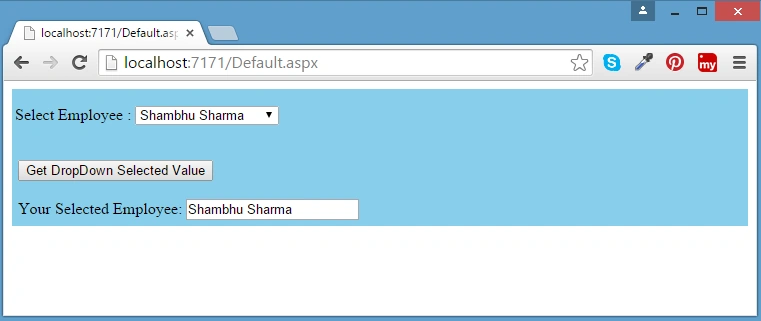
My scenario is I have a drop down list on one of the Web user Control and on button click I am going to show this Drop Down selected value in another Web User control.
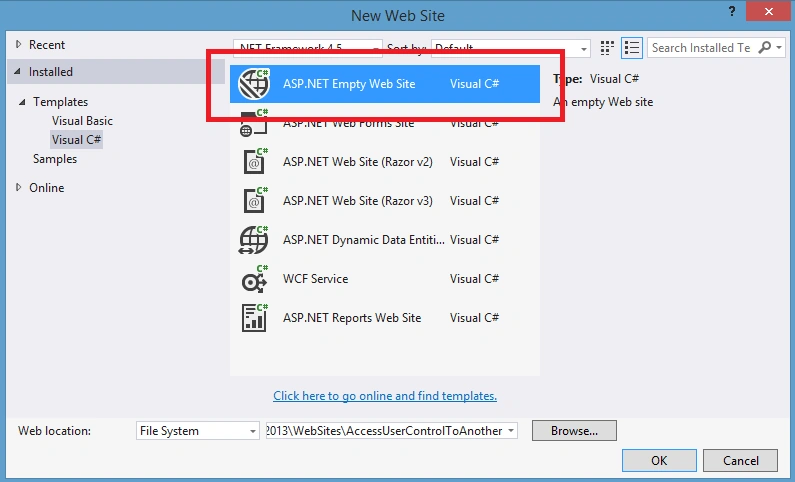
Open Visual Studio, File, New, then ASP.NET Empty Web Site
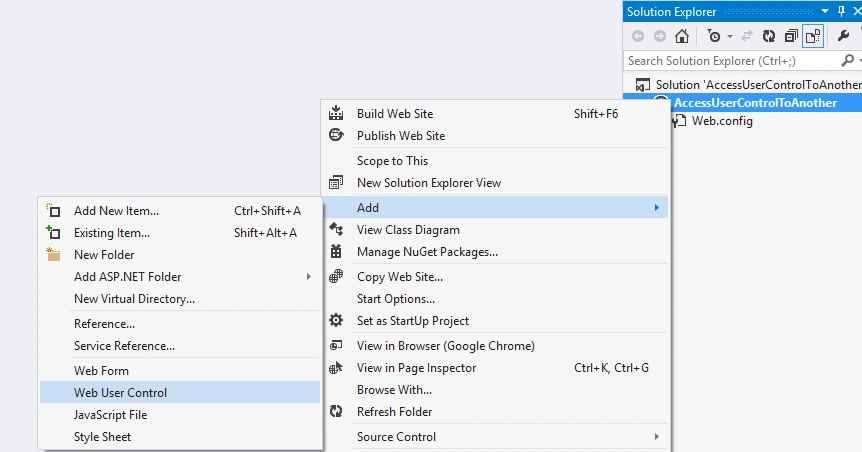
Now I will add 2 Web user Control. So right click on Project’s Solution Explorer, Add, then select Web User Control.
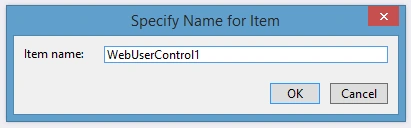
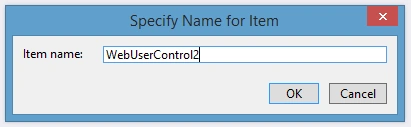
Add another web user control
Now open WebUserControl1.ascx and here's the code snippet:
- <%@ Control Language="C#" AutoEventWireup="true" CodeBehind="WebUserControl1.ascx.cs" Inherits="AccessUserControlToAnother.WebUserControl1" %>
- <asp:DropDownList ID="ddlEmployees" runat="server">
- <asp:ListItem>Amol Malhotra</asp:ListItem>
- <asp:ListItem>Shambhu Sharma</asp:ListItem>
- <asp:ListItem>Hemant Chopra</asp:ListItem>
- <asp:ListItem>Vishwa M Goswami</asp:ListItem>
- <asp:ListItem>Mohit Kalra</asp:ListItem>
- <asp:ListItem>Abhishek Nigam</asp:ListItem>
- <asp:ListItem>Yogesh Gupta</asp:ListItem>
- <asp:ListItem>Mayank Dhulekar</asp:ListItem>
- <asp:ListItem>Saurabh Mehrotra</asp:ListItem>
- <asp:ListItem>Rakesh Dixit</asp:ListItem>
- </asp:DropDownList>
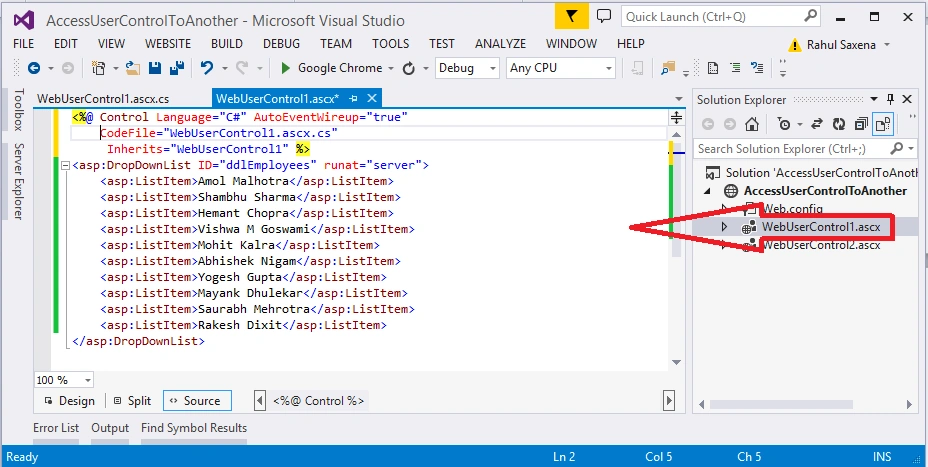
Now open WebUserControl1.ascx.cs and write the following code:
- using System;
- using System.Collections.Generic;
- using System.Linq;
- using System.Web;
- using System.Web.UI;
- using System.Web.UI.WebControls;
- namespace AccessUserControlToAnother
- {
- public partial class WebUserControl1 : System.Web.UI.UserControl
- {
- protected void Page_Load(object sender, EventArgs e)
- {
- }
- public DropDownList ControlA_DDL
- {
- get
- {
- return this.ddlEmployees;
- }
- }
- }
- }
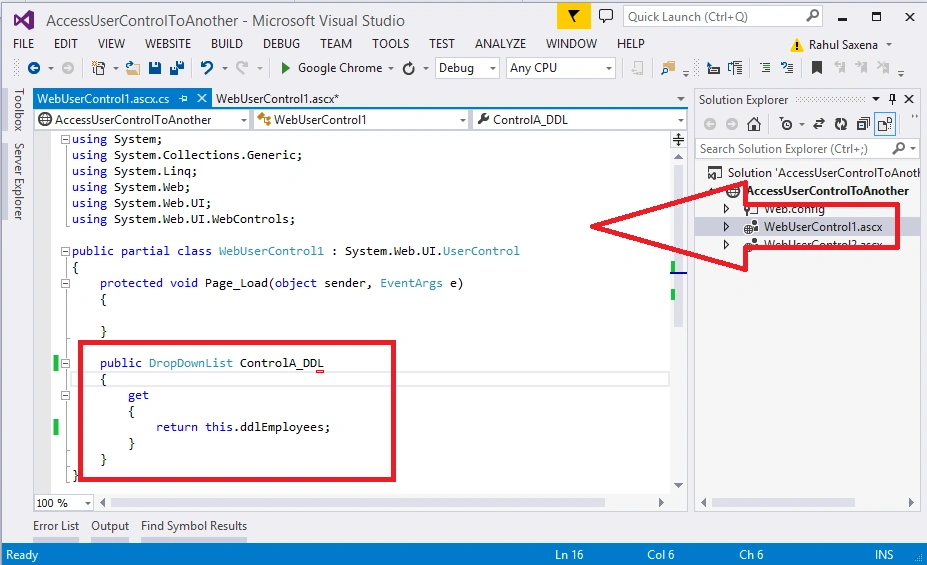
Now Open WebUserControl2.ascx and write the following code:
- <%@ Control Language="C#" AutoEventWireup="true" CodeBehind="WebUserControl2.ascx.cs" Inherits="AccessUserControlToAnother.WebUserControl2" %>
- <table style="background-color: skyblue; width: 100%;">
- <tr>
- <td style="height: 10px;"></td>
- </tr>
- <tr>
- <td>
- <asp:Button ID="btnDDLValue" runat="server" OnClick="btnDDLValue_Click" Text="Get DropDown Selected Value" /></td>
- </tr>
- <tr>
- <td style="height: 10px;"></td>
- </tr>
- <tr>
- <td>Your Selected Employee:
- <asp:TextBox ID="txtDDLValue" runat="server"></asp:TextBox></td>
- </tr>
- </table>
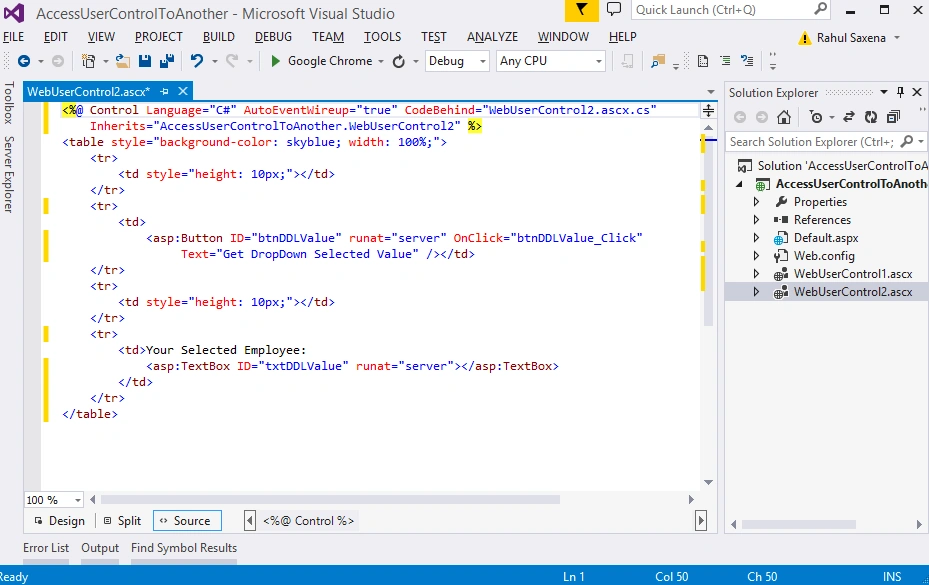
Now open WebUserControl2.ascx.cs and write the following code:
- using System;
- using System.Collections.Generic;
- using System.Linq;
- using System.Web;
- using System.Web.UI;
- using System.Web.UI.WebControls;
- namespace AccessUserControlToAnother
- {
- public partial class WebUserControl2 : System.Web.UI.UserControl
- {
- protected void Page_Load(object sender, EventArgs e)
- {
- }
- protected void btnDDLValue_Click(object sender, EventArgs e)
- {
- WebUserControl1 ctrlA = (WebUserControl1)Page.FindControl("cA");
- DropDownList ddl = ctrlA.ControlA_DDL;
- txtDDLValue.Text = ddl.SelectedValue;
- }
- }
- }
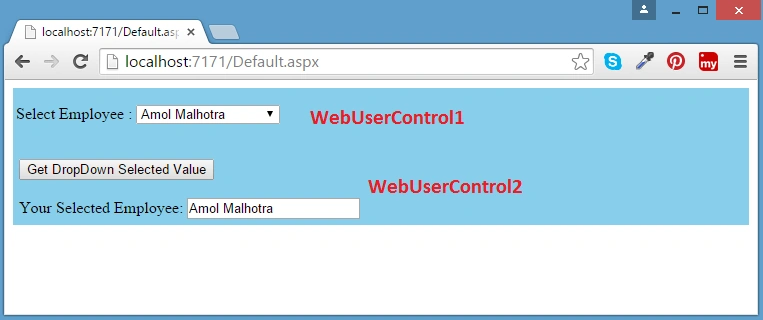


Ankit LadPosted Dec 3, 2017, 2:03 AM EST
GIVE ERROR IN DDLDROPDOWN
Murat MuratPosted Nov 27, 2016, 9:21 AM EST
Hi, this method is nice but it only works with manual dropdownlist data entry like <asp:ListItem Value="1">test1</asp:ListItem>. So if user control page's dropdownlist is connected with sql, the value of aspx page is always 1 (first value).
sunil mohantyPosted Aug 28, 2016, 11:15 PM EDT
Hi, I am getting error while trying to find the UserControl1 inside UserControl2.WebUserControl1 ctrlA = (WebUserControl1)Page.FindControl("cA"); So Please guide.
sunil mohantyPosted Aug 28, 2016, 11:12 PM EDT
Hi I am getting error With Below Code
Vignesh ManiTOP 100Posted Nov 1, 2015, 8:03 AM EST
Nice one
Rahul Kumar SaxenaTOP 100Posted Sep 25, 2015, 7:37 PM EDT
Thanks Sujeet Suman
Rahul Kumar SaxenaTOP 100Posted Sep 25, 2015, 7:37 PM EDT
Thanks Santhakumar Munuswamy
Rahul Kumar SaxenaTOP 100Posted Sep 25, 2015, 7:36 PM EDT
Thanks Shridhar Sharma Yes This article missed my default.aspx code where I am having both UserControl with ID cA & cB..
Rahul Kumar SaxenaTOP 100Posted Sep 25, 2015, 7:22 PM EDT
Thanks Nilesh Jadav
Rahul Kumar SaxenaTOP 100Posted Sep 25, 2015, 7:22 PM EDT
Thanks Rajeesh Menoth
Rahul Kumar SaxenaTOP 100Posted Sep 25, 2015, 7:21 PM EDT
Thanks Ankit Bansal
Sujeet SumanPosted Sep 25, 2015, 11:09 AM EDT
Nice Article................
Santhakumar MunuswamyPosted Sep 25, 2015, 10:09 AM EDT
Good Article
Shridhar SharmaPosted Sep 25, 2015, 7:25 AM EDT
nice post sir.I didn't notice control with ID "cA" ?
Nilesh JadavPosted Sep 25, 2015, 5:40 AM EDT
Nice ! Thanks for the share
Rajeesh MenothPosted Sep 25, 2015, 3:43 AM EDT
Nice One..Thanks for sharing
Ankit BansalPosted Sep 25, 2015, 3:42 AM EDT
nice, thanks for sharing Rahul
Rahul Kumar SaxenaTOP 100Posted Sep 25, 2015, 3:37 AM EDT
Thanks Harshad Pansuriya
Harshad PansuriyaPosted Sep 25, 2015, 3:24 AM EDT
Nice Share