
Introduction
A CSS pseudo-class adds selectors that specify a special state of the element to be selected and used to add special effects to some selectors. A pseudo-class allows you to style Content Dynamically based on its position in the document or state.
Syntax
- selector: pseudo-class { property: value; }
- selector: pseudo-element {property: value}
- selector. class: pseudo-element {property: value}
The most-commonly used pseudo-classes are-
- : link pseudo-class: The given example shows how to use the: link class to set the link color. Possible values could be any color name in the valid format.
Example
- <html>
- <head>
- <style type="text/css">
- a: link {color: red}
- </style>
- </head>
- <body>
- <a href="">Pseudo class with link property</a>
- </body>
- </html>
Output: The preceding code produces the following Red link.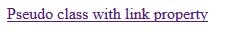
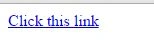
- : visited pseudo-class: The given example shows how to use the:visited class to set the link color. Possible values could be any color name in the valid format.
Example
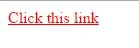
Output: The preceding code produces the following link. When you click this link it will change its color to Red.- <html>
- <head>
- <title></title>
- <style type="text/css">
- a: visited {color: red}
- </style>
- </head>
- <body>
- <a href="#" class="a1">Click this link</a>
- </body>
- </html>
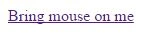
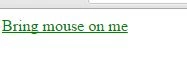
- :hover pseudo-class: The given example shows how to use the :hover class to change the color of links from Blue to Green when we hover a mouse pointer over that link.
Example
Output: The preceding code produces the following link, when you click this link it will change its color to Green.- <html>
- <head>
- <title></title>
- <style type="text/css">
- a: hover {color: green}
- </style>
- </head>
- <body>
- <a href="#" class="a1">Bring mouse on me</a>
- </body>
- </html>
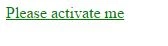
- : active pseudo-class: The given example shows how to use the: hover class to change the color of links from Blue to Green when we hover the mouse pointer over that link.
Example
Output: The preceding code produces the following link. When you click this link it will change its color to Green only for the activation of link:- <html>
- <head>
- <title></title>
- <style type="text/css">
- a: active {color: green}
- </style>
- </head>
- <body>
- <a href="#" class="a1">Please activate me</a>
- </body>
- </html>
The most commonly used pseudo-elements are:
- :first-line pseudo-element: The following example shows how to use the :first-line element to add special effects to the first line of elements.
ExampleOutput: The preceding code produces the following change only on the first line.
- <html>
- <head>
- <title></title>
- <style type="text/css">
- p: first-line { text-decoration: underline; color: blue }
- </style>
- </head>
- <body>
- <p class="p1">welcome to my program , hi guys my name is mohit and this is example shows how to select first line of a paragraph.
- You can apply this property of peasudo class only on the first line. This line remains same because this is in the second line of the paragraph.</p>
- </body>
- </html>

- :first-letter pseudo-element: The following example shows how to use the:first-letter element to add special effects to the first letter of the line.
ExampleOutput: The preceding code produces the following change only in the first letter.
- <html>
- <head>
- <title></title>
- <style type="text/css">
- p: first-letter { text-decoration: underline; color: red }
- </style>
- </head>
- <body>
- <p >Welcome to my program , hi guys my name is mohit and this is example shows how to select first line of a paragraph.
- You can apply this property of Pseudo class only on the first line. This line remains same because this is in the second line of the paragraph.</p>
- </body>
- </html>
 The most commonly used pseudo-elements with a pseudo-class are as follows.
- :first-letter pseudo-element with pseudo-class: The following example shows how to use the:first-letter pseudo-element to add special effects to the first letter with selected elements of the line.
ExampleOutput: The preceding code produces the following change only on the first letter with id selector.
- <html>
- <head>
- <title></title>
- <style type="text/css">
- p.p1:first-letter { font-size: 30px; color: blue }
- </style>
- </head>
- <body>
- <p class="p1">Welcome to my program , hi guys my name is mohit and this is example shows how to select first line of a paragraph.
- You can apply this property of peasudo class only on the first line. This line remains same because this is in the second line of the paragraph.</p>
- </body>
- </html>



Prasanna MuraliPosted May 20, 2016, 7:25 AM EDT
Nice one....
Yashwanth MuthineniPosted Aug 22, 2015, 3:32 AM EDT
Nice Share
Afzaal Ahmad ZeeshanTOP 100Posted Aug 19, 2015, 3:04 AM EDT
I thought they were called "Pseudo-selectors".
Santhakumar MunuswamyPosted Aug 18, 2015, 10:26 AM EDT
Good one
Chervine BhiwooPosted Aug 18, 2015, 7:23 AM EDT
Good work!
Manas MohapatraPosted Aug 18, 2015, 4:58 AM EDT
Good Share..
Sibeesh VenuTOP 100Posted Aug 18, 2015, 4:15 AM EDT
Nice Share
Gopi ChandPosted Aug 18, 2015, 1:29 AM EDT
Good effort
Nilesh JadavPosted Aug 18, 2015, 1:16 AM EDT
Nice one sir
Rajeesh MenothPosted Aug 18, 2015, 12:28 AM EDT
Nice One
Karthikeyan KPosted Aug 18, 2015, 12:12 AM EDT
Thanks for sharing sir