
Normally we create a website and host it in IIS and it can be used with http. In order to apply https, we need to create a self signed certificate (which is for development purposes only and not production deployments) and bind it with the website. So let's see how we can do this.
To start with we will create a new ASP.NET application and host it in IIS, as normal hosting. So we have a website which is configured to be used on http only. Check out the settings below:
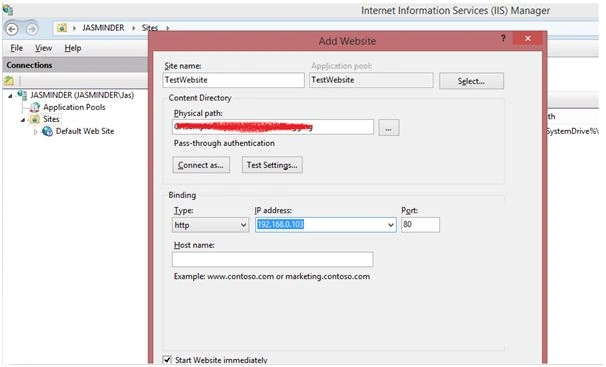
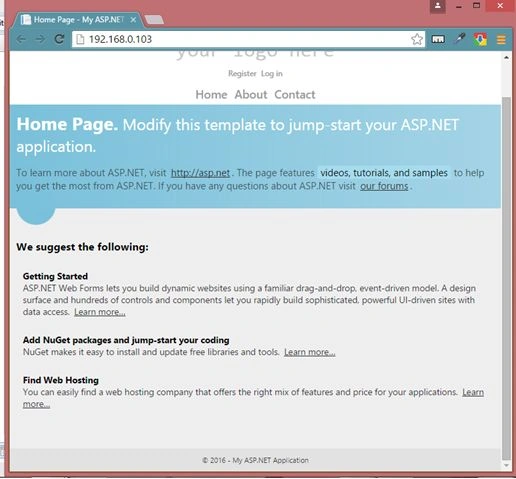
Now the application is hosted and we can browse it.
Now in order to apply HTTPShttps, we need to create a self signed certificate and we can easily do it in the IIS itself. Note that this certificate generation process is only for development purpose. For production purposes we cannot use this certifcate.
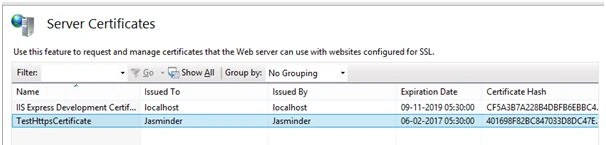
To generate the test certificate, select the Root node of the IIS and select "Server Certificates" option on the right panel.
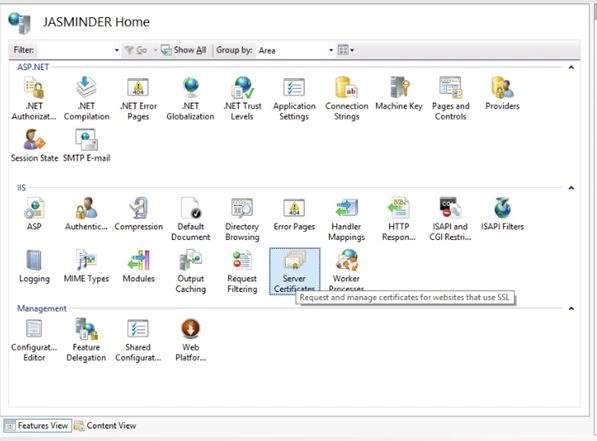
In the right most panel, select the option: "Create Self-Signed certificate." This will open a pop-up to generate the certificate .
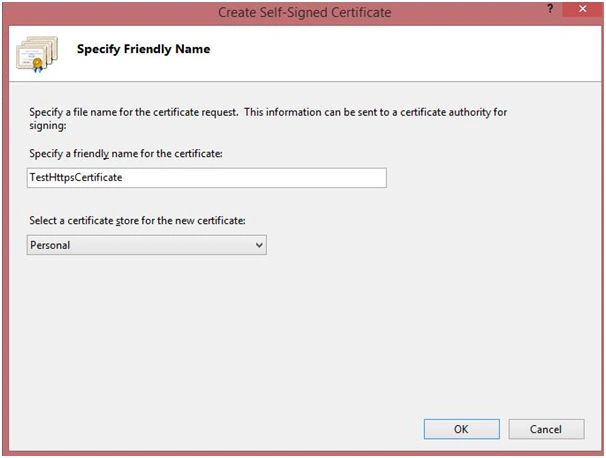
Specify a name for the certificate and Click "Ok" and the certificate will be generated and will be available in the list:
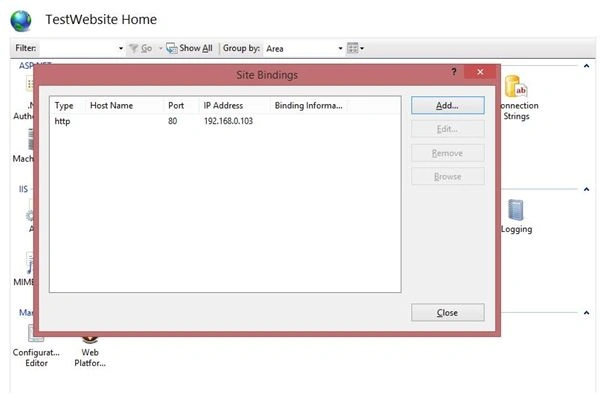
Now, go to your website and select "Bindings." Select "Add Binding" option.
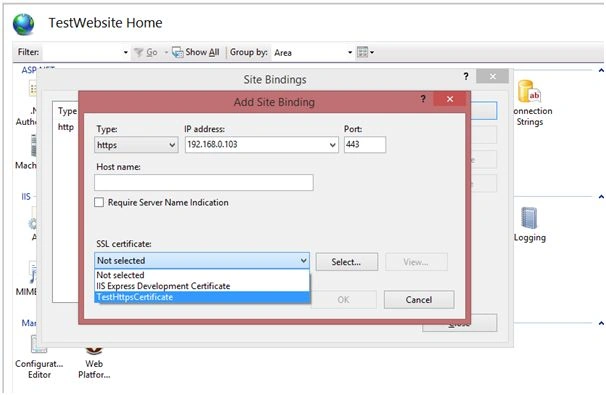
Select the "Type" as "https" and select the "SSL Certificate" as the one we created above. Click "Ok" and it's done.
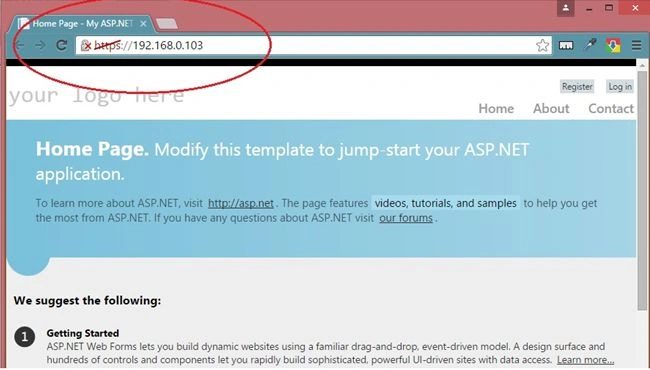
Restart the website and browse it using the "https" binding. Being a "Self signed certificate" the user will be presented with a warning message to continue to website, by the browsers. Click continue and the website it configured to use "https."
Happy coding.
Setting HTTPS On Your Website
In this article we will try to learn how we can apply https on our website in a test environment.
Read more articles on Security in .NET:


Prakash ChasiyaPosted Feb 26, 2018, 6:20 PM EST
Nice. Thank you.
Kuppurasu NagarajTOP 100Posted Apr 11, 2016, 9:49 AM EDT
Nice Sharing
Jithil JohnPosted Mar 7, 2016, 2:01 AM EST
Good one
Mohammed IbrahimPosted Mar 6, 2016, 4:56 AM EST
nice
Kirtan ParmarPosted Mar 5, 2016, 8:40 PM EST
nice...its really helpful
Ankit BansalPosted Mar 5, 2016, 8:00 PM EST
Good one..Kindly create more articles on IIS..
KeyurPosted Mar 5, 2016, 7:48 PM EST
Good share...
Humayun Kabir MamunPosted Mar 5, 2016, 5:53 PM EST
Nice...
Rajeev PunhaniPosted Mar 5, 2016, 3:15 PM EST
Nice.
Sonu ChaudharyPosted Mar 5, 2016, 7:08 AM EST
Good one
Vignesh ManiTOP 100Posted Mar 5, 2016, 4:09 AM EST
Good
Ibrahim ErsoyPosted Mar 5, 2016, 4:09 AM EST
Great job! Thank you for sharing your information
Praveen KumarPosted Mar 5, 2016, 3:13 AM EST
Nice!
Asfend YarPosted Mar 5, 2016, 1:43 AM EST
what about red cross on https ??? What is the purpose of that sign ??