Introduction
I have gone through a lot of AutoComplete TextBox in WPF articles. This article is a simple approach for achieving AutoComplete for TextBox.
Crating WPF Application Project
Fire up Visual Studio 2008 and Create a WPF Application and name the project as AutoCompleteWPF.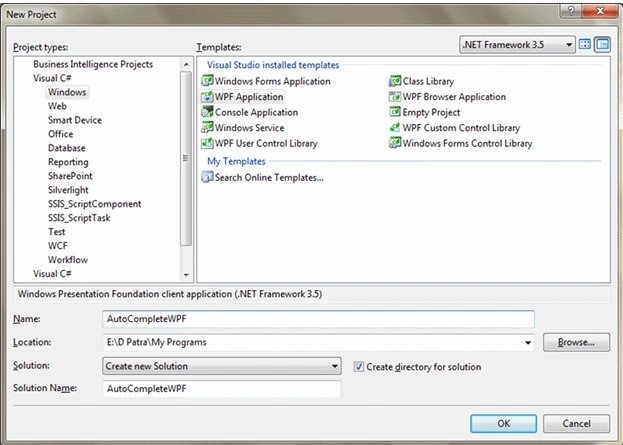
Here is the basic things we need to do for achieving AutoComplete feature for a TextBox.
First we need to have a TextBox and a ListBox. You can see the below screenshot and xaml for reference.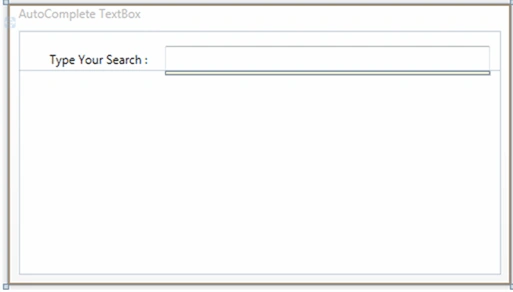
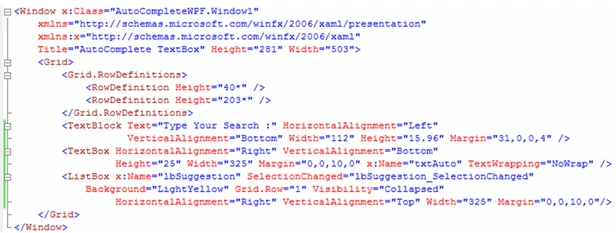
Now we would write code to achieve this.
Create a sample data, in our case it is List of Strings.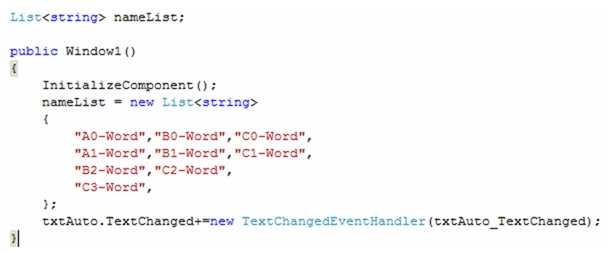
Now in TextChanged event we need to write the below code: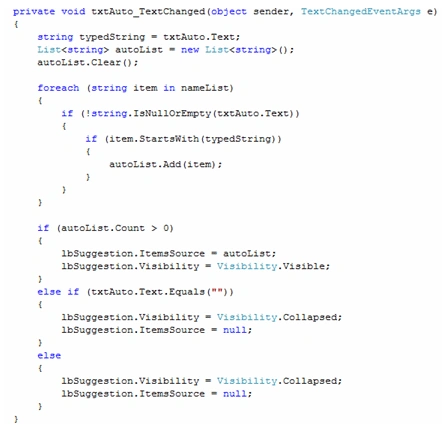
As we would see the suggestion would pop up and we can select on the particular item write the below code for SelectionChanged event of ListBox.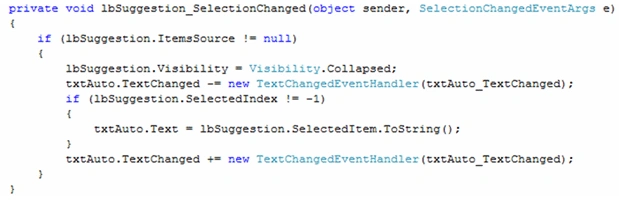
That's it. Run the application.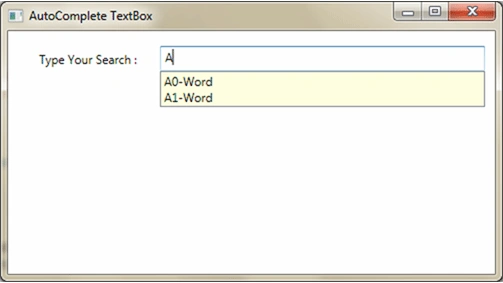
You can design the suggestion style as per your requirement.
Hope this article helps.
AutoComplete TextBox In WPF
In this article, you will learn about AutoComplete TextBox in WPF.


arun ghadaiPosted May 27, 2020, 5:44 AM EDT
Its good but i am facing one issues when using mvvm, when form post the control should clear the text then it allow to select new item. can you please help on this
Ceo QuanPosted Mar 24, 2020, 6:14 AM EDT
How to clear text on AutoCompleteTextBox in OnSelectedItemChange? There is no Text property or Content....
M1nd L3zzPosted Feb 18, 2020, 11:37 PM EST
Got it working on NetCore3! I forgot to point out resources files in ResourceDictionary, so AutoCompleteTextBoxes were lacking information to visualize properly :D
M1nd L3zzPosted Feb 18, 2020, 12:35 AM EST
Excellent article! What could be done to convert it to NetCore3? I tried to copy the code to NetCore3 project, it would run, but the textboxes are not visible.
Mahesh ChandTOP 10Posted Apr 28, 2019, 7:01 AM EDT
Welcome to C# Corner, Sudhanshoo.