
An Azure internal load balancer (ILB) offers a network load balancing between the virtual machines that reside inside a Cloud Service or a virtual network with a regional scope.
Prerequisites
- Azure account.
Now, let's get started with the following steps:
Sign in to the online Microsoft Azure Portal.
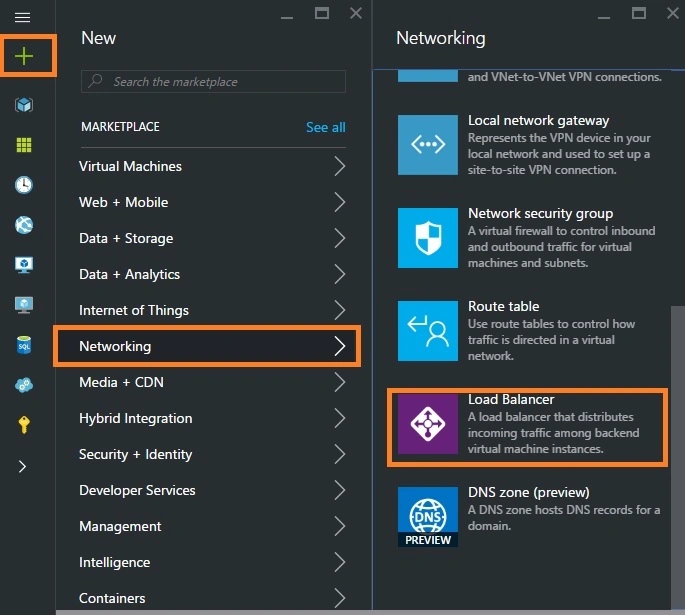
Click New > Networking > Load balancer.
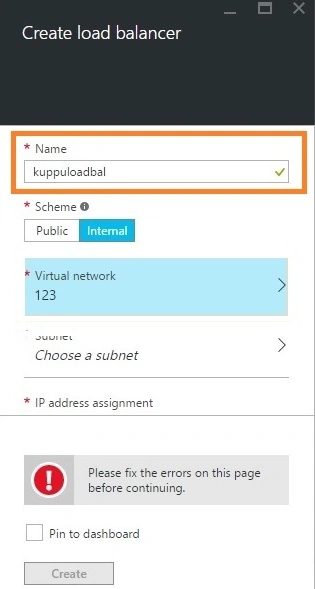
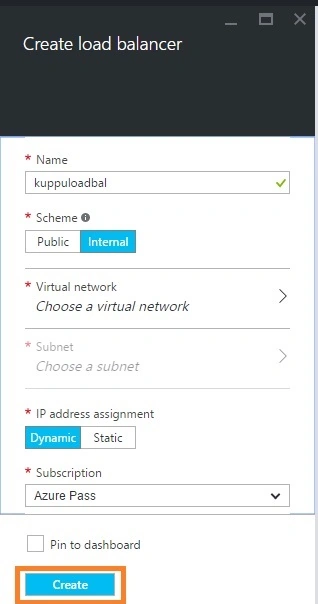
In the Create load balancer blade, type a Name for your load balancer account.
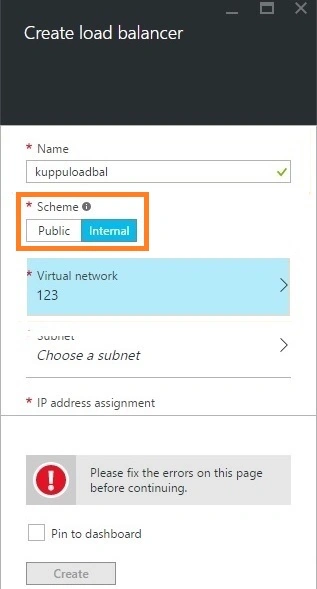
Under Scheme, select Internal.
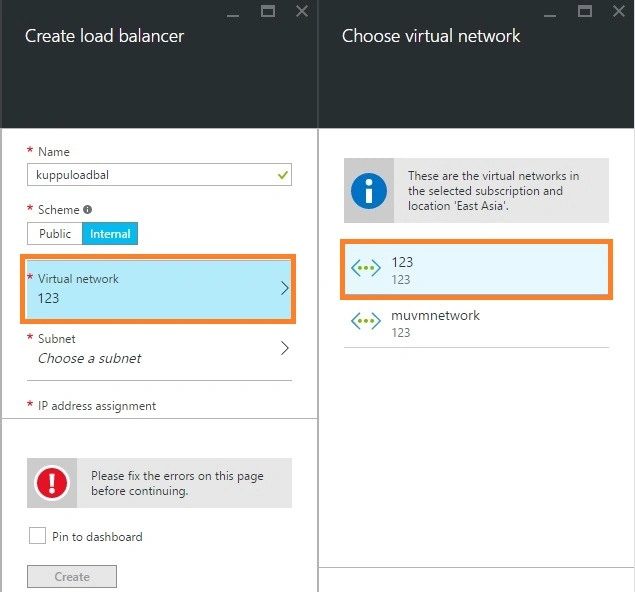
Click Virtual network and then select the virtual network where we want to create the load balancer.
Click Subnet and then select the subnet where we want to create the load balancer.
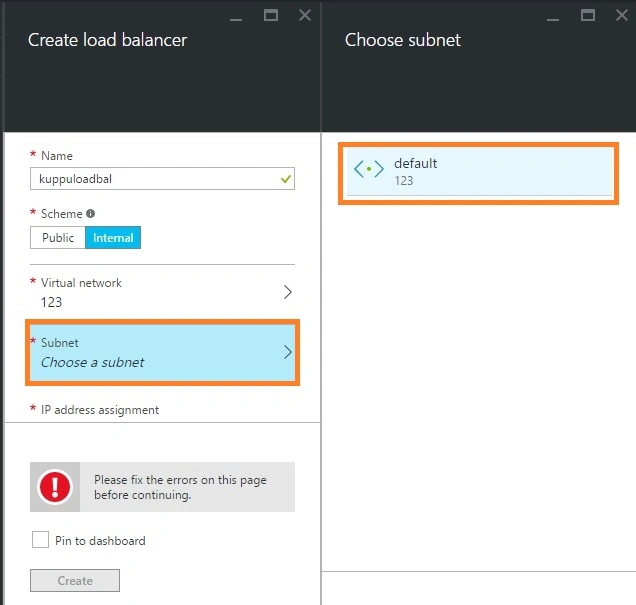
Under Resource group, either specify the name of a new resource group for the load balancer or click select existing and select an existing resource group and click Create.
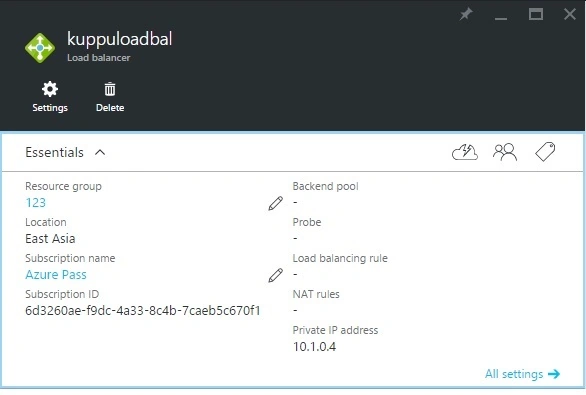
After some time, we will get Load Balancing Service in Azure Dashboard.


Vignesh ManiTOP 100Posted Jun 30, 2016, 1:48 PM EDT
Good one sir
Prasanna MuraliPosted Jun 30, 2016, 7:30 AM EDT
Nice one sir
kalu singh raoPosted Jun 29, 2016, 9:33 PM EDT
Nice...
Santhakumar MunuswamyPosted Jun 29, 2016, 8:41 PM EDT
Thank you for nice article
RajaPosted Jun 29, 2016, 8:25 PM EDT
Nice Share...