
Scope
The purpose of this article is to show how to change the database associated with an existing Azure Mobile Service.
Introduction
Azure Mobile Services creates an Azure SQL Database for each Azure Mobile Service, this way the database will be connected with it, as we can see in the following image: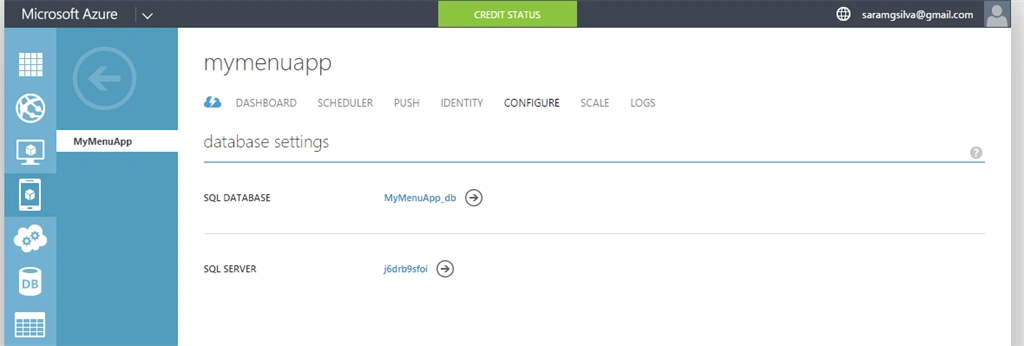
This article shows how to replace a database with other database instances.
Description
To change the database from an Azure Mobile Service, we need to go the Configure separator from the Azure Mobile Service and at the bottom of the page we will see the following menu:
Clicking "Change Database" we will have the following screen.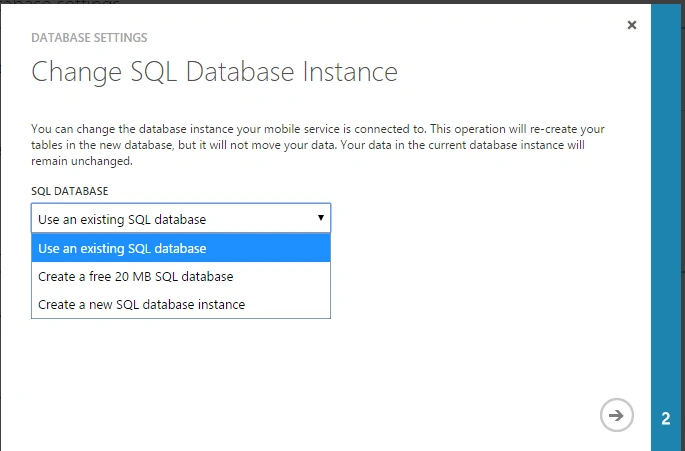
That allow you to create a new database, create a free database (if available) and choose an existing database. We must then wait for a while and a new database instance will be related with the Azure Mobile Service as in the following: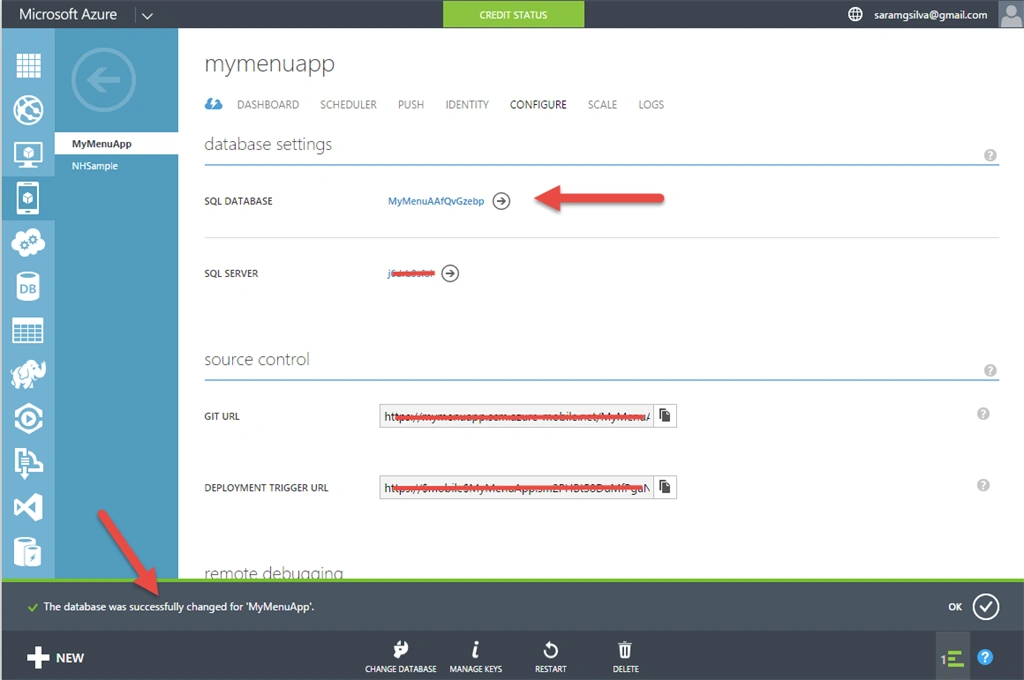
If we apply a refresh, the page will load the data and the connection string used to connect to the database will be updated, as we can see in the following image: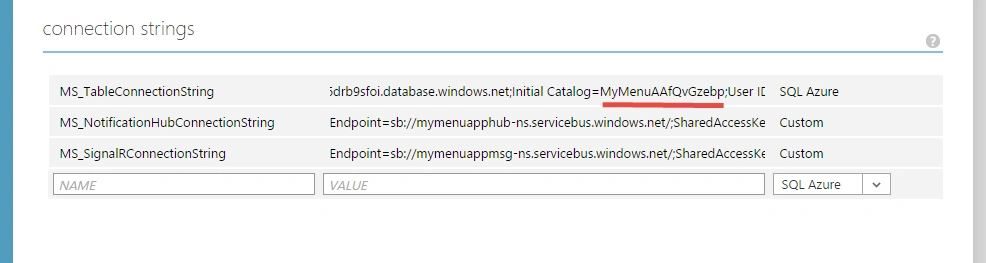
6 comments
Join the conversation! Your thoughts help the community grow.

Join to leave a comment
Members earn 10 SHARP for a comment, 10 SHARP for a reaction, and 1,000 SHARP for every article they publish.

Gowtham RajamanickamTOP 100Posted Apr 9, 2016, 12:29 AM EDT
cool
Karthik Muthu KaruppanPosted Mar 20, 2015, 7:13 AM EDT
cool
Tom MohanPosted Mar 19, 2015, 8:30 AM EDT
Good
Santhakumar MunuswamyPosted Mar 18, 2015, 10:23 AM EDT
Good Work Madam
Vithal WadjeTOP 100Posted Mar 18, 2015, 10:11 AM EDT
another outstanding contribution ,keep it up
ROHAN PANDEYPosted Mar 18, 2015, 8:54 AM EDT
Super nice