
Introduction
This article provides an example of attaching a single view with multiple actions. We create two actions in a single controller and both are called by the single view.
Let's see an example of attaching a single view with multiple actions.
Step 1
Create an application as in the following:
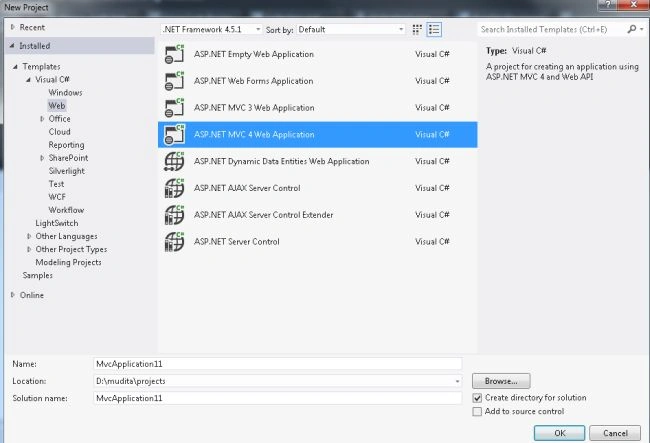
- Start Visual Studio 2012.
- From the start window select "Installed" -> "Visual C#" -> "Web".
- Select "ASP.NET MVC4 Web Application" and click on the "OK" button.
- From the "MVC4 Project" window select "Web API".
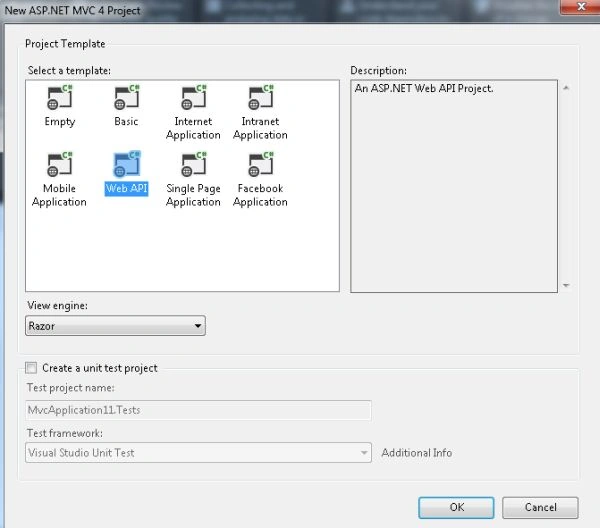
- Click on the "OK" button.
Step 2
Add two action methods in the HomeController.
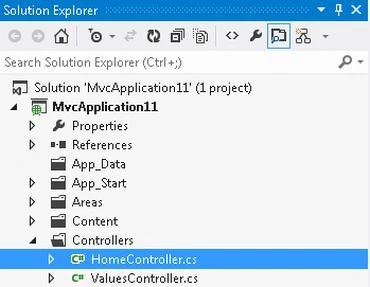
- In the "Solution Explorer".
- Select "Controller" -> "HomeController".
- using System;
- using System.Collections.Generic;
- using System.Linq;
- using System.Web;
- using System.Web.Mvc;
- using MvcApplication11.Models;
- namespace MvcApplication11.Controllers
- {
- public class HomeController : Controller
- {
- public ActionResult Show()
- {
- ViewBag.ActionName = "Show";
- return View("Display");
- }
- public ActionResult Show2()
- {
- ViewBag.ActionName = "Show2";
- return View("Display");
- }
- }
- }
Step 3
Now add a MVC4 View Page (aspx) in the Shared folder:
-
In the "Solution Explorer".
-
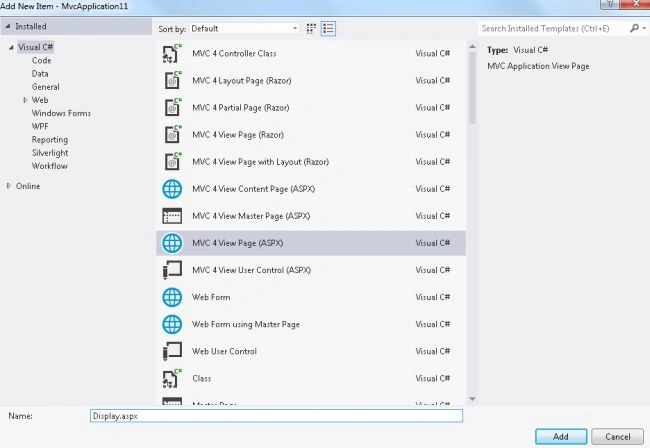
Right-click on the "Shared" folder and select "Add" -> "New Item".
-
Select "Installed" -> "Visual C#" -> "Web" and select MVC4 View Page (aspx).
-
Click on the "Add" button.
Add the following code:
- <%@ Page Language="C#" Inherits="System.Web.Mvc.ViewPage<MvcApplication11.Models.Customer>" %>
- <!DOCTYPE html>
- <html>
- <head runat="server">
- <meta name="viewport" content="width=device-width" />
- <title></title>
- </head>
- <body>
- <div>
- <% var ActionName = ViewBag.Controller; %>
- <% if (ActionName == "Home")
- {%>
- This is the first Action method
- <%}
- else
- {%>
- This is the Second Action method
- <%} %>
- </div>
- </body>
- </html>
Step 4
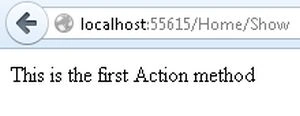
Execute the application and change the URL to http://localhost:55615/Home/Show.
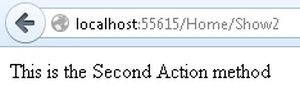
Now change the URL to http://localhost:55615/Home/Show2

Join the conversation! Your thoughts help the community grow.