
Border is a control that draws border, background or both around another control. It Is a container control such as Grid but you can declare only 1 child element inside it. You must add another container control like Grid or StackPanel to add more controls inside.
Border control looks like the following:

Here's how we declare it inside XAML:
Here's how we declare it inside XAML:
- <Border BorderBrush="Black" BorderThickness="1" Height="203" Width="343">
- //Container Controls or a child control can be declared here
- </Border>
Let's make another example on how to declare it.
Here's an example how to use single child control in a Border Control:
- <Border BorderBrush="Black" BorderThickness="1" HorizontalAlignment="Left" Height="203"
- Margin="136,103,0,0" VerticalAlignment="Top" Width="343">
- <CheckBox Content="Tick me!" />
- </Border>
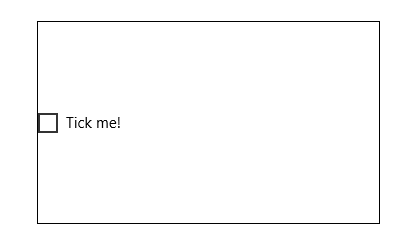
Here's another example how to use StackPanel to contain many child controls inside a Border Control:
- <Border BorderBrush="Black" BorderThickness="1" HorizontalAlignment="Left" Height="203"
- Margin="136,103,0,0" VerticalAlignment="Top" Width="343">
- <StackPanel>
- <CheckBox Content="Tick Me"/>
- <CheckBox Content="Tick Me Too"/>
- <CheckBox Content="Tick Me Last"/>
- </StackPanel>
- </Border>
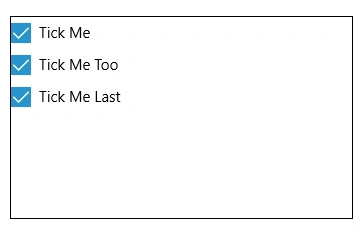
Border control is useful if you are going to contain or group controls inside a visually bordered control.


Santhakumar MunuswamyPosted Oct 25, 2015, 7:55 AM EDT
Good one
Priyaranjan K STOP 100Posted Oct 19, 2015, 8:43 AM EDT
Good Write Up
Sibeesh VenuTOP 100Posted Oct 19, 2015, 4:53 AM EDT
Nice Share
Nilesh JadavPosted Oct 19, 2015, 4:07 AM EDT
Thank you for sharing
Harshad PansuriyaPosted Oct 19, 2015, 2:30 AM EDT
Nice
Mukesh KumarPosted Oct 19, 2015, 1:11 AM EDT
Good One Sir... Thanks for sharing