
Introduction
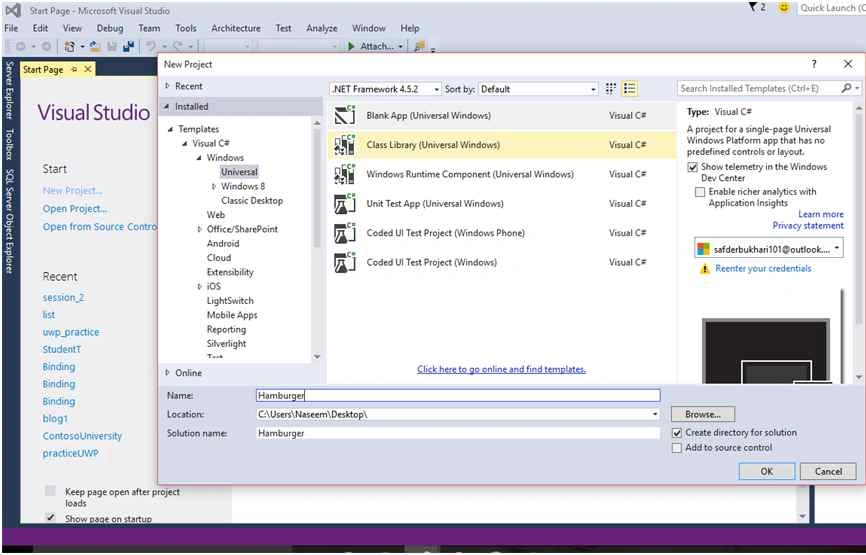
Build your first Hamburger Menu in Windows 10 Split View
- <Page x:Class="Hamburger.MainPage" xmlns="http://schemas.microsoft.com/winfx/2006/xaml/presentation" xmlns:x="http://schemas.microsoft.com/winfx/2006/xaml" xmlns:local="using:Hamburger" xmlns:d="http://schemas.microsoft.com/expression/blend/2008" xmlns:mc="http://schemas.openxmlformats.org/markup-compatibility/2006" mc:Ignorable="d">
- <SplitView x:Name="MySplitView" DisplayMode="CompactOverlay" IsPaneOpen="False" CompactPaneLength="50" OpenPaneLength="150">
- <SplitView.Pane>
- <StackPanel Background="Aqua">
- <!--Inside of our stack panel, I want to add our hamburger button, and below that a couple of dummy buttons just for reference.-->
- <Button x:Name="HamburgerButton" FontFamily="Segoe MDL2 Assets" Content="" Width="50" Height="50" Background="Transparent" Click="HamburgerButton_Click" />
- <StackPanel Orientation="Horizontal">
- <Button x:Name="MenuButton1" FontFamily="Segoe MDL2 Assets" Content="" Width="50" Height="50" Background="Transparent" />
- <TextBlock Text="Home" FontSize="18" VerticalAlignment="Center" HorizontalAlignment="Right" /> </StackPanel>
- <StackPanel Orientation="Horizontal">
- <Button x:Name="MenuButton2" FontFamily="Segoe MDL2 Assets" Content="" Width="50" Height="50" Background="Transparent" />
- <TextBlock Text="Settings" FontSize="18" VerticalAlignment="Center" HorizontalAlignment="Right" /> </StackPanel>
- <StackPanel Orientation="Horizontal">
- <Button x:Name="MenuButton3" FontFamily="Segoe MDL2 Assets" Content="" Width="50" Height="50" Background="Transparent" />
- <TextBlock Text="Messages" FontSize="18" VerticalAlignment="Center" HorizontalAlignment="Right" /> </StackPanel>
- <StackPanel Orientation="Horizontal">
- <Button x:Name="MenuButton4" FontFamily="Segoe MDL2 Assets" Content="" Width="50" Height="50" Background="Transparent" />
- <TextBlock Text="Contact" FontSize="18" VerticalAlignment="Center" HorizontalAlignment="Right" /> </StackPanel>
- </StackPanel>
- </SplitView.Pane>
- <SplitView.Content>
- <Grid Background="Azure">
- <TextBlock Text="Hamburger Menu" FontSize="54" Foreground="Purple" HorizontalAlignment="Center" VerticalAlignment="Center" /> </Grid>
- </SplitView.Content>
- </SplitView>
- </Page>
- using System;
- using System.Collections.Generic;
- using System.IO;
- using System. Linq;
- using System.Runtime.InteropServices.WindowsRuntime;
- using Windows. Foundation;
- using Windows.Foundation.Collections;
- using Windows.UI.Xaml;
- using Windows.UI.Xaml.Controls;
- using Windows.UI.Xaml.Controls.Primitives;
- using Windows.UI.Xaml.Data;
- using Windows.UI.Xaml.Input;
- using Windows.UI.Xaml.Media;
- using Windows.UI.Xaml.Navigation;
- // The Blank Page item template is documented at http://go.microsoft.com/fwlink/?LinkId=402352&clcid=0x409
- namespace Hamburger
- {
- /// <summary>
- /// An empty page that can be used on its own or navigated to within a Frame.
- /// </summary>
- public sealed partial class MainPage: Page
- {
- public MainPage()
- {
- this.InitializeComponent();
- }
- private void HamburgerButton_Click(object sender, RoutedEventArgs e)
- {
- MySplitView.IsPaneOpen = !MySplitView.IsPaneOpen;
- }
- }
- }
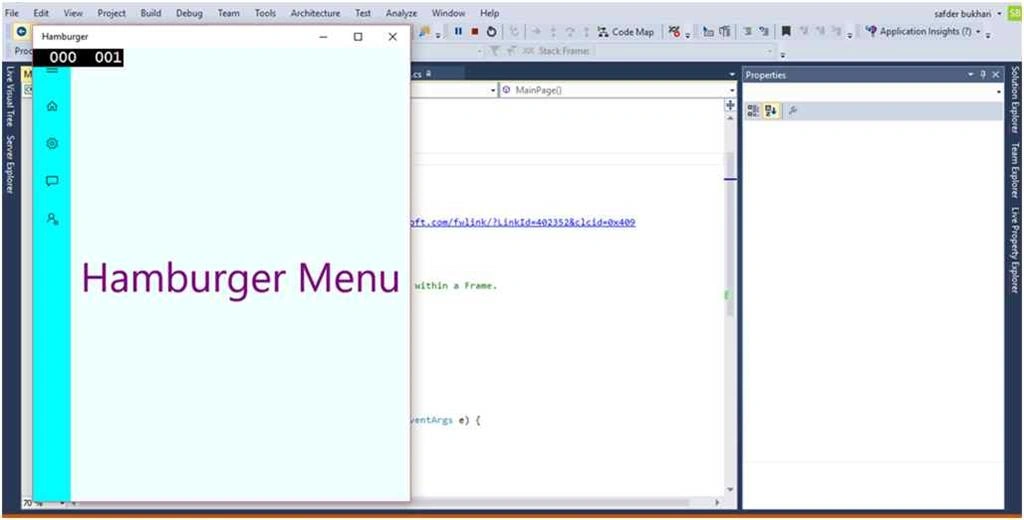
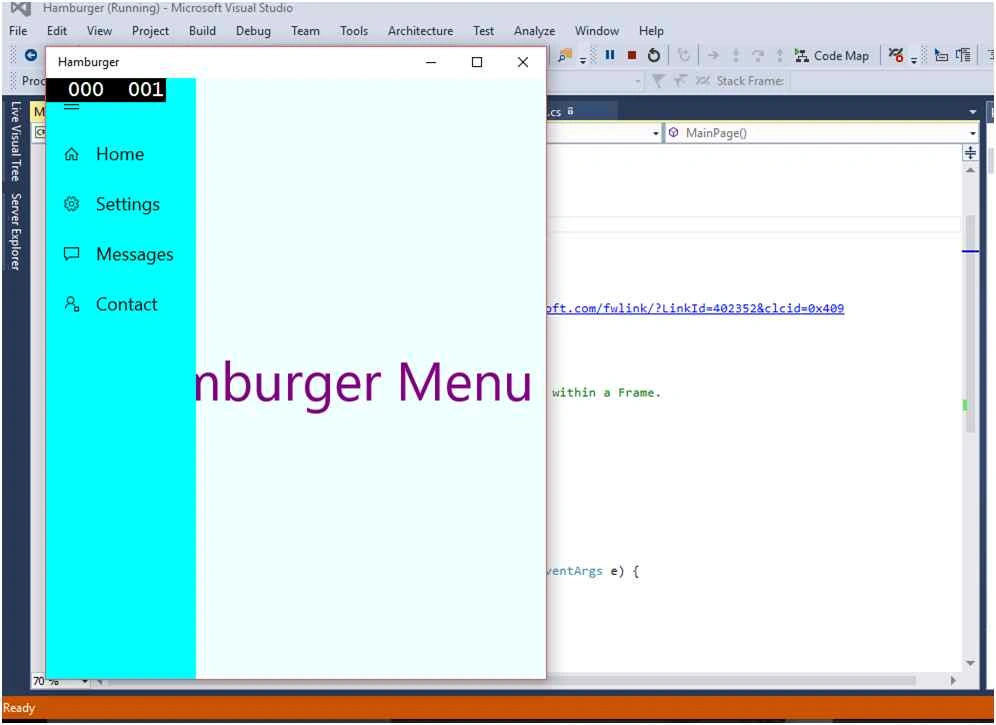
SplitView Control
SplitView has two main elements, the pane, and the content. The pane represents the menu that you want to interact with and the content represents the main content of your page.
The pane and content areas divide the available screen.
The pane is always visible in this mode that is just wide enough to show icons.
Please leave feedback on how you liked this tutorial and what we could improve.
You can find more samples at https://github.com/.
Summary
In this article, we learned about build your first hamburger menu in Windows 10.


Munawar HussainPosted Nov 30, 2015, 8:56 PM EST
thanx Santhakumar Munuswamy
Santhakumar MunuswamyPosted Nov 30, 2015, 8:39 PM EST
Nice share
Munawar HussainPosted Nov 30, 2015, 10:08 AM EST
Thnx Sibeesh Venu
Sibeesh VenuTOP 100Posted Nov 29, 2015, 8:46 PM EST
Nice Share
Mukesh KumarPosted Nov 29, 2015, 8:17 PM EST
Great work..good start
Banketeshvar NarayanPosted Nov 29, 2015, 8:12 PM EST
Good one
Raja TPosted Nov 29, 2015, 8:08 PM EST
Nice , Thanks for sharing