
In this post, we will see how we can create Desktop Apps using Electron.
What is Electron?
Electron is a framework that supports the development of Desktop applications using web technology. Using Electron .NET wrapper we can create a Desktop app for Windows, macOS, LINUX operating systems.
Visual Studio Code and GitHub Desktop and many more desktop applications built using Electron.
Prerequisite Software
- Node JS
- .NET Core 3.1 or above
- Install the Electron command-line tool using the following command
dotnet tool install ElectronNET.CLI -g
Create an ASP.NET Core web application
We are using Visual Studio 2019 to create a web application. Open up Visual Studio and create ASP.NET Web app
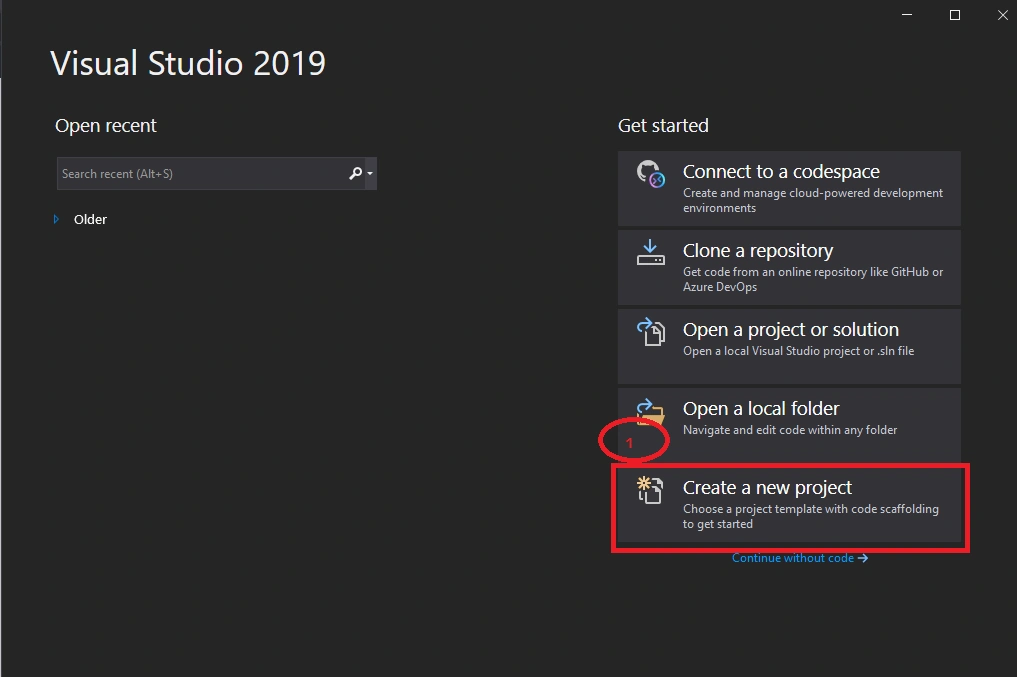
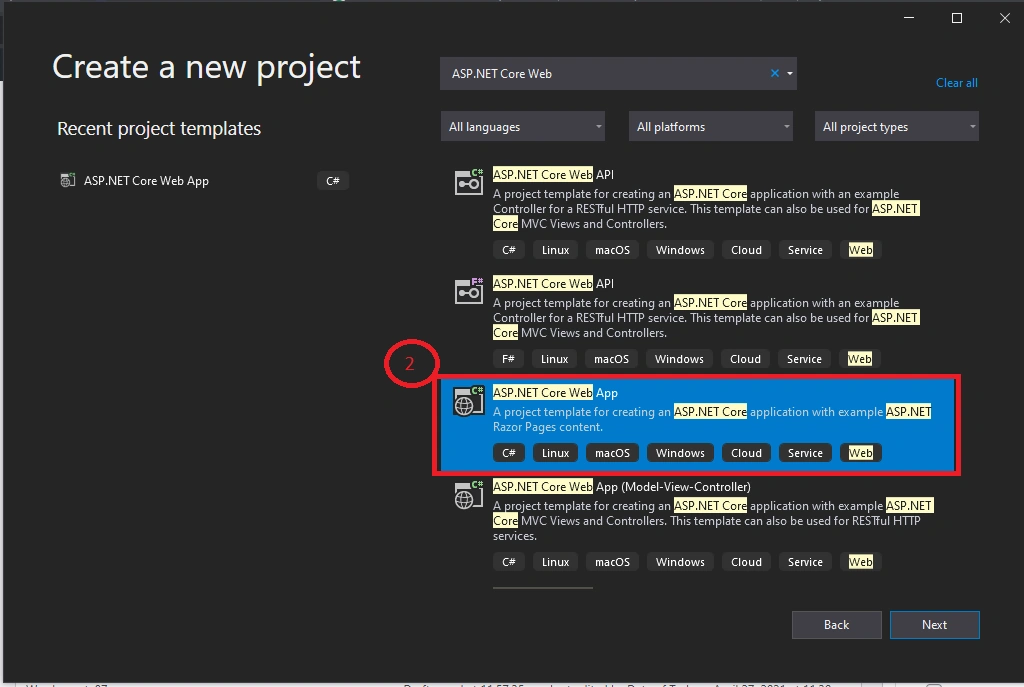
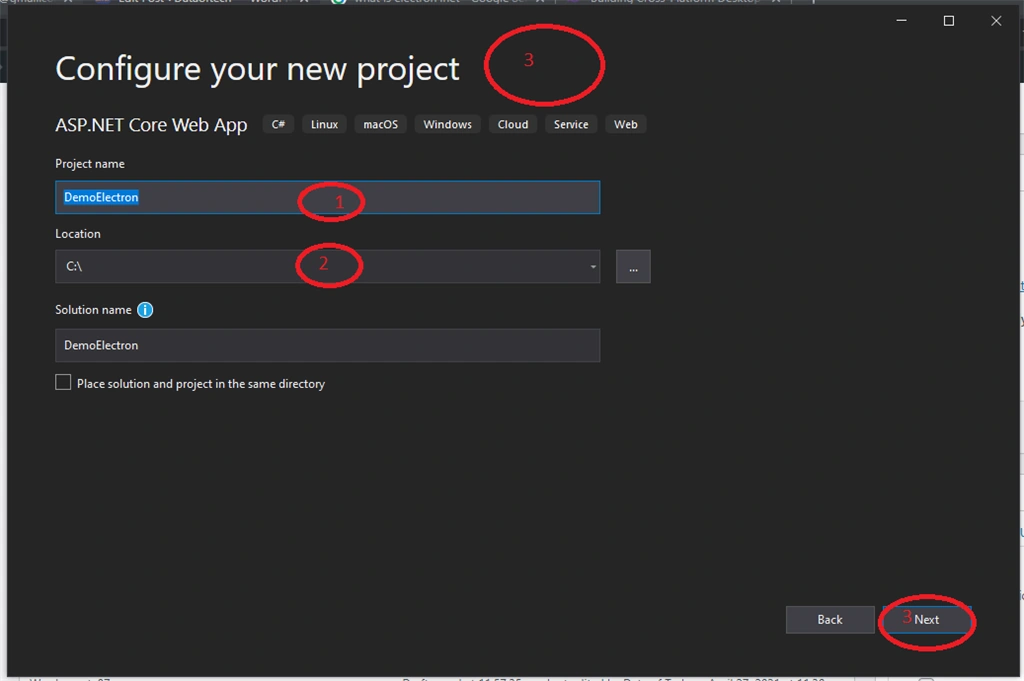
Now let's add Electron package references to the project. nuget.org
Install-Package ElectronNET.API -Version 9.31.2
Next open Program.cs file and add namespaces for a new package.
using ElectronNET.API;
Go to CreateHostBuilder method and add following two lines before the UseStartup
- webBuilder.UseElectron(args);//This line is required
- webBuilder.UseEnvironment("Development");
Open Startup.cs file and add following namespaces,
- using ElectronNET.API;
- using ElectronNET.API.Entities;
- using System.Runtime.InteropServices;
Go to Configure Method and add following line of code at the end of method
- if (HybridSupport.IsElectronActive)
- { CreateWindow();
- }
Now add the following method in Startup class to create main Electron window.
- private async void CreateWindow() {
- CreateMenu();
- var window = await Electron.WindowManager.CreateWindowAsync();
- window.OnClosed += () => {
- Electron.App.Quit();
- };
- }
Run the Application
If you have installed the Electron CLI then open the command-line tool and go to the File path where your .csproj file exist in file explorer and put the following command,
electronize init
electronize start /watch
electronize init is one time command when you run the application for the first time.
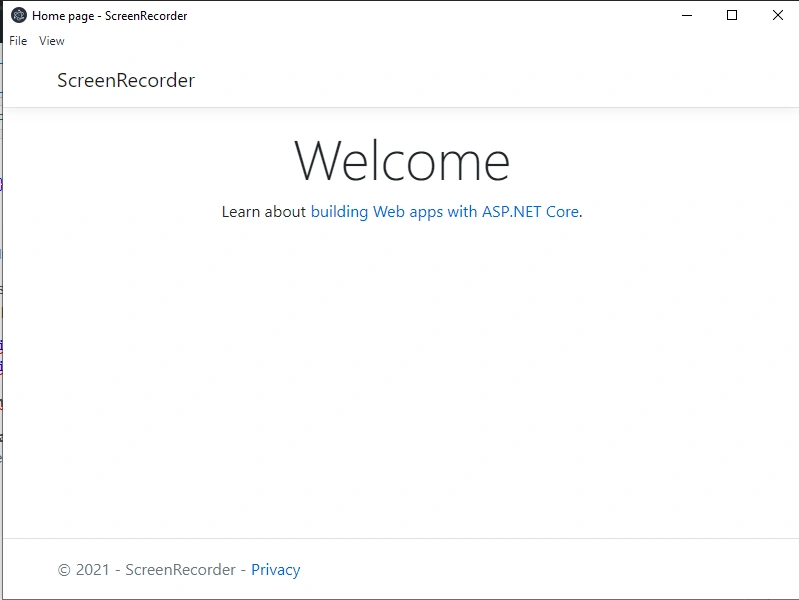
electonize start /watch This command is to run the application and also get refreshed automatically if any changes doing in code. It will launch the window application.
Click here to read the complete article.


Divyaprakash VermaPosted Aug 3, 2021, 6:01 AM EDT
Comment CreateMenu() then Command line code dotnet tool install ElectronNET.CLI -g , dotnet tool list -g, electronize init , electronize start
Fadi SamiPosted Aug 2, 2021, 6:56 AM EDT
Where is the CreateMenu method?
khatri karanPosted Jun 24, 2021, 2:46 AM EDT
Hello, can you provide CreateMenu method ?