
We have a built in Calendar control from Windows 10 UWP CalendarView, which can provide a standardized way to let users view and interact with a calendar. Selecting multiple dates are also possible through Calendar view.
For creating a new Windows 10 universal project, refer to the following:
Now go to MainPage.XAML and write the below xaml code to show calendar control.
- <CalendarView x:Name="myCal"HorizontalAlignment="Center"VerticalAlignment="Center"></CalendarView>
If you want to select multiple date set SelectionMode="Multiple" by default it will be single. Next set the display mode it’s used to display the calendar in different view Month, Year and Decade.
The view looks like the following image.
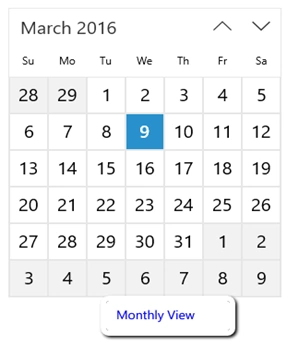
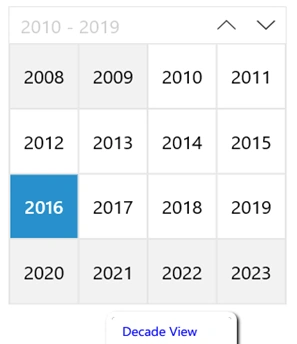
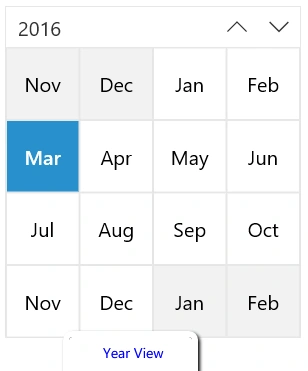
To get the selected date register event handler for the date control like the following code,
- <CalendarView x:Name="myCal"HorizontalAlignment="Center"SelectedDatesChanged="myCal_SelectedDatesChanged"VerticalAlignment="Center"></CalendarView>
- CalendarViewSelectedDatesChangedEventArgsargs)
- {
- stringselectedDate = args.AddedDates[0].ToString();
- }
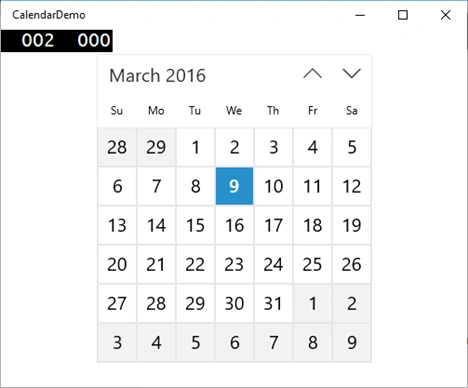
For more information on Windows 10 UWP, refer to my eBook:
Please share your comments on this article.
Read more articles on Windows 10:


Suresh MPosted Mar 14, 2016, 2:06 AM EDT
Thank you friends...
Sibeesh VenuTOP 100Posted Mar 10, 2016, 11:54 PM EST
Nice Share
Kumaresh RajalingamPosted Mar 9, 2016, 3:37 PM EST
Nice
Asfend YarPosted Mar 9, 2016, 6:26 AM EST
nice
Mohammed IbrahimPosted Mar 9, 2016, 4:22 AM EST
nice
Ammar ShaukatPosted Mar 9, 2016, 1:49 AM EST
Good
Vignesh ManiTOP 100Posted Mar 9, 2016, 12:16 AM EST
Good one