
Introduction
Here are the steps to change the date and time format in Windows 10:
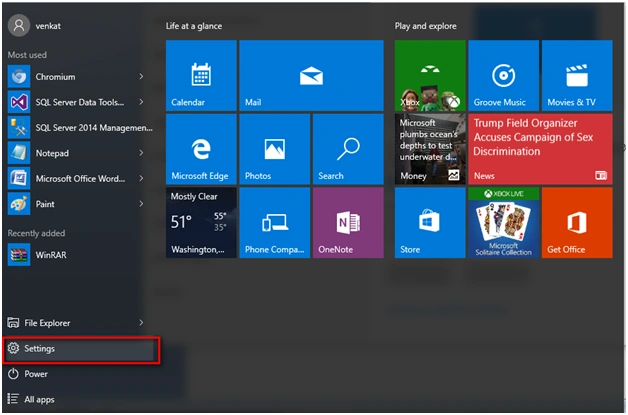
Step 1
Go to Settings Tab.
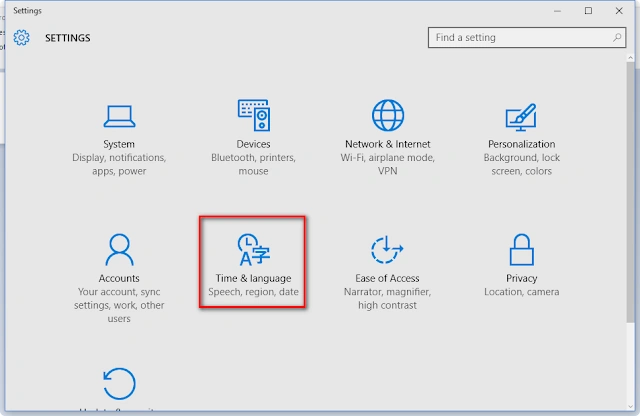
 Step 2
Click on "Time & language" options.
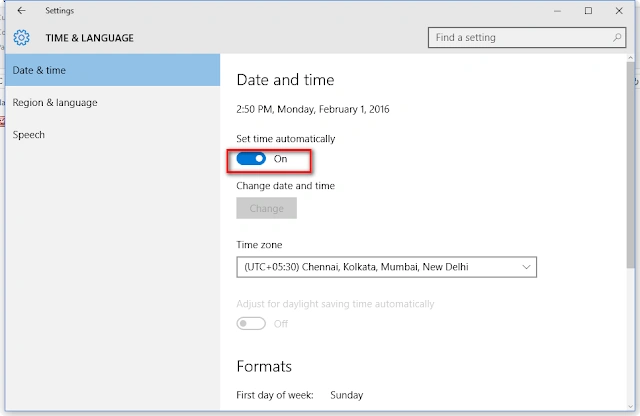
 Step 3
Click on "Date & time".
 Step 4
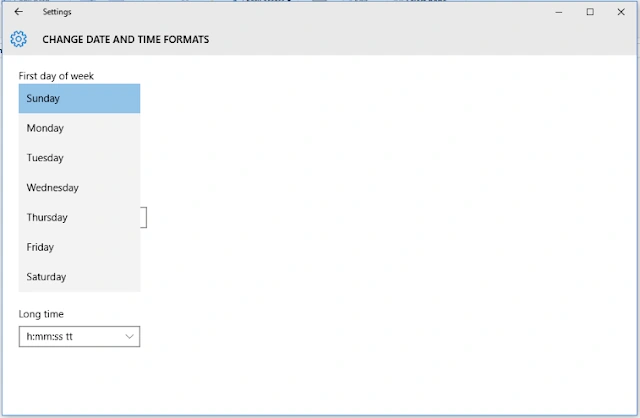
Click on the "Change Formats" option in the above window. You will get the following window "Change Date and Time Formats."
 Step 5
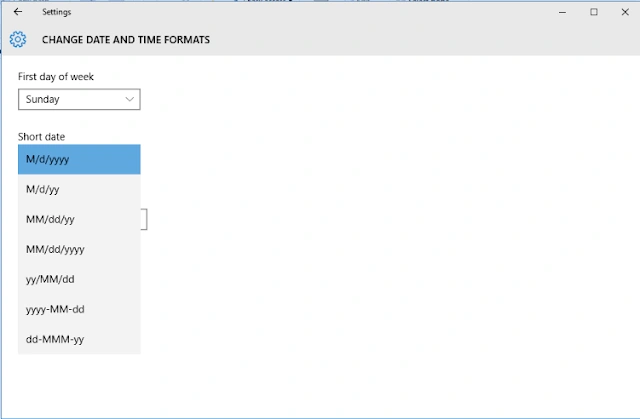
Option to change the "First day of the week" and to change the short data type as in the following screenshot:
 Step 6
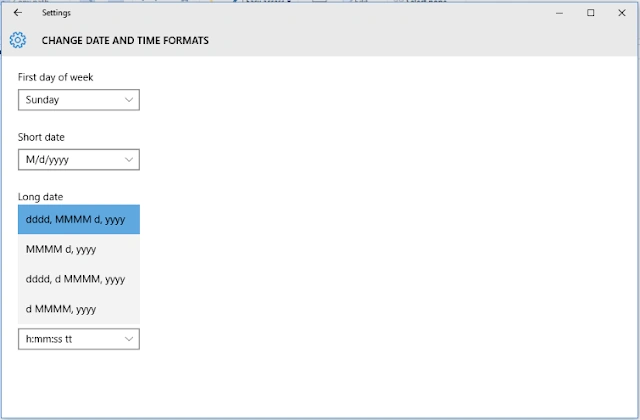
Change the Long date.
 Step 7
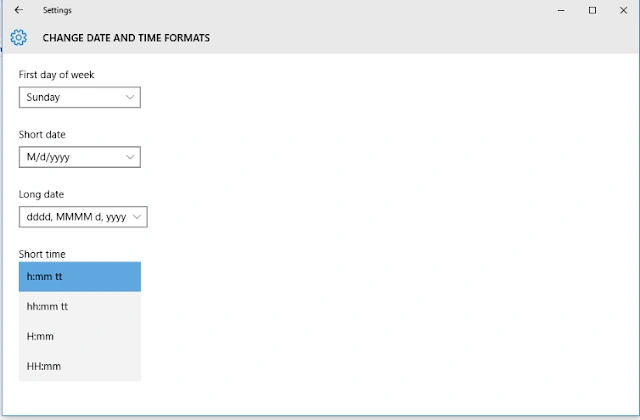
Change the Short Time format as below:
 Step 8
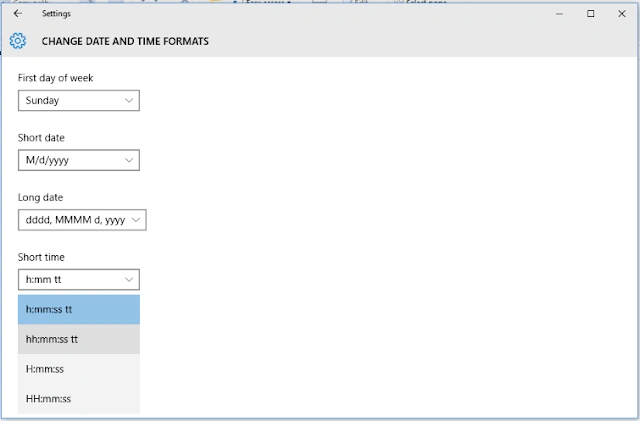
Change the "Long date" as in the following:
Read more articles on Windows 10
Summary
In this article, we learned about Change Date And Time Formats In Windows 10.


Sibeesh VenuTOP 100Posted Feb 17, 2016, 7:09 PM EST
Nice Share
Gowtham KTOP 100Posted Feb 17, 2016, 7:27 AM EST
Thanks for sharing
Kumaresh RajalingamPosted Feb 17, 2016, 1:30 AM EST
Nice
Shubham KumarPosted Feb 17, 2016, 12:51 AM EST
nice share