
Firstly, we will see what is the use of document ID.
Document IDs help you manage your documents by providing an easy way to track items regardless of their location.
You must be a site collection administrator to activate the DOC ID Feature in a site collection.
Open SharePoint team site.
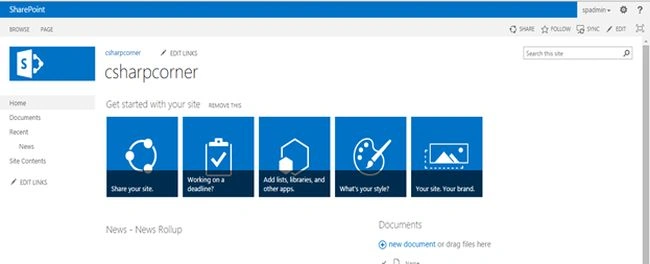
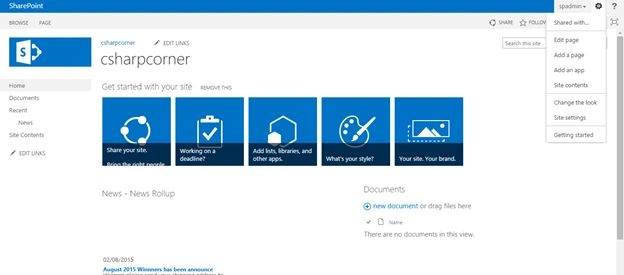
Navigate through site settings.
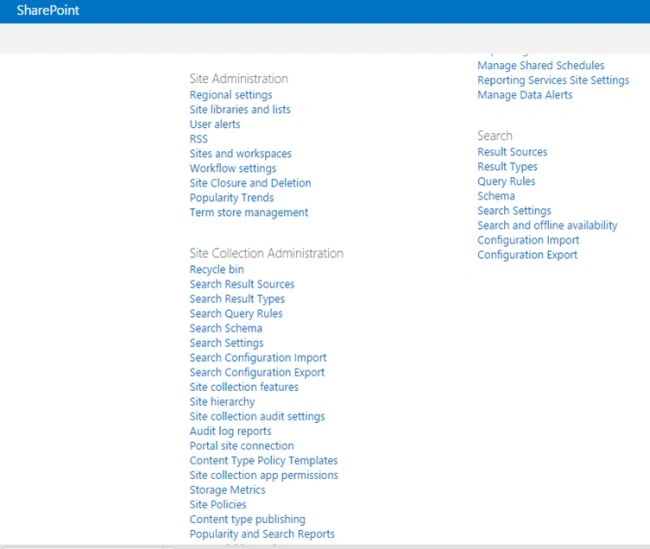
Under site collection administration, click site collection features.
Find Document ID Service then Click Activate.

Now the Document ID Service has been activated successfully.

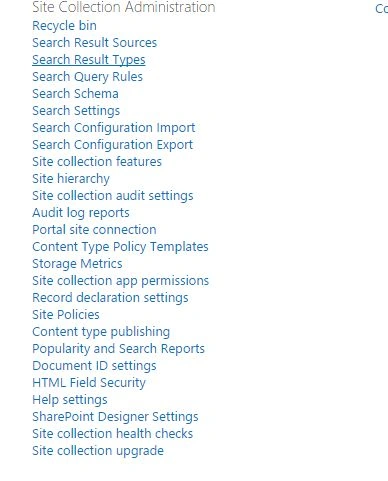
Under site settings, click site collection administration.
Click Document ID Settings.
Check Assign Document ID’s.
Provide the “Begin IDs with the following characters”.
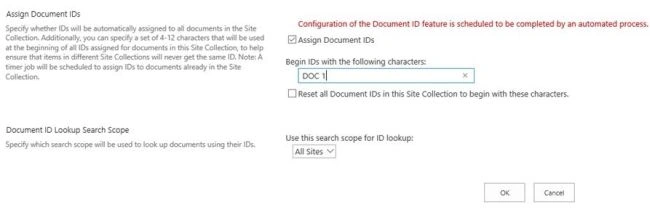
Click OK to complete.
Now Create a document library to check how it works.

Upload one document into this repository.

After complete document upload click on view properties of the document to see the Document ID has been included successfully.
Configure And Use Document ID Service In SharePoint 2013
In this article I have explained how to configure and use Document ID Service in SharePoint 2013.


Vinodh NarayananPosted Sep 30, 2015, 11:26 PM EDT
Kaviya Balasubramanian Thanks a lot
Kaviya BalasubramanianPosted Sep 30, 2015, 11:21 PM EDT
Nice one Vinodh
Vinodh NarayananPosted Sep 30, 2015, 8:41 PM EDT
Ankit Bansal Thanks a lot
Ankit BansalPosted Sep 30, 2015, 8:39 PM EDT
Nice .. thanks for sharing..
Vinodh NarayananPosted Sep 30, 2015, 7:25 PM EDT
Thanks a lot sir
Santhakumar MunuswamyPosted Sep 30, 2015, 11:43 AM EDT
Good One
Vinodh NarayananPosted Sep 30, 2015, 6:06 AM EDT
Karthikeyan K Thanks a lot
Vinodh NarayananPosted Sep 30, 2015, 6:05 AM EDT
Thanks a lot Nilesh Jadav
Karthikeyan KPosted Sep 30, 2015, 5:34 AM EDT
Good one sir..Thanks for sharing
Nilesh JadavPosted Sep 30, 2015, 5:15 AM EDT
Nice one N Vinodh
Vinodh NarayananPosted Sep 30, 2015, 5:04 AM EDT
Thanks a lot Harshad Pansuriya
Harshad PansuriyaPosted Sep 30, 2015, 3:38 AM EDT
Nice One