
Azure Virtual Machines let you deploy a wide range of computing solutions in an agile way. Deploy a virtual machine nearly instantly and pay by the minute. Scale from one to thousands of virtual machine instances. Built in virtual networking and load balancing available.
Prerequisites
- Microsoft Azure Subscription (MSDN subscribers or sign up for one month free trial)
You will learn
- Create Windows Server 2012 R2 Virtual Machine
- Configure IIS Server
- Host Web page on Azure Virtual Machine
Create Virtual Machine
Step 1: Navigate to Azure Classic Portal & sign in using Azure Subscription credentials.
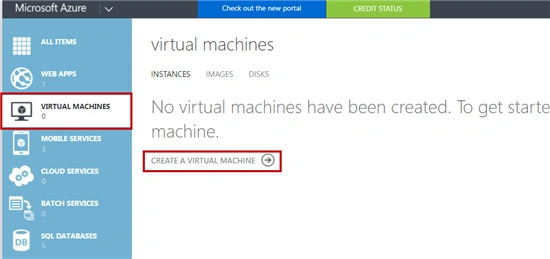
Step 2: Select “Virtual Machine” option & click on “CREATE A VIRTUAL MACHINE” (if no VM available).
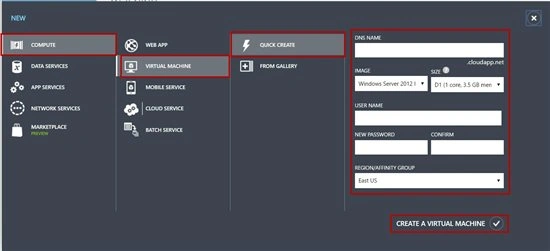
New, Compute, Virtual Machine, Quick Create, then enter vm details
Enter VM details like DNS Name, Image, Size, Username & Password, Region,
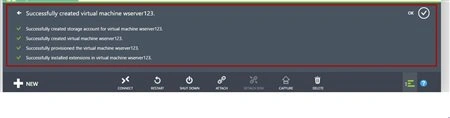
Wait for a few minutes to configure all vm options.
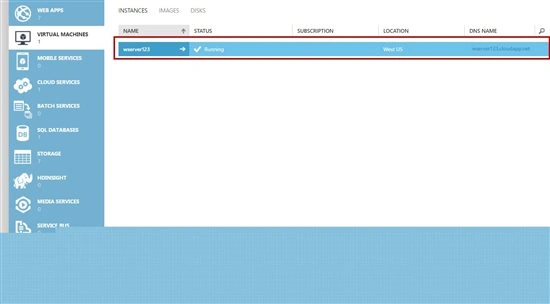
Step 3: Select VM & click on “Connect” option,
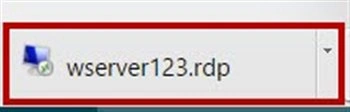
One .rdp file will download,
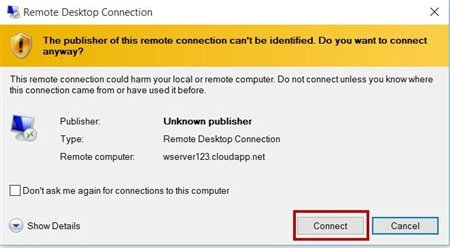
Click on Connect button,
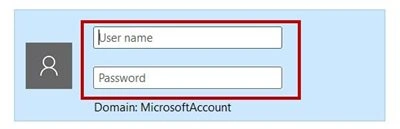
Enter VM Username & Password,
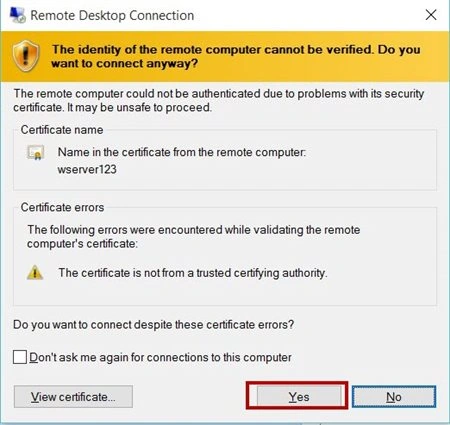
Windows certificate will open & click on Yes button.
Windows 2012 R2 Datacenter ready,
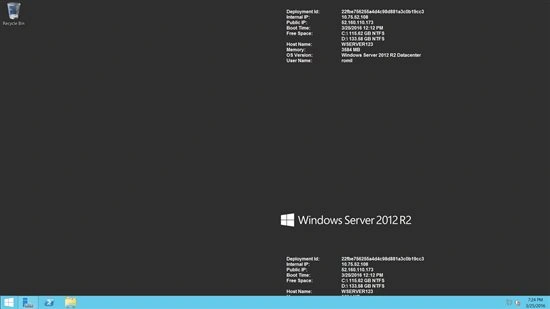
Configure IIS Server
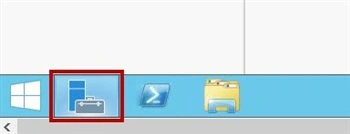
Step 4: Start Server Manager,
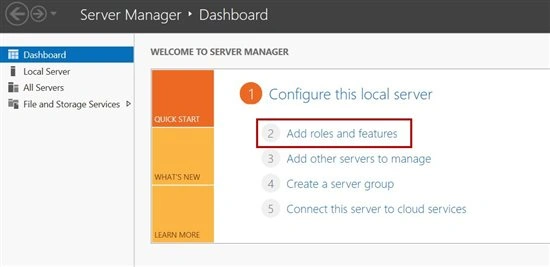
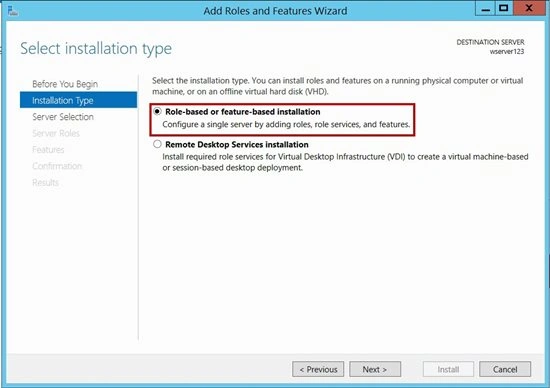
Select “Add roles and features” option,
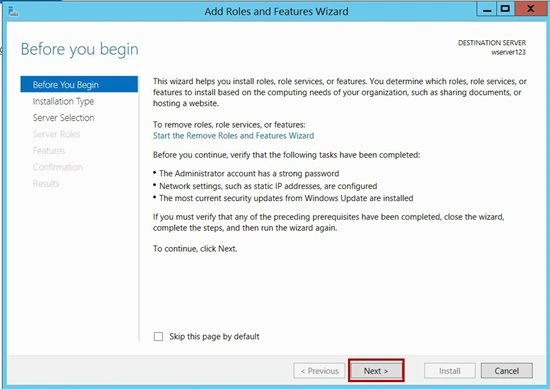
Choose first option “Role-based or feature-based installation”
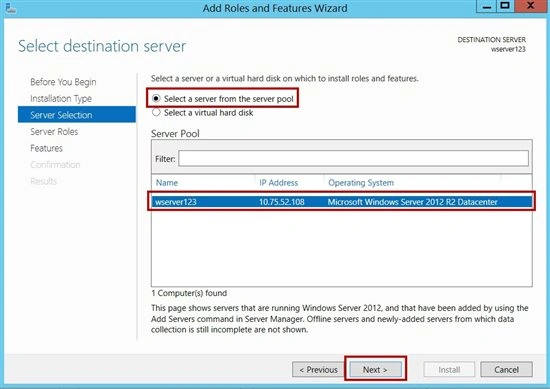
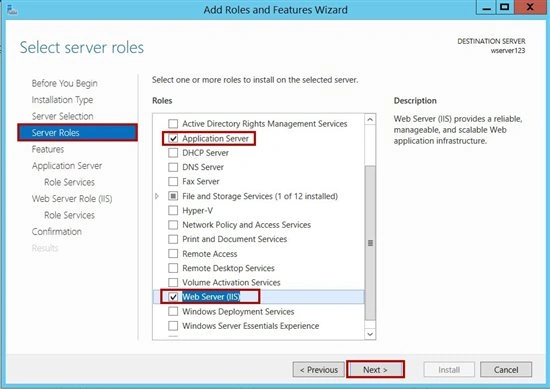
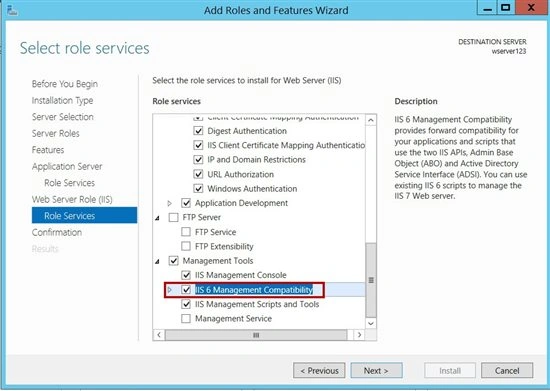
In Server Roles please add “Application Server” & Web Server(IIS)
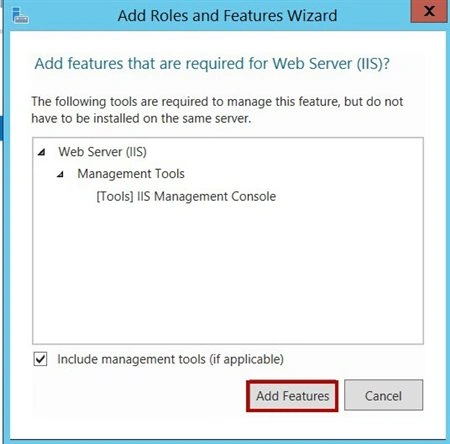
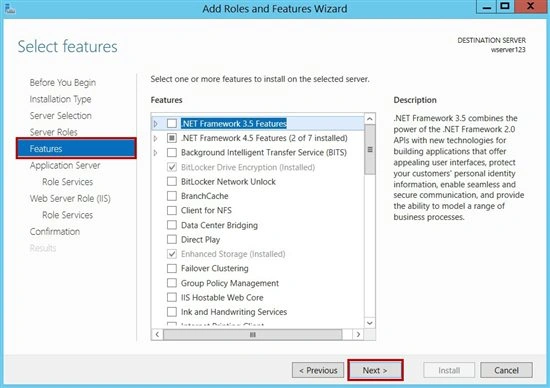
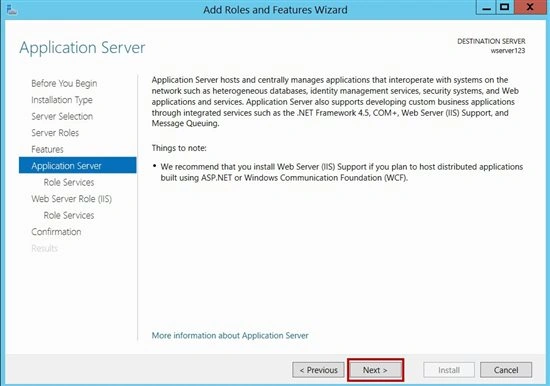
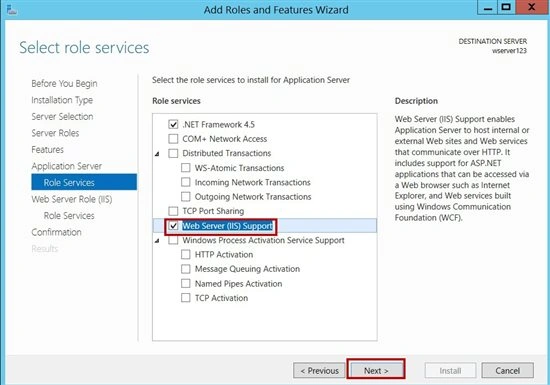
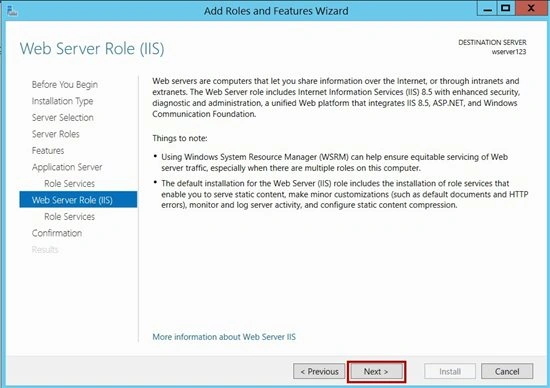
Choose IIS 6 options
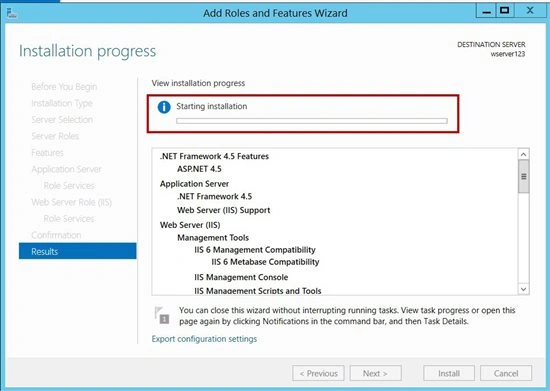
Wait for Installation
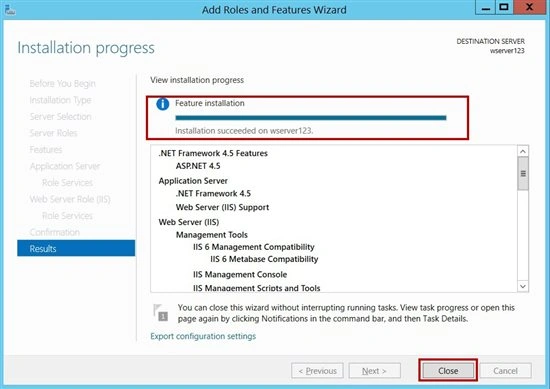
Close the window
Step 5: Open notepad & add below codes:
- <html>
- <title> Microsoft Azure </title>
- <body>
- <h1>Azure VM - Windows Server 2012 </h1> </body>
- </html>
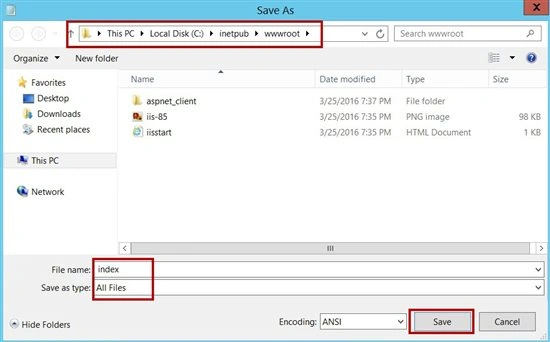
C:\inetpub\wwwroot
C:\inetpub\wwwroot\index.html
Change Save as type to “All Files”.
Step 6: Now again open Management Portal & select VM’s endpoints tab
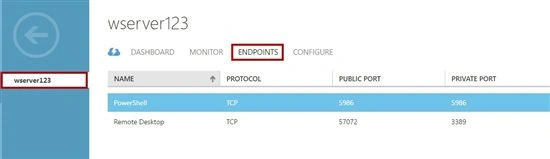
Click on ADD button

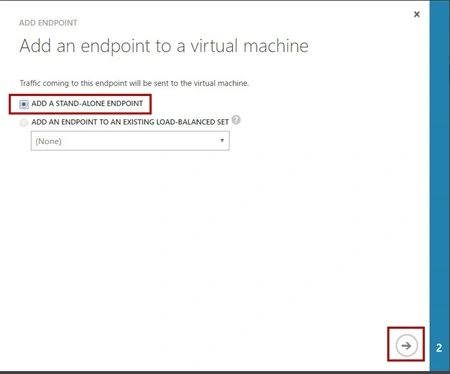
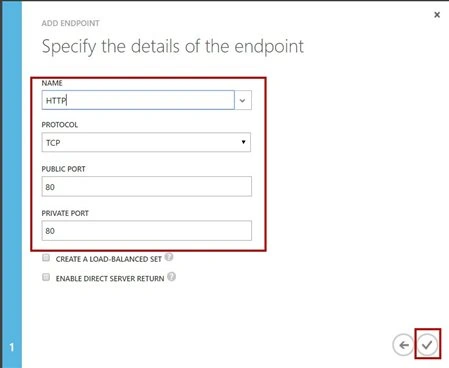
Choose “HTTP” from dropdown menu
Now run the DNS name in another browser or in another tab.

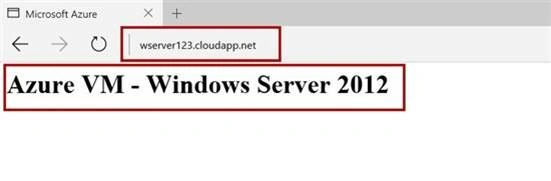
Congratulations! You have successfully configured IIS on Microsoft Azure.


Vignesh ManiTOP 100Posted May 21, 2016, 5:29 AM EDT
Good one
Praveen SreeramPosted May 20, 2016, 4:28 AM EDT
Any reason why you are still referring to classic portal? Why not new portal?
Sonu ChaudharyPosted May 19, 2016, 7:32 AM EDT
good one
Debasis SahaTOP 100Posted May 19, 2016, 5:24 AM EDT
Good
Bhuvanesh MohankumarPosted May 19, 2016, 5:23 AM EDT
Good one
Prasanna MuraliPosted May 19, 2016, 5:13 AM EDT
Nice one...........
Praveen SreeramPosted May 19, 2016, 4:19 AM EDT
Thanks for sharing!!