
In this article, you will learn how to consume/use a Web API in ASP.NET MVC step by step.
This article is the second part of my ASP.NET MVC Web API series. In Part One, we discussed how to create a Web API and perform CRUD operations. You can find that article at the below link.
Consuming Web API
In this article, we have used the localhost for Web API and called the GET request.
- Create ASP.NET MVC Project
- Add MemberViewModel
- Add Microsoft.AspNet.webApi.Client from the NuGet library
- Code for consuming the Web API
- Run the project and call action method on URL
Step by step implementation:
Step 1
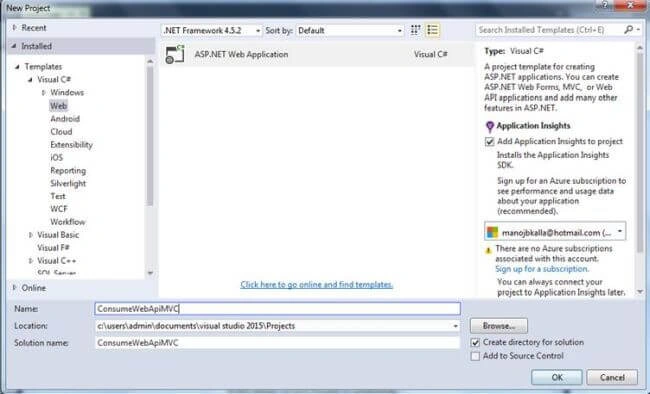
Create a new ASP.NET MVC Web Application project called “ConsumeWebApiMVC”.
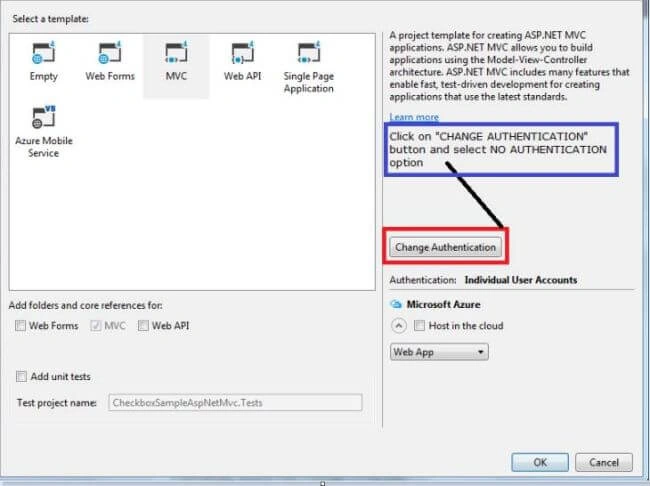
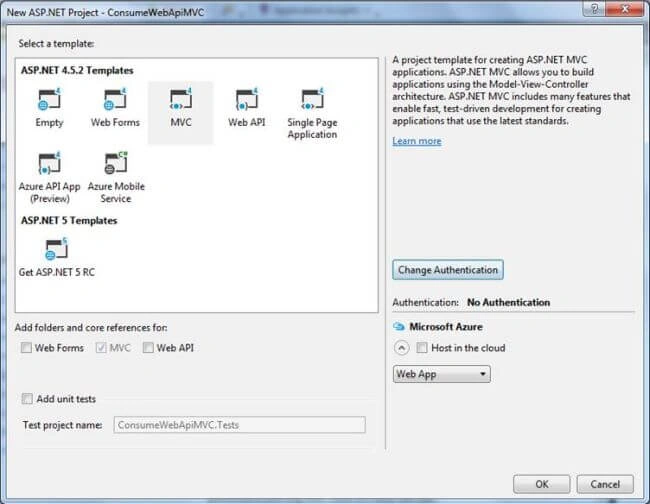
The default project files in the Solution Explorer look like the following.
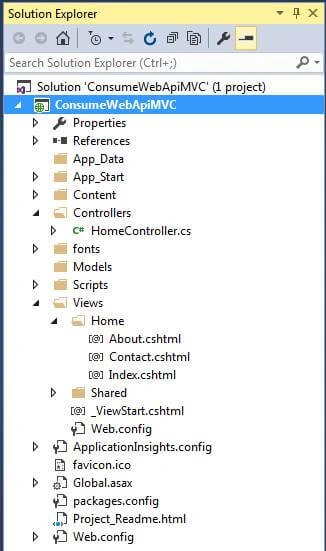
Now, create a ViewModel called MemberViewModel inside the Models folder.

Right-click on Models folder. Go to Add --> New Item or press CTRL + SHIFT + A.

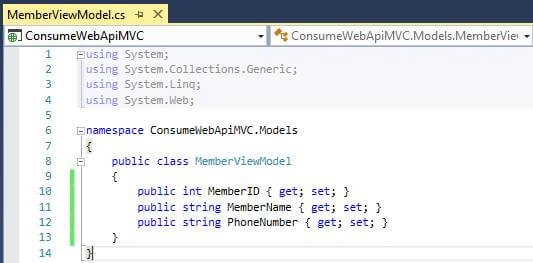
MemberViewModel.cs Code
- using System;
- using System.Collections.Generic;
- using System.Linq;
- using System.Web;
- namespace ConsumeWebApiMVC.Models
- {
- public class MemberViewModel
- {
- public int MemberID { get; set; }
- public string MemberName { get; set; }
- public string PhoneNumber { get; set; }
- }
- }
You can see HomeControllers inside the Controllers folder. Double-click on HomeControllers and add the following line for getting ViewModel listing in the controller.
- using ConsumeWebApiMVC.Models;
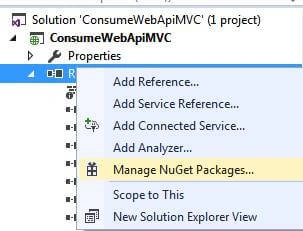
Now, add Microsoft.AspNet.webApi.Client from the NuGet library.
Right-click on References folder and select it.
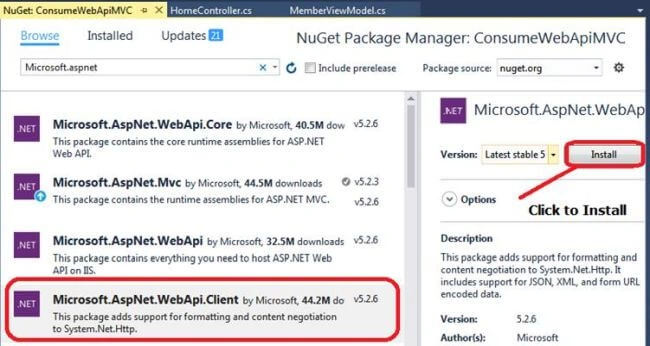
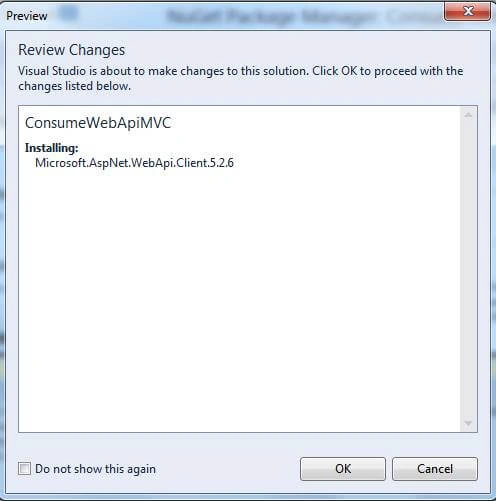
Click OK as in the above dialog box to install Microsoft.AspNetWebApi.Client.
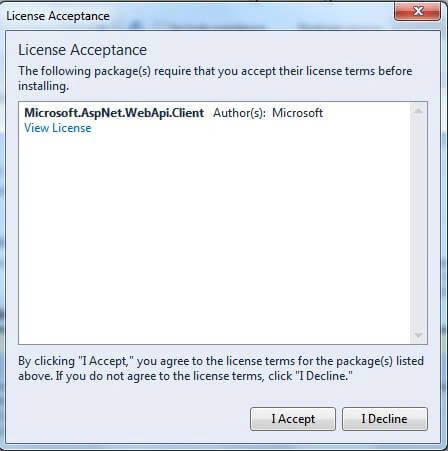
Click on "I Accept" to confirm the installation again.
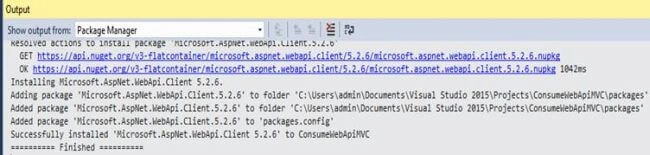
You can see in the output window that the NuGet package is successfully installed.
After adding the NuGet package, now, let us code for consuming the Web API and calling the get method of all members' records.
- public ActionResult GetMembers()
- {
- IEnumerable<MemberViewModel> members = null;
- using (var client = new HttpClient())
- {
- client.BaseAddress = new Uri("http://localhost:52044/api/");
- //Called Member default GET All records
- //GetAsync to send a GET request
- // PutAsync to send a PUT request
- var responseTask = client.GetAsync("member");
- responseTask.Wait();
- //To store result of web api response.
- var result = responseTask.Result;
- //If success received
- if (result.IsSuccessStatusCode)
- {
- var readTask = result.Content.ReadAsAsync<IList<MemberViewModel>>();
- readTask.Wait();
- members = readTask.Result;
- }
- else
- {
- //Error response received
- members = Enumerable.Empty<MemberViewModel>();
- ModelState.AddModelError(string.Empty, "Server error try after some time.");
- }
- }
- return View(members);
- }
- var responseTask = client.GetAsync("member");
The following are the methods of HttpClient:
| SR. NO. | HTTP CLIENT METHODS | DESCRIPTION |
| 1 | Client.GetAsync | To send GET request. |
| 2 | Client.PostAsync | To send POST request. |
| 3 | Client.PutAsync | To send PUT request. |
| 4 | Client.DeleteAsync | To send DELETE request. |
Now, add a View for GetMembers. Right-click on GetMembers Action Method.
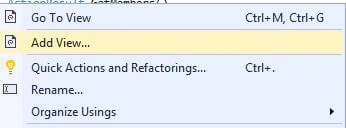
After clicking on "Add View" option, fill the Add View form.
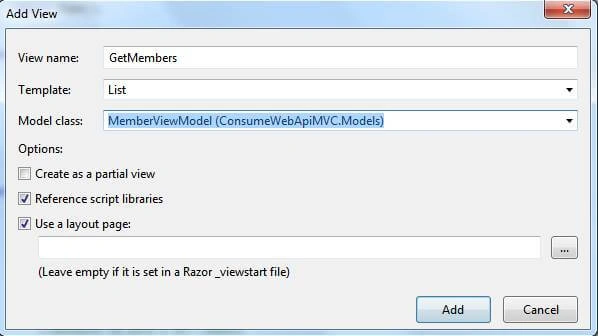
Then, click the Add button to proceed further.
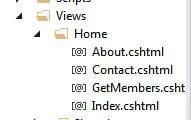
Now, you can see GetMembers.cshtml file created inside VIEWS --> HOME folder.
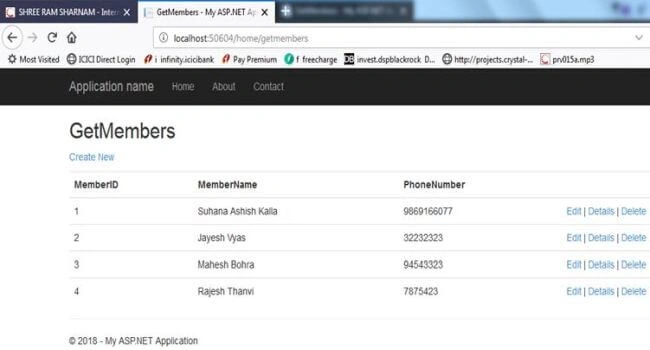
Now, let us check our Web API code by pressing F5.
http://localhost:50604/home/getmembers
In the next article, you will learn how to call Web API through jQuery.
Happy Coding.


Abhay TiwariPosted Mar 11, 2024, 9:34 PM EDT
Good explanation Sir.
Sujit PrabhakaranPosted Mar 14, 2023, 9:54 AM EDT
Amazing this works to invoke the api!
Roo ViPosted Feb 5, 2021, 6:41 AM EST
Hi, your articles are very informative. Can you please include the authentication process too where users need to be authenticated from web api to get access of whole application system.
ivan putraPosted Apr 12, 2020, 5:45 PM EDT
Thanks brother.. appreciate it very much
vishal gautamPosted May 21, 2019, 5:51 AM EDT
Nicely explain thank you
Rajan MishraPosted Feb 10, 2019, 9:41 PM EST
Simple and easy
Alice NguyenPosted Nov 28, 2018, 5:39 PM EST
Hi,Check the Web API code by Manoj Kalla, no data view I have modified the code in controller / home, as follows: 1. client.BaseAddress = new Uri ("http: // localhost: 9096 /"); 2. Var varTask = client.GetAsync ("api / categories"); Currently Done ... Thanks, Manoj Kalla
Alice NguyenPosted Nov 15, 2018, 3:18 PM EST
Thank for sharing, very nice article
Carl AndresPosted Oct 1, 2018, 6:22 AM EDT
With these I'm confused where to put some business logic and validation: in the API or the MVC projejct models. I think it should be on the API so it will be centered across multiplatform.
Hadshana KamalanathanTOP 100Posted Aug 26, 2018, 7:26 AM EDT
Nice article , thanks for sharing
David GlassPosted Aug 25, 2018, 7:11 AM EDT
The use of .Wait here is pretty awful and you're asking for deadlocks.
Rajesh KumarPosted Aug 24, 2018, 2:32 AM EDT
Nice article..............