
Sometimes we need to copy a database from one instance to another instance in SQL Server. There are two ways to achieve this task.
Restoring database backup:
To copy an entire database we can generate backup and restore this backup to another instance. You can read about this method more here:
Restore Database Backup.
Using Copy Database Wizard:
We can use the Copy Database Wizard to copy or move databases between server instance. Let us read how to use this method using the below given simple steps.
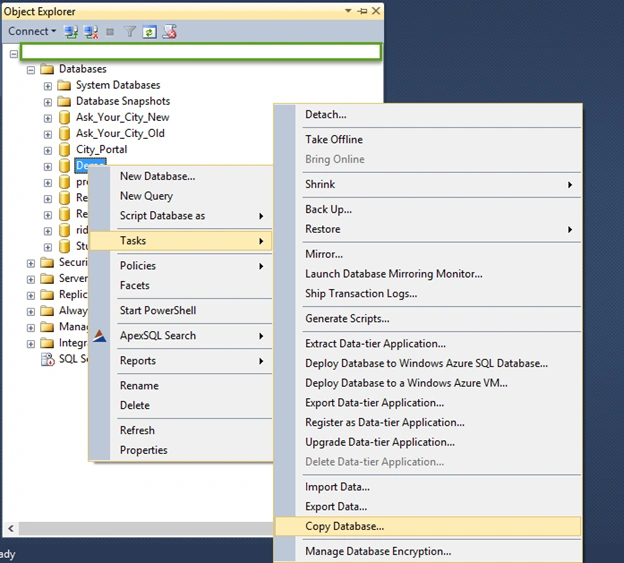
Step 1: Right click on any database and select Tasks option and in Tasks select Copy Database.
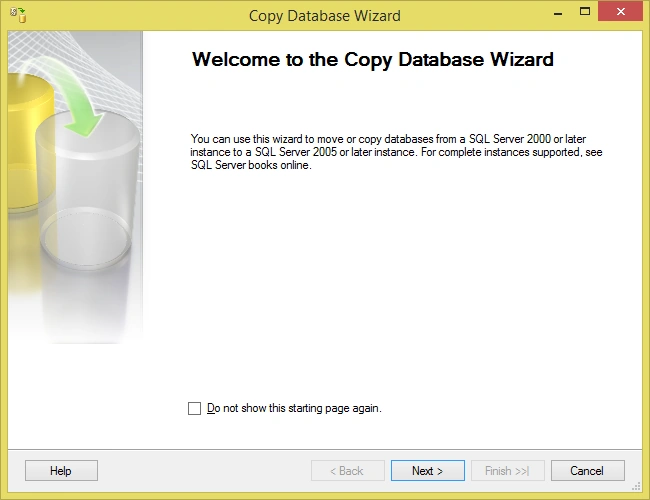
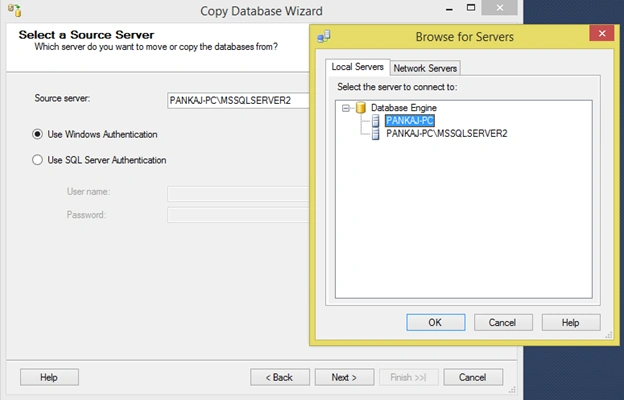
Step 2: Select specific source server,
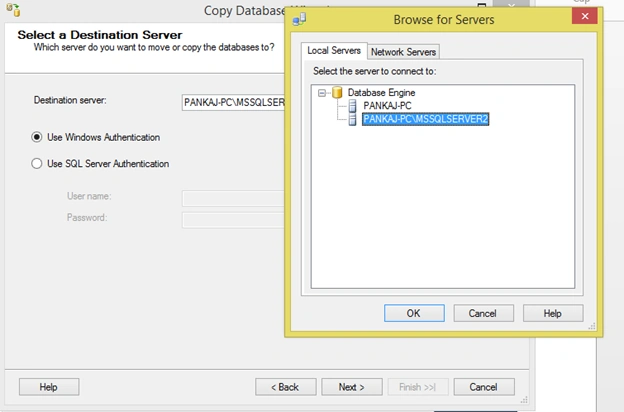
Step 3: Select destination server,
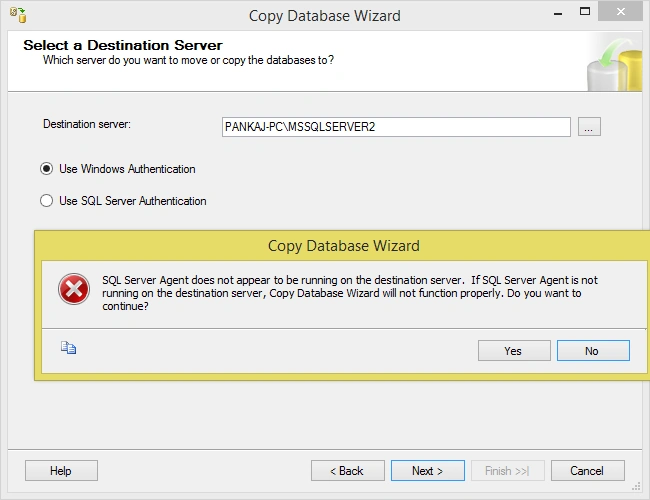
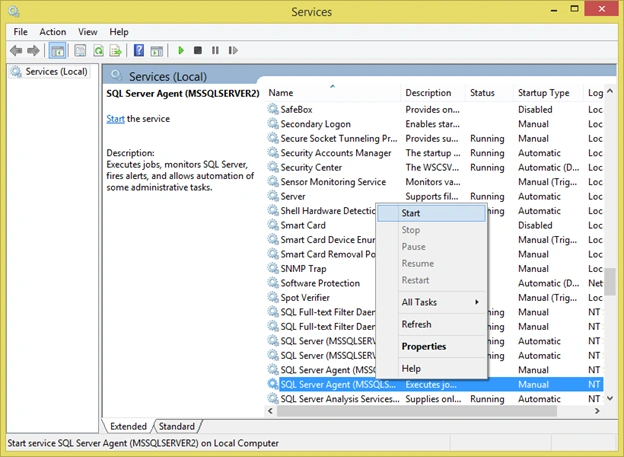
If you get the following error that means your SQL Server Agent is not running. For copying the database it is required that SQL Server instance must run. To remove the above error run your SQL Server instance.
For this press “Window+R” and type “services.msc”.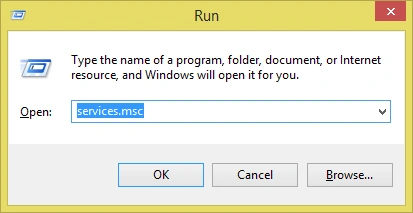
Search your SQL Server instance and run this instance.
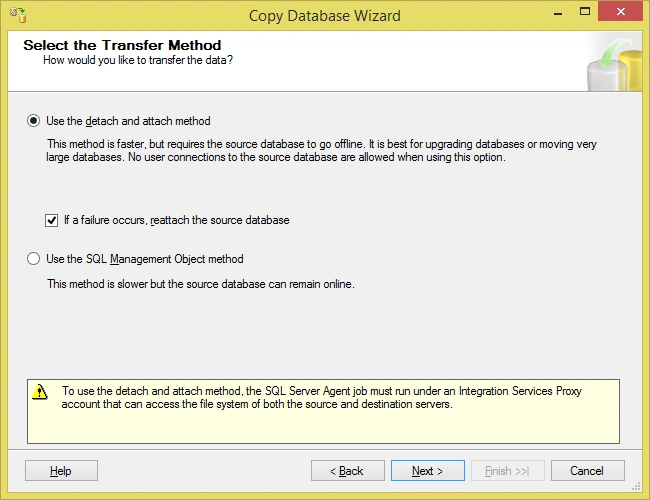
Step 4: Select the transfer method. Use this method if you want to keep the database online when it is being copied.
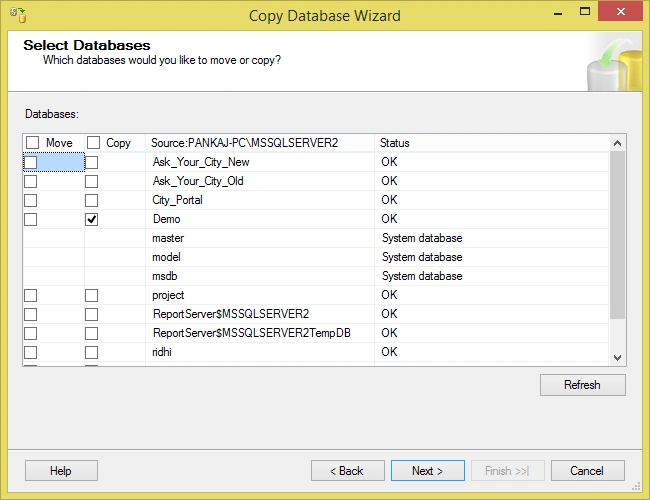
Step 5: Select databases that you want to copy. You can also select the option of move.
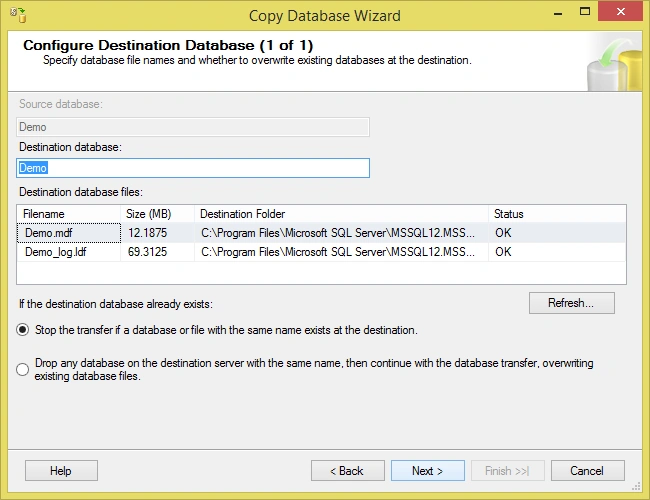
Step 6: Create an appropriate database name.
Step 7: Select server object. You can select additional options to copy the data.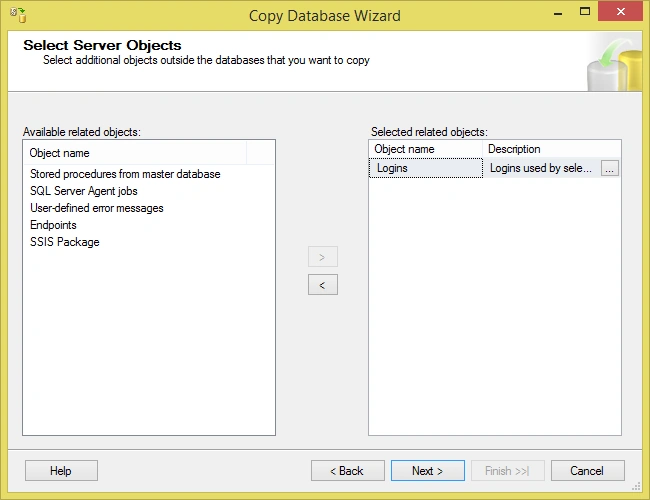
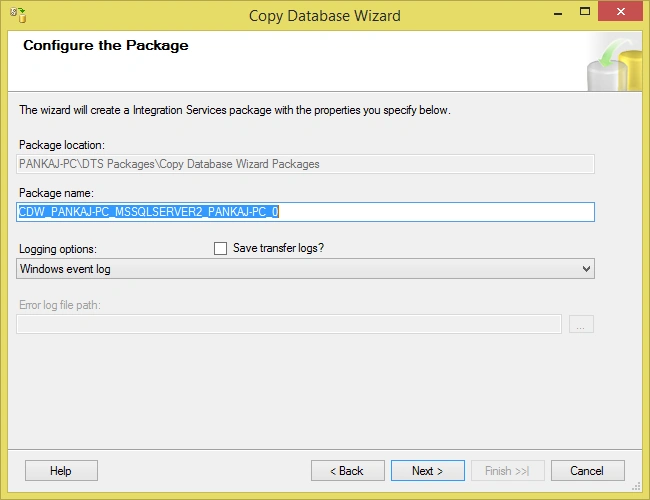
Step 8: Configure the package package. Wizard will create a service package with the property that you specified.
Step 9: Schedule the package. You can run service package or you can schedule to run later.
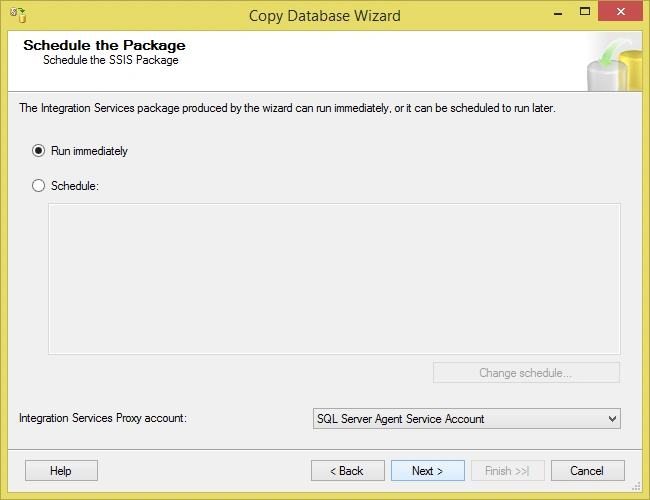
Step 10: Complete the wizard,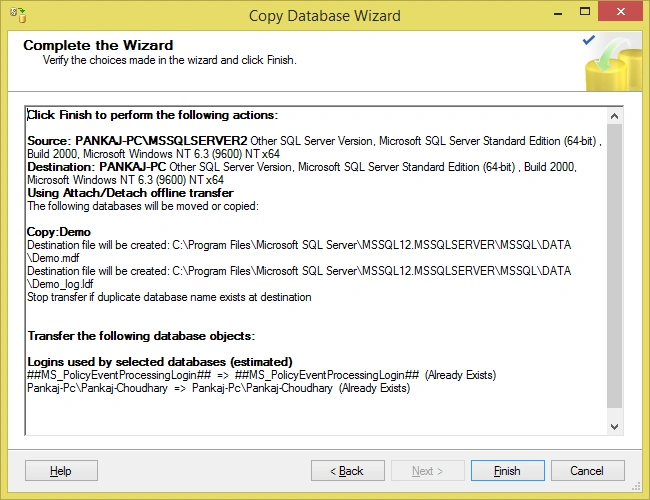
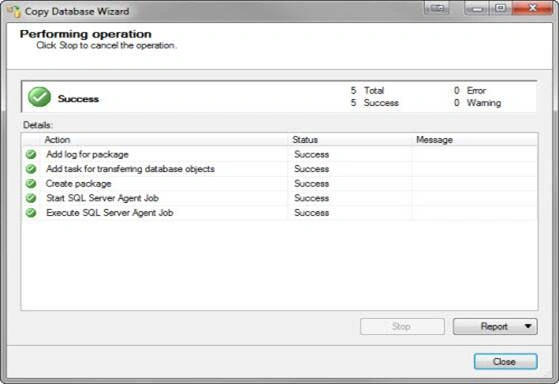
Above message shows that data is successfully copied to another SQL Server instance.
Today we learned how to copy data from one SQL Server instance to another SQL Server instance. I hope you liked this article.
Copy Data From One Instance To Another Instance In SQL Server
In this article you will learn how to copy data from one Instance to another instance in SQL Server.
Read more articles on SQL Server:


AKSHAY RPosted Jul 2, 2018, 12:53 AM EDT
Thanks sir
Humayun Kabir MamunPosted Feb 28, 2016, 7:49 PM EST
Nice...
Pankaj Kumar ChoudharyTOP 100Posted Feb 26, 2016, 6:13 PM EST
Thanks Gowtham K Sir.........
Pankaj Kumar ChoudharyTOP 100Posted Feb 26, 2016, 6:12 PM EST
Thanks Shubham Kumar Sir.........
Pankaj Kumar ChoudharyTOP 100Posted Feb 26, 2016, 6:12 PM EST
Thanks Rajeev Punhani..........
Pankaj Kumar ChoudharyTOP 100Posted Feb 26, 2016, 6:11 PM EST
Thanks Manoj Kulkarni...............
Pankaj Kumar ChoudharyTOP 100Posted Feb 26, 2016, 6:11 PM EST
Thanks Sibeesh Venu Sir.........
Pankaj Kumar ChoudharyTOP 100Posted Feb 26, 2016, 6:10 PM EST
Thanks Raja T............
Pankaj Kumar ChoudharyTOP 100Posted Feb 26, 2016, 6:10 PM EST
Thanks Asfend...........
Gowtham KTOP 100Posted Feb 26, 2016, 5:10 PM EST
Good One
Shubham KumarPosted Feb 26, 2016, 1:03 AM EST
nice
Rajeev PunhaniPosted Feb 26, 2016, 12:51 AM EST
Thanks for sharing.
Manoj KulkarniPosted Feb 25, 2016, 11:37 PM EST
Nice article. Thank you for sharing
Sibeesh VenuTOP 100Posted Feb 25, 2016, 11:34 PM EST
Nice Share
Raja TPosted Feb 25, 2016, 6:04 PM EST
Nice, Thanks for sharing
Asfend YarPosted Feb 25, 2016, 10:39 AM EST
well