
Introduction
Let's see how to create Android application in Visual Studio using DevExtreme tool from scratch step-by-step.
Step 1: Download the DevExtreme tool from their website and install in on your system.
Step 2: Open Visual Studio and create a new project. Here you will find the DevExtreme in Installed Templates Section.
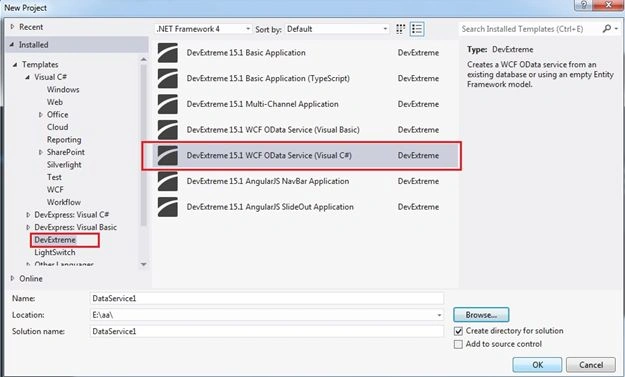
Here we are going to select WCF OData Service. This is the basic requirement for any mobile development to create its data service first.
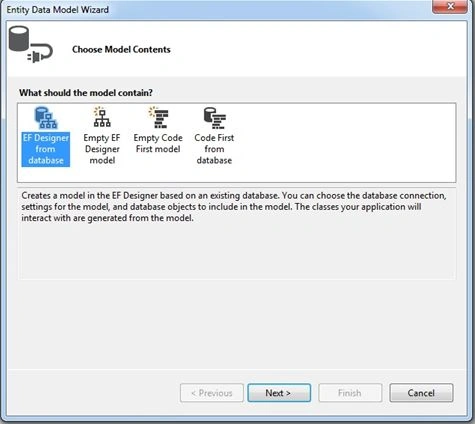
Step 3: It opens the Entity Data Model Wizard. Here we select EF Designer from Database to design the Data Model.
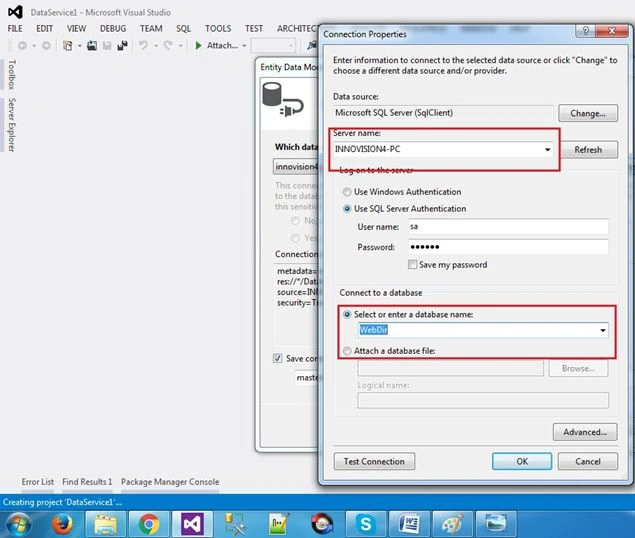
Select the server name and database here.
On next step we get the tables to select.
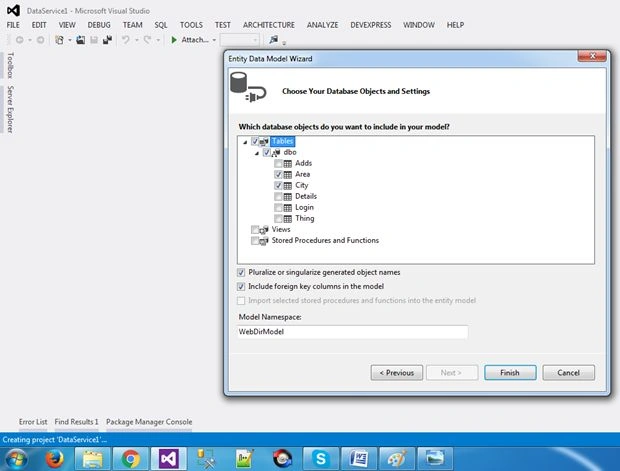
Here I am selecting to tables and clicked finish.
After that we find the Data Model and Data Service in the Solution Explorer.
Just right click on DataService.svc and set it as Start Page and run the project.
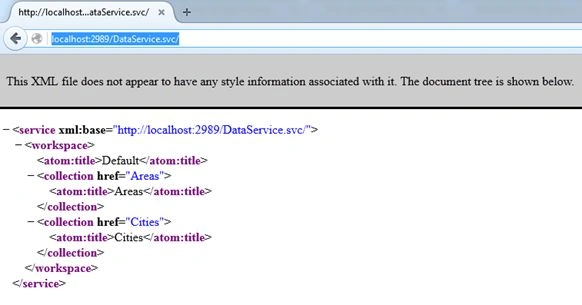
Just copy the url and open the new instance of visual studio and create a new project.
Step 4: This time we are going with DevExtreme Multi Channel Application.
Here the wizard opens.
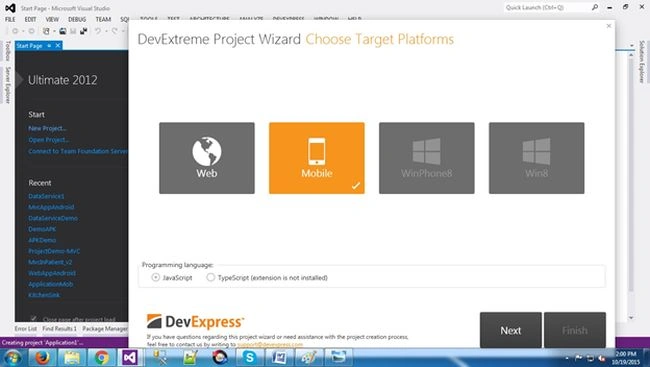
Select the Mobile and next.
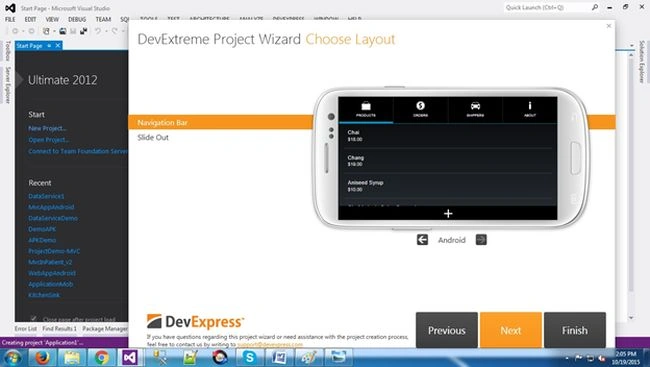
Now it asks for layout type i.e. Navigation Bar or Slide Out. We are going with navigation bar.
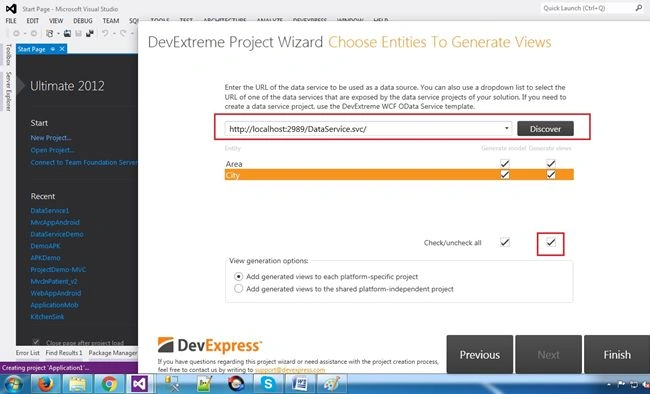
On next step enter the url of DataService.scv that we are created earlier and press discover.
Then it returns the entities, just check the Check All check box to generate the model and view and click finish.
It will create the data view page and the data view model .js classes.
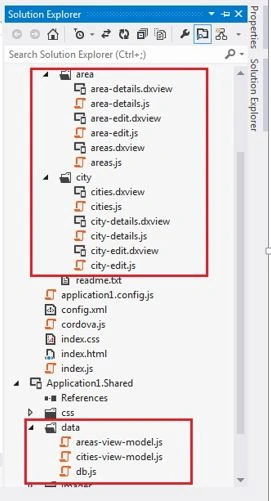
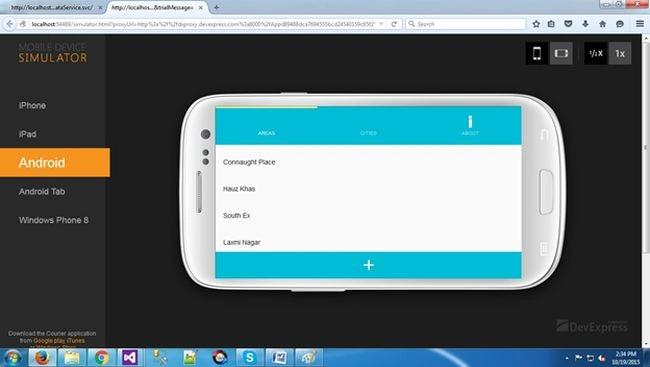
Just run the application, it will open its own simulator and run the project.
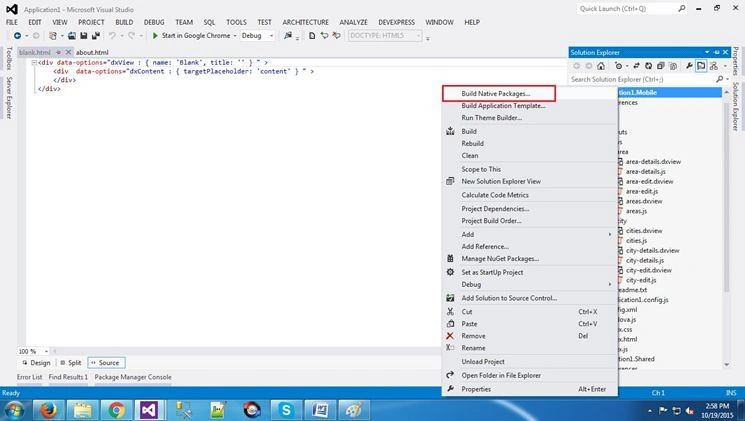
Step 5: Now to build apk, go to solution explorer and right click on solution and click Build Native Package.
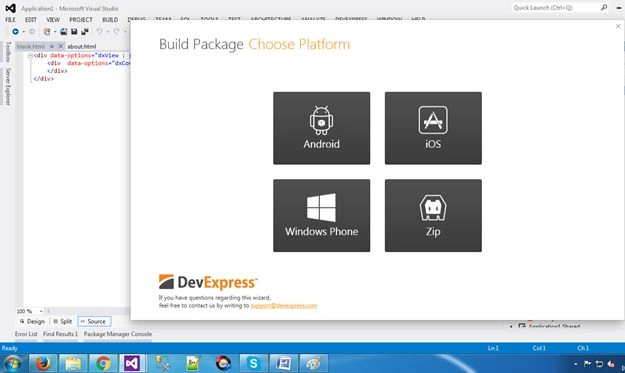
Step 6: Choose Platform; here I selected Android.
It ask form certificate. Just create a new certificate, enter the password and press build.
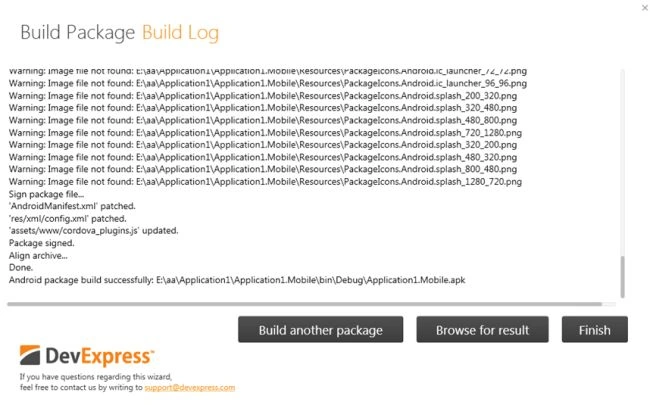
That’s it! Enjoy!


Santhakumar MunuswamyPosted Oct 25, 2015, 7:54 AM EDT
Good one
Mukesh KumarPosted Oct 20, 2015, 8:38 PM EDT
Great work
Vinodh NarayananPosted Oct 20, 2015, 3:50 AM EDT
good one thanks for sharing
Utkarsh KunwarPosted Oct 20, 2015, 2:51 AM EDT
thanks
Sibeesh VenuTOP 100Posted Oct 19, 2015, 11:08 PM EDT
Nice Share
Nitin PanditTOP 100Posted Oct 19, 2015, 8:55 PM EDT
Nice Article Utkarsh Kunwar great Start :)
Utkarsh KunwarPosted Oct 19, 2015, 8:34 PM EDT
Thanks :)
Humayun Kabir MamunPosted Oct 19, 2015, 8:25 PM EDT
Nice...
Manoj KulkarniPosted Oct 19, 2015, 6:49 PM EDT
Nice article. Thank you for sharing
Vinodh NarayananPosted Oct 19, 2015, 6:47 PM EDT
Good one thanks for sharing
Mohammed IbrahimPosted Oct 19, 2015, 6:03 PM EDT
nice
Gowtham KTOP 100Posted Oct 19, 2015, 8:13 AM EDT
Good Share