
Previously, in this series, I wrote:
This article shows how to connect get data from a Microsoft Access data source and create a report using Power BI Desktop.
Getting Started
Start Power BI Desktop and click on the Get Data link in the left side bar as you can see in Figure 1.
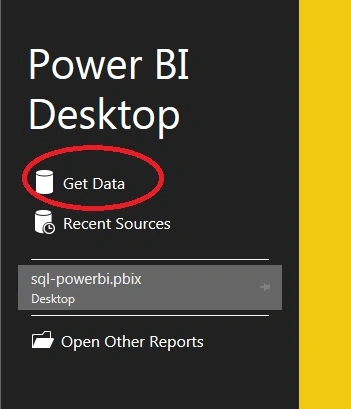
Figure 1
On the Get Data dialog, you can see a list of available data sources. Select Database in the left bar and select Access Database and click the Connect button as in Figure 2.
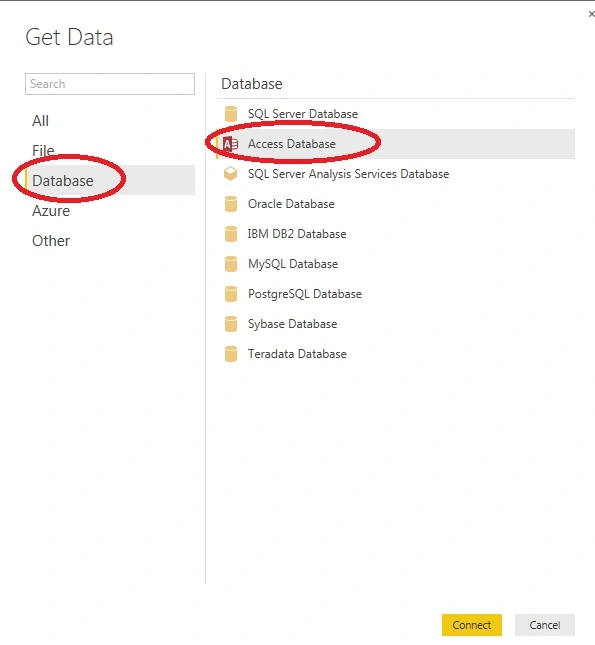
Figure 2
Browse to the Microsoft Access database file in the system and click Open.
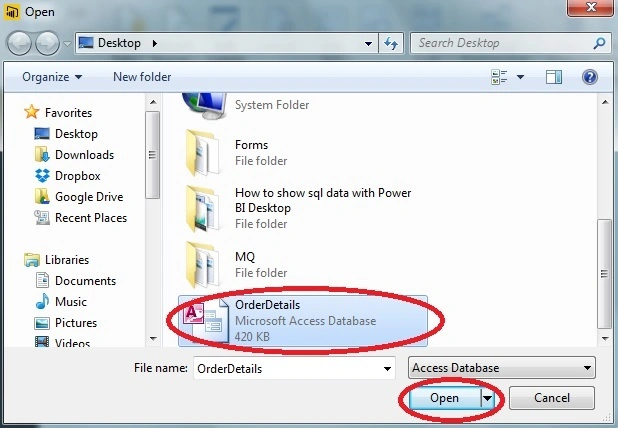
Figure 3
You might the error message shown in Figure 4 if you don’t have the Microsoft Access 64-bit service pack. Go through with this link to install Service Pack 1 and redistributable. https://go.microsoft.com/fwlink/?LinkID=285987
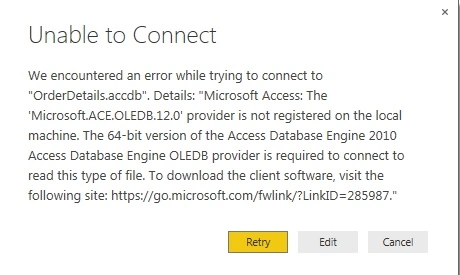
Figure 4
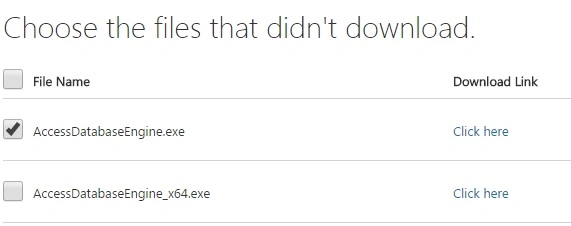
Figure 5
Once done everything is all done. You can see your database and click Load.
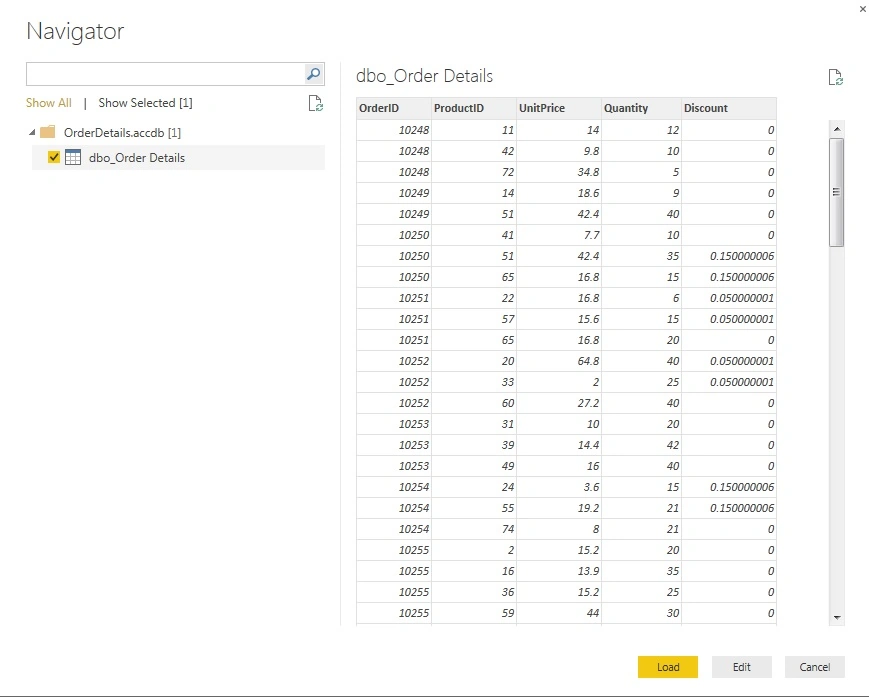
Figure 6
Now select that columns you want to display in report and select visualization. I am selecting Discount, Quantity and UnitPrice columns.
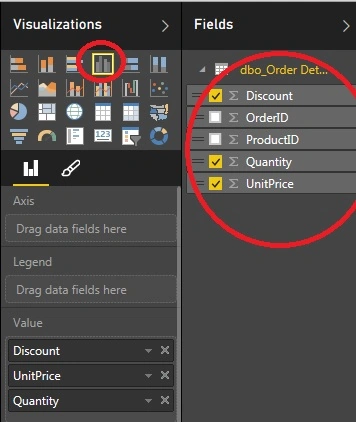
Figure 7
And my visualization is Clustered Column Chart. In the result you can see the unit price.
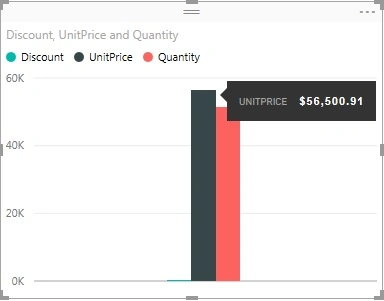
Figure 8
And here is the quantity chart.
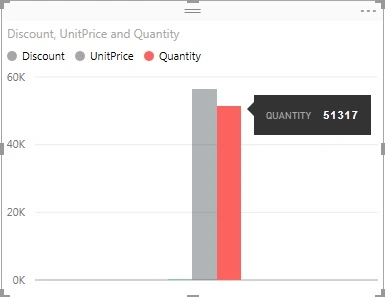
Figure 9
And the little one is the discount chart.
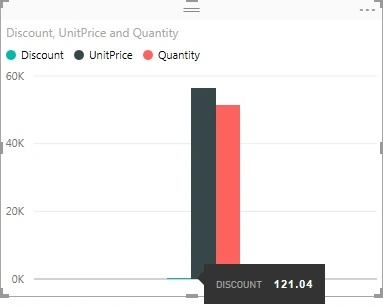
Figure 10
In this article, we saw how to connect with an Microsoft Access data source to get data and generate charts and reports in Power BI.
In my next article, we will see how to publish Power BI Reports.


Kuppurasu NagarajTOP 100Posted Apr 11, 2016, 9:39 AM EDT
Nice Sharing
Kuppurasu NagarajTOP 100Posted Apr 11, 2016, 9:37 AM EDT
Nice Sharing
Gopi ChandPosted Aug 25, 2015, 6:11 AM EDT
Good work
Raj KumarTOP 100Posted Aug 25, 2015, 4:39 AM EDT
Thank you guys
Ankit BansalPosted Aug 25, 2015, 2:18 AM EDT
good..
Nilesh JadavPosted Aug 24, 2015, 8:17 PM EDT
Good Article thanks for sharng
Karthikeyan KPosted Aug 24, 2015, 7:18 PM EDT
Good one sir...Thanks for sharing
Gowtham KTOP 100Posted Aug 24, 2015, 7:10 PM EDT
Thanks for sharing
Mahesh ChandTOP 10Posted Aug 24, 2015, 3:07 PM EDT
Great. Power BI is going to be one of the most demanding skiilset in coming year or so. Microsoft's entire BI team is working on this. Cheers!
Raj KumarTOP 100Posted Aug 24, 2015, 12:53 PM EDT
Thanks Guys
Atul GuptaPosted Aug 24, 2015, 8:12 AM EDT
Very Informative, thanks for sharing!
Sumit JoshiPosted Aug 24, 2015, 5:54 AM EDT
thanks for sharing.
Gowtham KTOP 100Posted Aug 24, 2015, 5:29 AM EDT
Good one, Thanks for sharing
Sibeesh VenuTOP 100Posted Aug 24, 2015, 5:22 AM EDT
Nice Share :)
Rajeesh MenothPosted Aug 24, 2015, 2:45 AM EDT
Nice One
Mohammed IbrahimPosted Aug 24, 2015, 2:36 AM EDT
nice