
For this I will create a new MVC 4 application.
Open Visual Studio 2012 then select "File" -> "New" -> "Project..."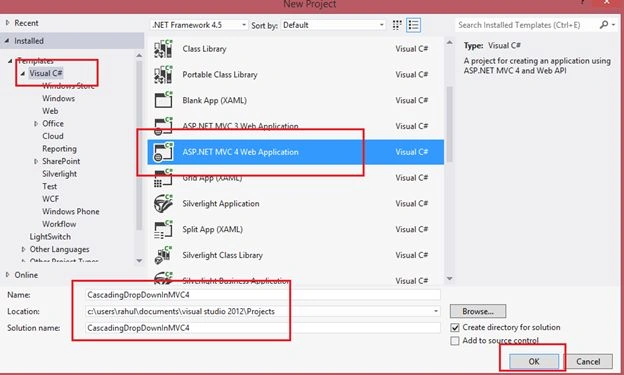

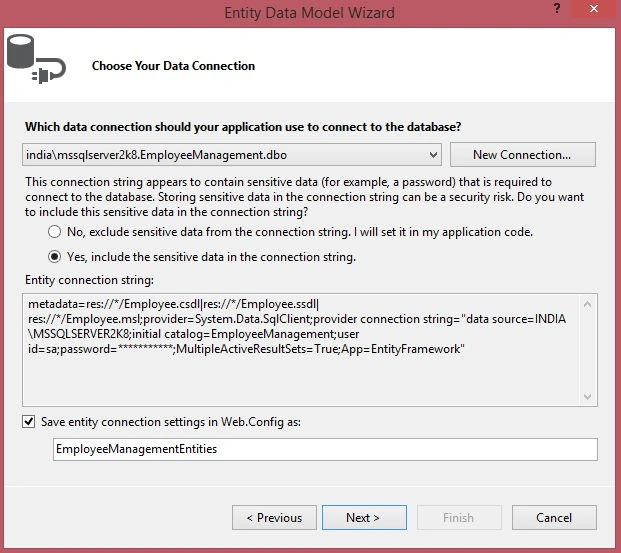
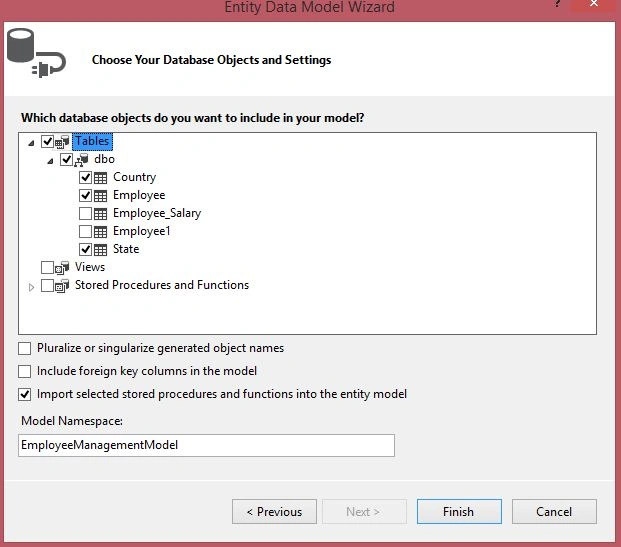
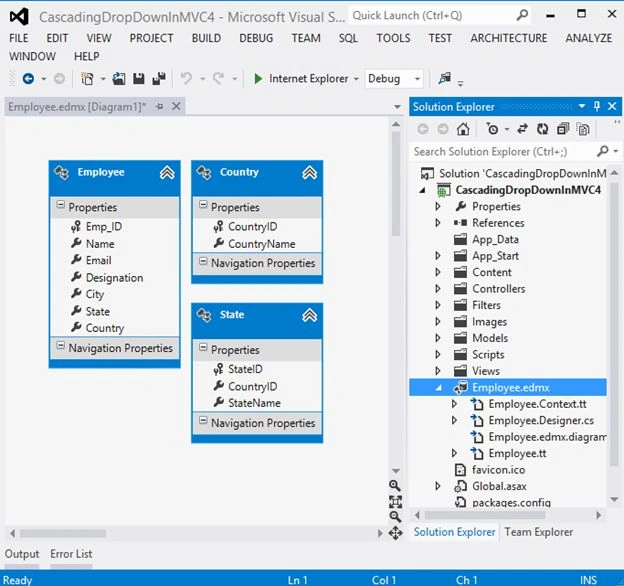
Now add a new ADO.NET Entity data model.
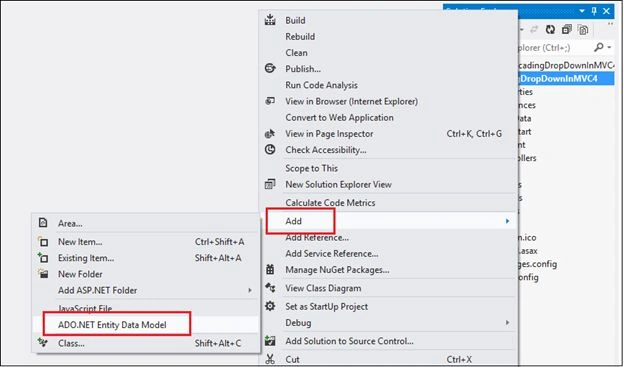
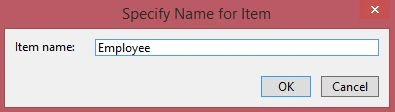
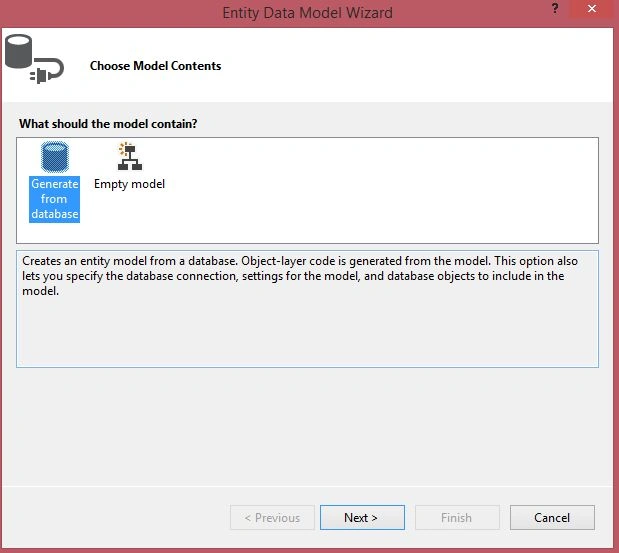
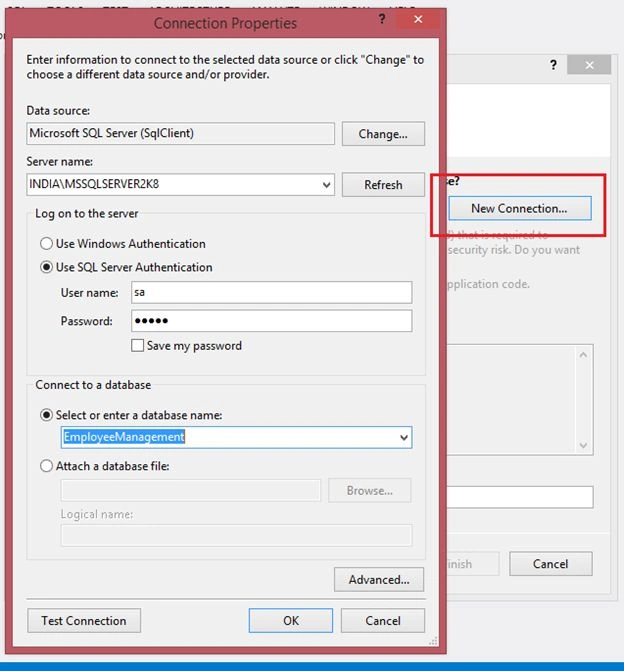
Enter your SQL Server credentials here.
Now add a new Controller.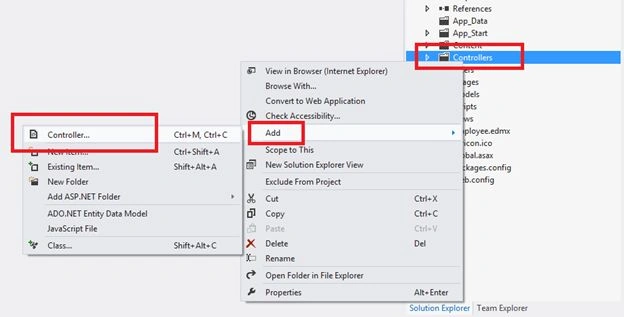
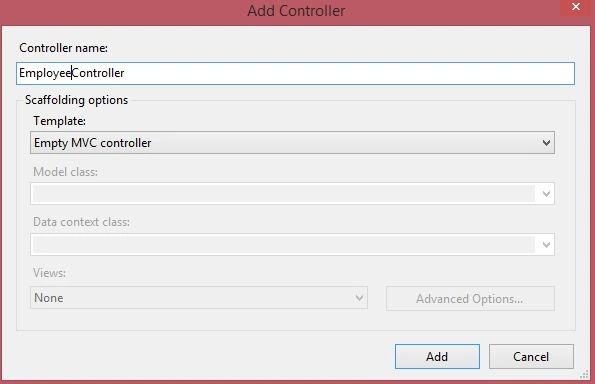
Now do the following code here in Employee Controller:
- using System;
- using System.Collections.Generic;
- using System.Linq;
- using System.Web;
- using System.Web.Mvc;
- using CascadingDropDownInMVC4.Models;
- namespace CascadingDropDownInMVC4.Controllers
- {
- public class EmployeeController : Controller
- {
- public ActionResult Index()
- {
- EmployeeManagementEntities db = new EmployeeManagementEntities();
- ViewBag.Country = new SelectList(db.Country, "CountryID", "CountryName");
- return View();
- }
- // Json Call to get state
- public JsonResult GetStates(string id)
- {
- List<SelectListItem> states = new List<SelectListItem>();
- var stateList = this.Getstate(Convert.ToInt32(id));
- var stateData = stateList.Select(m => new SelectListItem()
- {
- Text = m.StateName,
- Value = m.StateID.ToString(),
- });
- return Json(stateData, JsonRequestBehavior.AllowGet);
- }
- // Get State from DB by country ID
- public IList<State> Getstate(int CountryId)
- {
- EmployeeManagementEntities db = new EmployeeManagementEntities();
- return db.State.Where(m => m.CountryID == CountryId).ToList();
- }
- [HttpPost]
- public ActionResult Index(FormCollection formdata)
- {
- // Get Employee informaiton to insert into Data Base
- return RedirectToAction("Index", "Home");
- }
- }
- }
- @model CascadingDropDownInMVC4.Models.EmployeeData
- @{
- ViewBag.Title = "Index";
- }
- <h2>Index</h2>
- @using (Html.BeginForm())
- {
- @Html.ValidationSummary(true)
- <fieldset>
- <legend>EmployeeData</legend>
- <div class="editor-label">
- @Html.LabelFor(model => model.Name)
- </div>
- <div class="editor-field">
- @Html.EditorFor(model => model.Name)
- @Html.ValidationMessageFor(model => model.Name)
- </div>
- <div class="editor-label">
- @Html.LabelFor(model => model.Email)
- </div>
- <div class="editor-field">
- @Html.EditorFor(model => model.Email)
- @Html.ValidationMessageFor(model => model.Email)
- </div>
- <div class="editor-label">
- @Html.LabelFor(model => model.Designation)
- </div>
- <div class="editor-field">
- @Html.EditorFor(model => model.Designation)
- @Html.ValidationMessageFor(model => model.Designation)
- </div>
- <div class="editor-label">
- @Html.Label("Country")<br />
- </div>
- <div>
- @Html.DropDownList("Country", ViewBag.Country as SelectList, "-- Please Select a Country --", new { style="width:250px"})
- </div>
- <div class="editor-label"><br />
- @Html.Label("State")<br />
- </div>
- <div>
- @Html.DropDownList("State", new SelectList(string.Empty, "Value", "Text"), "-- Please select a State --", new { style = "width:250px", @class = "dropdown1" })
- </div>
- <p>
- <input type="submit" value="Create" />
- </p>
- </fieldset>
- }
- <script src="~/Scripts/jquery-1.7.1.js"></script>
- <script src="~/Scripts/jquery-1.7.1.min.js"></script>
- <script type="text/javascript">
- $(document).ready(function () {
- //Country Dropdown Selectedchange event
- $("#Country").change(function () {
- $("#State").empty();
- $.ajax({
- type: 'POST',
- url: '@Url.Action("GetStates")', // Calling json method
- dataType: 'json',
- data: { id: $("#Country").val() },
- // Get Selected Country ID.
- success: function (states) {
- $.each(states, function (i, state) {
- $("#State").append('<option value="' + state.Value + '">' +
- state.Text + '</option>');
- });
- },
- error: function (ex) {
- alert('Failed to retrieve states.' + ex);
- }
- });
- return false;
- })
- });
- </script>
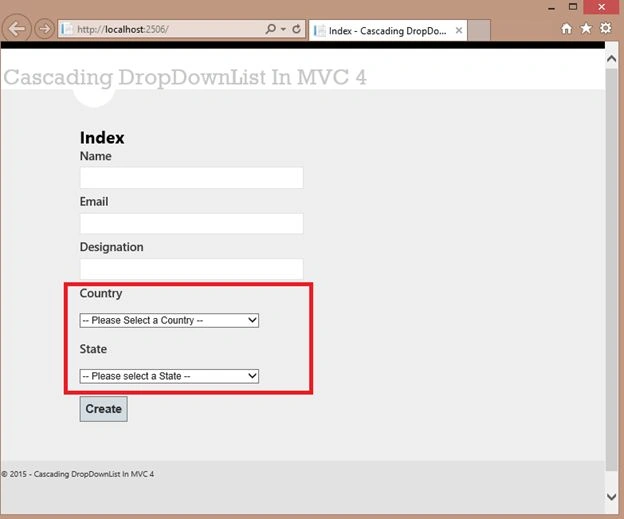
Now select a country as in the following: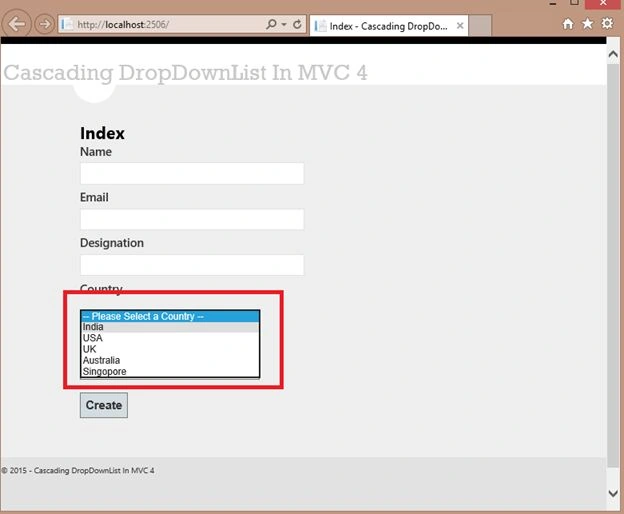
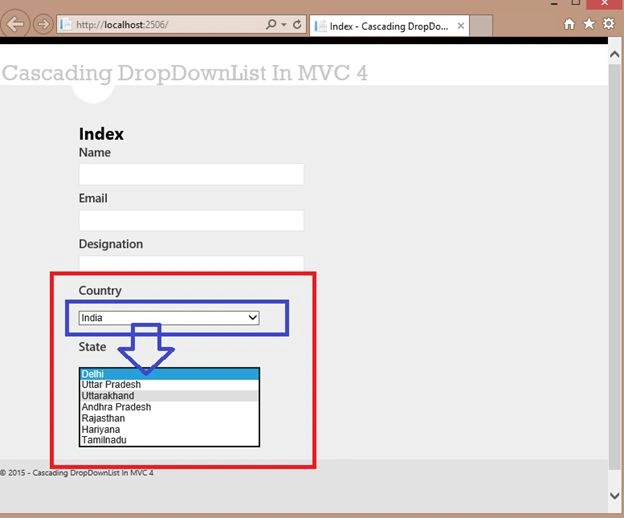
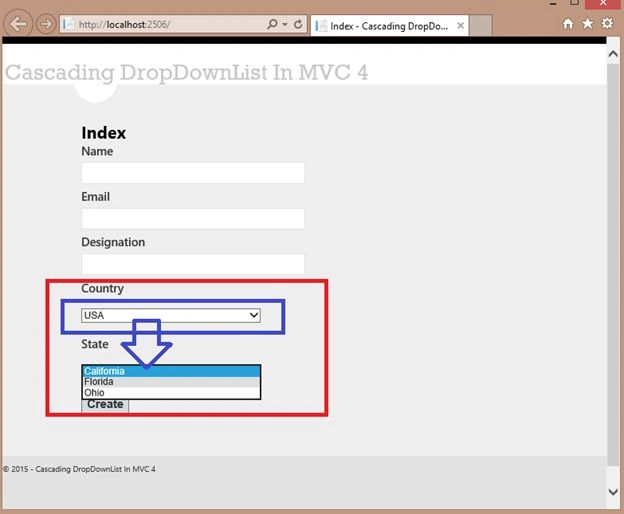
Now I have 2 tables for Country & State.
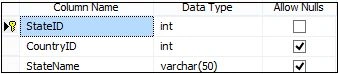
The following is the data in my Country table: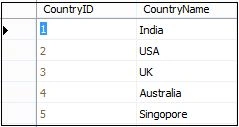
The following is the data in my State table: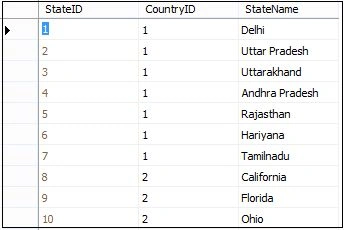


Ashwini TandePosted Feb 24, 2019, 11:27 PM EST
I did this in my project. now I have requirement to edit the view. but while editing it does not show value of casade drop down. so ho to return it
Rahul Kumar SaxenaTOP 100Posted Aug 15, 2015, 11:02 PM EDT
Thank u Gowtham Rajamanickam
Gowtham RajamanickamTOP 100Posted May 18, 2015, 8:22 PM EDT
keep writitng
Gowtham RajamanickamTOP 100Posted May 18, 2015, 8:22 PM EDT
good one..
Rahul Kumar SaxenaTOP 100Posted Mar 11, 2015, 8:46 PM EDT
Welcome Khargesh Rajput...
Khargesh RajputPosted Mar 11, 2015, 7:54 PM EDT
Thanks for sharing sir