
You can create a subsite within existing sites structures or you can proceed by creating a new site. However, after creation of a subsite, it will inherit the properties (permissions/navigation) of the existing site. The following is the procedure for the creation of subsites.
- Sign in with site administrator.
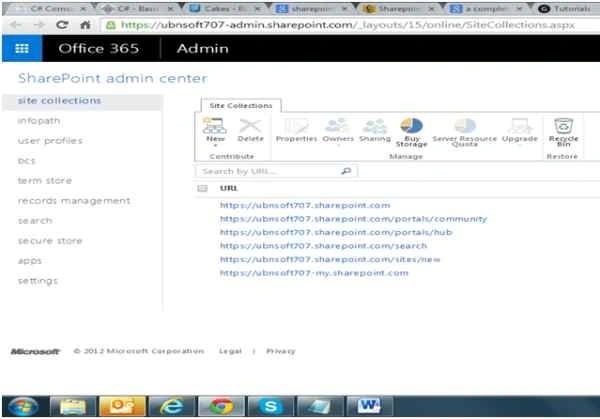
- Open the site to create a subsite in.
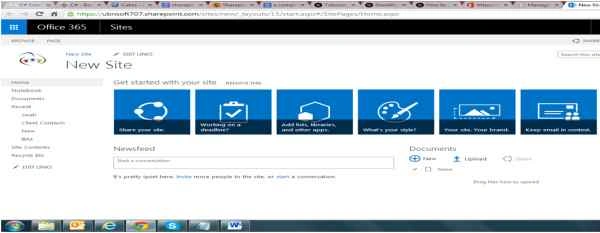
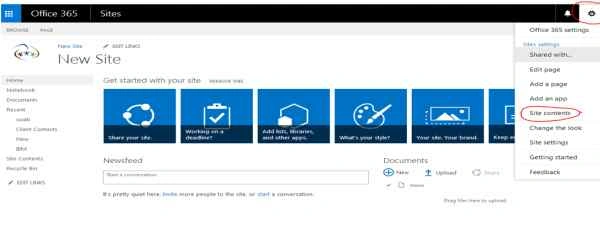
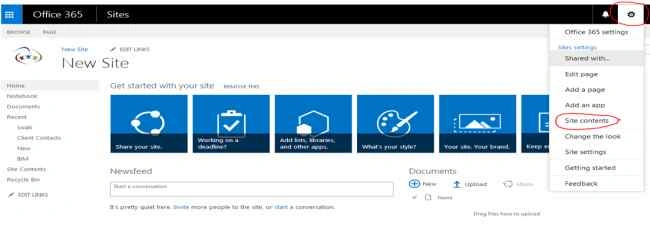
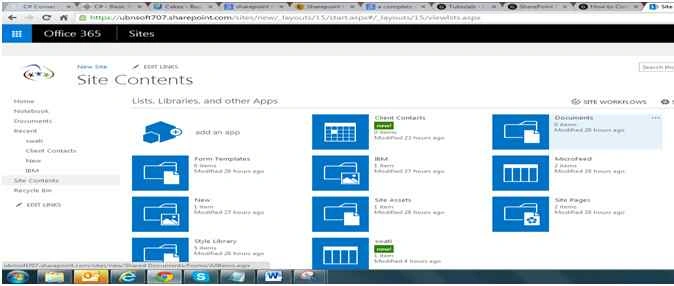
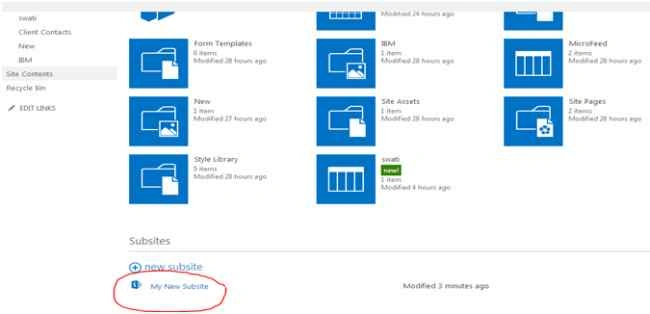
- Click on the “Settings” menu (gear icon) in the top-right corner of the page and then select the “Site contents” option.
- This will open a “Site Contents” page.
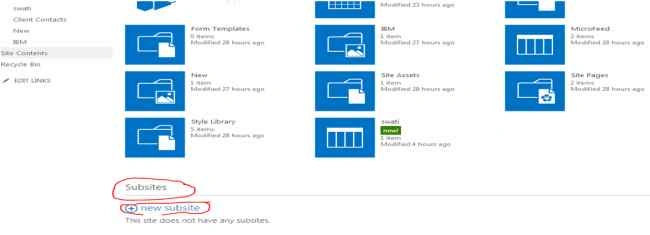
- In this page scroll down, you will find the “new Subsite” link under “Subsites”.
- Click on the “new Subsite” link, a new SharePoint site page will appear.
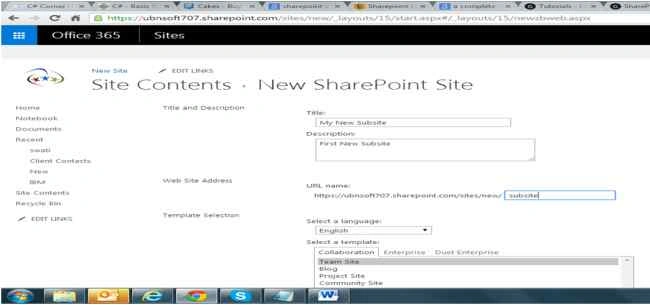
- Enter Title and Description, Web Site Address (URL), select a template, select permissions and select navigation inheritance. Now click on the “Create” button
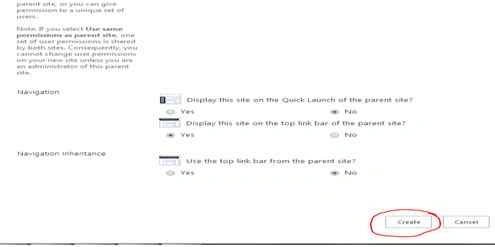
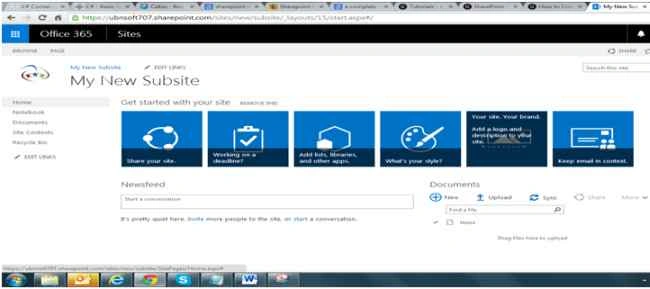
- All the changes are saved automatically and the Subsite is created.


Hashim ShafiqPosted Aug 30, 2015, 5:44 PM EDT
nice
Santhakumar MunuswamyPosted Aug 29, 2015, 1:16 AM EDT
Nice article. Thanks for sharing
Pankaj Kumar ChoudharyTOP 100Posted Aug 27, 2015, 5:09 PM EDT
Nice show..........
Abhay ShankerPosted Aug 27, 2015, 6:40 AM EDT
Good...
Gowtham RajamanickamTOP 100Posted Aug 27, 2015, 5:44 AM EDT
good
Vinodh NarayananPosted Aug 27, 2015, 3:04 AM EDT
nice share go a head
Yashwanth MuthineniPosted Aug 27, 2015, 12:26 AM EDT
Nice Share
Ankit BansalPosted Aug 26, 2015, 10:21 PM EDT
Good one..Thanks for sharing..
Rajeesh MenothPosted Aug 26, 2015, 8:49 PM EDT
Nice Share
Mohammed IbrahimPosted Aug 26, 2015, 8:04 PM EDT
thanks for information
Karthikeyan KPosted Aug 26, 2015, 7:22 PM EDT
Good one...Thanks for sharing
Gowtham KTOP 100Posted Aug 26, 2015, 6:35 PM EDT
Good one