
I know it may sound pretty easy to all the experienced developers out there to build an Appx using Visual Studio but it may be a daunting task for a newcomer (at least it was for me when I was a newbie). If you are making an App and you want to share it with friends just to get feedback, sharing with them the Appx file is a cool idea. They can install the Appx on their windows phone and enjoy your App. This post tells you how to do that.
Please Note: This post doesn’t tell how to make an Appx to upload to Windows Store.
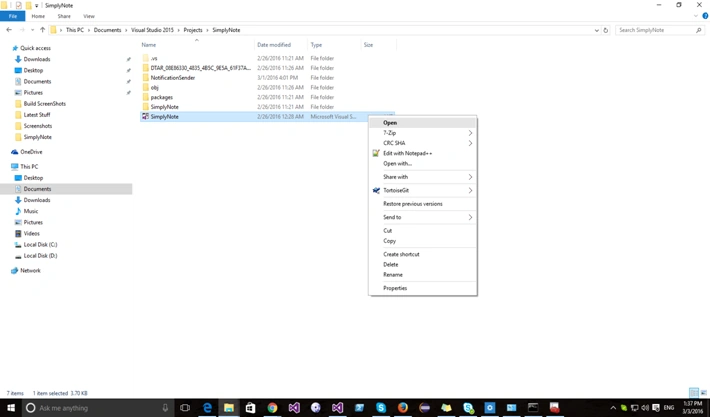
Step 1: Open the Solution(.sln) file using Visual Studio.
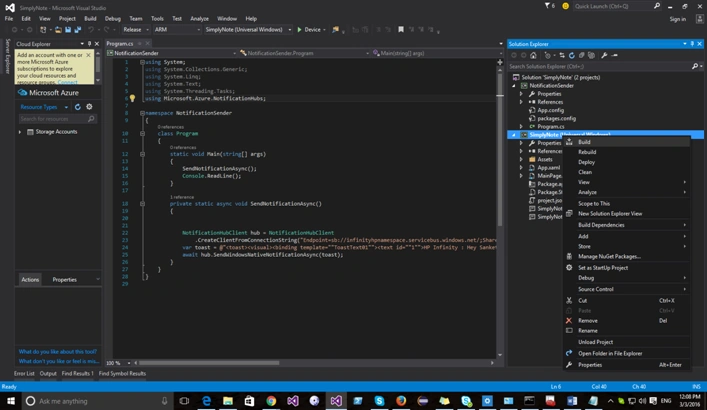
Step 2: Build the Project (Don’t forget to select “Release” and “ARM” or as you require)
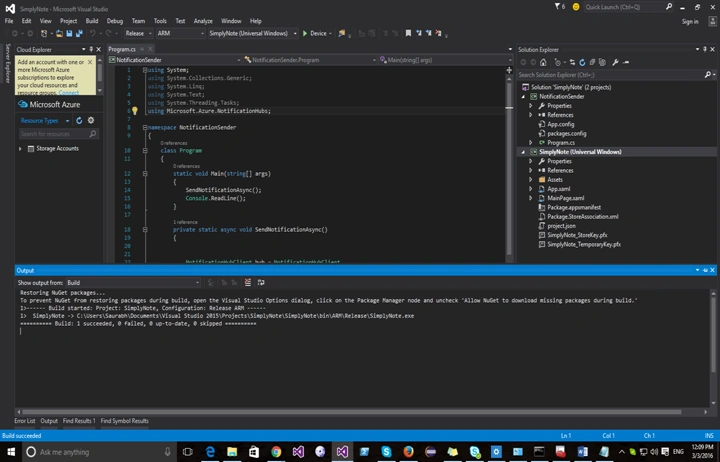
Step 3: Build succeeded
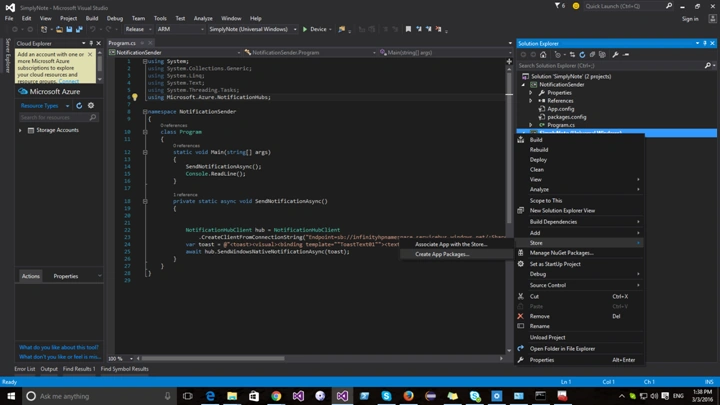
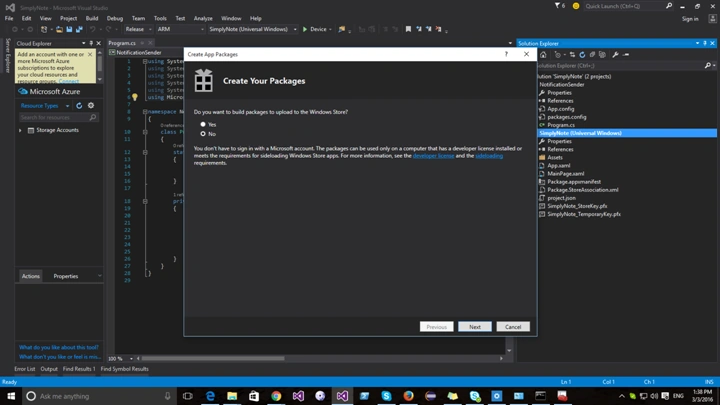
Step 4: Right click on the Project. Go to Store -> Create App Packages,
Step 5: The prompt asks whether you are making appx for store? Select NO and click Next.
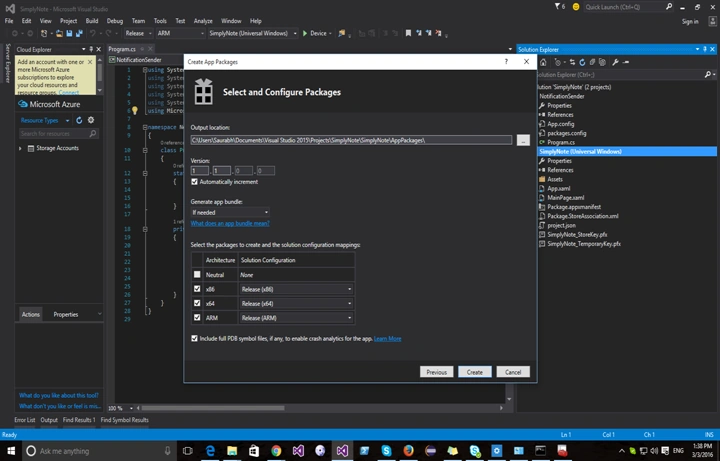
Step 6: Give the Output Location for the Appx and select the type of Appx you want.
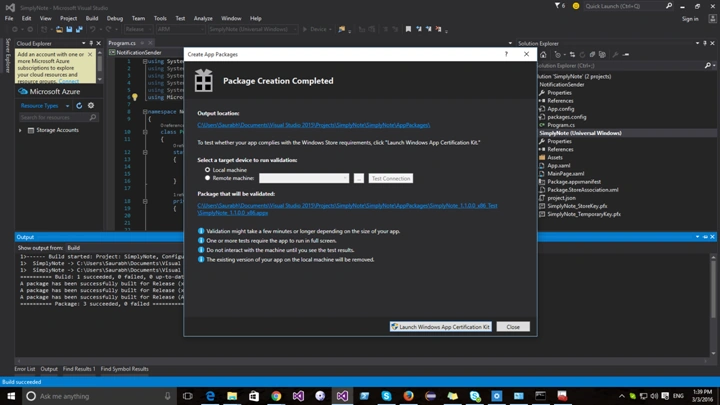
Step 7: Package creation completed (Launch Windows Certification Kit [If Required]).
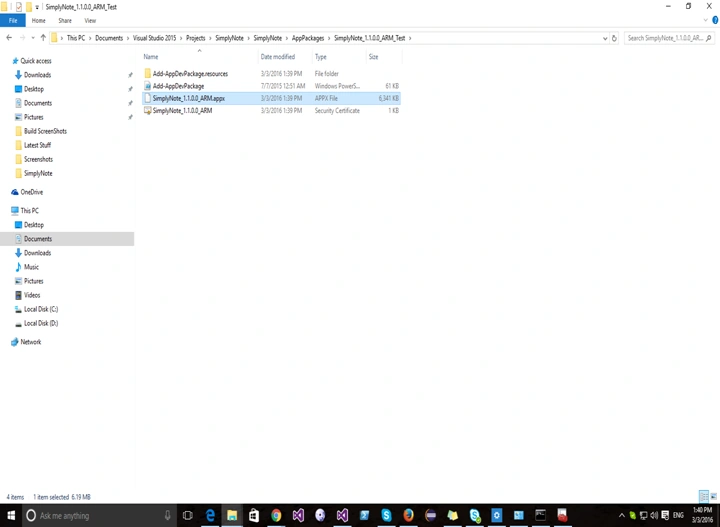
Step 8: Go to the Output folder that you had mentioned to see the Packages that were created.
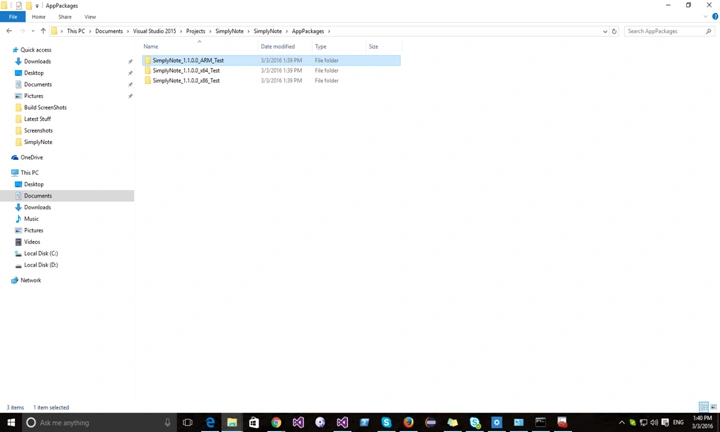
Step 9: Use the Appx as you want e.g. copy it to a Windows Phone and install it.
Read more articles on Visual Studio:


Bhuvanesh MohankumarPosted May 3, 2016, 8:54 AM EDT
Nice
Manoj KulkarniPosted Apr 10, 2016, 8:45 PM EDT
Nice one
NitinPosted Apr 9, 2016, 9:17 PM EDT
nice
Rahul Kumar SaxenaTOP 100Posted Apr 9, 2016, 8:27 AM EDT
Good Show
Saurabh RaiPosted Apr 9, 2016, 8:04 AM EDT
Thanks :)
Vignesh ManiTOP 100Posted Apr 9, 2016, 7:21 AM EDT
Good
Kuppurasu NagarajTOP 100Posted Apr 9, 2016, 6:15 AM EDT
Nice