
Introduction
Cent Version 7.0 is a Linux based OS, which was provided by OpenLogic. It contains an installation of the basic Server packages.
Requirements
- Microsoft Azure Subscription.
The following are the steps needed to create a Windows 10 virtual machine.
Step 1
Login into the Azure Management Portal by clicking here.
Step 2
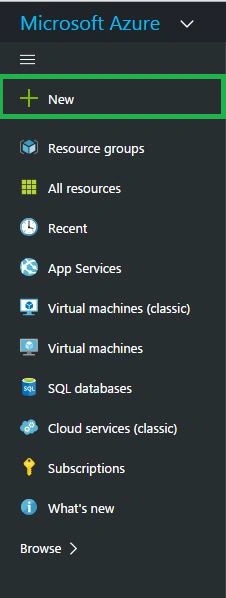
Click New button from the Azure Management Portal, as shown below:
Step 3
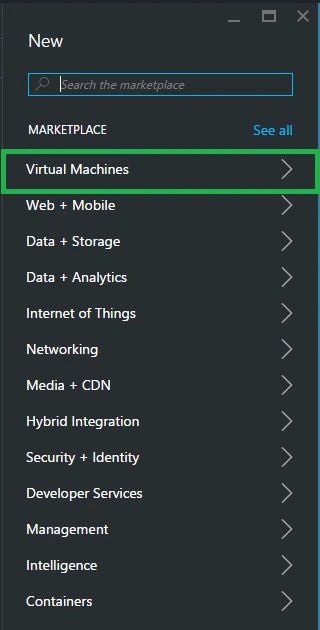
From the new blade, click virtual machine, as shown below:
Step 4
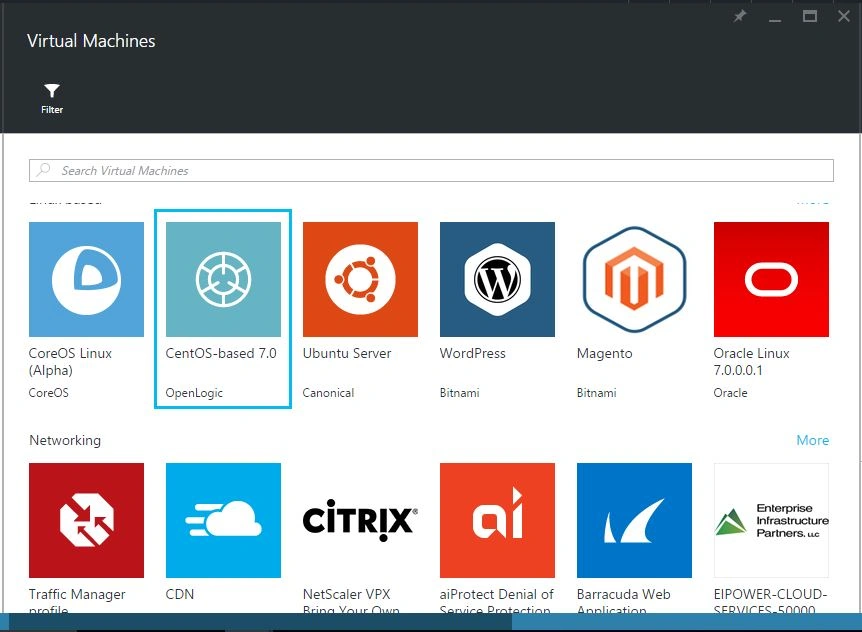
In the virtual machine blade, click to see all options on the above and the following Windows appears. On it, select Cent OS, provided by OpenLogic.
Step 5
In the Open Cent blade, select the deployment model as a resource manager. By clicking create button, we accept the legal terms of OpenLogic.
Step 6
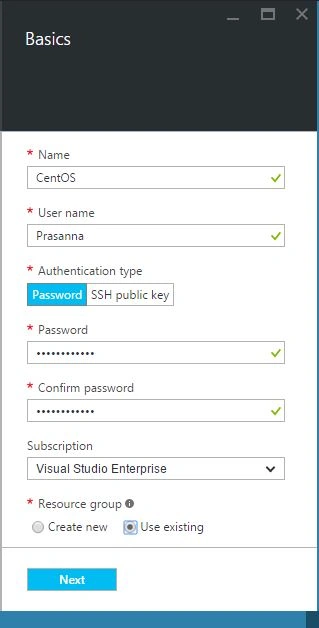
In the virtual machine creation wizard, it contains four steps.
- In the basic configuration wizard, fill in the mandatory information such as name of the virtual machine, Username, Password, Resource group and click Next.
- In the virtual machine size wizard, select the size of the virtual machine, you want to create.
Here, I am choosing A4Standard, that has 8 core, 14 GB RAM, 2 Data Disk, and load balancing technique.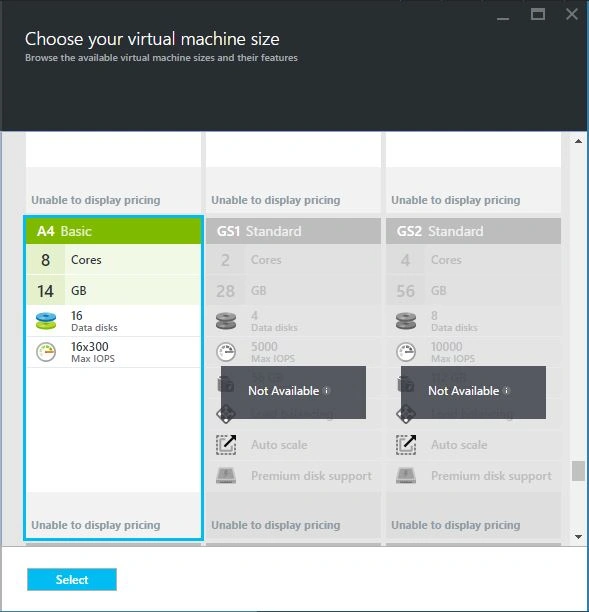
- In the settings blade, we have a configuring optional feature and IP management etc.
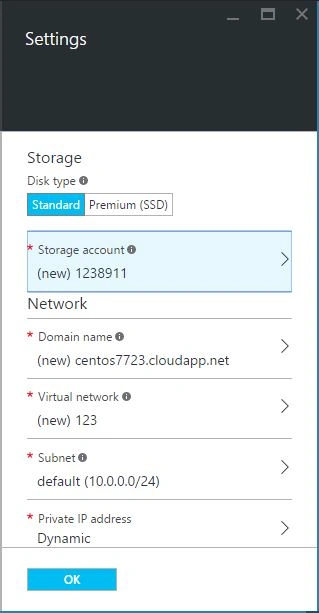
- In the summary tab, it contains the configured information such as basic and settings. After the validation has passed, it automatically enables OK button.
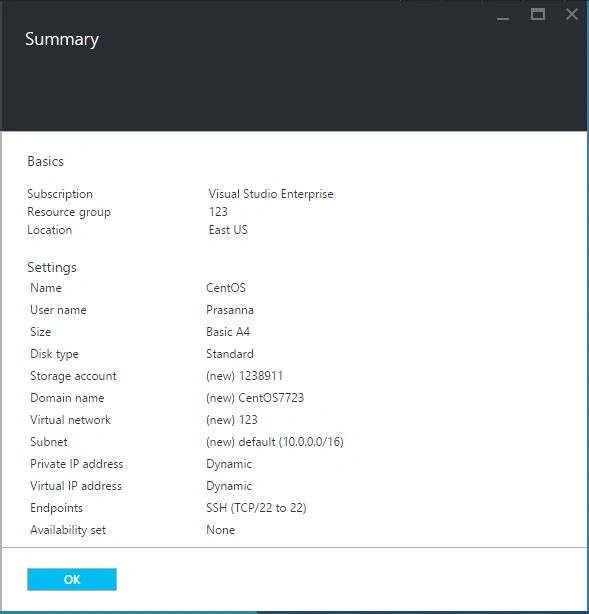 h
Step 7
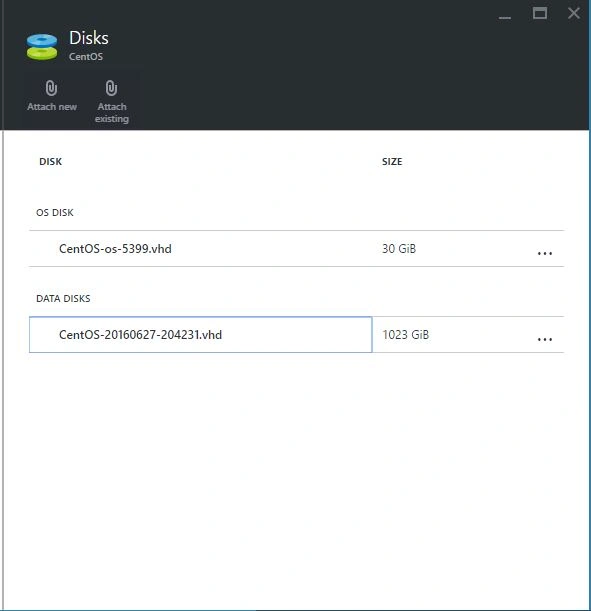
Finally, it takes some time on Azure Management Portal in the background with Cent OS and the configuration process starts.
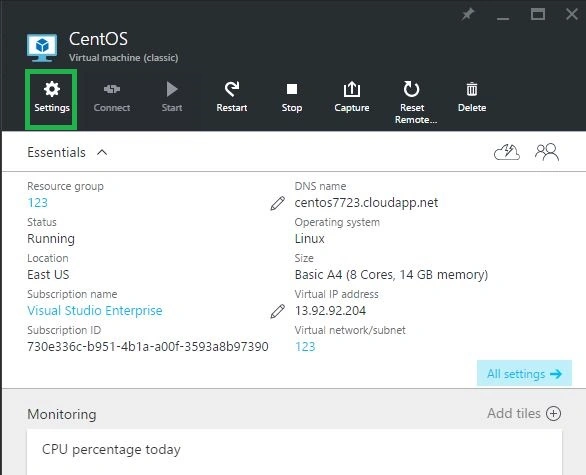
Step 9
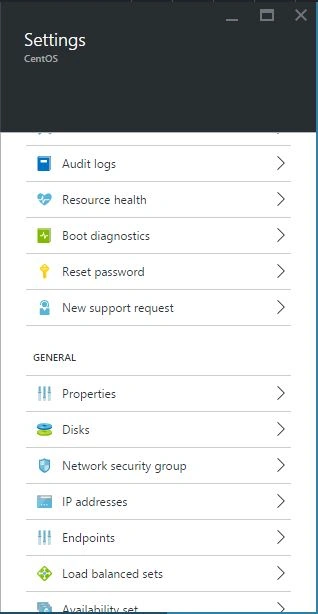
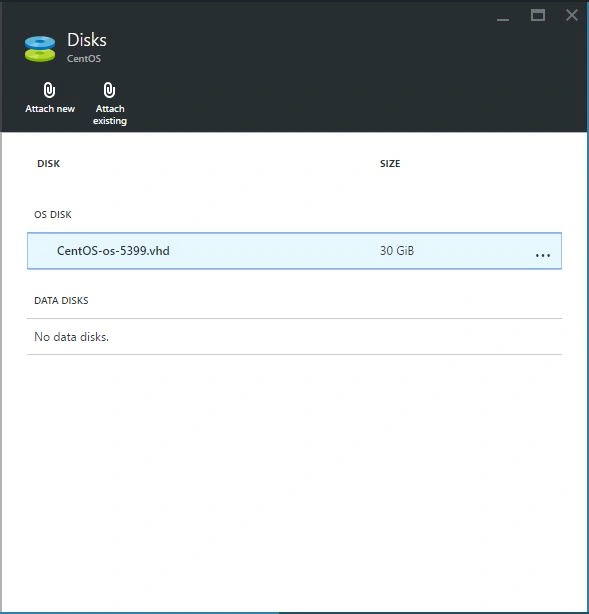
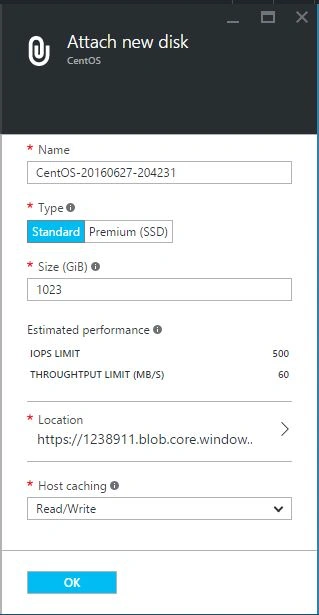
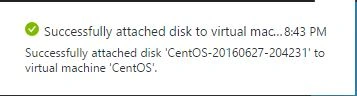


Anu VPosted Aug 1, 2016, 8:30 PM EDT
Nice..
Santhakumar MunuswamyPosted Jun 29, 2016, 8:47 PM EDT
Thank you for nice article
kalu singh raoPosted Jun 28, 2016, 9:36 PM EDT
Nice...
Kuppurasu NagarajTOP 100Posted Jun 28, 2016, 10:14 AM EDT
Nice Sharing..