Introduction: A user control is a very essential thing when we develop windows applications. Here we will learn to create different user controls in F#.
Lebel: The Label Control simply displays text information on the form. Generally, it is used with other user controls to show text information regarding that control. Here is some simple code for creating Label control.
open
System
open
System.Windows.Forms
open
System.Drawing
let
form=new Form()
let
ucontrol=new Label()
ucontrol.Text<-"I M Label"
ucontrol.ForeColor<-Color.Coral
form.Controls.Add(ucontrol)
Application.Run(form)
OutPut: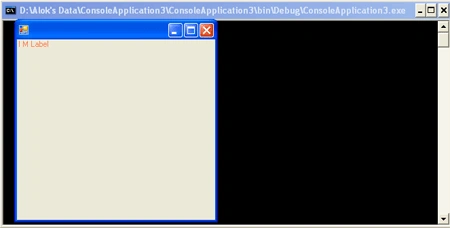
TextBox: The TextBox control provides an input box area where a user does text input on the form. By default it is a single line. Write the below code for creating a TextBox control.
open
System
open
System.Windows.Forms
open
System.Drawing
let
form=new Form()
let
ucontrol=new TextBox()
form.Controls.Add(ucontrol)
Application.Run(form)
Output: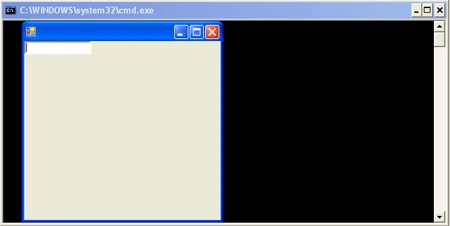
Button: The Button control is used to
perform any operation on a Click event. Write the following code for this.
open System
open
System.Windows.Forms
open
System.Drawing
let
form=new Form()
form.BackColor<-Color.Green
let ucontrol=new
Button()
ucontrol.Text<-"Click"
form.Controls.Add(ucontrol)
Application.Run(form)
Output:
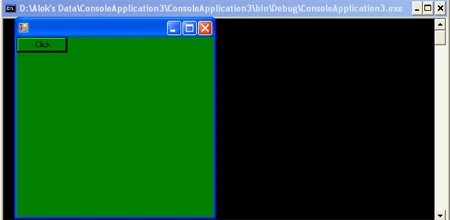
LinkLabel: The LinkLabel control is same the same as an HTML Link or LinkButton in
ASP.Net. It is used in for web applications. The following code creates a LinkLabel.
open
System
open
System.Windows.Forms
open
System.Drawing
let
form=new Form()
form.BackColor<-Color.Green
let ucontrol=new
LinkLabel()
ucontrol.Text<-"LinkLabel"
ucontrol.ForeColor<-Color.Red
form.Controls.Add(ucontrol)
Application.Run(form)
Output: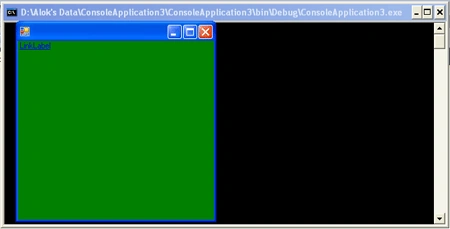
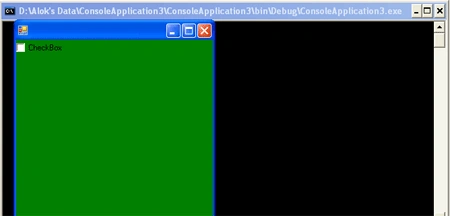
CheckBox: The CheckBox control is used to select options by Checking(Clicking) on
Boxes. Write the following code for creating a CheckBox.
open System
open
System.Windows.Forms
open
System.Drawing
let
form=new Form()
form.BackColor<-Color.Green
let ucontrol=new
CheckBox()
ucontrol.Text<-"CheckBox"
form.Controls.Add(ucontrol)
Application.Run(form)
Output:
RadioButton:
The
RadioButton
control is used to select s single option from s set of options by Clicking on
corresponding circles. Write the following code for creating a RadioButton.
open
System
open
System.Windows.Forms
open
System.Drawing
let form=new
Form()
form.BackColor<-Color.Green
let ucontrol=new
RadioButton()
ucontrol.Text<-"RadioButton"
form.Controls.Add(ucontrol)
Application.Run(form)
Output: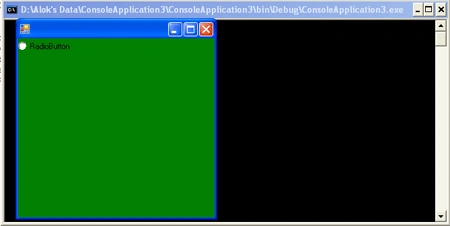
DateTimePicker: The DateTimePicker control is used to select a date from a drop-down calendar. Write the following code to create a DateTimePicker.
open
System
open
System.Windows.Forms
open
System.Drawing
let
form=new Form()
form.BackColor<-Color.Green
let ucontrol=new
DateTimePicker()
ucontrol.ForeColor<-Color.Red
form.Controls.Add(ucontrol)
Application.Run(form)
Output: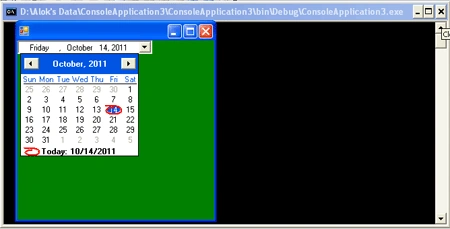
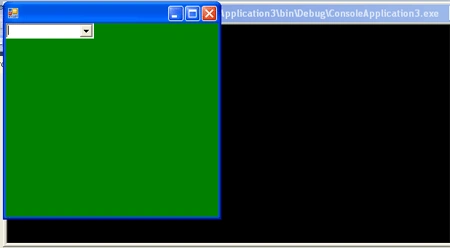
ComboBox: The ComboBox control is used to select a single value from a set of values. All the values are displayed in a Drop-Down list by Clicking on it. Write the following code to create a ComboBox.
open
System
open
System.Windows.Forms
open
System.Drawing
let
form=new Form()
form.BackColor<-Color.Green
let ucontrol=new
ComboBox()
form.Controls.Add(ucontrol)
Application.Run(form)
Output:
ListBox: The ListBox control is used to display a set of values on the form. Write the following code to create a ListBox.
open
System
open
System.Windows.Forms
open
System.Drawing
let
form=new Form()
form.BackColor<-Color.Green
let ucontrol=new
ListBox()
form.Controls.Add(ucontrol)
Output: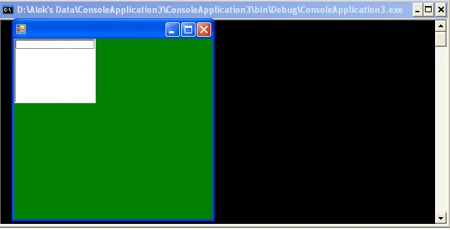

Join the conversation! Your thoughts help the community grow.