
For a beautiful and attractive UI, customized SettingsFlyout is a good option. So the following is the procedure to use for that.
Open Visual Studio 2013 and create a new blank project and name it Customized SettingsFlyout.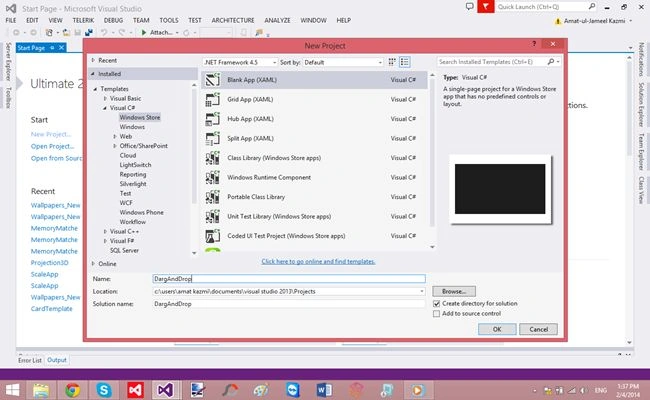
In the MainPage.xaml, add an image to the grid.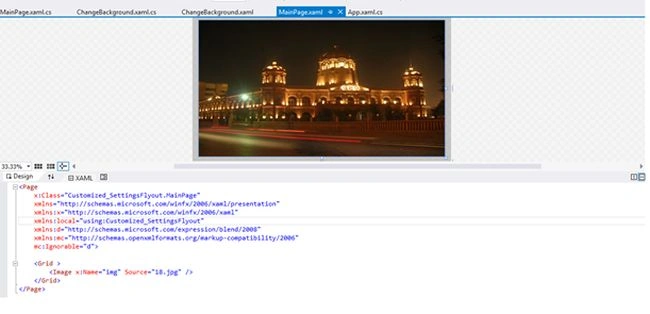
Then add a settings flyout and name it "Change background".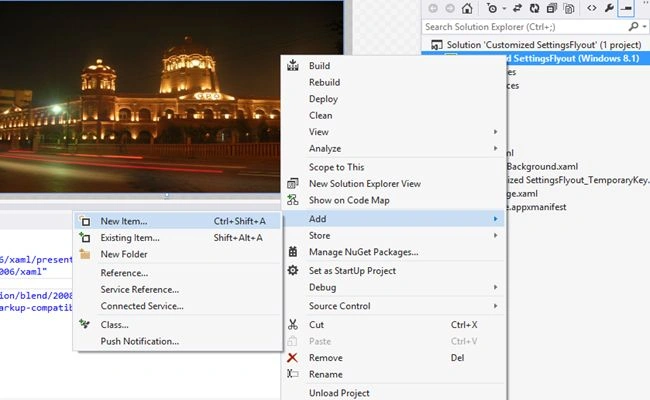
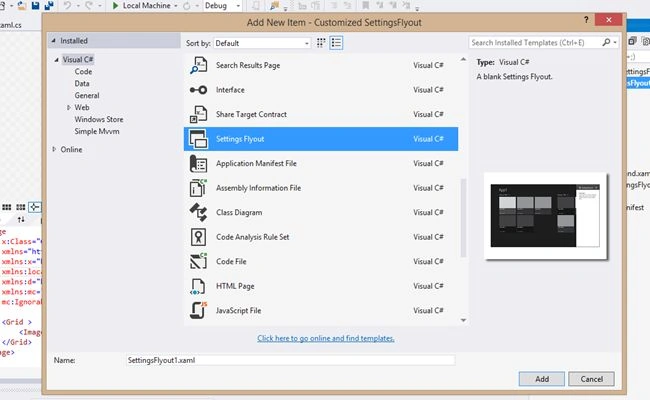
Then add two photos in a border in ChangeBackground.xaml.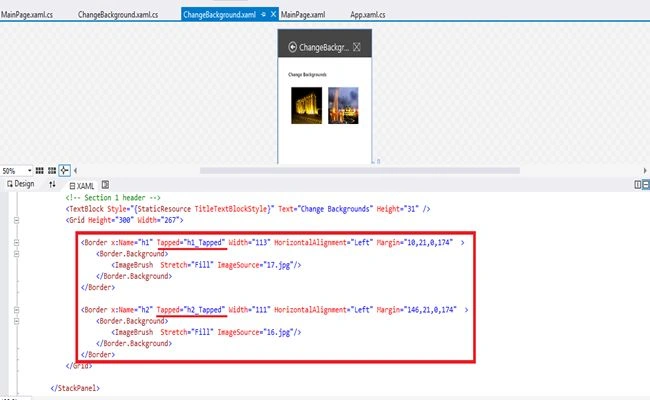
Then add this code to ChangeBackground.xaml.cs.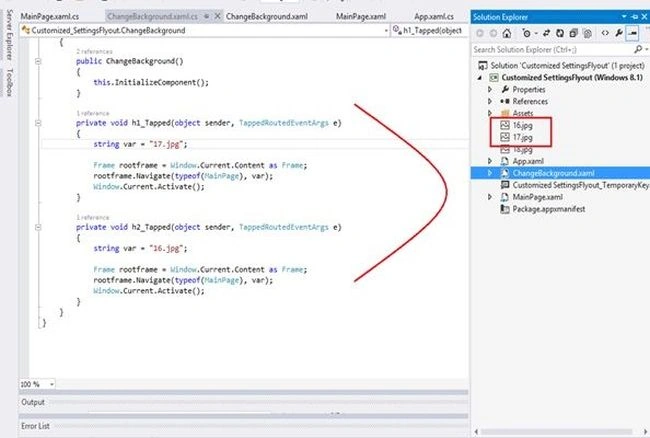
Now in MainPage.xaml.cs add this code to the OnNavigatedTo() method.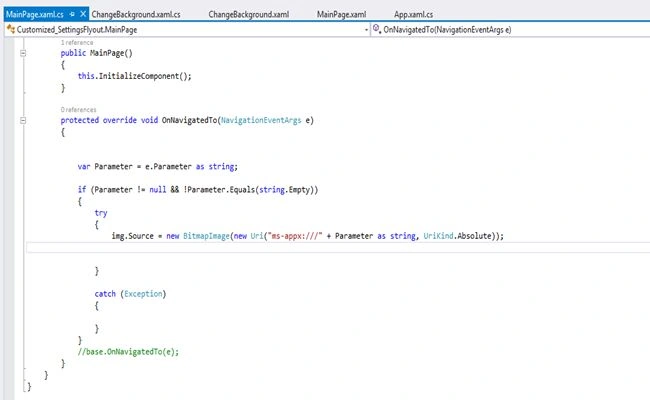
Now in App.xaml.cs add this code.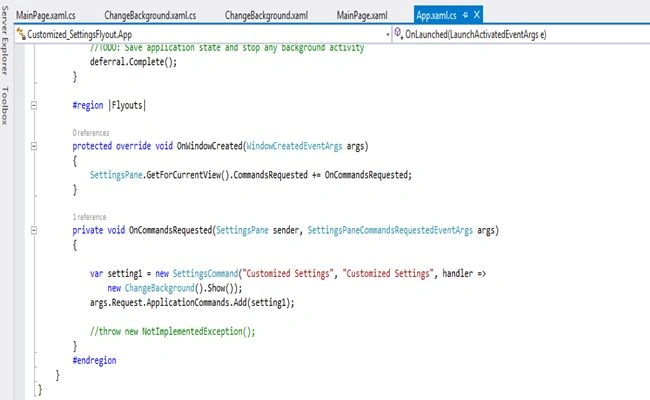
Now you have a customized settings flyout :)
Read the article at: TechNet Article.
Happy coding :)
Customized SettingsFlyout in Windows 8.1 Store Apps
This article will help you to understand how to use a Customized SettingsFlyout in Windows 8.1 Store Apps.


Vithal WadjeTOP 100Posted Feb 3, 2015, 4:45 AM EST
Nice article ,welcome to C# corner