
Introduction
Sometimes you may have encountered a problem requiring you to pass data from one form to another in C# WinForms. I have also encountered this problem and searched it on Google. Now, I have some solutions.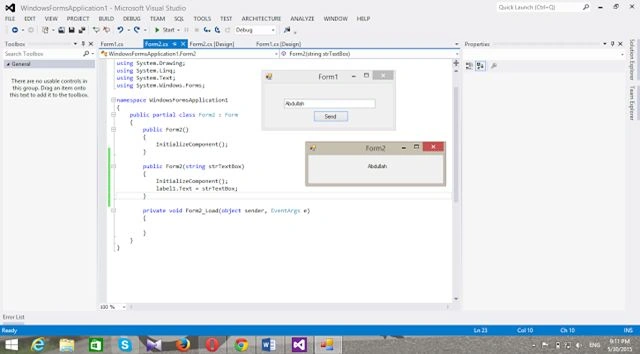
So, I will share four different methods to pass data from one form to another. But in this article I will only focus on the first method, that is using the constructor.
- With constructor
- With objects
- With properties
- With delegates
We will now briefly discuss the preceding methods.
Step 1
First create a new project and then select C# > Windows Form. Now you have the following Form1.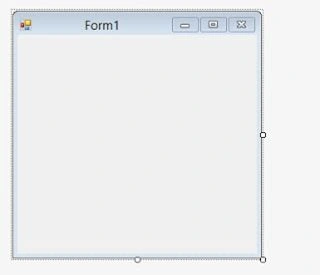
Step 2
Drag and drop a button and TextBox in Form1.
Step 3
Click on Solution Explorer and right-click on WindowsFormApplication1 then select Add > New item. Then in the Add New Item winidow select Windows Forms > Windows Form then select Add.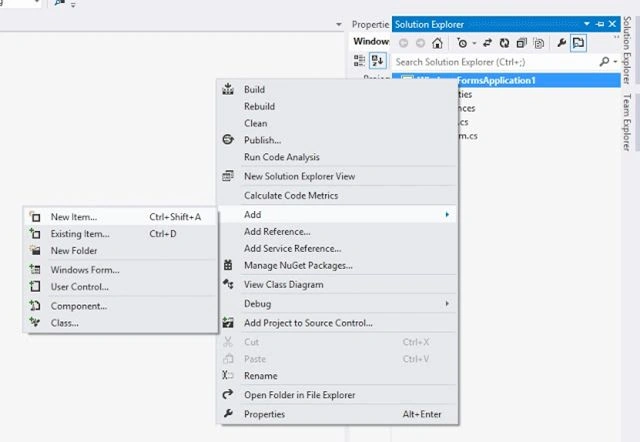
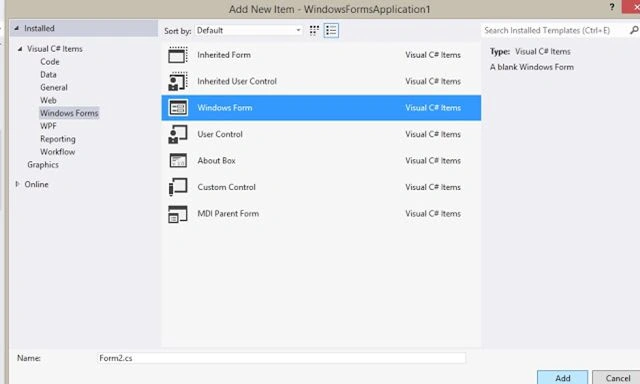
Step 4
Drag and drop a Label into Form2.
With Constructor:
It is a simple method in which I will form a constructor of Form2 with a parameter. When Form2 is called, the constructor runs automatically. I passed the string from TextBox1 of Form1 to Form2.
Step 1
Create a constructor in Form2.
- public Form2(string strTextBox)
- {
- InitializeComponent();
- label1.Text=strTextBox;
- }
Use the following code in Form1's Button Handler for Form2.
- private void button1_Click(object sender, System.EventArgs e)
- {
- Form2 frm=new Form2(textBox1.Text);
- frm.Show();
- }
In this article I discussed the first method and in the next I will explain the other methods.


Muhammad AbdullahPosted Jun 1, 2015, 5:03 AM EDT
Thanks All
Sibeesh VenuTOP 100Posted May 31, 2015, 9:42 PM EDT
Good one.
Rahul PrajapatPosted May 31, 2015, 7:28 PM EDT
Small and effective, good
Santhakumar MunuswamyPosted May 31, 2015, 7:17 PM EDT
Thanks for nice one
Afzaal Ahmad ZeeshanTOP 100Posted May 31, 2015, 11:08 AM EDT
As Sam Hobbs has mentioned, in harder scenarios you might want to do something else. And the first thing that pops in my head relative to that "Something else" is creating a central model for your applications. Model would be used by entire application to alter the state of the Views or how Controllers work. Want to learn the MVC pattern? Please read this article of mine: http://www.c-sharpcorner.com/UploadFile/201fc1/understanding-the-model-view-controller/
Sam HobbsPosted May 31, 2015, 10:07 AM EDT
Yes, Muhammad, that is a simple and effective solution if the requirements are minimal. If there is more data than just one or two items then a class could be created. If however we need to get data back from Form2 to Form1 then, as I am sure you know, something else needs to be done.
Pankaj Kumar ChoudharyTOP 100Posted May 31, 2015, 7:28 AM EDT
Nice Start......