
In this article I would like to explain how to write code to do basic operations using the JavaScript client object model in SharePoint 2013.
You can use the SharePoint client object model to retrieve, update and manage data in SharePoint 2013. SharePoint makes the object model available in several forms.
- .NET Framework redistributable assemblies.
- JavaScript library.
- REST/OData endpoints.
- Windows Phone assemblies.
- Silverlight redistributable assemblies.
This article shows how to do basic operations using the JavaScript object model. You can add a reference to the object model using HTML <script> tags.
The following sections describe tasks that you can complete programmatically and they include JavaScript code examples that demonstrate the operations.
Procedure
Open your SP Site in SharePoint 2013 Designer. Then select an Assets icon in the designer ribbon then add a JavaScript file.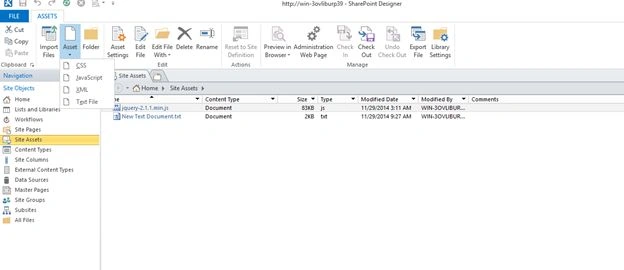
After adding the JavaScript file, the file will be available in the SharePoint Site Assets Folder as in the following: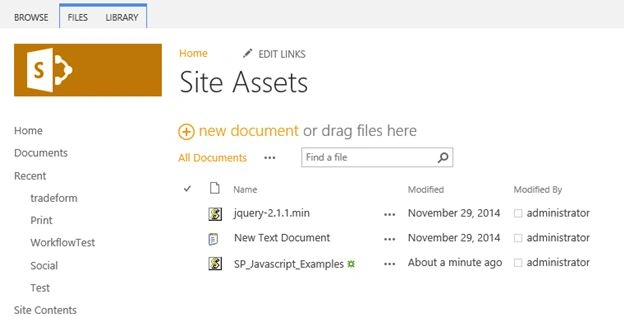
Go to the SP site page and add a new page to the SharePoint site.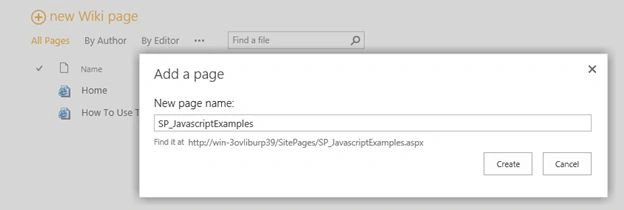
After adding a page select an Insert button in the Ribbon Menu.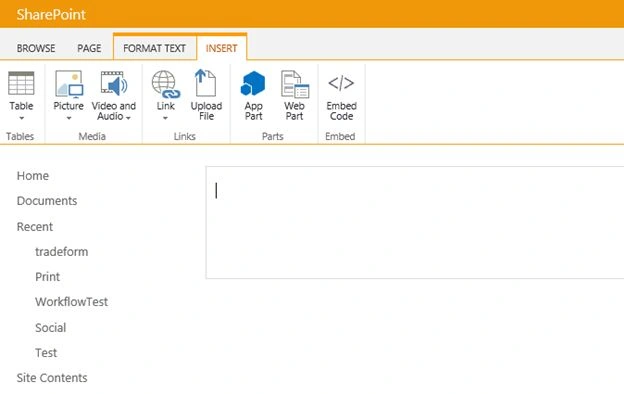
Then add a Content Editor Web part into the page.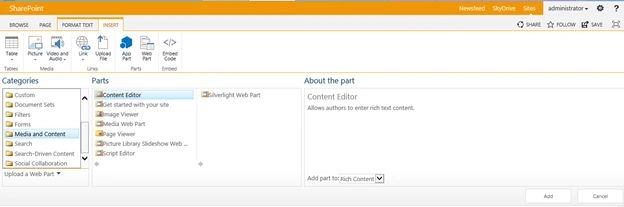
Edit the WebPart and add a JavaScript file link to the contents link.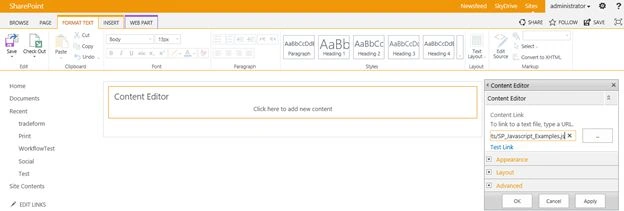
Save the web part and save the page in site. Click the button.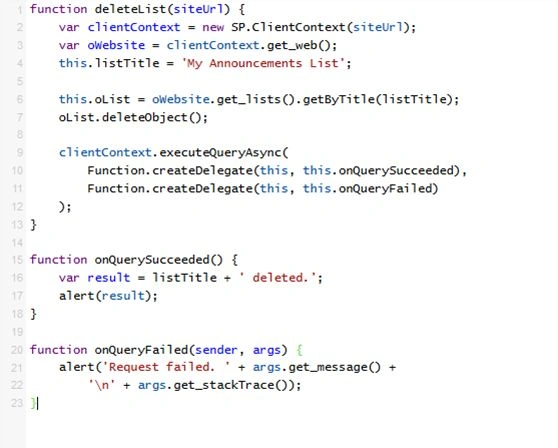
List Created Successfully.
Source Code
- <div><button onclick=" deleteList()">Click here to AddaFieldtoList</button></div>
- <div id="displayDiv"></div>
- <script type="text/javascript">
- //This function loads the list and runs the query asynchronously
- function deleteList() {
- var siteUrl=”https://gauti.sharepoint.com/sites/sp/”;
- var clientContext = new SP.ClientContext(siteUrl);
- var oWebsite = clientContext.get_web();
- this.listTitle = 'My Announcements List';
- this.oList = oWebsite.get_lists().getByTitle(listTitle);
- oList.deleteObject();
- clientContext.executeQueryAsync(
- Function.createDelegate(this, this.onQuerySucceeded),
- Function.createDelegate(this, this.onQueryFailed)
- );
- }
- function onQuerySucceeded() {
- var result = listTitle + ' deleted.';
- alert(result);
- }
- function onQueryFailed(sender, args) {
- alert('Request failed. ' + args.get_message() +
- '\n' + args.get_stackTrace());
- } </script>


GauTam RaJputPosted Mar 26, 2018, 10:07 PM EDT
My problem is where these data is going when deleted because i am not finding this in recycle bin
SriramPosted Jul 3, 2015, 6:23 AM EDT
Good .................
Vijay SPosted Apr 28, 2015, 11:11 PM EDT
Good Work
Karthik Muthu KaruppanPosted Apr 23, 2015, 7:18 AM EDT
good one
Rahul Kumar SaxenaTOP 100Posted Apr 22, 2015, 10:31 AM EDT
Good Show..
Santhakumar MunuswamyPosted Apr 21, 2015, 6:19 PM EDT
Good work
Krishnanand SivarajPosted Apr 21, 2015, 6:06 PM EDT
Thanks for sharing