
Introduction
This article shows you how to delete data using LINQ to SQL in WPF applications.
Create a WPF application as Figure 1.
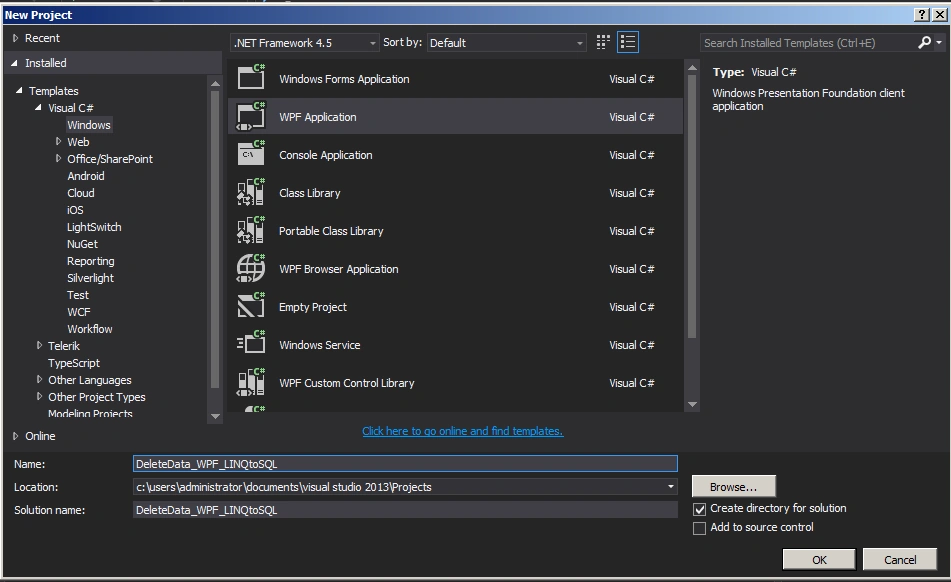
Figure 1: Create WPF application
Add LINQ to SQL classes to the project as in Figures 2 and 3.
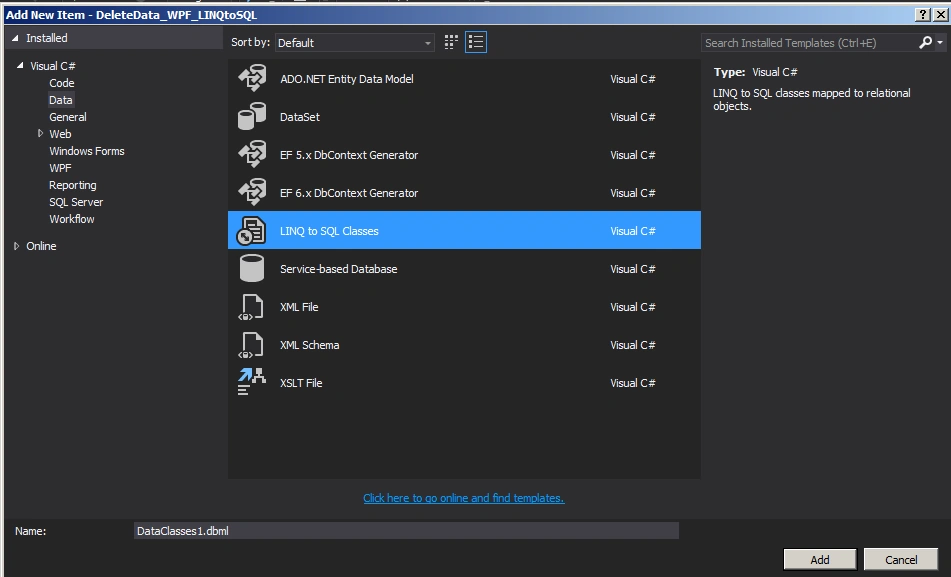
Figure 2: Add LINQ to SQL
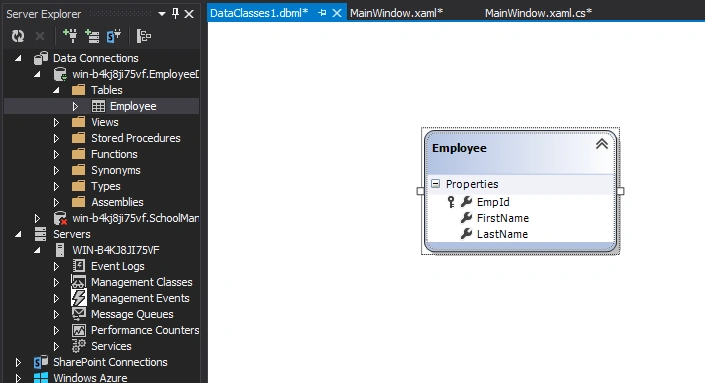
Figure 3: Choose database objects
MainWindow.xaml
- <Window x:Class="DeleteData_WPF_LINQtoSQL.MainWindow"
- xmlns="http://schemas.microsoft.com/winfx/2006/xaml/presentation"
- xmlns:x="http://schemas.microsoft.com/winfx/2006/xaml"
- Title="MainWindow" Height="350" Width="525" Loaded="Window_Loaded">
- <Grid>
- <DataGrid x:Name="dgEmployee"
- Width="267"
- Margin="118,47,0,0"
- HorizontalAlignment="Left"
- VerticalAlignment="Top"
- AutoGenerateColumns="False"
- CanUserDeleteRows="True"
- CanUserAddRows="False"
- ColumnWidth="*">
- <DataGrid.Columns>
- <DataGridTextColumn x:Name="dgrEmpId"
- Binding="{Binding EmpId}"
- Header="EmpId"
- IsReadOnly="True" />
- <DataGridTextColumn x:Name="dgrFirstName"
- Binding="{Binding FirstName}"
- Header="FirstName"
- IsReadOnly="True" />
- <DataGridTextColumn x:Name="dgrLastName"
- Binding="{Binding LastName}"
- Header="LastName"
- IsReadOnly="True" />
- <DataGridTemplateColumn>
- <DataGridTemplateColumn.CellTemplate>
- <DataTemplate>
- <Button Content="Delete" x:Name="btnDelete" Click="btnDelete_Click"
- ></Button>
- </DataTemplate>
- </DataGridTemplateColumn.CellTemplate>
- </DataGridTemplateColumn>
- </DataGrid.Columns>
- </DataGrid>
- </Grid>
- </Window>
- using System;
- using System.Collections.Generic;
- using System.Linq;
- using System.Text;
- using System.Threading.Tasks;
- using System.Windows;
- using System.Windows.Forms;
- using System.Windows.Controls;
- using System.Windows.Data;
- using System.Windows.Documents;
- using System.Windows.Input;
- using System.Windows.Media;
- using System.Windows.Media.Imaging;
- using System.Windows.Navigation;
- using System.Windows.Shapes;
- namespace DeleteData_WPF_LINQtoSQL
- {
- /// <summary>
- /// Interaction logic for MainWindow.xaml
- /// </summary>
- public partial class MainWindow : Window
- {
- public MainWindow()
- {
- InitializeComponent();
- }
- private void Window_Loaded(object sender, RoutedEventArgs e)
- {
- dgEmployee.ItemsSource = objContext.Employees.ToList();
- }
- DataClasses1DataContext objContext = new DataClasses1DataContext();
- private void btnDelete_Click(object sender, RoutedEventArgs e)
- {
- int empId = (dgEmployee.SelectedItem as Employee).EmpId;
- Employee employee = (from r in objContext.Employees where r.EmpId == empId select r).SingleOrDefault();
- objContext.Employees.DeleteOnSubmit(employee);
- objContext.SubmitChanges();
- dgEmployee.ItemsSource = objContext.Employees.ToList();
- }
- }
- }
The output of the application is as in Figures 4 and 5.
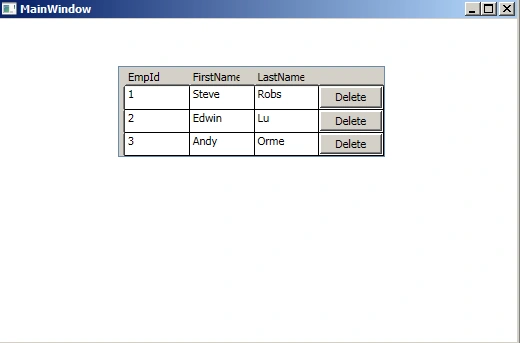
Figure 4: Output of the application before applying delete operation
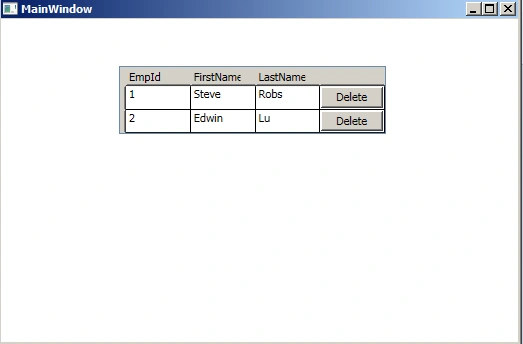
Figure 5: Output of the application after applying delete operation.
Summary
In this article we saw how to delete data using LINQ to SQL in WPF application.


Santhakumar MunuswamyPosted Jun 10, 2015, 11:10 AM EDT
Thanks for sharing