
Today here, I show you how to deploy your .NET MVC web application to a Web server after you've finished development and testing the application.
Steps
Select your solution in solution explorer and click on BUILD, then Publish Solution.
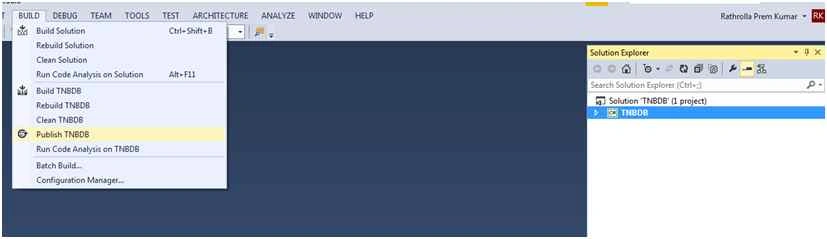
Then click on publish and you will see the following screenshot with profile details.
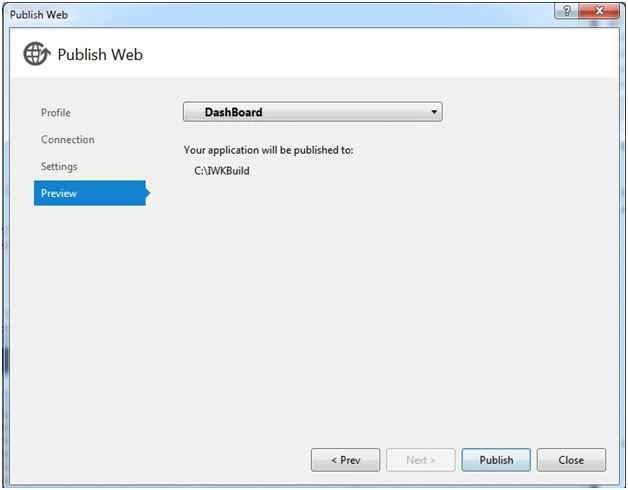
Now, click on profile and create your own new profile.
After creating new profile click on Next tab, then it navigates to Connection tab with the following screenshot,
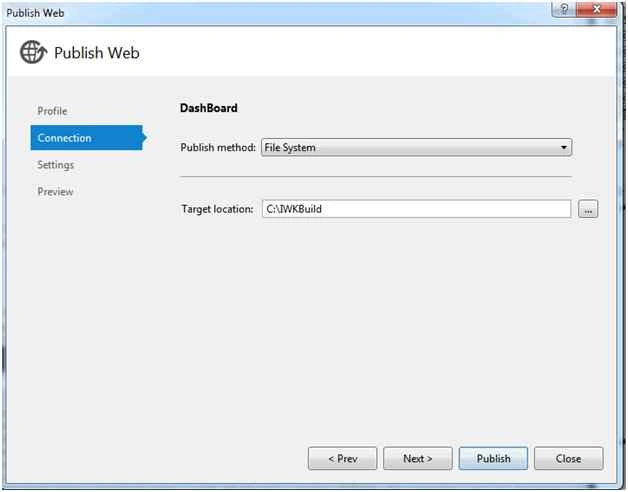
Here in Target location, select File System and also select you location with folder where you save the build solution and then click next which navigates to Settings tab.
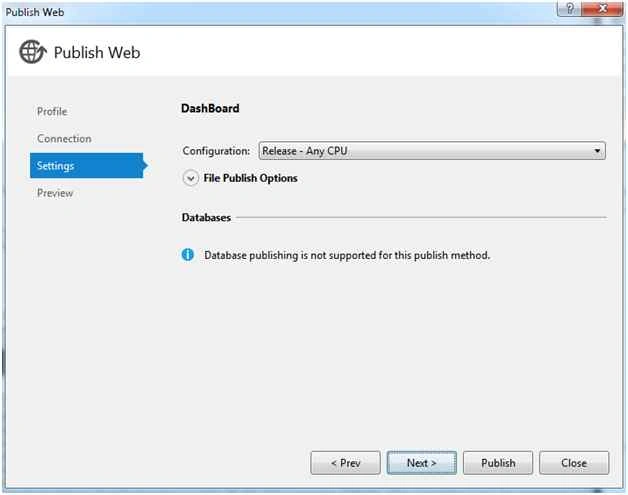
Select configuration as shown above and click on next.
Then preview and publish, once you published successfully, go to target location folder and copy the folder to deploy it into the server.
Steps to deploy in server
Now login to server and open IIS,
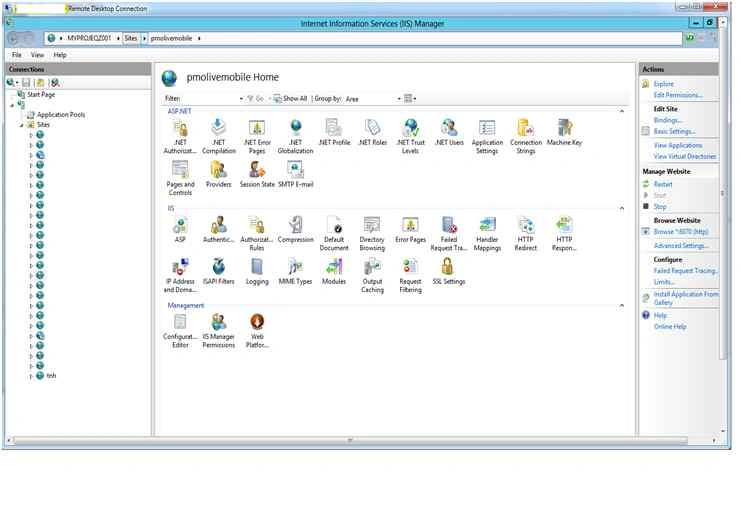
Now click Sites.
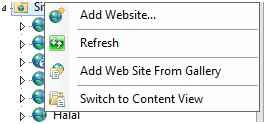
Click Add Website, it will populate a window as in the following,
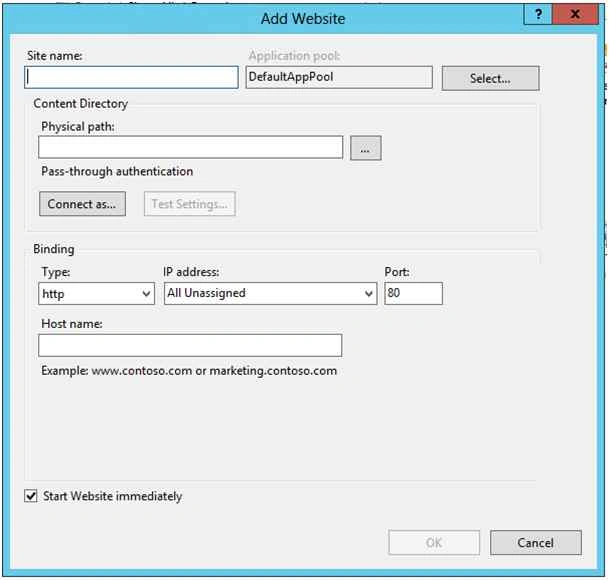
Key in the details, as per your requirement.
Then click OK and automatically site will create and right click on site and select Browse.
Deploy An MVC Application To Server
In this article, you will learn how to deploy an MVC application to Windows Server developed in visual studio 2013


SubashPosted Sep 7, 2016, 4:02 AM EDT
Nice one
Shailesh UkePosted Feb 22, 2016, 11:44 PM EST
Nice...
Rathrola Prem KumarPosted Dec 30, 2015, 1:42 AM EST
No mention bro :)
Santhakumar MunuswamyPosted Dec 28, 2015, 8:32 AM EST
Thanks for sharing
Rathrola Prem KumarPosted Dec 13, 2015, 8:23 PM EST
Thnx Humayun Kabir Mamun
Humayun Kabir MamunPosted Dec 13, 2015, 8:13 PM EST
Nice...
Rathrola Prem KumarPosted Dec 13, 2015, 4:44 AM EST
Ok i will recorrect it now
Mahesh ChandTOP 10Posted Dec 13, 2015, 4:42 AM EST
What too did you use to deploy? Is it Visual Studio? Which version? You may want to mention that in your article.