
But i've found something not a good idea but works anyway.
If we dont want to use XNA's Content Pipeline then what worse things can come out of it:
Well, much more lines of code!
Now, create a new Class Library Project in .NET Framework 4.5(later we'll transform it to Windows Application)
Add reference from a .NET Framework 4.5 project as its displayed there you cant see XNA .dlls as a reference but as an extension!
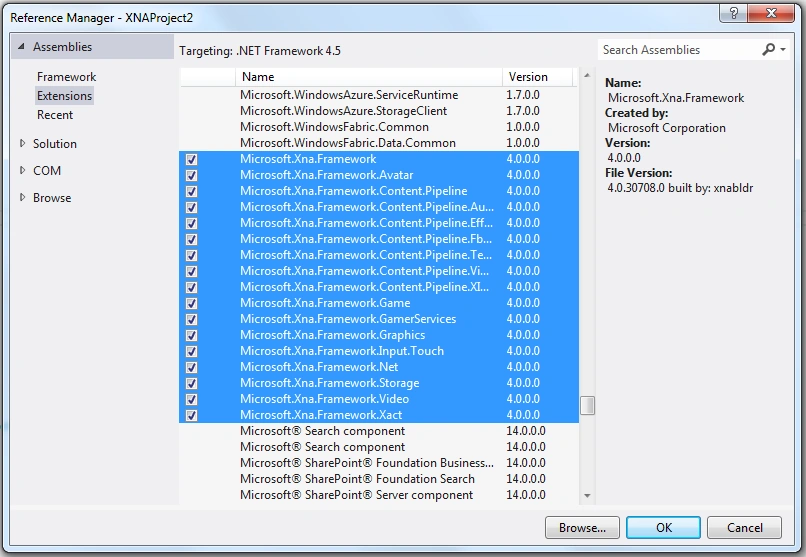
So we've added the .NET 4.0 extensions for XNA Framework
Now its better we write a Program.cs file and set it as a Startup Project
Program.cs:
C# |
Later we set it as Startup Object from Project-> [YourProjectName]Properties
Now lets create a new Game class and add codes for it:
Now lets create a new Game class and add codes for it:
C# |
Here we are!
Now lets run it if it will run or not:
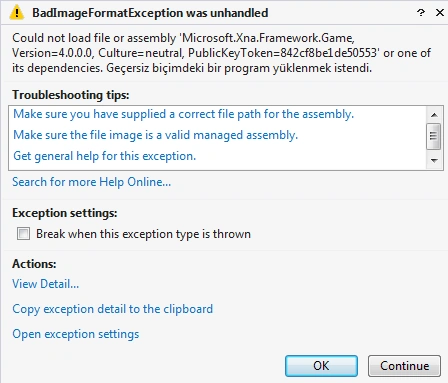
OK. That was a nice punch to the face. I admit!
Why this problem occurs because of lack of 64-bit support for previous .NET framework references which we call extensions.
Now head over here:

and change as it seems:
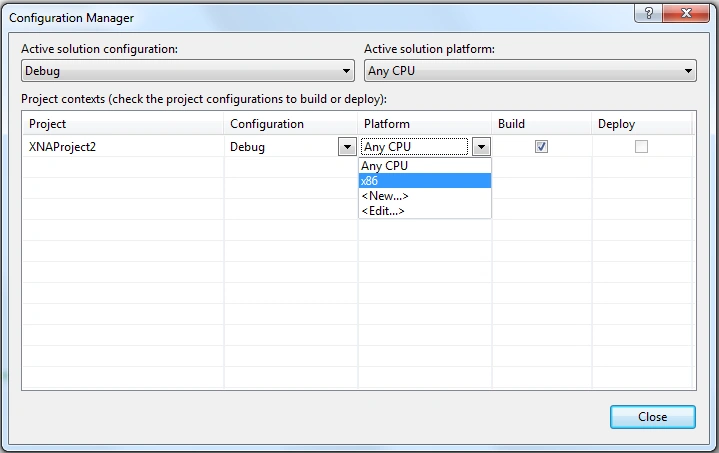
After you change it to x86 it must have worked nicely
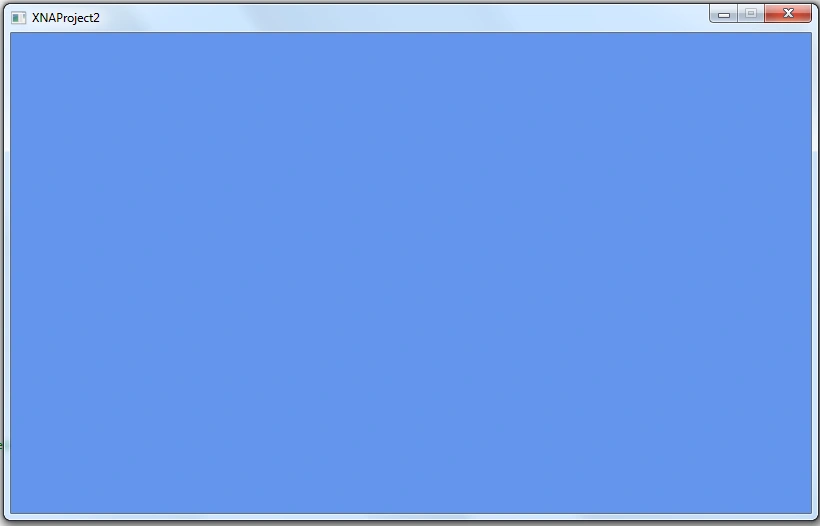
An empty screen drawn with CornFlowerBlue Color works as it should be while working with XNA GS.
Now why dont we just fill it?
Lets add a sample sprite it render it inside XNA project:
Lets add a picture inside your project.i added a performer png file,you can your own.
Add these variables for x,y corrdinates,width and height of the sprite and the object that we will create sprite from "Texture2D"
Code |
Inside LoadContent add these codes:
Code |
Here we set up our texture2d object to load an external image file through a path - which is in the same place as code files -
Then in Draw add these codes:
Code |
Here we render our sprite with given texture file,x&y coordinates,width and height of the sprite shall be.
Lets run it!
And display our sprite:
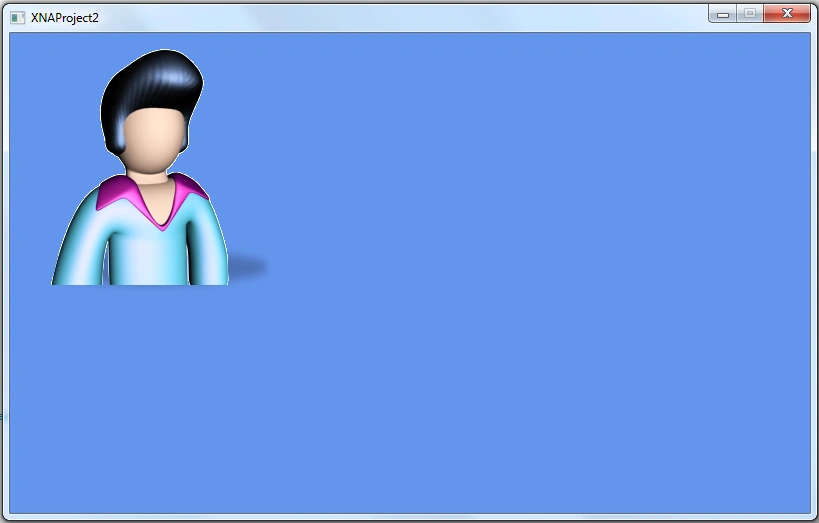
Thats good!
Even though XNA GS wasnt installed,you've succeeded on developing for XNA platform(Windows only) in Visual Studio 2012.
I do hope that it works in Windows 8 as well even though i was doing this work in Windows 7 system.
Hope this article helps you on your studies
Feel free to drop a comment if you disagree with me the way I suggest here.
Have a nice day!


Mohammed AshrafPosted May 22, 2016, 4:09 PM EDT
Really nice. .
Saurabh RaiPosted Apr 11, 2016, 8:36 AM EDT
Good one!
NitinPosted Jun 1, 2015, 5:48 AM EDT
nice
Sibeesh VenuTOP 100Posted May 30, 2015, 9:15 AM EDT
Good one.
Santhakumar MunuswamyPosted May 30, 2015, 8:39 AM EDT
thanks for nice one
Shailesh UkePosted May 30, 2015, 5:20 AM EDT
Nice ...
Saber ShaikhPosted May 30, 2015, 3:35 AM EDT
Good
Santhakumar MunuswamyPosted May 29, 2015, 9:05 AM EDT
Thanks for nice article
Tom MohanPosted Mar 21, 2015, 8:48 AM EDT
nice one
marloo stuartPosted Jul 8, 2013, 7:57 AM EDT
i wanna some help plzz i cant find in "Add reference" from a .NET Framework 4.5 project as its displayed there is no XNA .dlls :(
Ibrahim ErsoyPosted Sep 3, 2012, 4:10 AM EDT
Your welcome,Bruce! Yes,Aaron Stebner has given the most available solution.i knew that one and thus i presented an alternative way.
Bruce BayleyPosted Sep 1, 2012, 6:18 PM EDT
See also: http://stackoverflow.com/questions/9674758/how-can-i-work-with-xna-projects-in-visual-studio-11-beta
Bruce BayleyPosted Sep 1, 2012, 4:56 PM EDT
Thanks Ibrahim, you've saved my day!
Saber ShaikhPosted Jul 30, 2012, 1:43 AM EDT
Nice And thank you
Ibrahim ErsoyPosted Jul 10, 2012, 3:14 AM EDT
its no wonder .NET 4.5 Framework isnt supported for XNA 4.0 development only runs in .NET Framework 4.0 but theres a trick Aaron Stebner wrote on his blog,i didnt try but i do hope it works.Check it out : http://blogs.msdn.com/b/astebner/archive/2012/02/29/10274694.aspx
Shubham SrivastavaPosted Jul 10, 2012, 3:00 AM EDT
Sir , Can we also add XNA tool kit that support .Net version 4.0 can it will support for version 4.5
Ibrahim ErsoyPosted Jul 10, 2012, 2:25 AM EDT
Thank you guys!
Arun ChoudharyPosted Jul 9, 2012, 7:19 AM EDT
Good article
Vipendra VermaPosted Jul 9, 2012, 7:19 AM EDT
Thank you for providing information about how to Developing XNA Apps.....
Shubham SrivastavaPosted Jul 9, 2012, 7:14 AM EDT
Nice article
Amit PatelPosted Jul 8, 2012, 11:20 PM EDT
Good one..
Ibrahim ErsoyPosted Jul 8, 2012, 6:48 AM EDT
Thank you for reading,Abhi!
Abhimanyu K VatsaTOP 100Posted Jul 7, 2012, 8:24 AM EDT
very nice