
Nowadays MVC is popular so I decided to write an article on it looking at its importance.
Create a new ASP.NET MVC Solution, then DropDownBinding as a name of solution.

Select Empty Template and also select View engine as Razor.

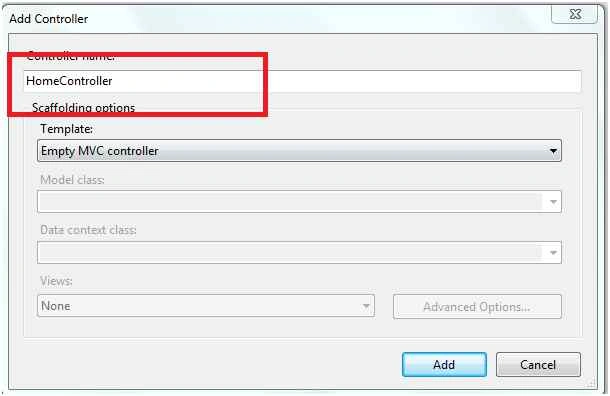
Add New Controller in Controller Folder.
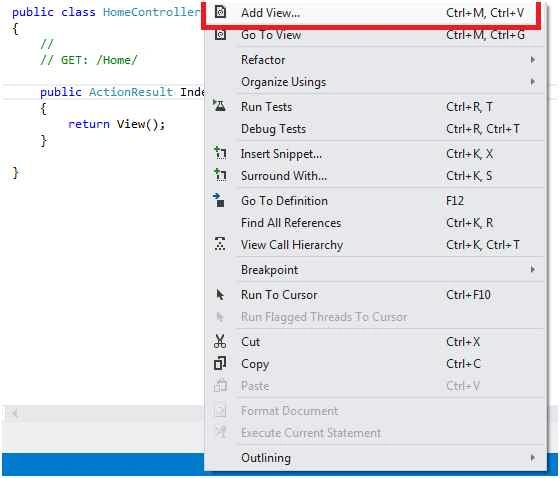
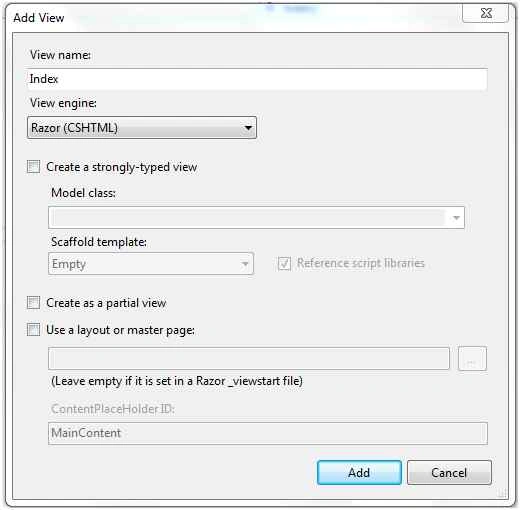
Add a View.
Way 1: Dropdown Binding in View -Inline
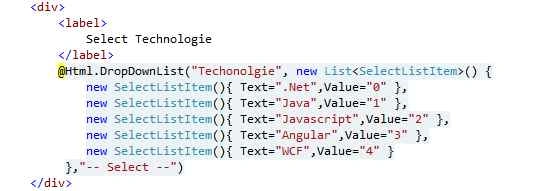
- @Html.DropDownList("Techonolgie", new List < SelectListItem > ()
- {
- new SelectListItem()
- {
- Text = ".Net", Value = "0"
- },
- new SelectListItem()
- {
- Text = "Java", Value = "1"
- },
- new SelectListItem()
- {
- Text = "Javascript", Value = "2"
- },
- new SelectListItem()
- {
- Text = "Angular", Value = "3"
- },
- new SelectListItem()
- {
- Text = "WCF", Value = "4"
- }
- }, "-- Select --")
When we run the application the output should be like the following,

Way 2: Dropdown Binding using View Bag
- public ActionResult Index()
- {
- List < SelectListItem > listTechonolgies = new List < SelectListItem > ()
- {
- new SelectListItem()
- {
- Text = ".Net", Value = "0"
- },
- new SelectListItem()
- {
- Text = "Java", Value = "1"
- },
- new SelectListItem()
- {
- Text = "Javascript", Value = "2"
- },
- new SelectListItem()
- {
- Text = "Angular", Value = "3"
- },
- new SelectListItem()
- {
- Text = "WCF", Value = "4"
- }
- };
- ViewBag.Techonolgie = listTechonolgies;
- return View();
- }
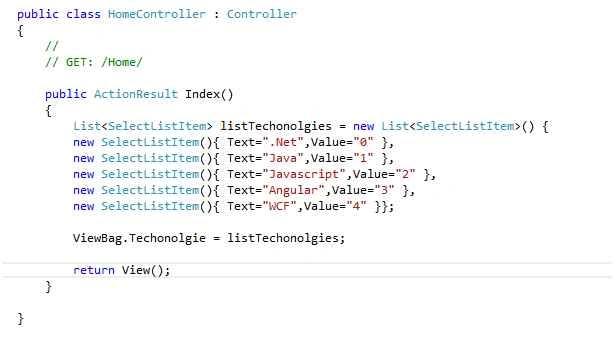
In View,


Way 3: Using Model Class
Right lick on Model Folder Add, then TechnologiesModel.cs - Class

Add the following two classes,
- public class TechnologiesList
- {
- public SelectList lstTechnologies
- {
- get;
- set;
- }
- }
- public class Technologie
- {
- public int ID
- {
- get;
- set;
- }
- public string TechnologieName
- {
- get;
- set;
- }
- }

The Controller code should look like the following,
- public ActionResult Index()
- {
- List < Technologie > list = new List < Technologie > ();
- list.Add(new Technologie()
- {
- TechnologieName = ".Net", ID = 0
- });
- list.Add(new Technologie()
- {
- TechnologieName = "Javascript", ID = 2
- });
- list.Add(new Technologie()
- {
- TechnologieName = "Angular", ID = 3
- });
- list.Add(new Technologie()
- {
- TechnologieName = "WCF", ID = 4
- });
- TechnologiesList TList = new TechnologiesList();
- TList.lstTechnologies = new SelectList(list, "ID", "TechnologieName", 2);
- return View(TList);
- }

- @model DropDownBinding.Models.TechnologiesList
- @{
- Layout = null;
- }
- <!DOCTYPE html>
- <html>
- <head>
- <meta name="viewport" content="width=device-width" />
- <title>Index</title>
- </head>
- <body>
- <div>
- <label>
- Select Technologie
- </label>
- @Html.DropDownList("Tech",Model.lstTechnologies,"--Select--")
- </div>
- </body>
- </html>
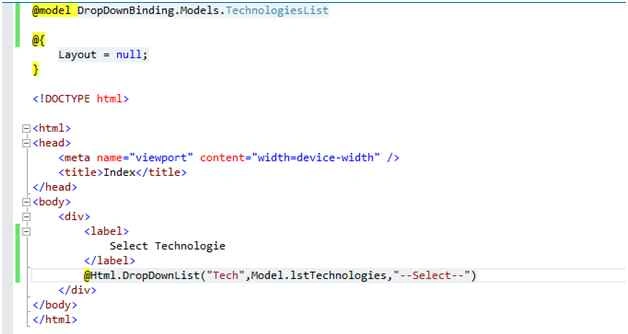

In the next article we are going discuss about how to bind drop down list using database with Entity frame work.


Santhakumar MunuswamyPosted Dec 23, 2015, 10:43 AM EST
Thanks for nice article
Rakesh KalluriPosted Dec 20, 2015, 8:37 PM EST
Thanks Piyush Dixit
Rakesh KalluriPosted Dec 20, 2015, 8:37 PM EST
Thanks Gowtham K
Rakesh KalluriPosted Dec 20, 2015, 8:36 PM EST
Thanks Humayun Kabir Mamun
Rakesh KalluriPosted Dec 20, 2015, 8:36 PM EST
Thanks Raja T
Rakesh KalluriPosted Dec 20, 2015, 8:35 PM EST
Thanks Praveen Kumar
Rakesh KalluriPosted Dec 20, 2015, 8:35 PM EST
Thanks Shridhar Sharma
Rakesh KalluriPosted Dec 20, 2015, 4:10 PM EST
Thanks to All
Piyush DixitPosted Dec 20, 2015, 6:48 AM EST
nice
Gowtham KTOP 100Posted Dec 20, 2015, 6:03 AM EST
Good One, Thanks for sharing
Humayun Kabir MamunPosted Dec 19, 2015, 8:30 PM EST
Nice...
Raja TPosted Dec 19, 2015, 2:26 AM EST
Nice, Thanks for sharing
Praveen KumarPosted Dec 18, 2015, 11:44 PM EST
Very good Rakesh, thanks for sharing
Shridhar SharmaPosted Dec 18, 2015, 11:40 PM EST
nice share