
Introduction
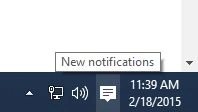
Windows constantly provide support by giving alerts to your system. I recommend not disabling the Action Center but If you want to eliminate constant security alerts in your desktop, use the following procedure.
Disabling the Notification Center in Windows 10 is quite similar as for older versions of Windows like Windows 8.
To disable the Notification Center we need to use the following simple procedure.
 Step 1
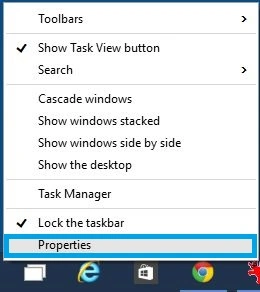
Right-click on the Taskbar and then click on Properties.
 Step 2
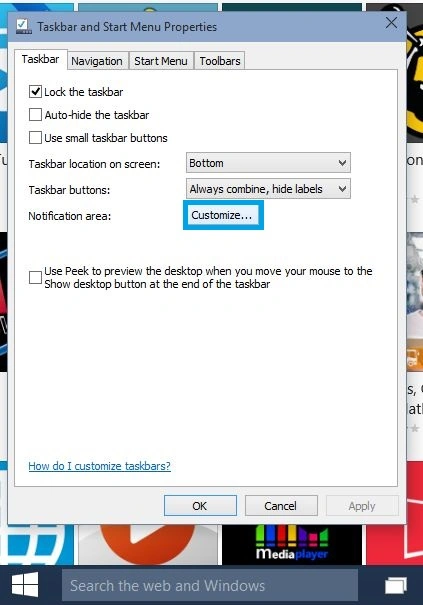
The Taskbar and Start Menu Properties windows appear, click on Customize, you will have Notification Area Icons on the screen.
 Step 3
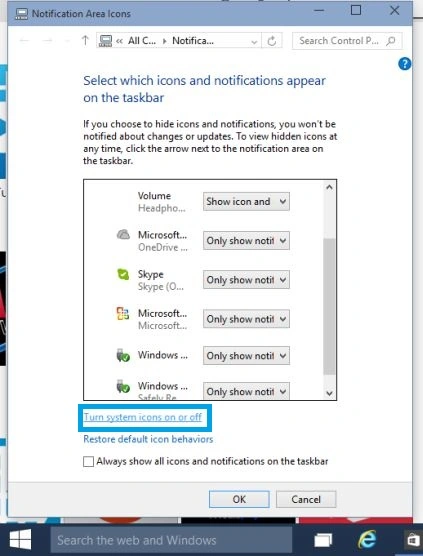
Click on the Turn System icons on or off-link.
 Step 4
The System Icons window will appear.
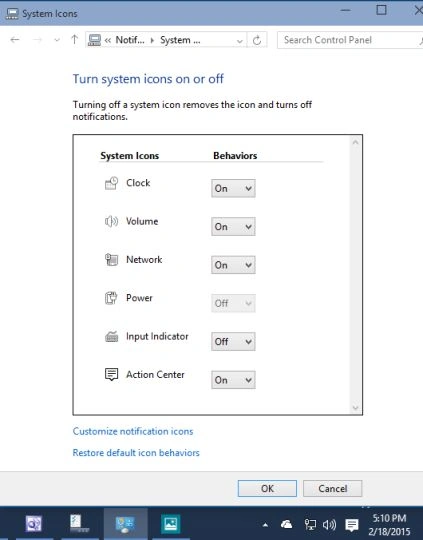
Step 4
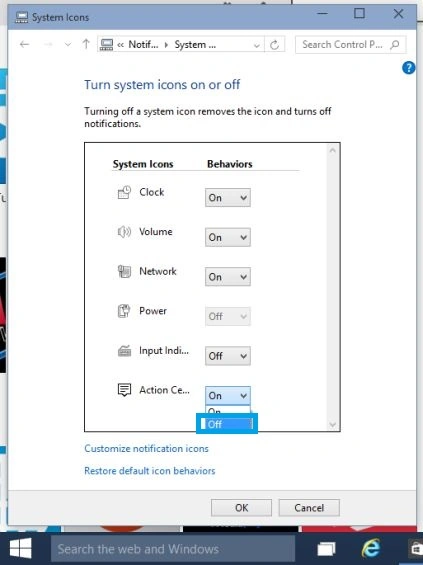
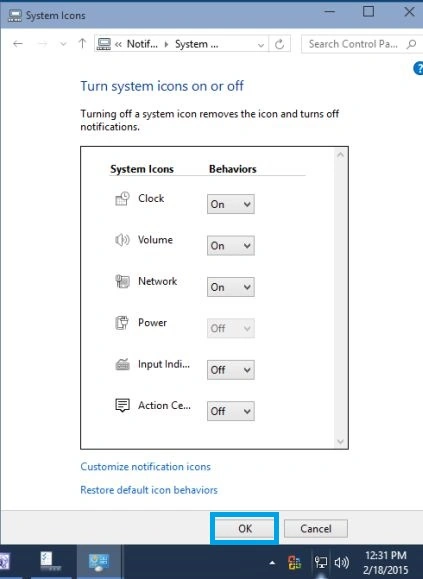
Change the behavior of the Action Center to off.
i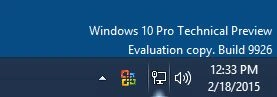
Summary
In this article, we learned about Disable Action Center in Windows 10.


Gowtham RajamanickamTOP 100Posted Apr 12, 2015, 8:27 AM EDT
good
Shridhar SharmaPosted Feb 25, 2015, 6:57 PM EST
Yupe Rahul Saxena sir, Enjoying a lot :)
Rahul Kumar SaxenaTOP 100Posted Feb 25, 2015, 8:20 AM EST
Enjoy W 10..
Shridhar SharmaPosted Feb 18, 2015, 9:17 PM EST
Not in this build, you will be able to browse through Spartan probably in upcoming build.
Harpreet SinghPosted Feb 18, 2015, 9:05 PM EST
have they included the spartan browser in the new build??
Shridhar SharmaPosted Feb 18, 2015, 8:47 PM EST
Exactly.its been learning experience for me as well. :) Thanks Harpreet Singh sir putting your point of view here. :)
Harpreet SinghPosted Feb 18, 2015, 8:31 PM EST
you are surely enjoying and exploring windows 10...keep it up :)