
Add Excel Web Access Web Part
Create a sample Excel file as in the following and upload it to a Document Library.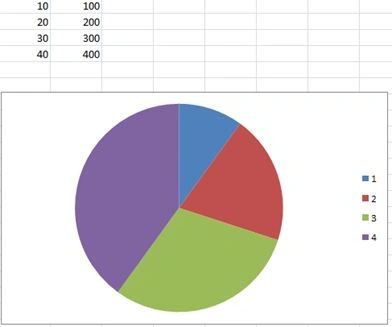
Create a new page and add the Excel Web Access web part to it.
Then select the Excel file.
In the shown tool pane select the Excel work that was uploaded to a Document Library.
Change the following property of the web part. This is the important step.
Typing and formula entry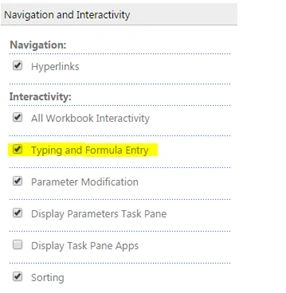
Once the property is changed, save the web part to see the Excel view as shown below. You can try typing in the cells and the view will accept the changes.
Note: The changes can be downloaded using the File > Download command.
Summary
In this article we explored how to enable editing in an Excel web access web part.
Editing an Excel File Using Excel Web Access Web Part
In this article we can explore how to edit an Excel file using the Excel Web Access web part.


Jean PaulTOP 100Posted Feb 4, 2015, 9:05 AM EST
Thank you Vithal for the good words.
Vithal WadjeTOP 100Posted Feb 4, 2015, 8:19 AM EST
again nice contribution keep it up