
1. Login to CRM
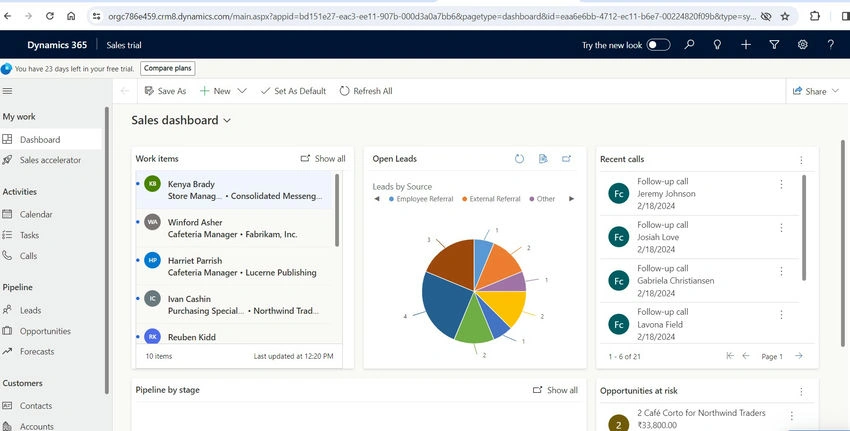
2. Go to Advanced Settings.
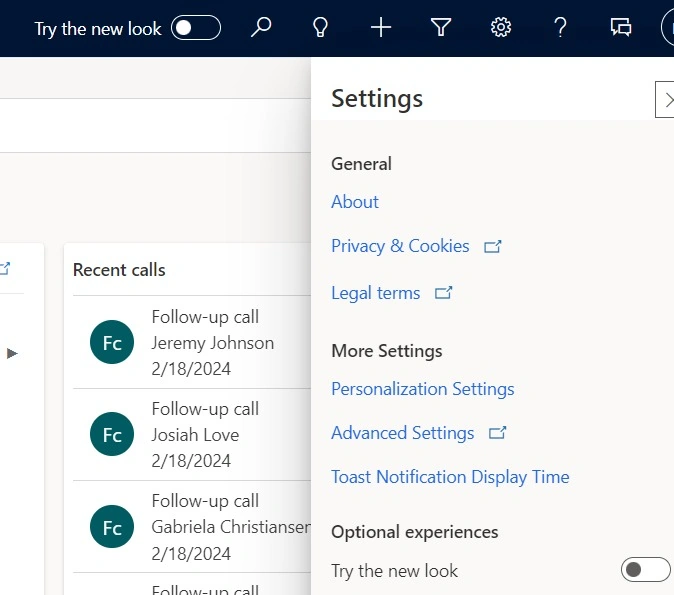
3. Go to Customizations Customize the system.

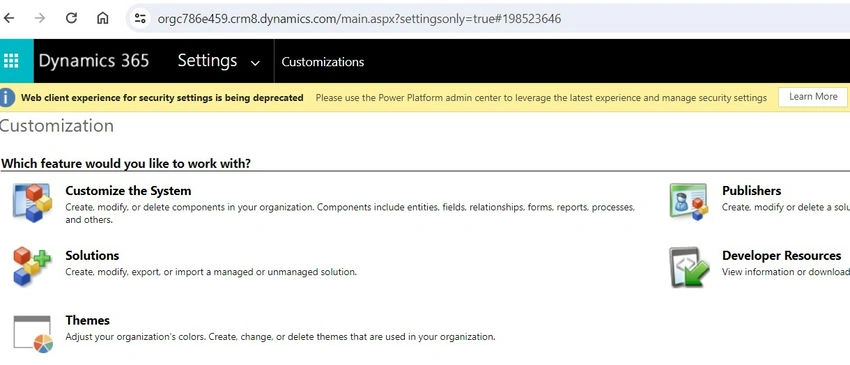
4. Go to the Account entity.
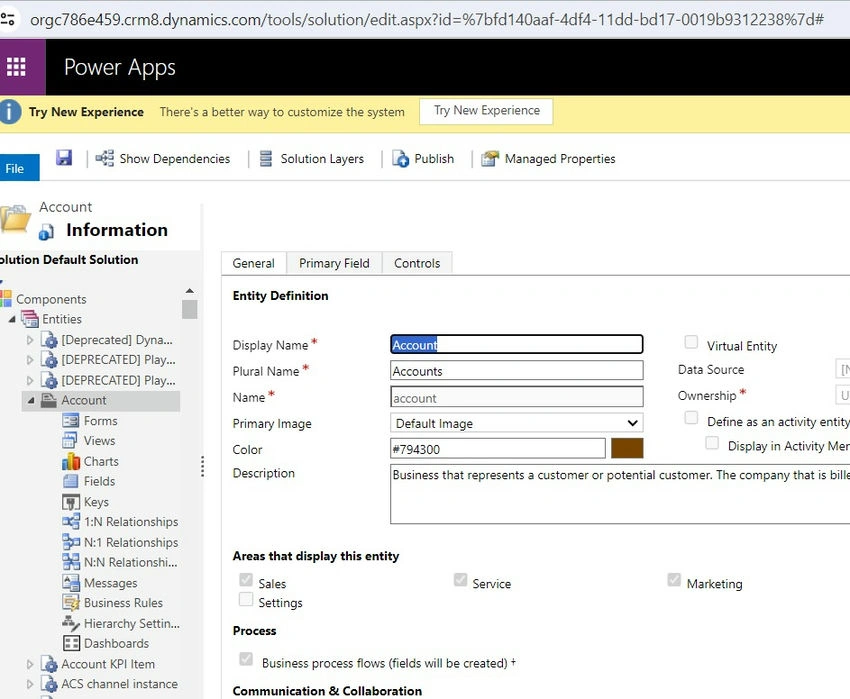
5. “Check” the option auditing.
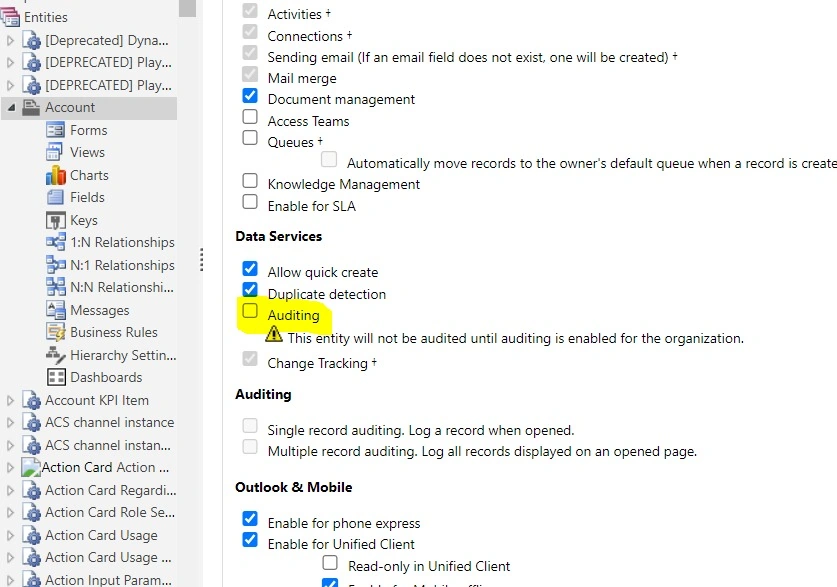
So now finally we have enabled the auditing for account entities. Thanks.!!
Enable audit history in CRM to track entity changes. Enhance data security, compliance, and integrity by monitoring modifications. Configure settings to log and report on user actions for improved governance.
1. Login to CRM
2. Go to Advanced Settings.
3. Go to Customizations Customize the system.
4. Go to the Account entity.
5. “Check” the option auditing.
So now finally we have enabled the auditing for account entities. Thanks.!!
 DevSocialUpcoming · 3rd editionAI Agents ConferenceDec 1–3, 2026Live onlineFree to attend5days leftRegisterMembers onlyFeatured eBookClaude for AI-Native BuildersDownload now
Write an article and earn +1,000 SHARP when it is approved.
Write an article


Join the conversation! Your thoughts help the community grow.