
We are developers, who regularly fight with errors. Generally in .NET we are using try catch block for exception handling. But in ASP.NET MVC, we have some more features. Today in this article, I am going to show you how to handle error in ASP.NET MVC.
Follow these steps:
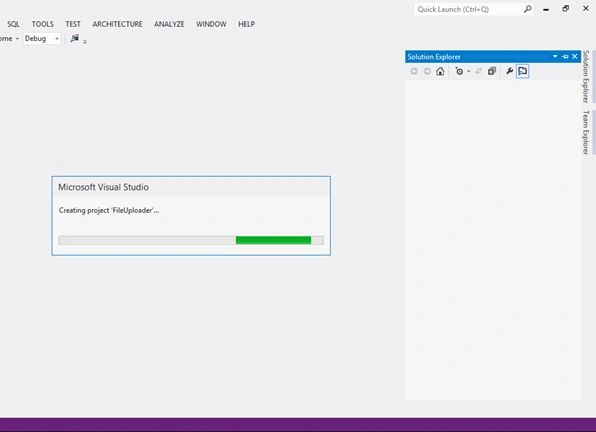
Step 1: Open Visual Studio, go to File, New, then Project and select ASP.NET MVC Web Application.
Step 2: Select Internet Application and click OK.

Open HomeController.cs
Add the following code:
- public ActionResult Index()
- {
- throw new Exception("Error occured");
- }

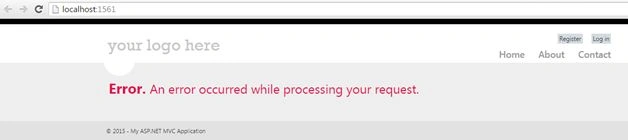
So above screen is just a normal error screen.
Now do one thing, open web.config and add <customerror mode=“on”>.
- <customErrors mode="On">
- </customErrors>
This is the default page for error. Now add a [HandleError] attribute in action method.
- [HandleError]
- public ActionResult Index()
- {
- throw new Exception("Error occurred");
- }
Sometimes, we are getting 404 page not found error. Page not found error means, this particular page which user request for is not available on the server. For example, if we send a request for a different action method page, which is not available in the server, so let's see what will happen. Here's the screenshot:

So, what you see is HTTP 404. Because we don’t have any mypage action method exist in Home controller. So what about these type of errors.
- Create a new controller as ErrorController.
- Create a new action method as PageNotFound.
- public ActionResult PageNotFound()
- {
- return View();
- }
- Add a view for PageNotFound. Add whatever message you want to show for the user. Now do one more thing, open web.config and add some attributes in <customerror>.
- <customErrors mode="On">
- <error statusCode="404" redirect="~/Error/PageNotFound"/>
- </customErrors>
Now run the page which is not available on the server, and check the following screen. You are getting a message from ErrorController.

That’s it. I hope you enjoyed this article. If you have any query please write your comment, I’ll answer your queries.


Delpin Susai RajTOP 100Posted Aug 28, 2016, 2:20 AM EDT
Nice
Christopher AndrewsPosted Nov 18, 2015, 1:09 AM EST
The article was extremely helpful, thank you. I found this .net error tracking tool amazingly simple and nice www.redfly.io
Ramakrishna BasagallaPosted Nov 12, 2015, 12:47 AM EST
Good One
Andre PeixotoPosted Nov 1, 2015, 9:01 AM EST
Good explanation! But how about handling 500 error globaly, I mean, I wouldn't like to put the [HandleError] attribute in every action.
Sibeesh VenuTOP 100Posted Oct 27, 2015, 4:35 AM EDT
Nice Share
Mukesh KumarPosted Oct 27, 2015, 3:35 AM EDT
Good Work
Humayun Kabir MamunPosted Oct 27, 2015, 3:10 AM EDT
Nice...
Harshad PansuriyaPosted Oct 26, 2015, 11:56 PM EDT
Nice one
Gowtham KTOP 100Posted Oct 26, 2015, 11:18 PM EDT
Good One
Nilesh JadavPosted Oct 26, 2015, 10:54 PM EDT
Good one sir !!