
Introduction
For generating a PDF file, you need to use a PDF generator library.
Note: I will use the "iTextSharp.dll" as a PDF generator library. You can download it from:
1. Links
2. You can find it on the attached file in the "bin\Debug" folder of this article.
To explain this article, I will use the following procedure:
- Add a reference of the downloaded "iTextSharp.dll" to the Windows Forms Application.
- Write some code in the ".cs" file to generate the PDF file with some text for the button's Click event.
The following are the details of the preceding procedure.
Step 1
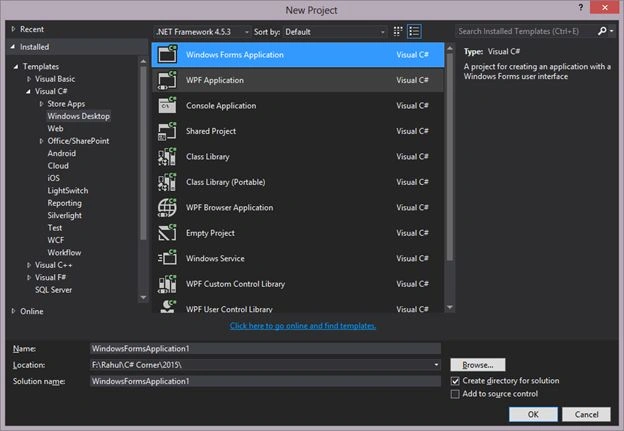
- Create a new Windows Forms Application named "WindowsFormsApplication1".
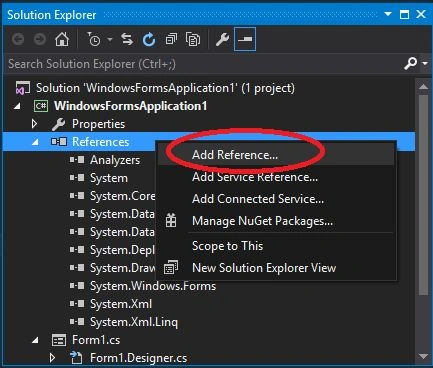
- Right-click on the "References" in the Solution Explorer and click on "Add Reference".
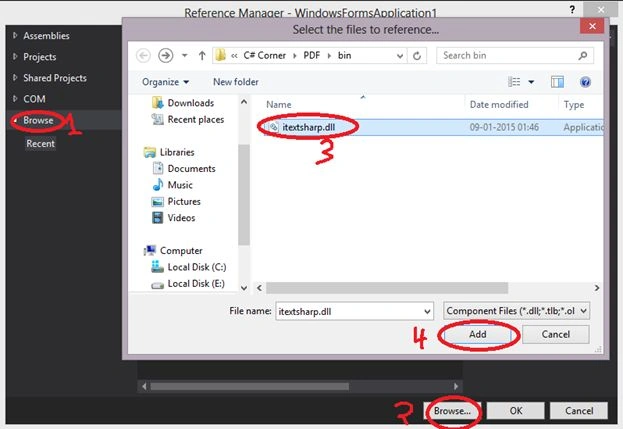
- Use the following sub-procedure in the "Reference Manager".
- Click on the the Browse tab on the left side.
- Click on the Browse button at the bottom.
- Select the "iTextSharp.dll" from the system.
- Click on the Add button.
Finally it will look like:
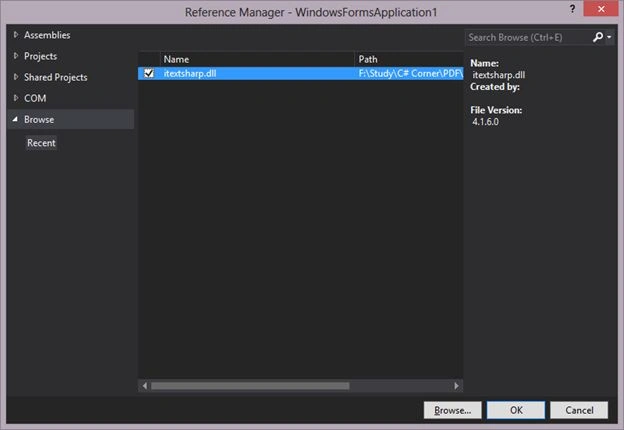
Now click on the "OK" button and in the "Solution Explorer" you will see that the "iTextSharp.dll" reference has been added.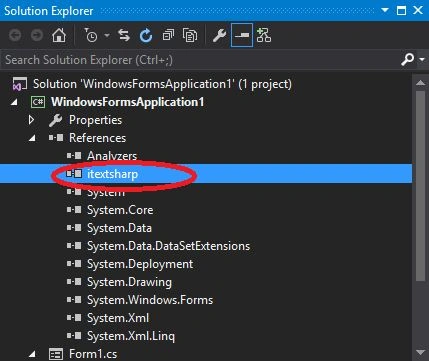
Step 2
- Add a button in the default form named "Form1" and make some changes like make text as "Generate PDF’ and increase the width and height of the button.

- Double-click on the button to generate an Onclick event (to generate the PDF) on the Form.
- Add the following 2 namespaces to the top of the ".cs" file:
- using iTextSharp.text;
- using iTextSharp.text.pdf;
- using System.IO;
- Write the code to generate the PDF file on the click event of the button:
- Document document = new Document();
- PdfWriter.GetInstance(document, new FileStream("E:/a.pdf", FileMode.Create));
- document.Open();
- Paragraph p = new Paragraph("Test");
- document.Add(p);
- document.Close();
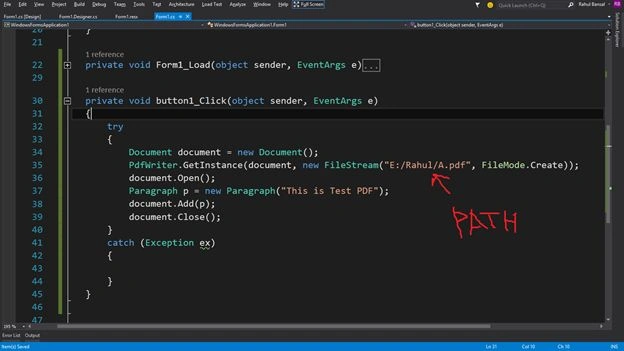
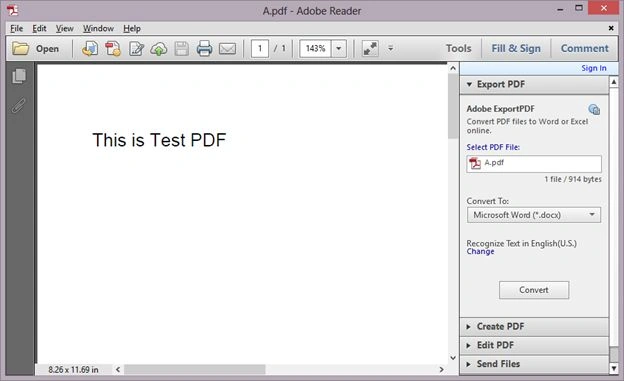
Note: You can provide any name for the generated file and any text that you want to print in the PDF file. For example here I provided "A.pdf" and the text as "This is test PDF" and the path also.
Step 3
- Run the page and it will be like:
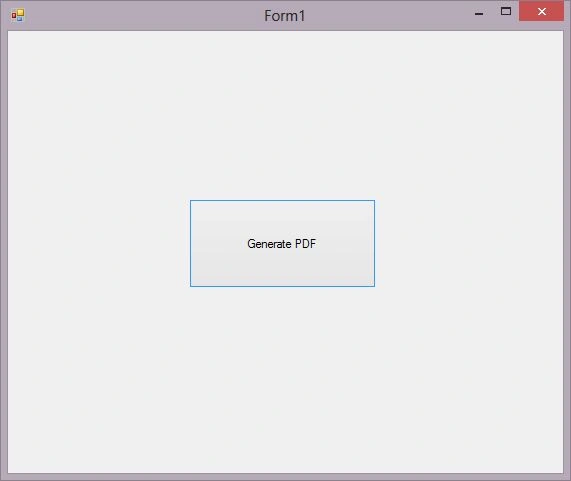
- Click on the "Generate PDF" button.
Result
- Follow the specified path and open the folder, you will see the PDF file.
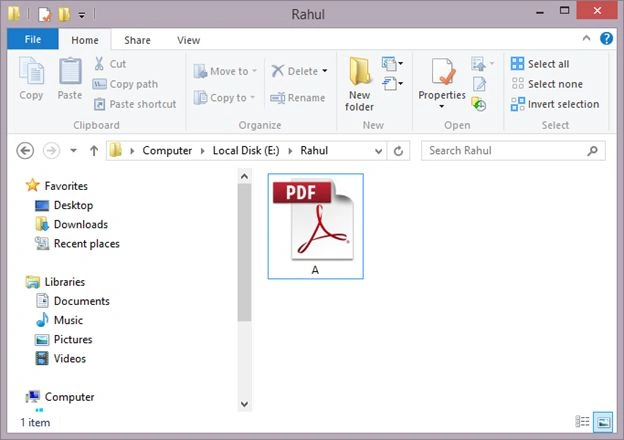
- Open the PDF file and see your text in the PDF file.


MANISH GUPTAPosted Apr 10, 2018, 3:16 AM EDT
Rahul how can we use itextsharp in VB.net to save pdf in specific loacation, basically it shouls ask every time about folder locationg while saving?
MANISH GUPTAPosted Apr 10, 2018, 3:13 AM EDT
H Rahul, Nice Article dear
sujit jhaPosted Mar 20, 2018, 7:21 PM EDT
Document document = new Document(); PdfWriter.GetInstance(document, new FileStream("E:/a.pdf", FileMode.Create)); document.Open(); Paragraph p = new Paragraph(panel1); document.Add(p); document.Close(); can i use panel1 all value, LIKE=, lable, textbox, datagridview, button, etc
Adam ThilPosted Feb 13, 2018, 9:32 PM EST
ZetPDF.com can also be of help when converting
Peter HangPosted Feb 13, 2018, 9:29 PM EST
You can also try zetPDF.com for the fastest PDF SDK for .net applications
Bhavesh PatelPosted Apr 4, 2016, 2:37 AM EDT
Thanks Bro. great article
Rahul BansalPosted Mar 9, 2015, 6:29 PM EDT
Follow the article http://www.c-sharpcorner.com/UploadFile/a20beb/how-to-design-the-runtime-generated-pdf-via-html-code/
Joseph MarquezPosted Mar 9, 2015, 1:16 PM EDT
Hi, How can I create a PDF file from the information of the form ?