
Open SQL Server Management Studio.

I have created a dummy database and table with some information.
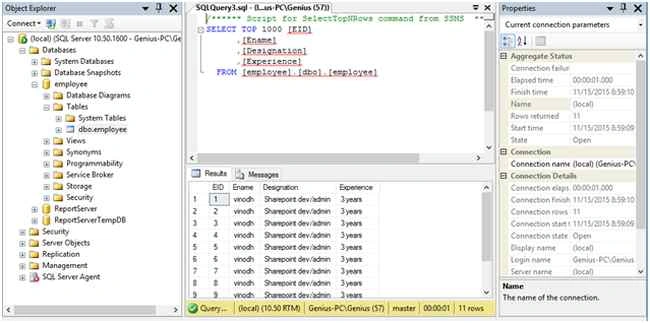
Right click on the database, click tasks and generate scripts.
In this popup click next.
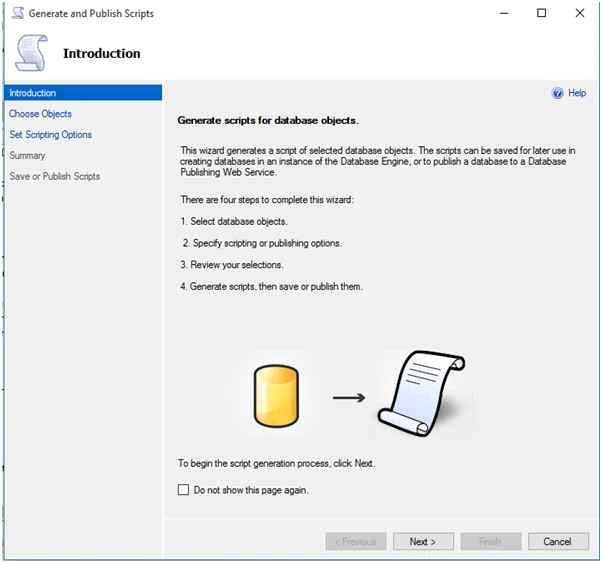
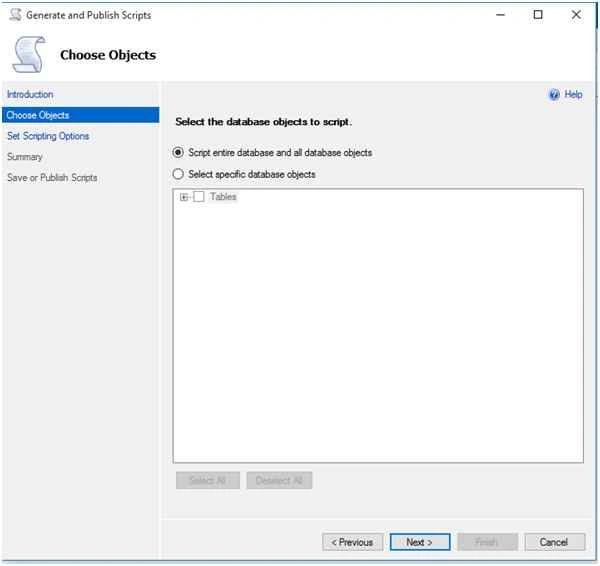
Click Select specific database objects.
Select the table you want to generate scripts.
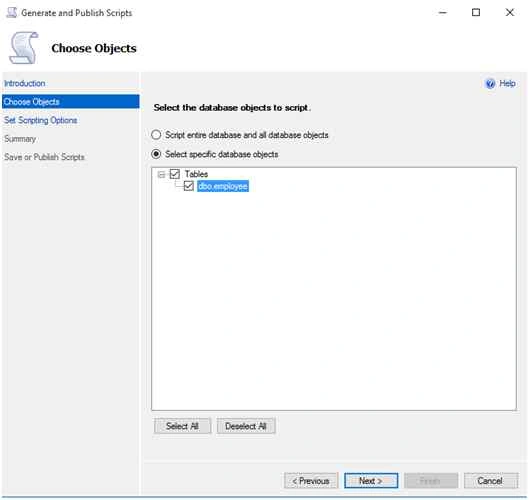
Click next.
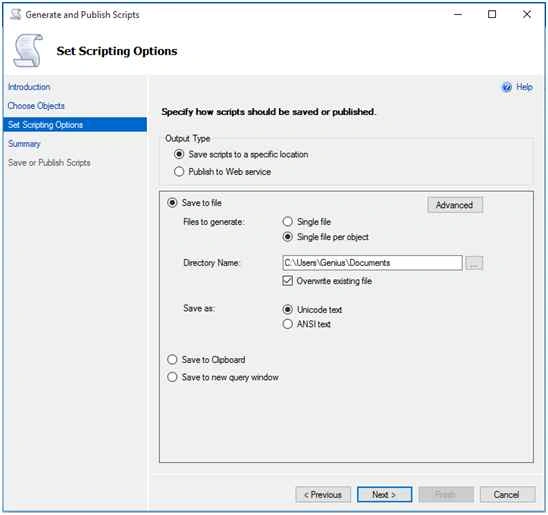
Click single file per object.
Click Advanced tab.
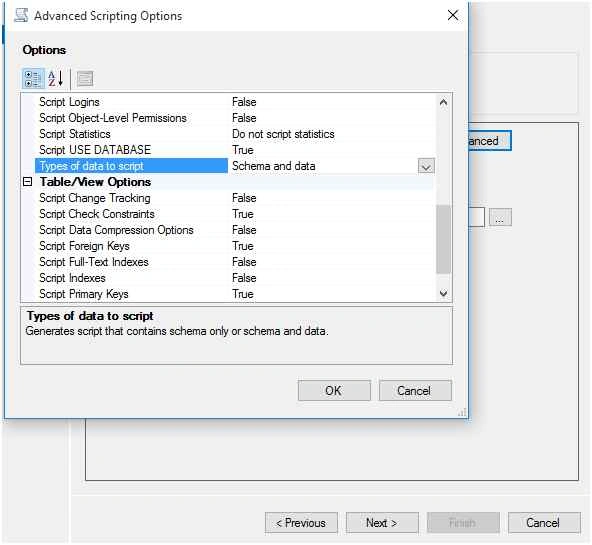
Select Types of data to script will be “Schema and data".
If you need only Schema, then select Schema only.
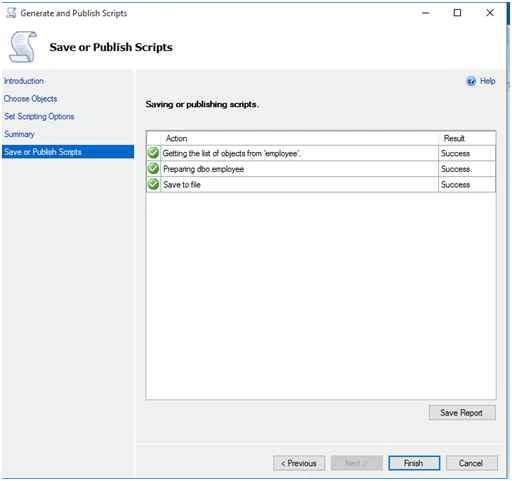
Click ok and next to complete.
Scripts has been generated successfully.
Now create another database to restore the table with records.

Now open the generateD script for the employee table.
Change the database name to test and execute scripts.

Click “F5” to execute.
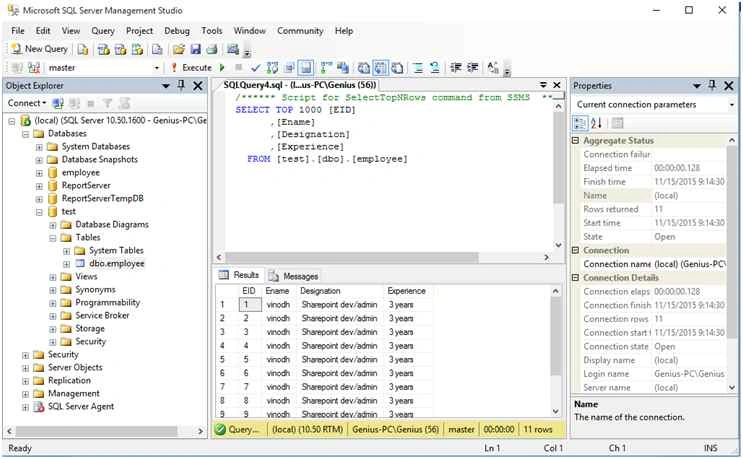
Now the table has been created successfully with records.
Restore Generated SQL Scripts Of Table With Records Into Another Database
Learn how to use SQL Server Management Studio to generate a table script with schema and data, then run it in another database.


Kumar SwamyPosted Jul 7, 2019, 9:22 PM EDT
Its 65gb file and not opening in ssms. How to execute script file along with data when it has many more tables and lacks records.
Vinodh NarayananPosted Nov 17, 2015, 11:25 PM EST
Thanks
Ravi PatelPosted Nov 17, 2015, 8:04 PM EST
good one
Vinodh NarayananPosted Nov 16, 2015, 11:06 PM EST
Sibeesh Venu Thanks
Vinodh NarayananPosted Nov 16, 2015, 11:06 PM EST
Harshad Pansuriya Thanks
Sibeesh VenuTOP 100Posted Nov 16, 2015, 10:56 PM EST
Nice Share
Harshad PansuriyaPosted Nov 16, 2015, 10:29 PM EST
Nice one
Vinodh NarayananPosted Nov 16, 2015, 7:57 PM EST
Ankit Bansal Thanks
Ankit BansalPosted Nov 16, 2015, 7:43 PM EST
nice one..
Vinodh NarayananPosted Nov 16, 2015, 7:15 PM EST
Humayun Kabir Mamun Thanks
Humayun Kabir MamunPosted Nov 16, 2015, 7:08 PM EST
Nice...
Vinodh NarayananPosted Nov 16, 2015, 5:54 PM EST
Thanks sir
Santhakumar MunuswamyPosted Nov 16, 2015, 8:13 AM EST
Good one