
Often, in forums and SharePoint events, I receive a query on how to get all the attachments from all items in a SharePoint List. We can achieve this in several different ways as mentioned below.
- Accessing the attachments folder from the SharePoint List using SharePoint Designer
- Mapping the attachments folder to File Share.
- Accessing the attachment folder of the list based on the path using a program
- Get the attachments of each list item in a list using a program
Here, we are going to follow the last method for accessing the attachments in a list using PnP JavaScript library and render that in SharePoint Framework webpart.
First of all, create a SharePoint Framework webpart project using the Yeoman generator with the following command.
- PS> yo @microsoft/sharepoint
Generate the project with No JavaScript option, because I am going to show the example without any JavaScript framework so that, you can use the snippet of any JavaScript framework on creating the webpart.
After the creation of the project, add the PnP JS library dependencies by running the following npm commmand.
- PS> npm install –save @pnp/common @pnp/sp @pnp/logging @pnp/odata
- import { sp, Item } from "@pnp/sp";
- import { AttachmentFile, AttachmentFiles, AttachmentFileInfo } from '@pnp/sp/src/attachmentfiles';
- //Retrieve all the attachments from all items in a SharePoint List
- private getSPData(): void {
- let attachmentfiles: string = "";
- sp.web.lists.getByTitle("My List").items
- .select("Id,Title,Attachments,AttachmentFiles")
- .expand("AttachmentFiles")
- .filter('Attachments eq 1')
- .get().then((response: Item[]) => {
- response.forEach((listItem: any) => {
- listItem.AttachmentFiles.forEach((afile: any) => {
- attachmentfiles += `<li>(${listItem.Id}) ${listItem.Title} - ${afile.FileName}</li>`;
- });
- });
- attachmentfiles = `<ul>${attachmentfiles}</ul>`;;
- this.renderData(attachmentfiles);
- });
- }
- private renderData(strResponse: string): void {
- const htmlElement = this.domElement.querySelector("#pnpinfo");
- htmlElement.innerHTML = strResponse;
- }
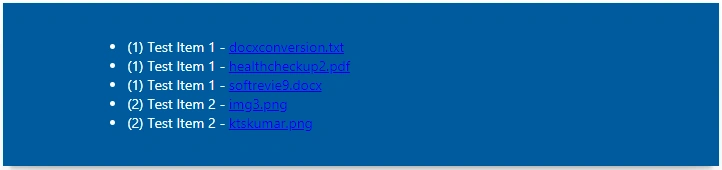
In response, we are generating the HTML as a list of attachment files with the associated Item Id and Title. The renderData() method adds the generated HTML to the webpart.
Replace the render() method with the below code snippet. This is used to call the getSPData() and update the retrieved values within the element pnpinfo.
- public render(): void {
- this.domElement.innerHTML = `
- <div class="${ styles.pnPDemos}">
- <div class="${ styles.container}">
- <div class="${ styles.row}">
- <div class="${ styles.column}">
- <div id="pnpinfo"></div>
- </div>
- </div>
- </div>
- </div>`;
- this.getSPData();
- }
- attachmentfiles += `<li>(${listItem.Id}) ${listItem.Title} - ${afile.FileName}</li>`;
- let downloadUrl = this.context.pageContext.web.absoluteUrl + "/_layouts/download.aspx?sourceurl=" + afile.ServerRelativeUrl;
- attachmentfiles += `<li>(${listItem.Id}) ${listItem.Title} - <a href='${downloadUrl}'>${afile.FileName}</a></li>`;


Arun KalloorPosted Jan 2, 2020, 8:15 PM EST
Im getting two errors: 1.Module '"../../../../../../Arun/TestingWebparts/MyAttachments/node_modules/@pnp/sp"' has no exported member 'Item'.ts(2305) 2.Property 'web' does not exist on type 'SPRest'.ts on sp.web.lists.getByTitle("Employee").items