
Introduction
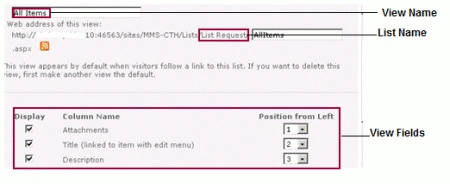
In this article you will see how to get all the field names from the specified list view in the SharePoint 2010 using ECMAScript. I have a list named "List Request" from which I need to get all the field names from a particular view (for example: "All Items"). In this I will show you how to get the field names from "All Items" view. My "All Items" view has the following view fields.
Step 1
Steps Involved
-
Navigate to the SharePoint site ( I have a site page created in my site where I am going to add the content editor web part).
-
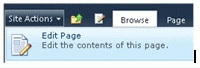
On to Site Actions, click on Edit Page.
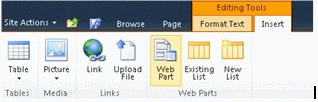
Step 2 : Click on Insert tab in the ribbon interface and then click on Web Part button.
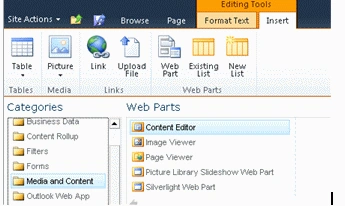
Step 3 : Select Media and Content in the Categories section and then click on Content Editor.
Step 4 : Click on Add.
Step 5 : Content editor web part will be added to the site page.
Step 6 : Click on down arrow and then click on Edit Web Part.
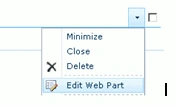
Step 7 :
Click on "Click here to add new content".
Step 8 : Click on Format Text tab in the ribbon interface and then click on HTML drop down.

Step 9 : Click on Edit HTML source.
Step 10 : HTML source window will pop up.
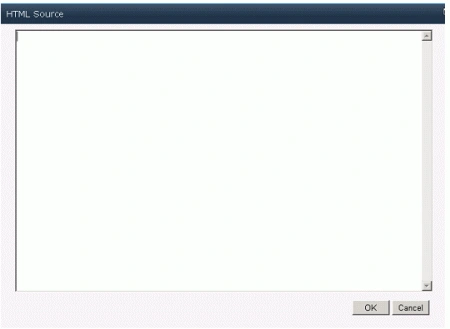
Step 11 : Copy and paste the following script.
code :
<script
language="ecmascript"
type="text/ecmascript">
var web =
null;|
var listCollection =
null;|
var list = null;
var viewCollection =
null;|
var view = null;
var value =
null;
var viewFieldColl =
null;
function getViewFields() {
var clientContext =
new SP.ClientContext.get_current();
if (clientContext != undefined &&
clientContext != null) {
this.web = clientContext.get_web();
this.listCollection =
web.get_lists();
this.list =
listCollection.getByTitle("List Request");
this.viewCollection =
list.get_views();
this.view =
viewCollection.getByTitle("All Items");
this.viewFieldColl =
view.get_viewFields();
clientContext.load(this.viewFieldColl);
clientContext.executeQueryAsync(Function.createDelegate(this,
this.onQuerySucceeded), Function.createDelegate(this,
this.onQueryFailed));
}
}
function onQuerySucceeded() {
this.value =
viewFieldColl.get_schemaXml();
alert(value)
}
function onQueryFailed(sender, args) {
alert('Request failed. ' +
args.get_message() + '\n' +
args.get_stackTrace());
}</script>
<input
id="btnGetViewFields"
onclick="getViewFields()"
type="button"
value="Get View Fields"
/>
Step 12 : Click on Ok.
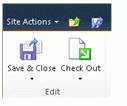
Step 13 : In the ribbon interface click on Save & Close button.
Step 14 : In the content editor web part you could find a button named "Get View Fields", click on that button.
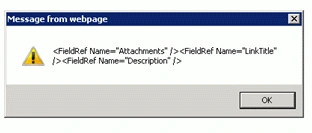
Step 15 : Alert will pop up displaying the field names as shown in the following.
Reference
SP.View.viewFields Property
-
http://msdn.microsoft.com/en-us/library/ee553144.aspx
SP.ViewFieldCollection.schemaXml Property
-
http://msdn.microsoft.com/en-us/library/ee558136.aspx
Summary
Thus in this article you have seen how to get all the field names from the
specified view in the SharePoint 2010 list


Abhi KumarPosted Jan 19, 2012, 6:26 PM EST
Nice article..
Sonakshi SinghPosted Jan 19, 2012, 6:07 PM EST
Nice one really...
Stephen JohnsonPosted Jan 19, 2012, 6:01 PM EST
Great what an article with too good presentation.