
Introduction
In this article, we will talk about the new feature introduced in .NET Core 6.0, i.e., minimal APIs (API without using controllers).
It will cover the following topics:
- What is Minimal API?
- The history of Minimal API
- Hands-on Lab – Create a .NET Core API project and Implement Minimal API
What is Minimal API?
- Minimal APIs are used to create HTTP APIs with minimal dependencies.
- They are ideal for microservices and apps that want to include only minimum files, features, and dependencies in ASP.NET Core.
- This tutorial teaches the basics of building a minimal web API with ASP.NET Core.
History of Minimal API
- The story of the minimal API started in November 2019. The developer community saw the implementation of the distributed calculator in Go, Python, C#, and Javascript.
- When the community began comparing how many files and lines of code were needed to do almost the same thing with C# compared to other languages, it was apparent that C# seemed more complicated than the rest of them.
- Imagine the number of concepts and features accumulated over the years and how overwhelming it might be for a newcomer to dig into the world of .NET web development. Therefore, a .NET Core team wanted to reduce the complexity for all developers (newcomers and veterans) and embrace minimalism. So, if we’re going to create a simple API with a single endpoint, we should be able to do it within a single file. But, if we need to switch later to using controllers again, we should also be able to do that.
Hands-on Lab – Create a .NET Core API project and Implement Minimal API
Steps to be followed:
- Open VS 2022 and create a project.
- Choose ASP.NET Core API as a template and create a directory.
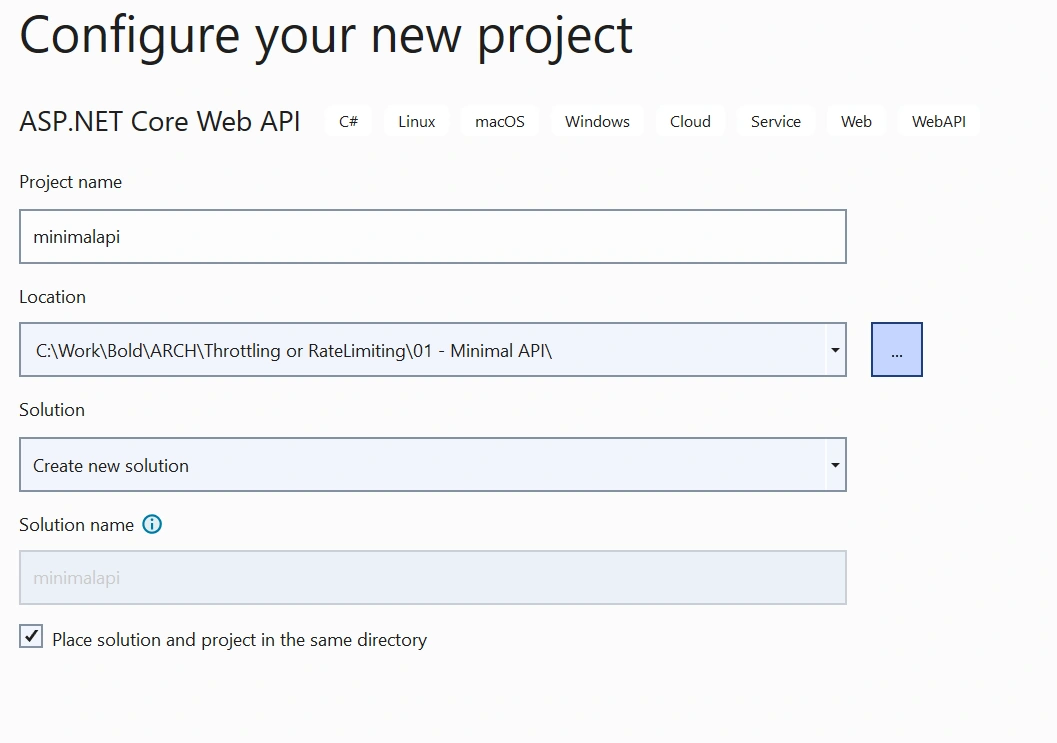
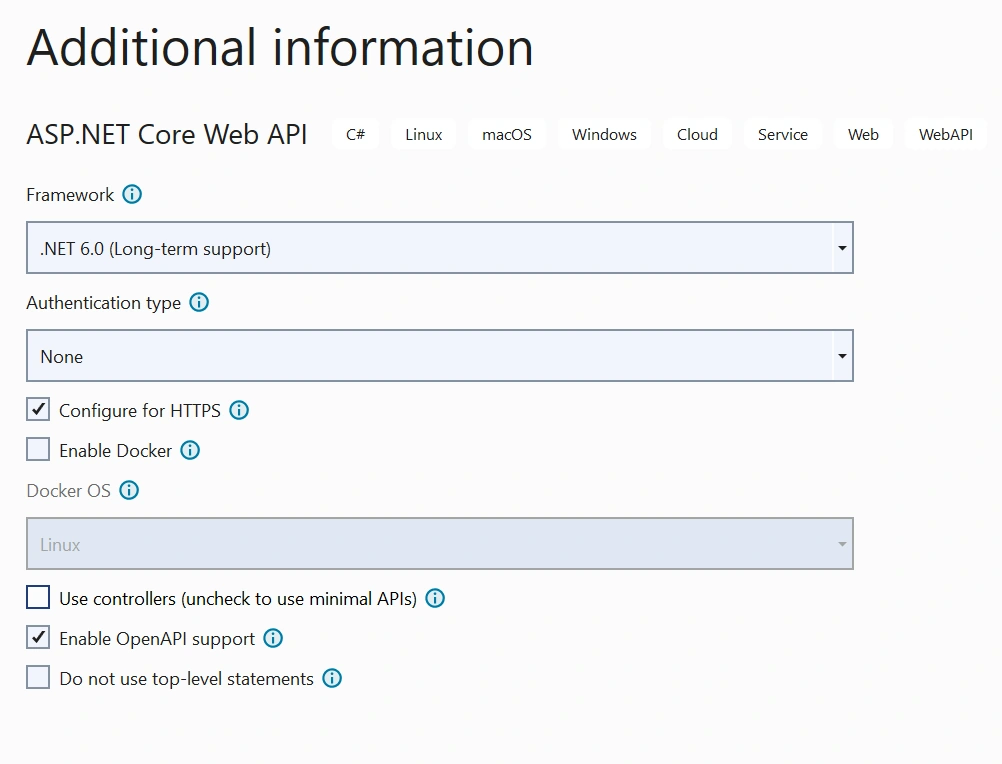
- Uncheck the use controllers options from the below image to use minimal APIs.
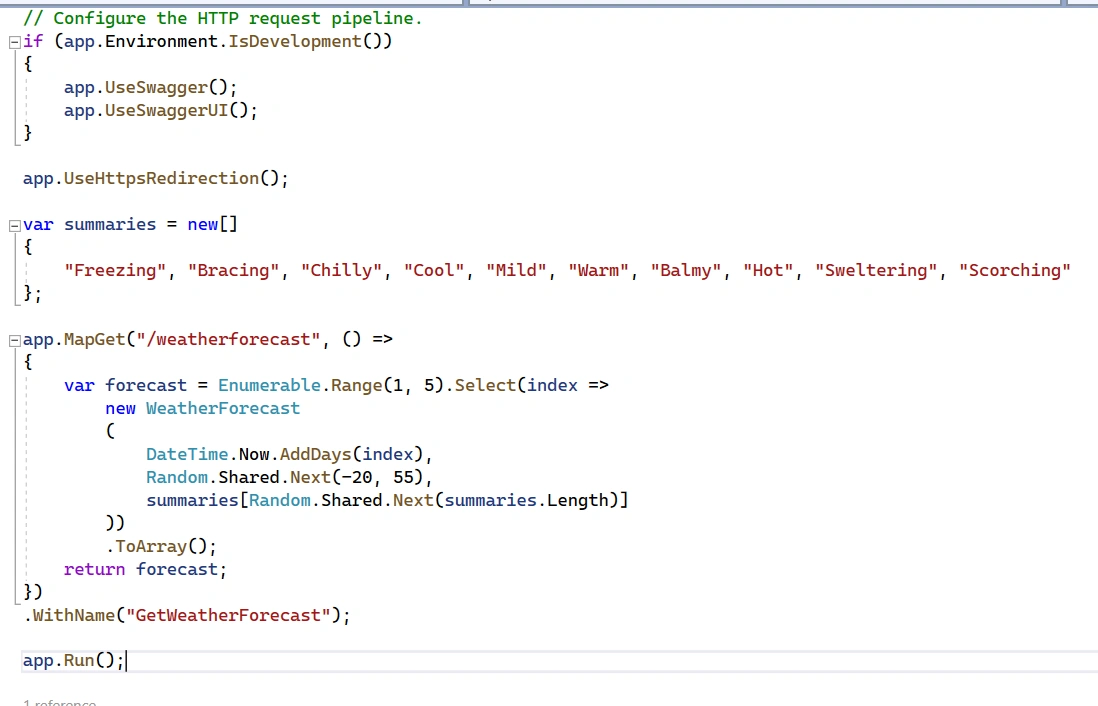
- Open the program.cs file and see that, in case of actions in the controller, there is already a method with the route and return attributes.
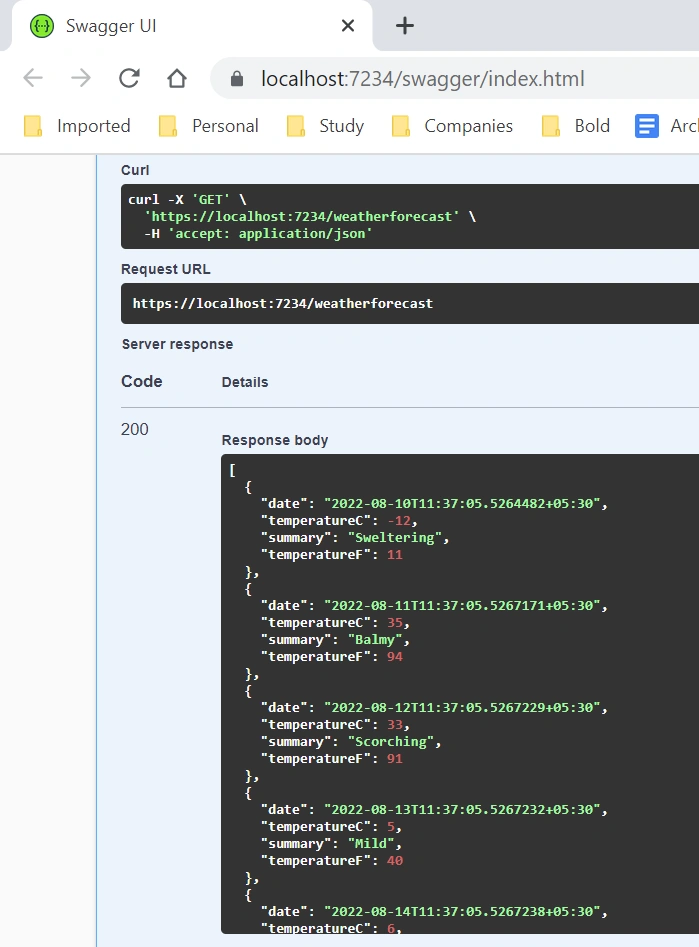
- Execute the application (Press F5) and open the swapper explorer. Execute the API and see the response.
- Now, we will create a few end-points to POST and GET the data from the entity to-do within the program.cs file, without using controller and actions and return the list the data.
- Search and add the Microsoft.AspNetCore.Diagnostics.EntityFrameworkCore package.
- Create a new class using DBContext and store the data there using POST. Call and extract the data using the GET call.
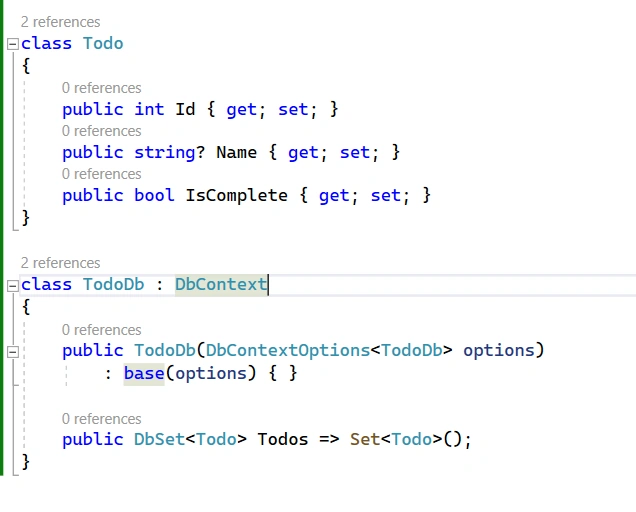
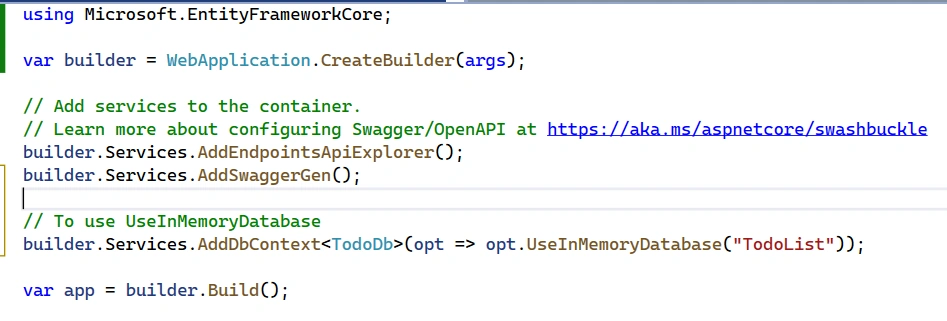
- Add the following line to use the in-memory database using EFCore.
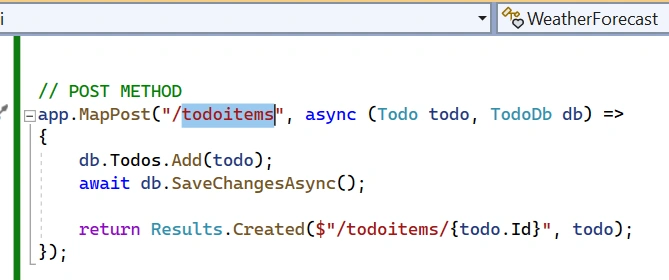
- Create a POST API to insert data into the TODO class object. This will be in-memory.
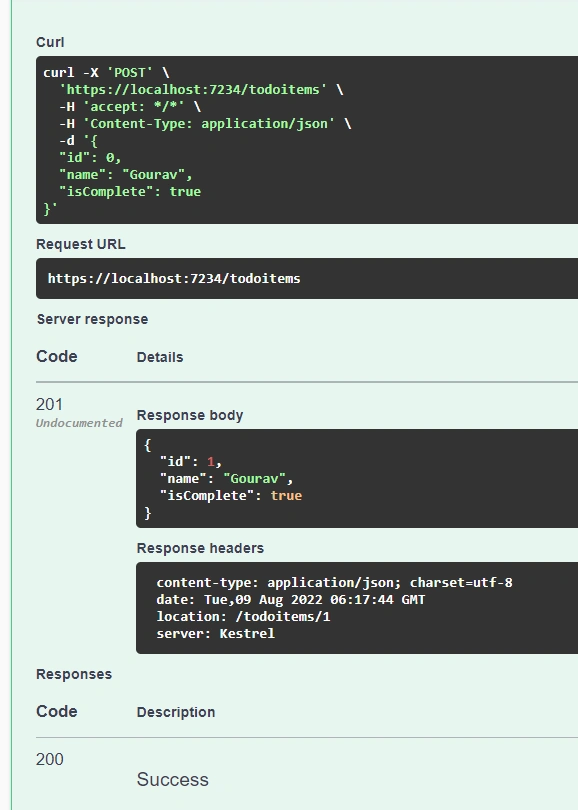
- Execute the application (Press F5) and open the swapper explorer. Execute the todolist POST API by passing the below data.
- Create a GET API to get all the data stored in the TODO class object, which is in-memory.
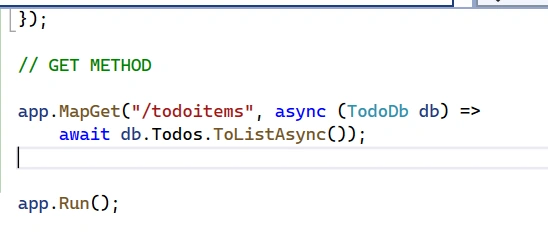
- Execute the application (Press F5) and open the swapper explorer. Execute the todolist GET API to get all the details stored in TODO object in-memory.
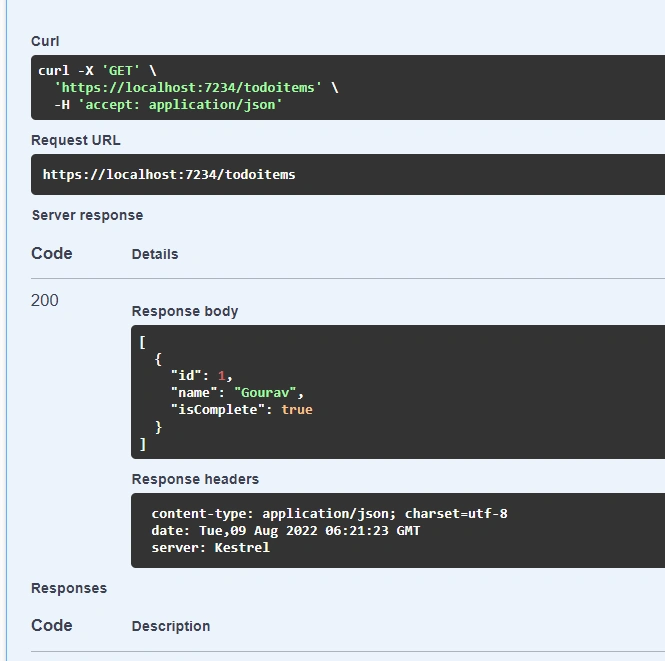
In this article, we talked about an overview of minimal API along with a couple of POST and operations used in memory to get a hang of it.
I've attached the source code as well, for reference.
I hope you see you guys again soon.
Happy learning!


Ganesh ChikhalikarPosted Aug 10, 2022, 12:44 AM EDT
Informative