
In this article, we will learn how we can host a WCF service in a console application. The big advantage of doing this is that it is IIS independent and moreover, you do not need to add any .svc files. Just add simple interface and class files, with the service and operation contracts, and host it using the same console application.
So let's start by creating a new console application. Add an interface IMyService.cs and a class MyService.cs. Add a method named GetString in the interface, which accepts a parameter of type string and returns a string. Implement the interface in MyService class. So the code will look like the following:
- [ServiceContract]
- public interface IMyService
- {
- [OperationContract]
- String GetString(Int32 inputValue);
- }
- public class MyService : IMyService
- {
- public string GetString(int inputValue)
- {
- return String.Format("Number generated is:{0}", inputValue);
- }
- }
Next we need to create the service host, define endpoint and it's binding, based on the contract i.e. IMyService type and finally start the service by calling the Open(). So our code will look like the following:
- class Program
- {
- static void Main(string[] args)
- {
- Uri _httpBaseAddress = new Uri("http://localhost:54663/MyService");
- ServiceHost _svcHost = new ServiceHost(typeof(MyService), _httpBaseAddress);
- _svcHost.AddServiceEndpoint(typeof(IMyService), new WSHttpBinding(), "");
- ServiceMetadataBehavior serviceBehavior = new ServiceMetadataBehavior();
- serviceBehavior.HttpGetEnabled = true;
- _svcHost.Description.Behaviors.Add(serviceBehavior);
- _svcHost.Open();
- Console.WriteLine("Service started at : {0}", _httpBaseAddress);
- Console.ReadKey();
- }
- }
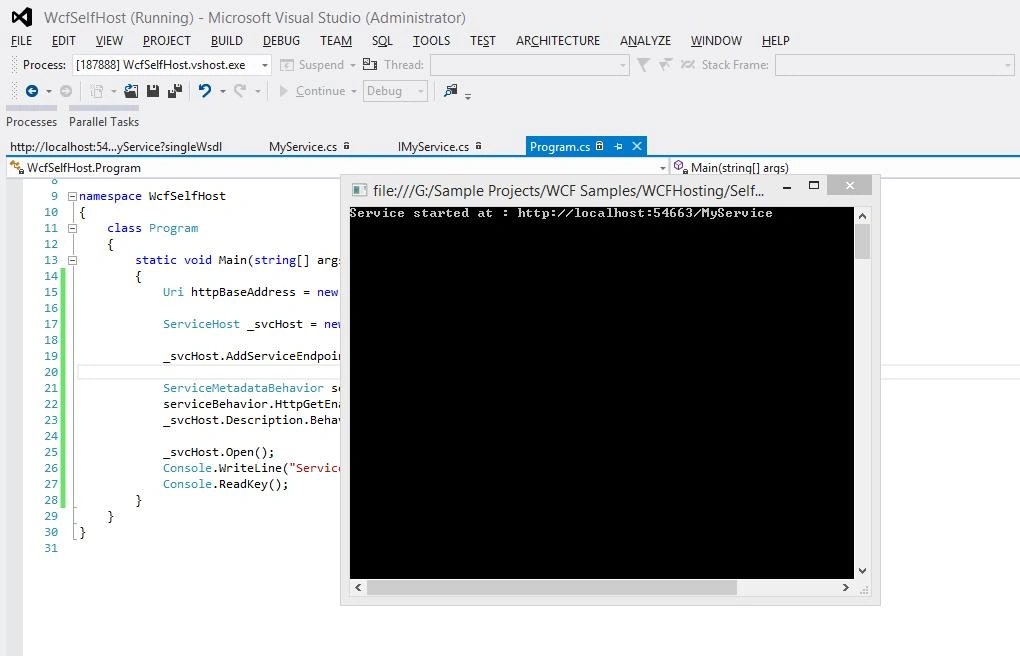
Now, simply run the application and you can see the service open.
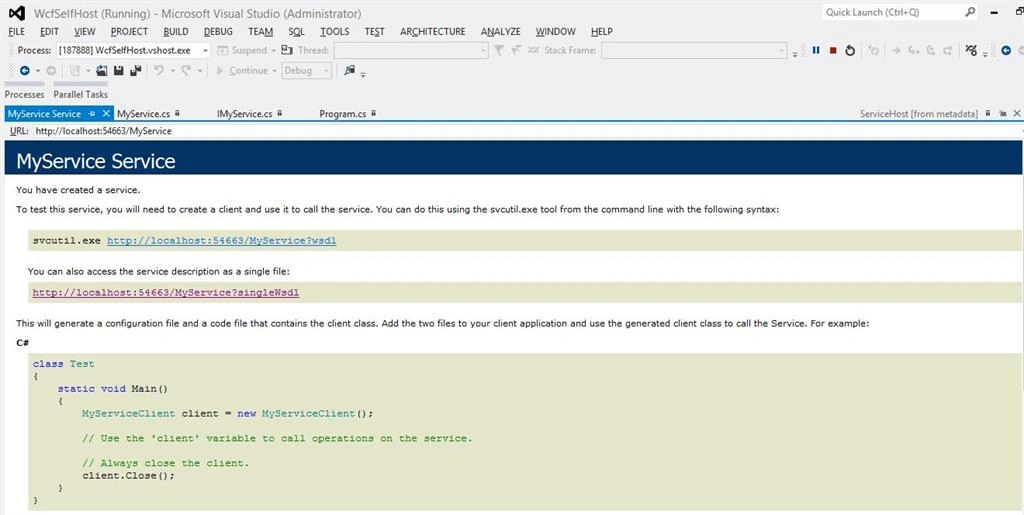
Also you can browse the service by copying the url and pasting it in browser.
That's it, add the service reference by using the url above in your application and start calling the service. Happy coding..!!!
Read more articles on WCF:


Raja TPosted May 4, 2016, 1:52 AM EDT
Nice,Thanks for sharing
Amit DavePosted May 3, 2016, 6:34 AM EDT
Keep up the Good work!
NitinPosted May 1, 2016, 9:47 AM EDT
Good one
Kuppurasu NagarajTOP 100Posted Apr 30, 2016, 10:19 AM EDT
Nice Sharing..
Rahul Kumar SaxenaTOP 100Posted Apr 30, 2016, 9:49 AM EDT
Good Show
Vignesh ManiTOP 100Posted Apr 30, 2016, 8:47 AM EDT
Nice one
Gowtham KTOP 100Posted Apr 30, 2016, 3:05 AM EDT
Good One, Thanks for sharing:)
Debasis SahaTOP 100Posted Apr 30, 2016, 12:32 AM EDT
Nice one.