
In this article, I will guide you with the process of adding bootstrap in the vue.js application.
Prerequisites of React:
- Familiarity with the HTML ,JavaScript and Bootstrap
- node.js installed
Create Vue.js Project
To create a Vue.js app, use the following command in the terminal.
Code
vue create bootstrapinvueOpen the project in Visual studio code.
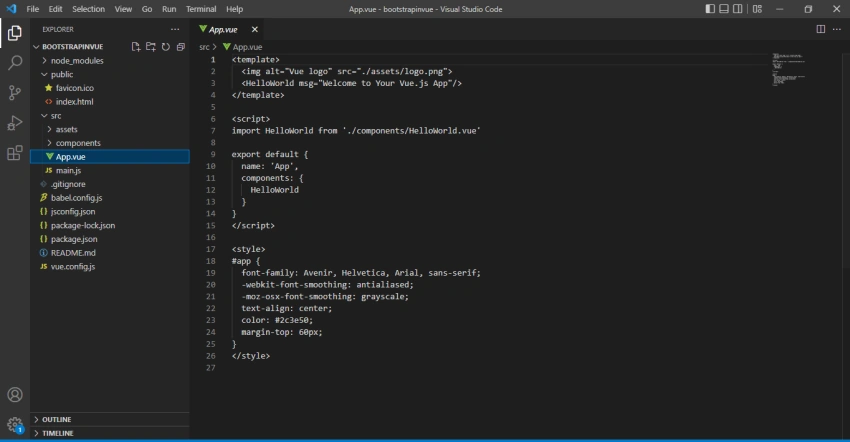
Now install bootstrap in the project.
JavaScript
npm install bootstrap
npm install bootstrap-vue
Then, open the main.js file with your code editor. Import bootstrap.
JavaScript
import 'bootstrap/dist/css/bootstrap.css'
import 'bootstrap-vue/dist/bootstrap-vue.css'
Here is the main.js file code.
JavaScript
import { createApp } from 'vue'
import App from './App.vue'
import 'bootstrap/dist/css/bootstrap.css'
import 'bootstrap-vue/dist/bootstrap-vue.css'
createApp(App).mount('#app')
Open the HelloWorld.vue component, and add the following code.
JavaScript
<template>
  <div class="container">
     <button type="button" class="btn btn-success">Success</button>
     <button type="button" class="btn btn-info">Info</button>
     <button type="button" class="btn btn-warning">Warning</button>
  </div>
</template>
<script>
export default {
  name: 'HelloWorld',
  props: {
    msg: String
  }
}
</script>
<style scoped>
</style>
Now run the project. Use the following command to run the project.
Code
npm run serve
Summary
In this article, we learned how to add Boostrap and BootstrapVue in your Vue.js project.

Join the conversation! Your thoughts help the community grow.