
Introduction
In this article, I will explain how to add a Frame in Tkinter in Python.
Definition
The frame keyword is very important for the process of grouping and organizing other widgets in a friendly way. The Frame keyword is used to create a simple container widget. Its primary purpose is to act as a container for complex window layouts.
Syntax
- w = Frame( a, option)
Parameters
a − This represents the parent window of the computer.
option − The list of most used options for this widget.
Option & Description
-
bd - The Border is used to change the width in pixels. The default pixel value is 2.
-
bg - The background is used to change the Normal background color background.
-
height - The height is used to change the height on the frame. in text lines (text buttons) or pixels (images).
-
width - The width is used to change the width of the frame in letters.
Program
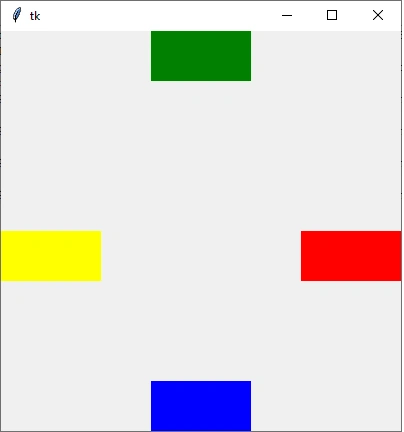
- from tkinter import *
- a= Tk()
- a.geometry("400x400")
- frame1=Frame(a,bg = "green",bd=10,width=100,
- height=50,cursor = "target").pack(side=TOP)
- frame2=Frame(a,bg = "red",width=100,
- height=50,cursor = "target").pack(side=RIGHT)
- frame3=Frame(a,bg = "yellow",bd=10,width=100,
- height=50,cursor = "target").pack(side=LEFT)
- frame4=Frame(a,bg = "blue",bd=10,width=100,
- height=50,cursor = "target").pack(side=BOTTOM)
- a.mainloop()
Output
-
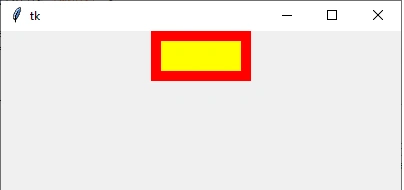
HighlightBackground - we used to focus highlight when the frame does not have focus
-
HighlightColor - we used to show in the focus highlight when the frame has the focus.
-
HighlightThickness - we used the thickness of the focus highlight.
Program
- from tkinter import *
- a= Tk()
- a.geometry("400x400")
- frame1=Frame(a,width=100,height=50,
- highlightcolor="yellow",highlightbackground="red",
- highlightthickness=10).pack(side=TOP)
- a.mainloop()
Output
-
Padx - The padx is used to change the additional padding left and right of the text.
-
Pady - The pady is used to changing the additional padding above and below the text.
-
Relief - Relief is used to specify the type of the border. The values are SUNKEN, RAISED, GROOVE, and RIDGE.
-
Cursor - The cursor is used to set this option to a cursor name, the mouse cursor will change to that pattern when it is over the frame.
Program
- from tkinter import *
- a= Tk()
- a.geometry("400x400")
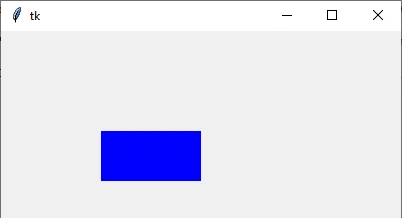
- frame2=Frame(a,bg = "red",width=100,height=50,
- cursor = "target",relief=FLAT).grid(padx = 100, pady = 100)
- a.mainloop()
Output
Conclusion
In this article, we have seen how to add frames in Tkinter in Python. I hope this article was useful to you. Thanks for reading!

Join the conversation! Your thoughts help the community grow.