
JSON parsing retrieves data from a server to a client (I-Phone/I-Pad or any compatible) in a well readable format.
JSON is a light-weight parsing technique so most developers prefer this parsing.
Before parsing any URL you must be sure the URL is valid.
You can check by typing that URL in a Browser.
After refreshing, the result will be found in the browser window, if the URL is not valid then an error will be shown.
Valid URL:
Invalid URL:
If an URL is valid then the Attribute's value is not in a readable format or the user must pay more attention to determine the value of a particular attribute value.
For Ex: "State":"New York"
There is a web tool (JSONLint.org) from where we can find both JSON URL validation and the attribute's value in a readable format in any browser.
Step 1: Type http://jsonlint.org/ in the browser.
Step 2: Enter your URL in the textview.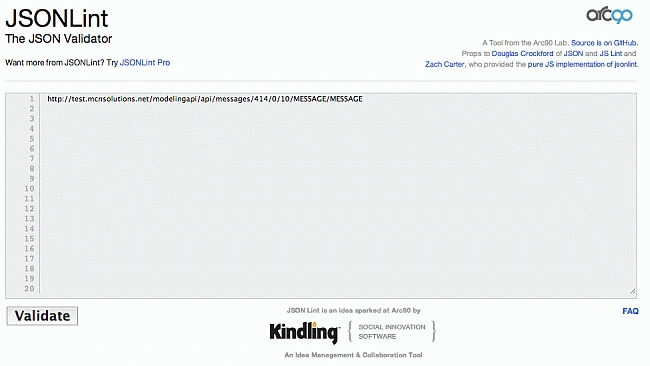
Step 3: Press the "Validate" button in the bottom-left of the textView.
Step 4: The result will be shown in the text view, whether it is valid or not.
Valid URL: 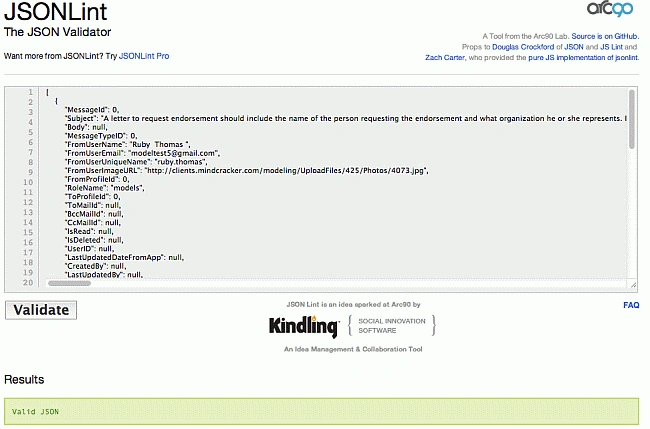
Invalid JSON: 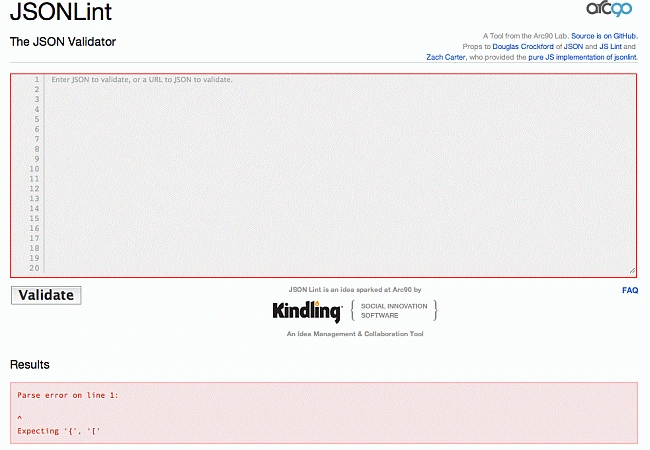
If the JSON is valid then you can find the Attribute's value easliy.
Ex: "State":"New York"
How to Check JSON Validation and Fetching the Attribute Value
This explains how to check JSON Validation and fetch the attribute value.


prince johnPosted Feb 22, 2013, 6:56 AM EST
nice article sir
Sam HobbsPosted Feb 20, 2013, 10:08 AM EST
Some people might think that jsonlint.org will send the JSON data to a server and receive the results. That however is not what happens, correct? It will just check the syntax for validity, correct?