In this article, we will see how to convert a federated domain which is using the ADFS Authentication against the on-premises Active Directory to Managed Authentication against Azure Active Directory(AAD). ADFS Authentication is a token-based authentication and it is very secured wherein it has some limitation as it requires a Web Application Proxy(WAP) set up to allow the users to get authenticated from the connected internet.

ADFS Authentication has some limitations and it is time consuming process. Most of the organizations prefer ADFS Authentication since they don’t want to sync the passwords to Azure AD. On the other hand, the Azure AD authentication is very fast and secured. It removes the dependency of On-premises.

To convert to a managed domain, we need to do the following tasks.

  1. Enable the Password sync using the AADConnect Agent Server
  2. Sync the Passwords of the users to the Azure AD using the Full Sync
  3. Convert the domain from Federated to Managed
  4. check the user Authentication happens against Azure AD

Let’s do it one by one,
Enable the Password sync using the AADConnect Agent Server.
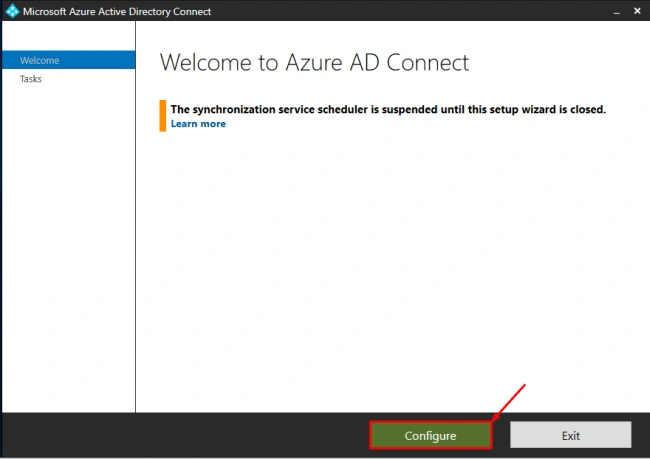
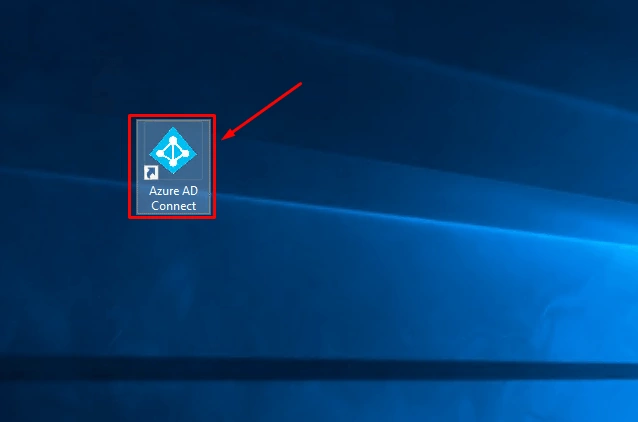
Login to AADConnect Server, Open Azure AD Connect. Ensure Sync is not in progress if it is in progress ensure that Sync Cycle is completed and open the AAD Connect
Convert Federated Domain To Managed Domain In Azure AD

Click on Configure.
Convert Federated Domain To Managed Domain In Azure AD

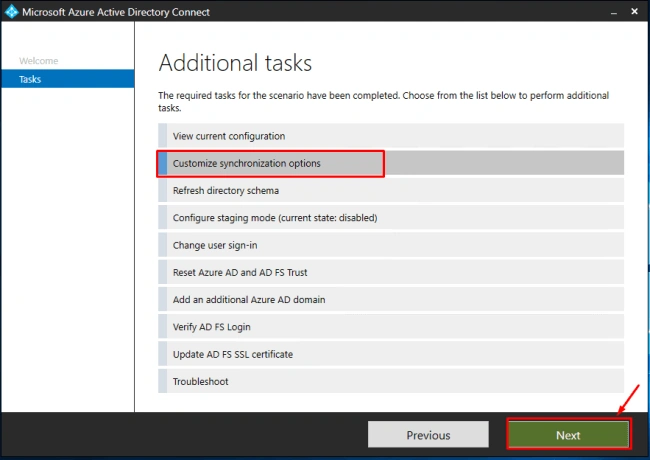
Select Customize Synchronization Options and click "Next".
Convert Federated Domain To Managed Domain In Azure AD

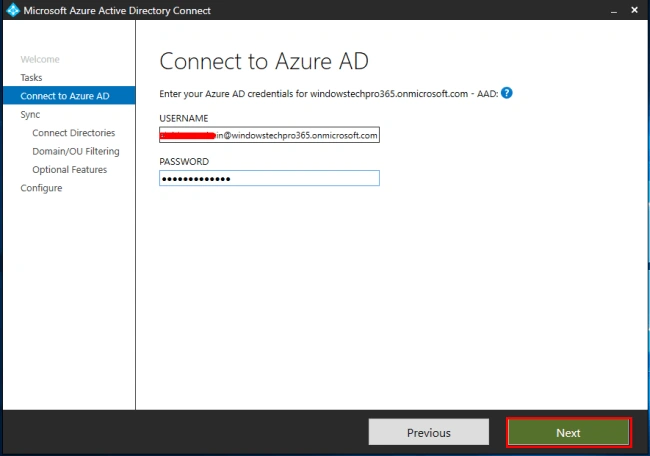
Enter the Office365 Global Admin Credentials. Ideally, it should be created in the Office365 tenant and enabled with Global Administrator, ID should be like [email protected].
Convert Federated Domain To Managed Domain In Azure AD

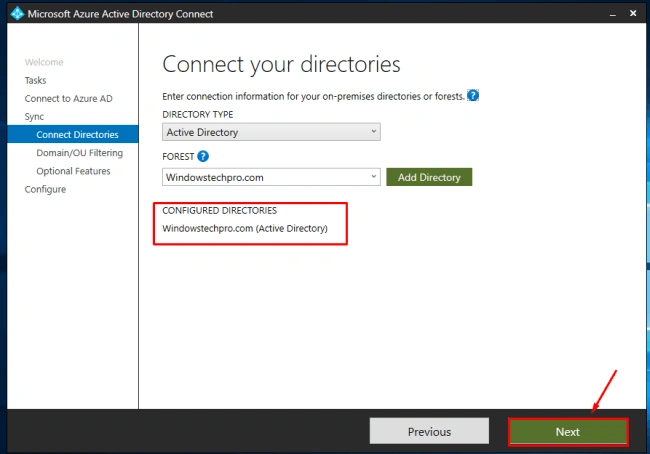
Ensure on-premises domain is selected and Click on Next
Convert Federated Domain To Managed Domain In Azure AD

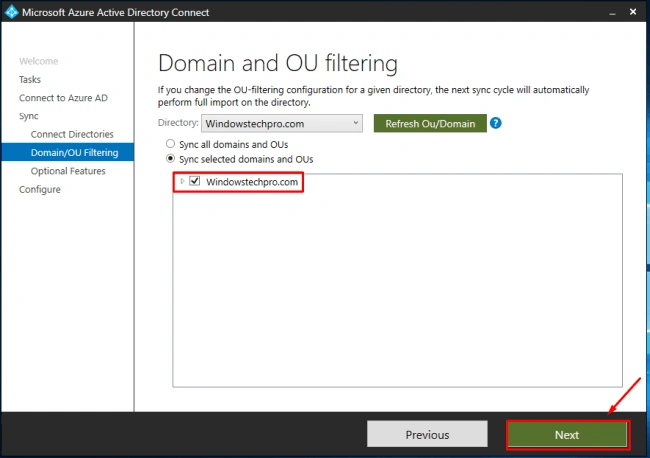
You can customize the Sync OUs to the Cloud, Since we are enabling the Password sync, ignore changing the exiting configuration and Click on Next
Convert Federated Domain To Managed Domain In Azure AD

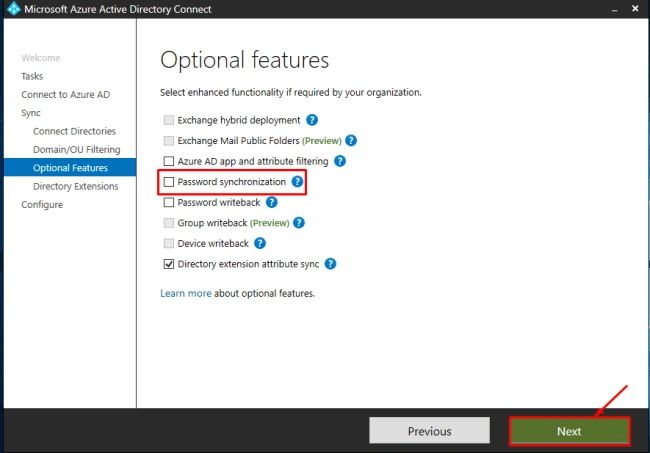
In Optional Features, Select Password Synchronization and click on Next
Convert Federated Domain To Managed Domain In Azure AD

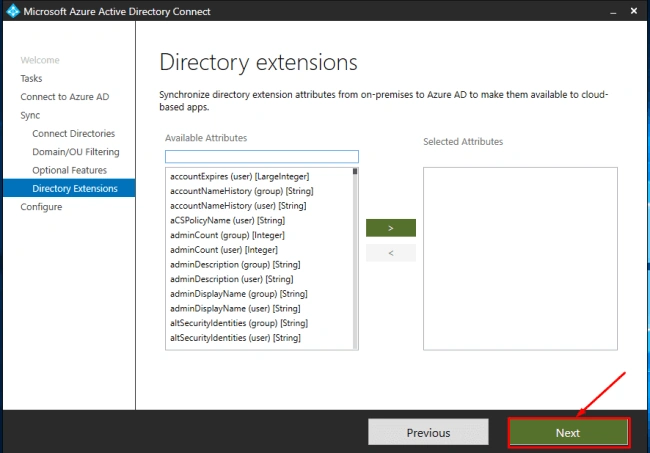
Click on Next as we are not focusing the Directory Extentions,
Convert Federated Domain To Managed Domain In Azure AD

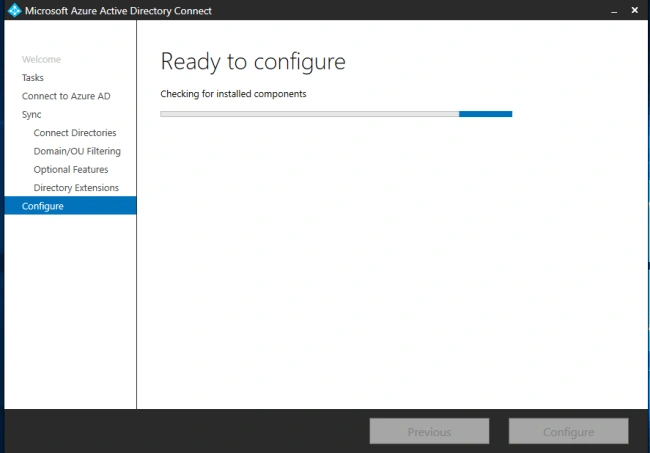
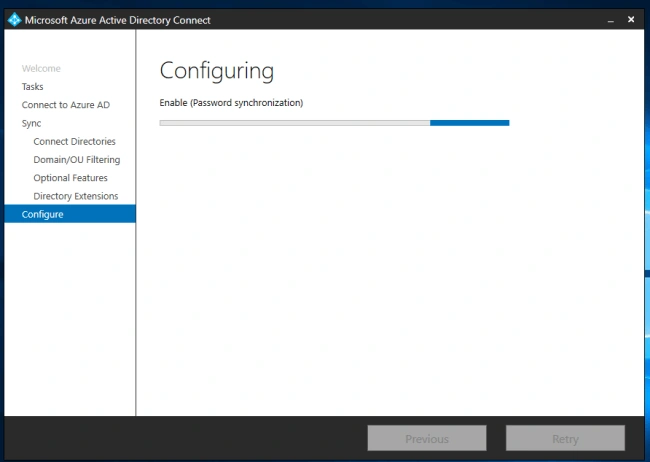
Click on configure to complete the configuration
Convert Federated Domain To Managed Domain In Azure AD
Sync the Passwords of the users to the Azure AD using the Full Sync
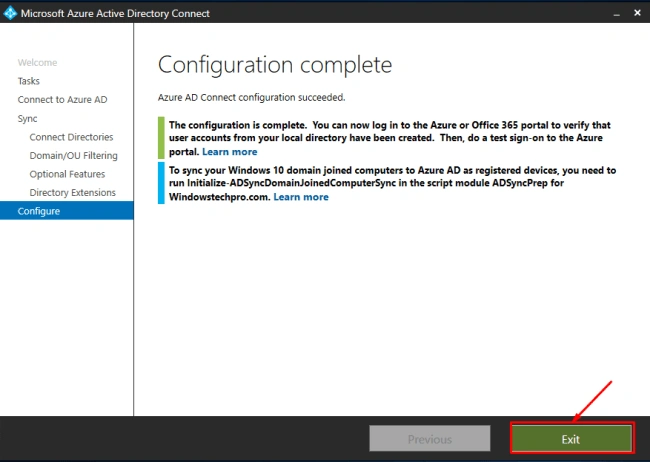
Now the Configuration has been completed. Click on Exit. Once the configuration has been completed, We need to initiate using the command,
Start-ADSyncSyncCycle -PolicyType initial
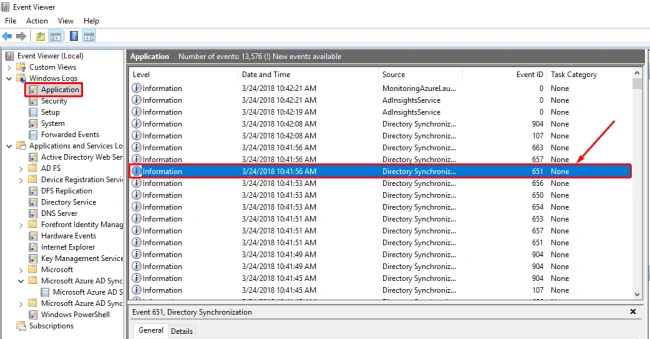
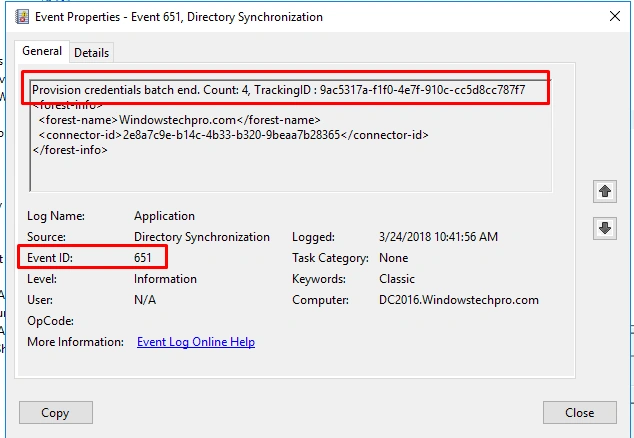
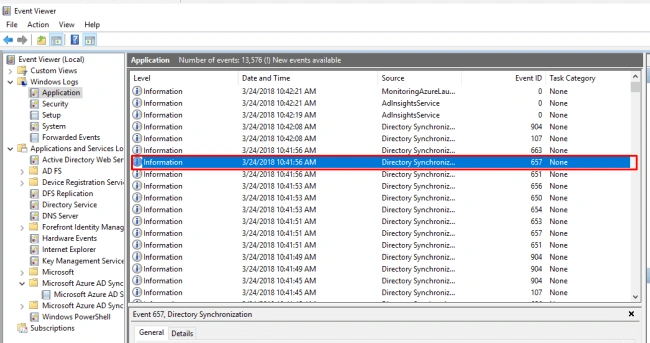
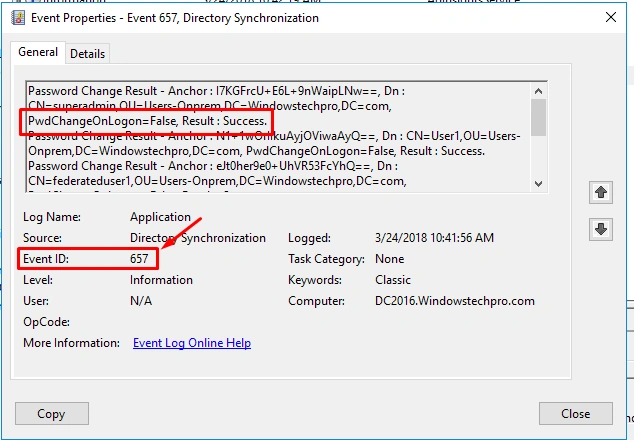
You can see the below events started Syncing to Azure AD.
Convert Federated Domain To Managed Domain In Azure AD

Convert Federated Domain To Managed Domain In Azure AD

Convert Federated Domain To Managed Domain In Azure AD

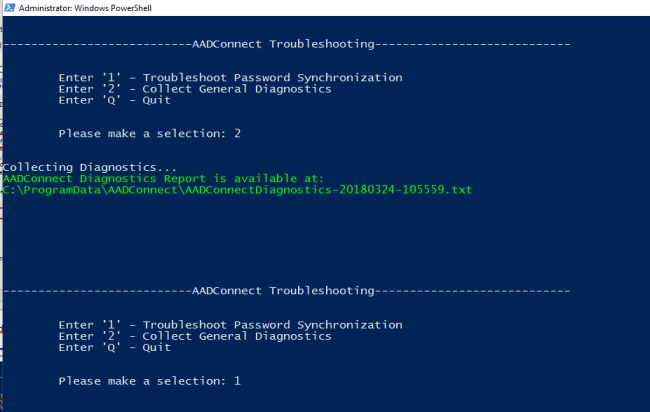
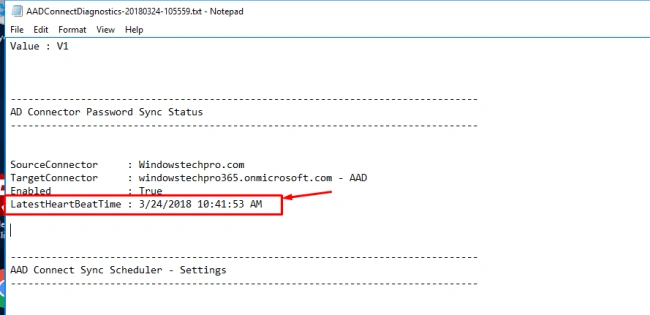
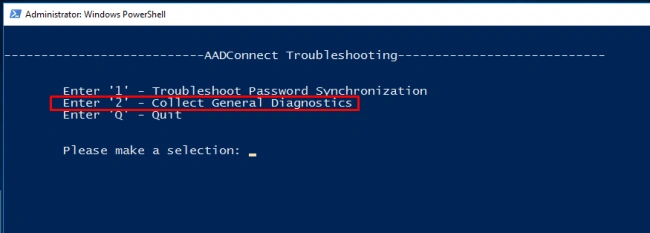
You can troubleshoot Password sync using the Command,

Invoke-adsyncdiagnostics
Convert Federated Domain To Managed Domain In Azure AD