
Introduction to Generative Pages in Power Apps
Generative Pages in Power Apps represent one of the most transformative advancements in Microsoft’s Power Platform ecosystem. Introduced as part of the modern, AI‑first app‑building experience, Generative Pages allow makers to create functional, responsive, and visually rich pages simply by describing what they want in natural language.
Unlike traditional low‑code drag‑and‑drop approaches, Generative Pages use AI agents to generate the underlying React code, determine page layouts, connect to Dataverse tables, and refine designs through interactive conversation. This significantly accelerates development while still giving developers complete control to modify and optimize the output.
Generative Pages are currently explicitly designed for model‑driven Power Apps and are available in U.S. environments.
Key Features of Generative Pages
1. Natural Language-Based Page Creation
You can simply describe what you want—for example:
"Build a page showing Account records as a gallery of cards with modern UI"—
and the agent automatically generates the page.
2. Automatic React Code Generation
The AI agent writes the underlying React code (UI + logic), transpiles it, and builds the page in real time.
3. Deep Dataverse Integration
Generative Pages seamlessly connect with Dataverse tables and support CRUD operations.
4. Fully Customizable Output
Makers can refine pages by interacting with the agent or manually editing generated code.
5. Add Images to Guide UI Design
You can upload sketches, wireframes, or screenshots to influence the generated layout.
6. Solution-Aware & ALM-Friendly
Pages can be packaged into solutions and moved across environments easily.
7. Supports External Data (via Virtual Entities)
Generative Pages can integrate data from external sources like SharePoint or Dynamics 365 FO.
Step-by-Step Guide: How to Create a Generative Page in Power Apps
Follow this detailed walkthrough to create your first Generative Page.
Step 1: Sign In to Power Apps
Go to: https://make.powerapps.com
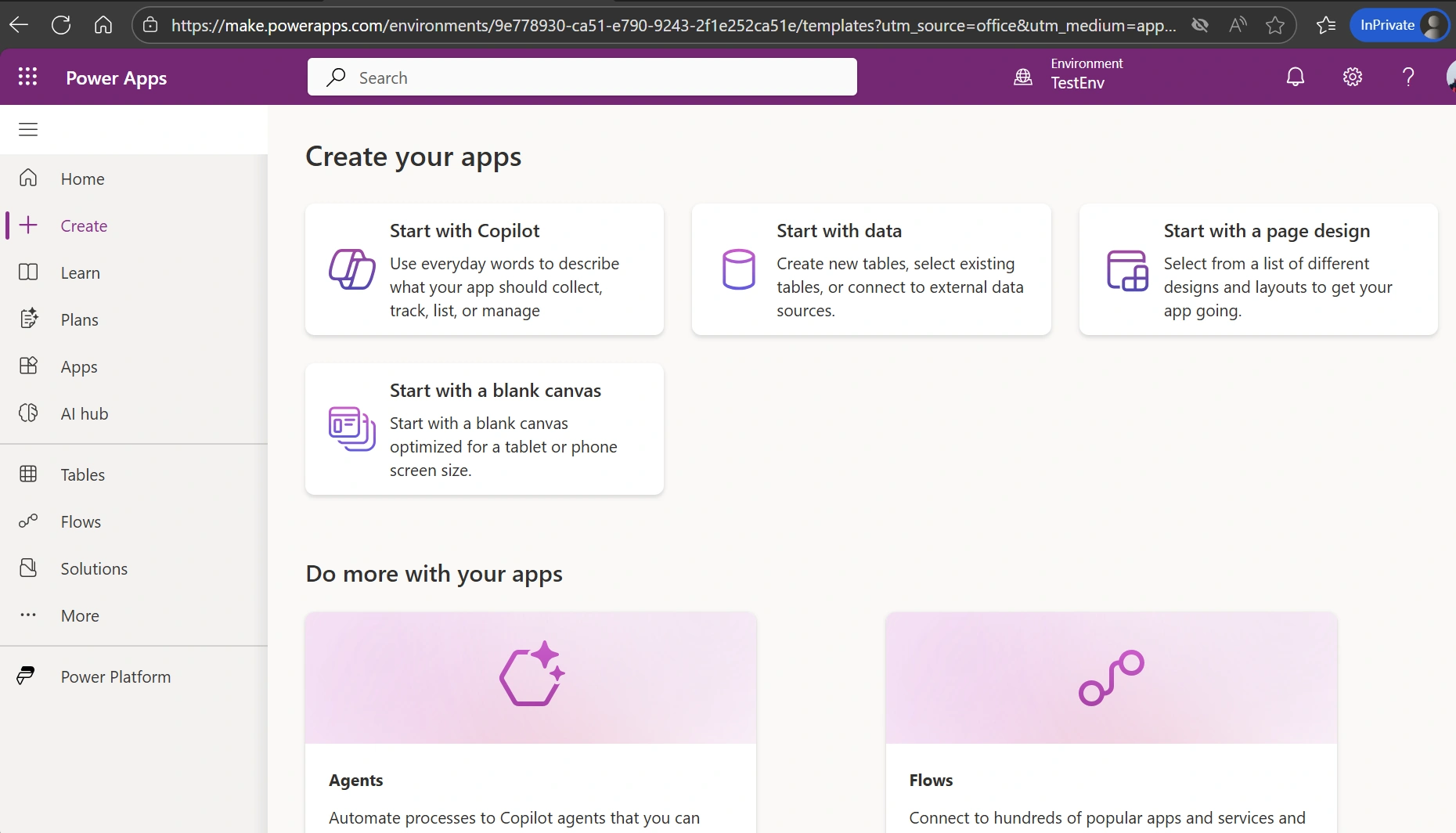
Sign in using your organizational account.
Step 2: Open a Model-Driven App for Editing
From the left navigation, select Apps
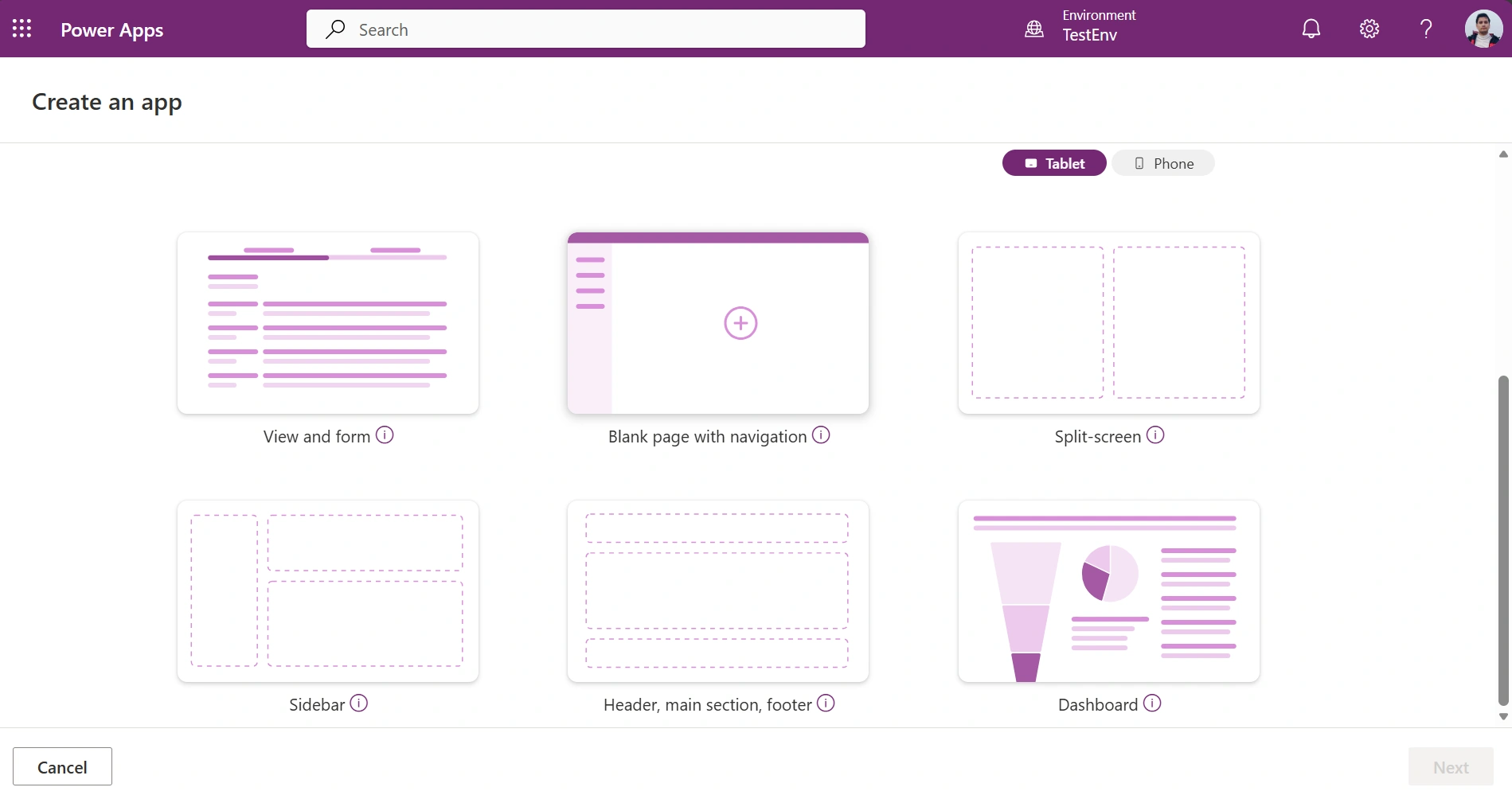
Choose your Model‑Driven App or Start with a Page design option and select Blank page with navigation
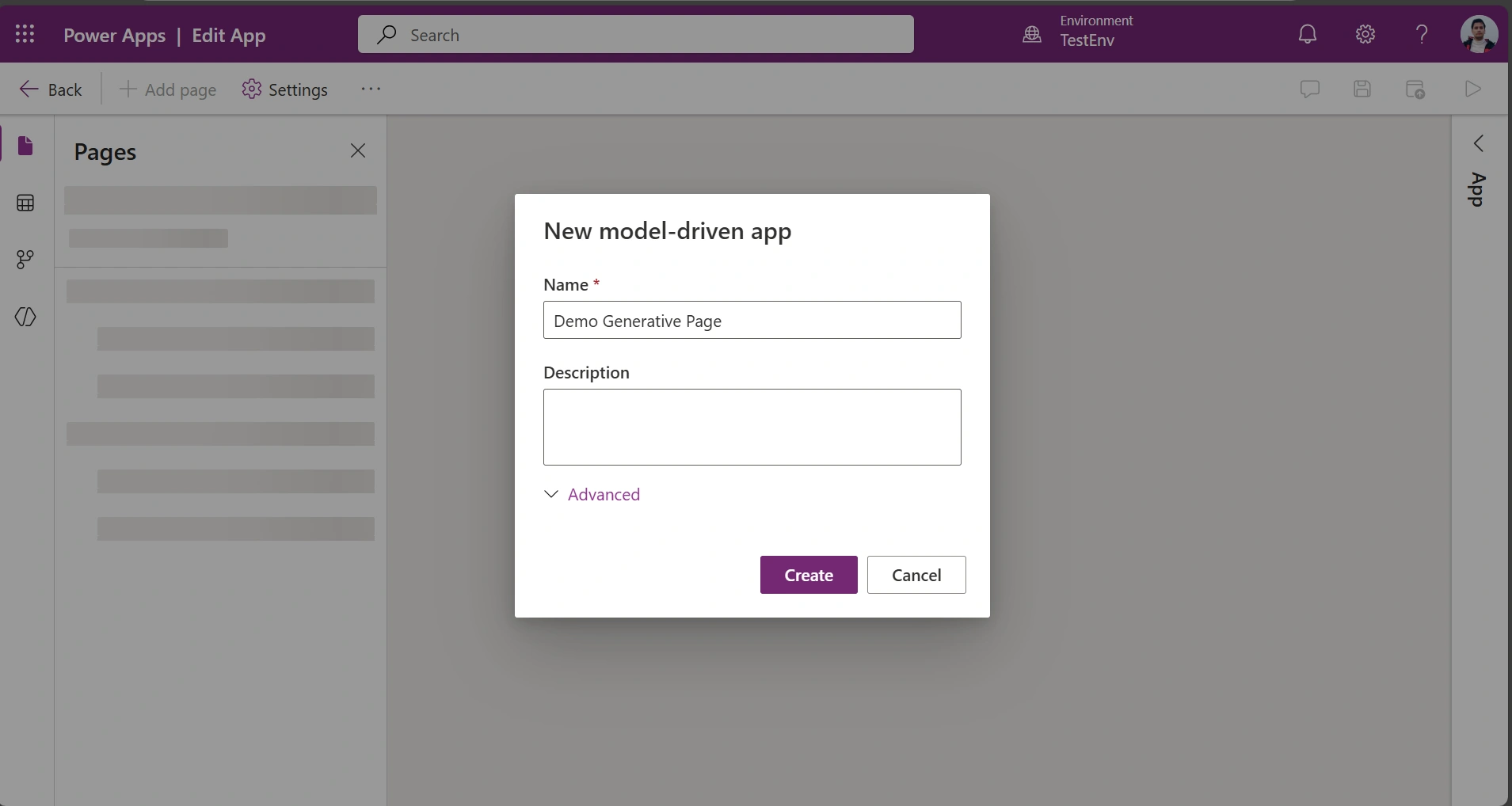
Provide name and description
Step 3: Add a Generative Page
Inside the app designer:
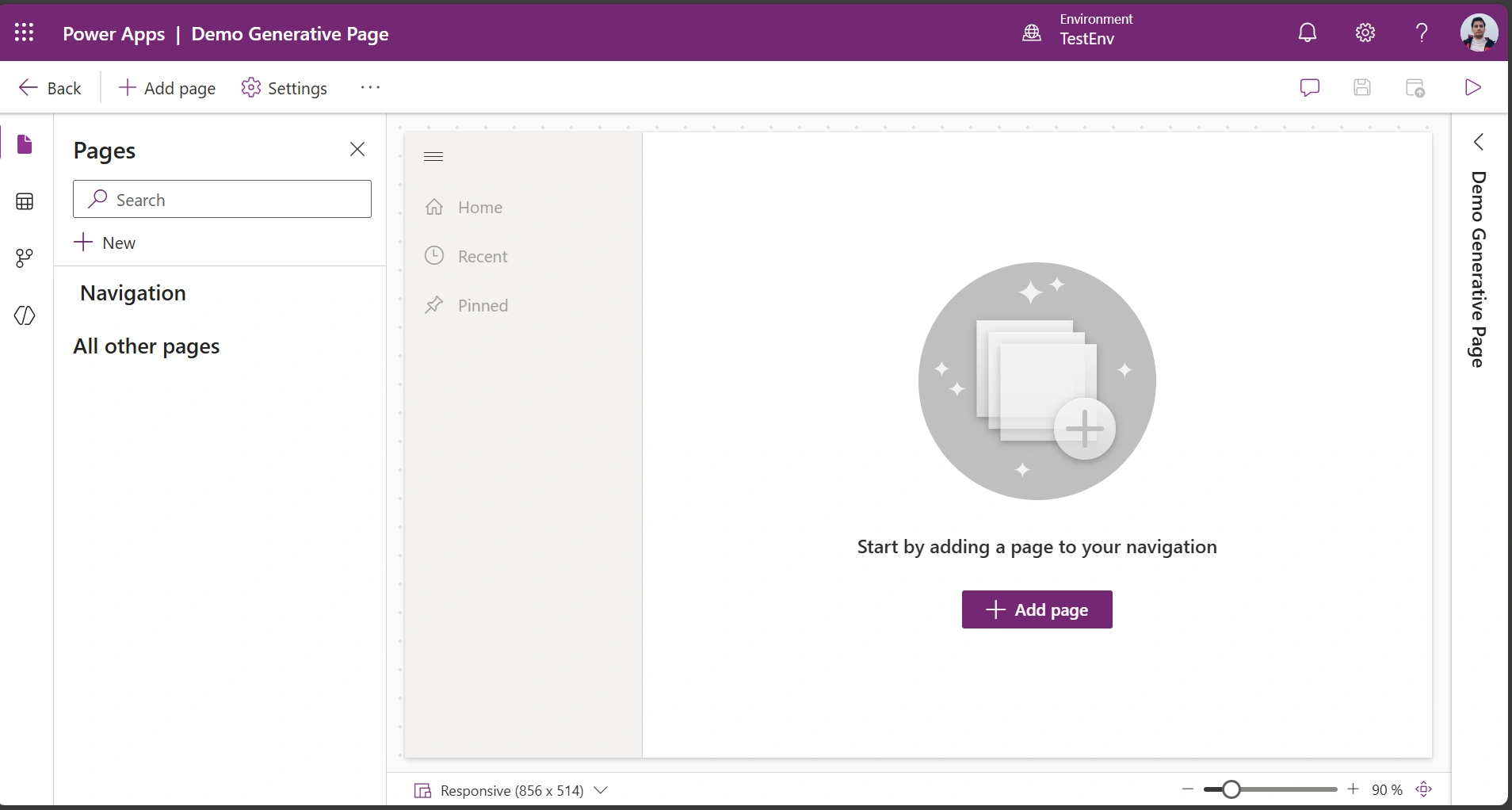
1. Select Add Page
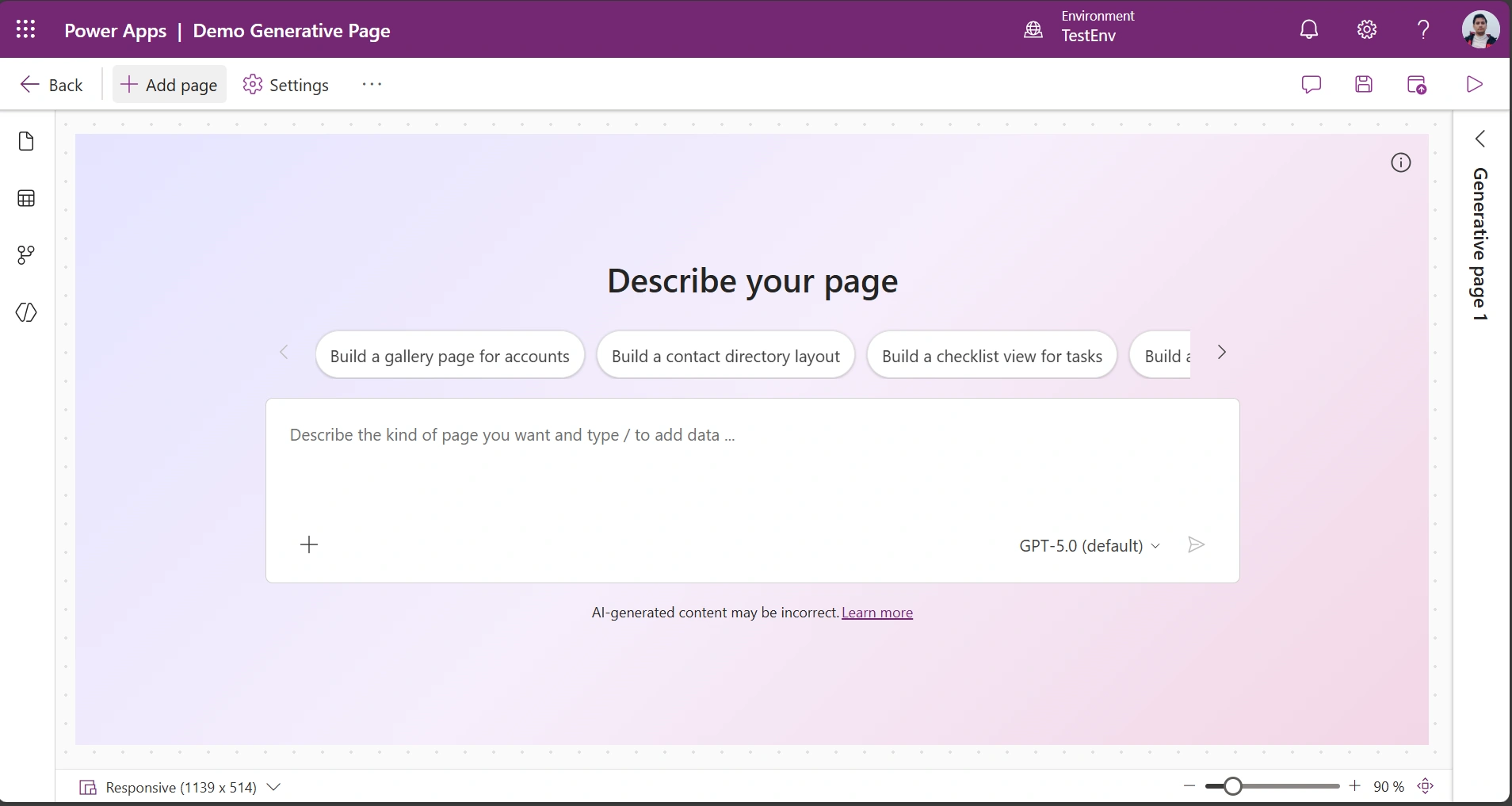
2. Choose Describe a Page
The full-screen “Generative Page” experience will launch
Step 4: Describe What You Want
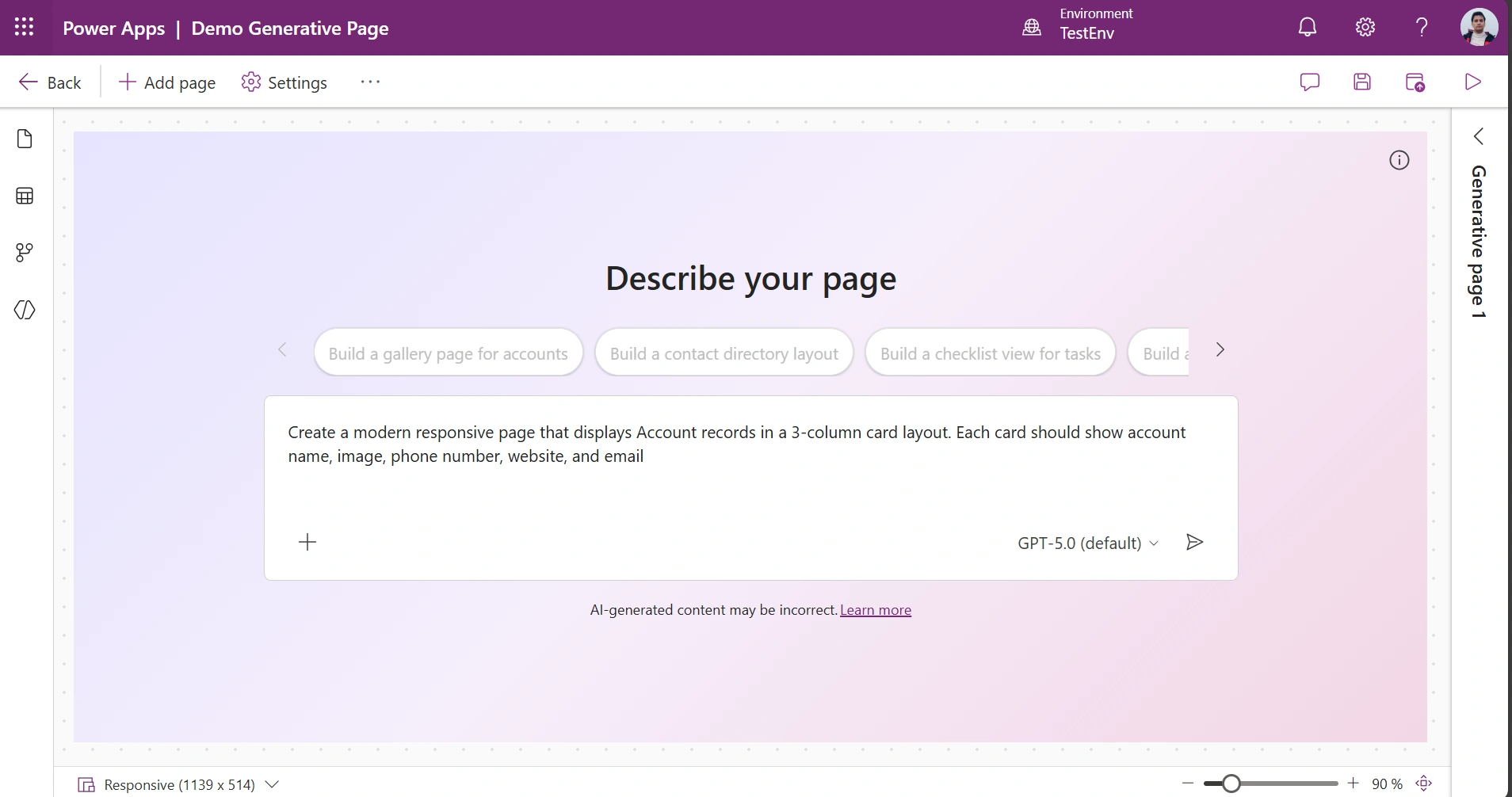
In the prompt box, enter a detailed description. For example:
Example Prompt:
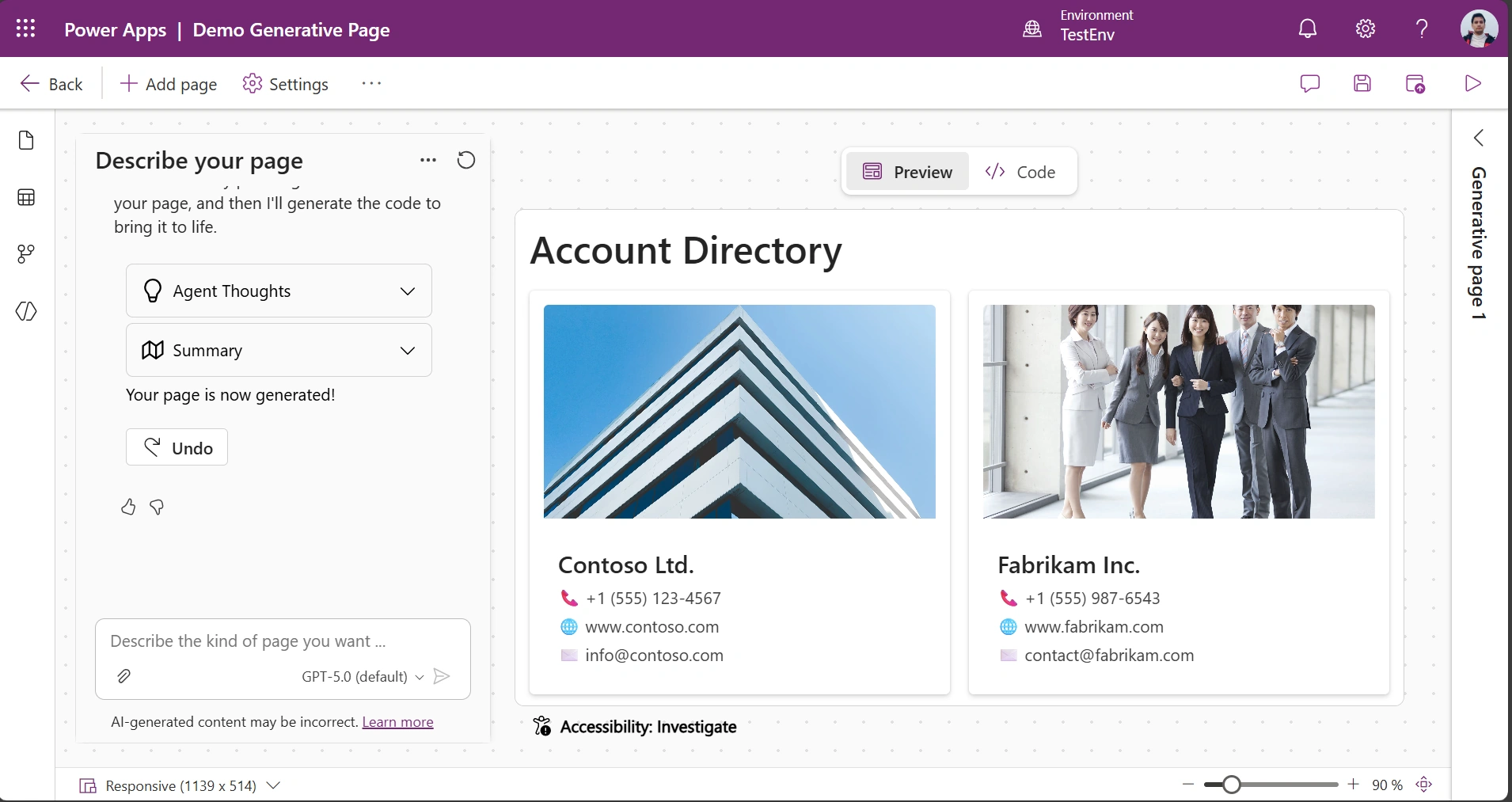
Create a modern responsive page that displays Account records in a 3-column card layout. Each card should show account name, image, phone number, website, and email.
The more detailed you are, the better the output.
Step 5: Add Tables & Images
You may optionally add:
Dataverse tables (up to 6)
Images or sketches to guide design
Step 6: Generate the Page
Click Generate Page.
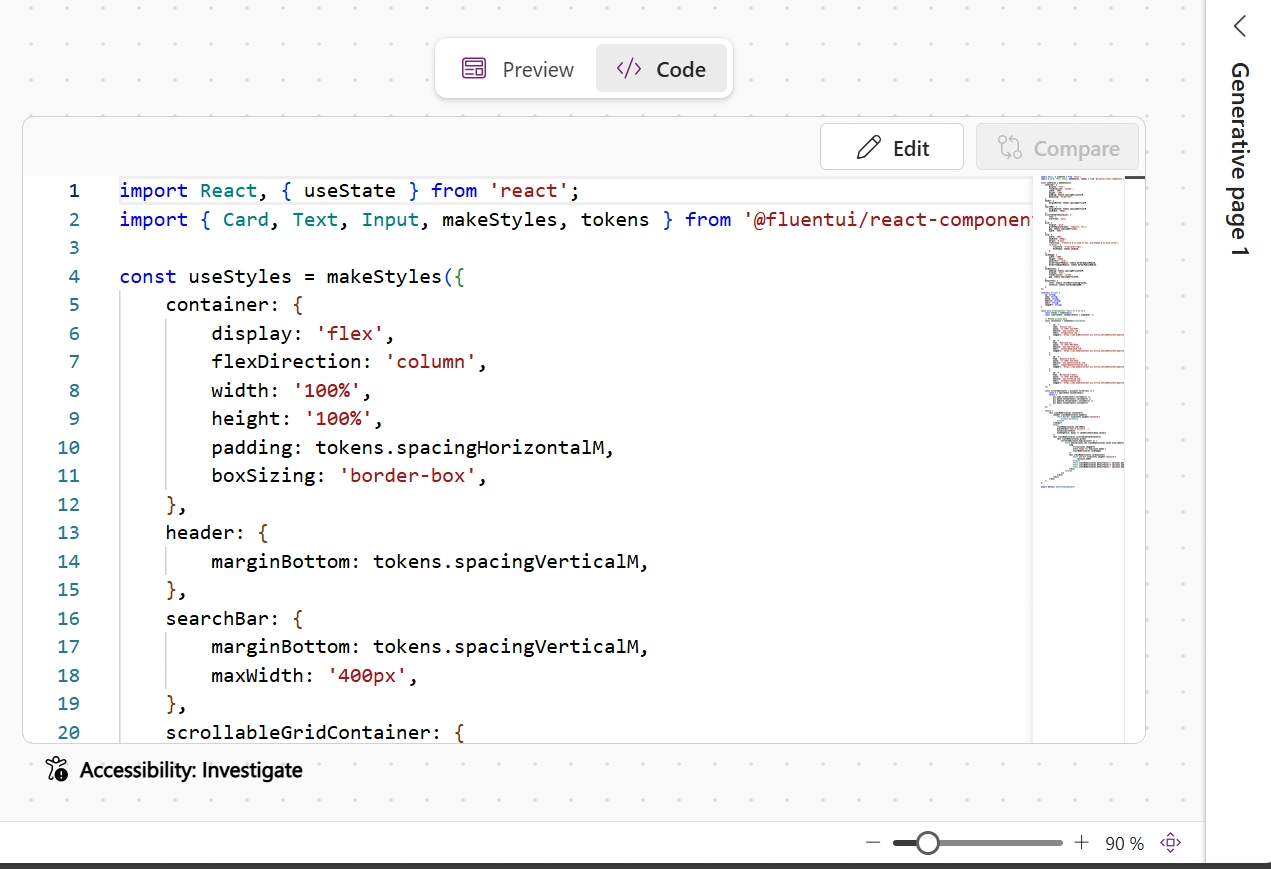
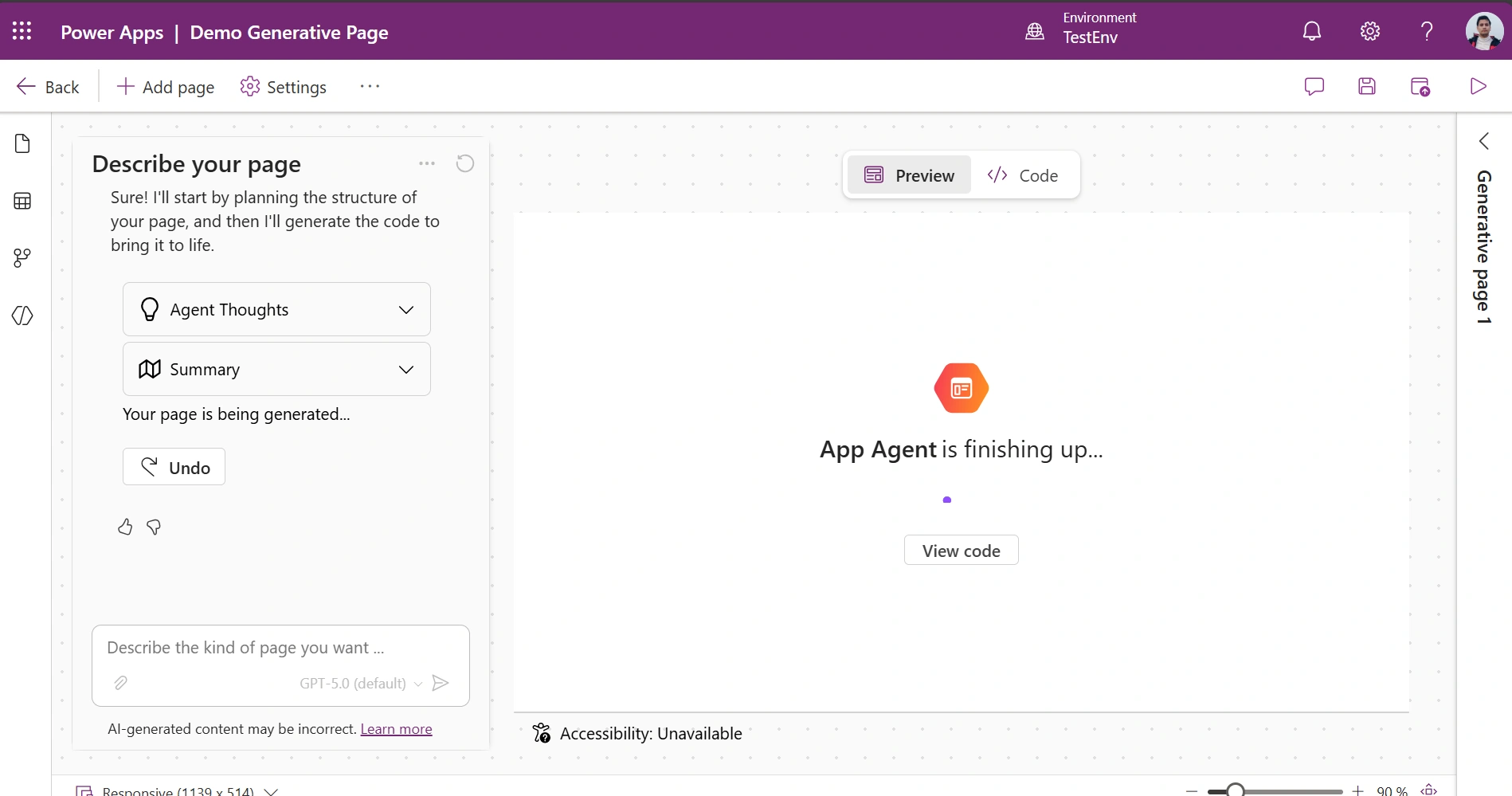
The AI agent will:
Interpret your instructions
Plan the page layout
Generate React code
Build the UI
Render the final result
You can watch each step in real‑time.
Step 7: Refine the Page
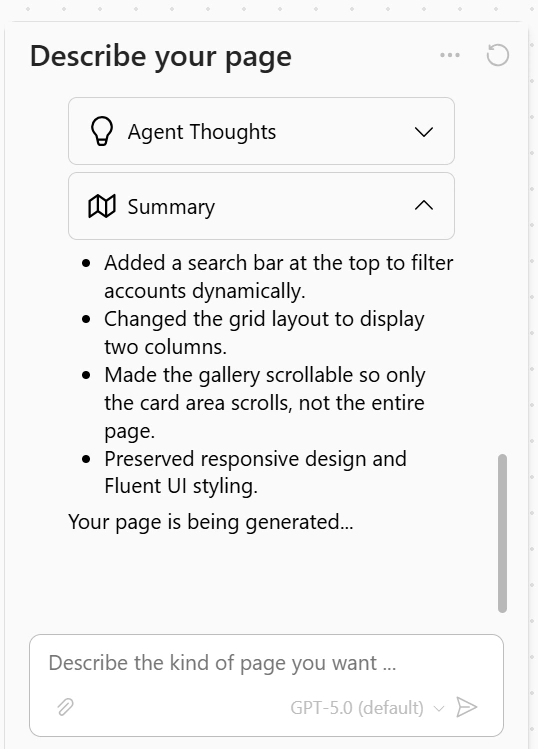
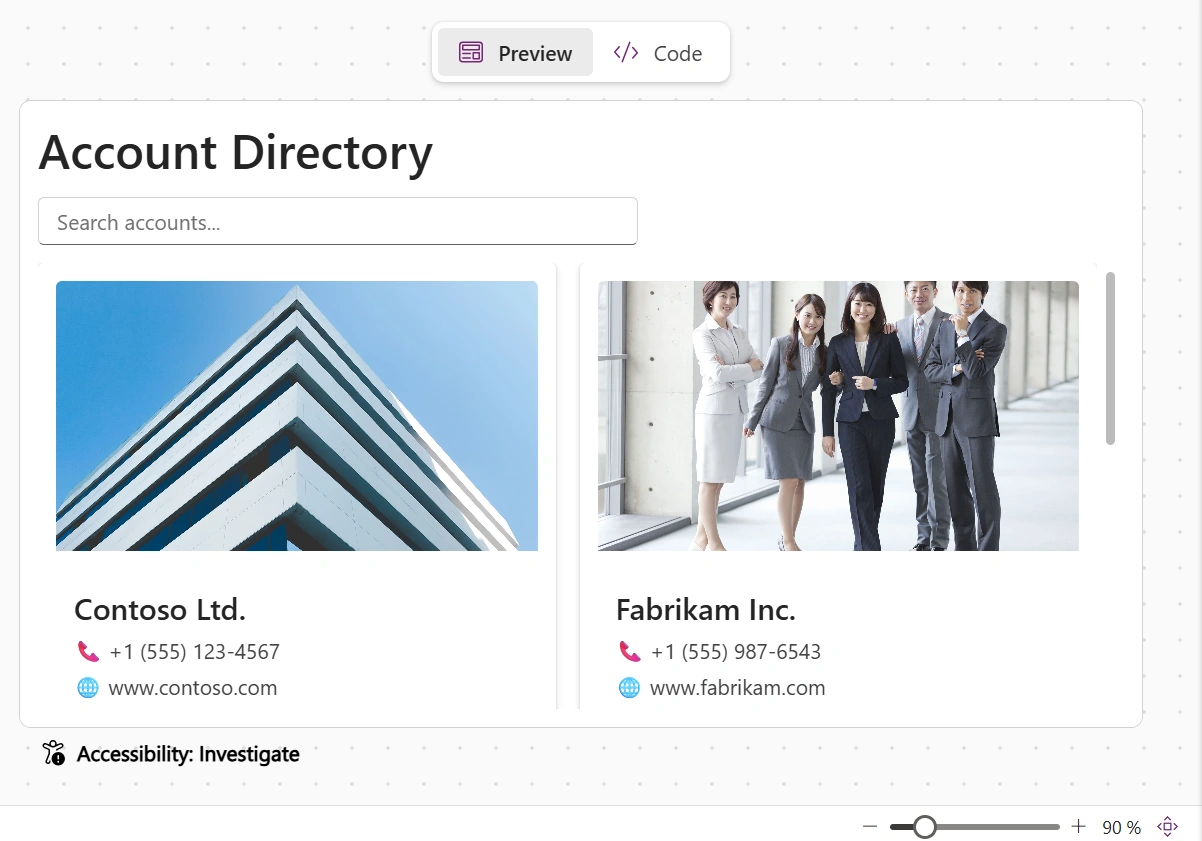
Ask the agent:
“Make the gallery scrollable”
“Change layout to 2‑column”
“Add a search bar”
Or manually modify the generated code.
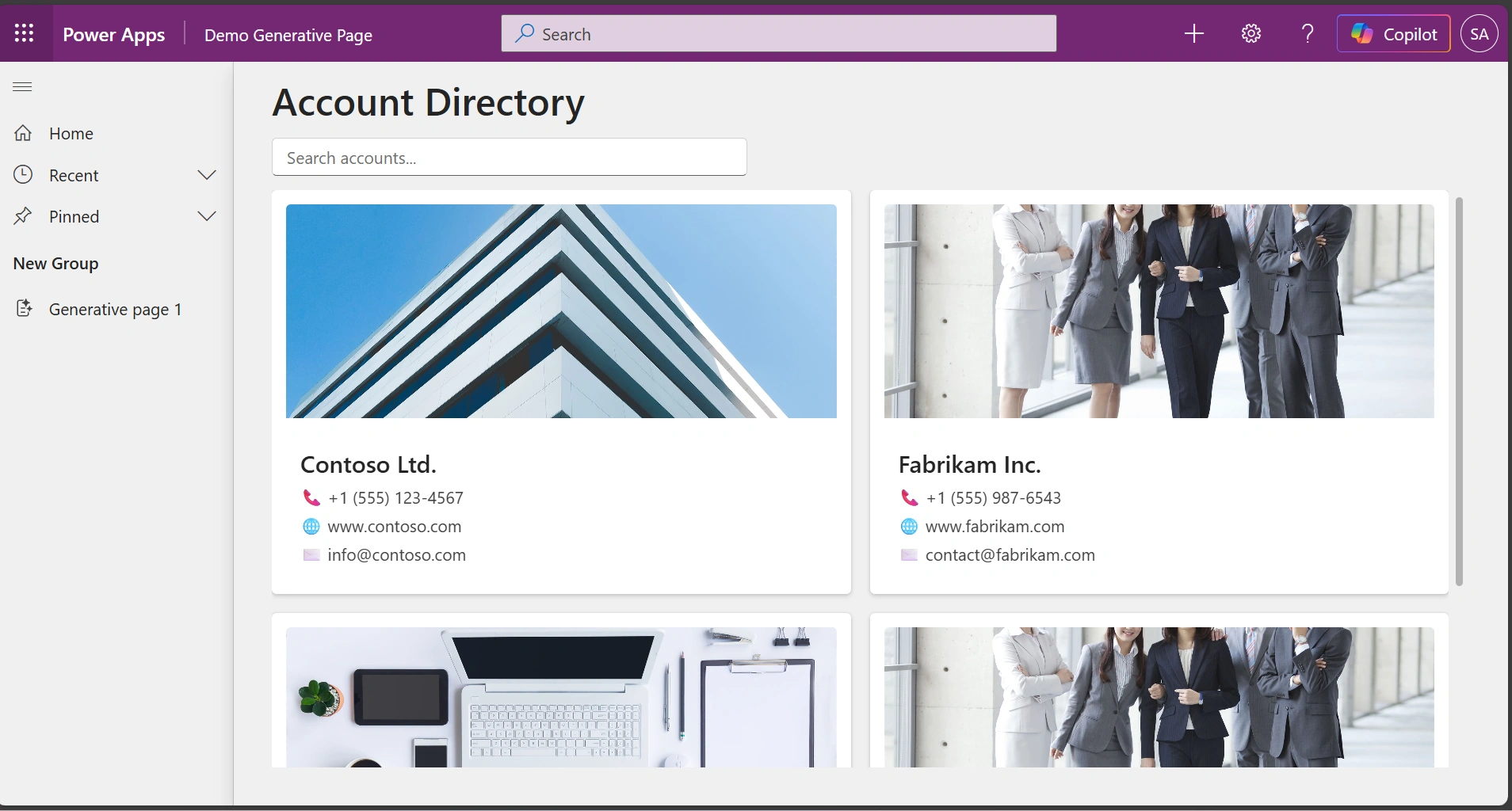
Step 8: Publish the Page
Click Publish so the page becomes available in your live app.
When Should You Use Generative Pages?
Generative Pages are ideal for:
Quickly prototyping UI layouts
Creating custom pages not possible in standard model‑driven UI
Building data-driven pages from Dataverse
Replacing slow canvas app designs for richer UI
When you want speed + flexibility + modern UI
They are especially useful for cross-functional teams working together (designers, product teams, business analysts).
Conclusion
Generative Pages in Power Apps mark a major leap in modern app development by blending the power of AI with low-code flexibility. They simplify page creation, reduce development time, and enable richer user experiences—all through natural language and intelligent agent collaboration.
With deep integration into Dataverse, full transparency of generated code, and seamless ALM support, Generative Pages empower makers and pro developers alike to build sophisticated enterprise-grade UI experiences faster than ever before.
As organizations adopt AI-driven development, Generative Pages will continue to redefine how apps are designed, refined, and deployed across the Power Platform ecosystem.

Join the conversation! Your thoughts help the community grow.