
In this article I would like to take you through a real-world problem. You are working on a Java Script method that should be deployed to multiple SharePoint servers. The Java Script needs to be included in the MasterPage file.
How to deploy it?
The manual deployment requires going to each SharePoint site, opening the page in SharePoint Designer and editing the MasterPage. This is time consuming and has maintenance overheads.
How to Automate Deployment?
We need to automate the deployment process. We can use the AdditionalPageHead delegate to render our custom code to MasterPage and everything through automated deployment.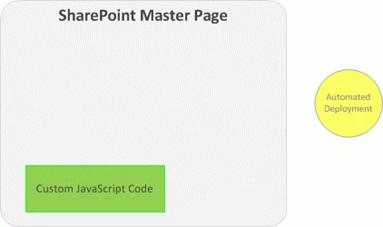
Procedure
Please do the following:
- Deploy the Java Script page to the SharePoint MasterPage
Step 1: Create new project
Open Visual Studio and create an empty SharePoint project and name it MasterPageCode. Choose the farm solution option.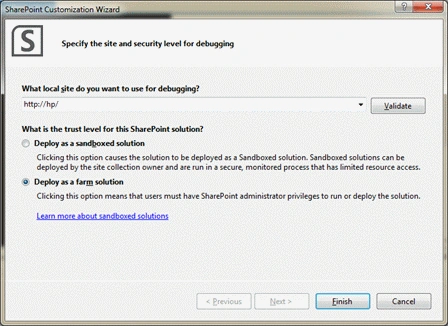
Step 2: Add User Control
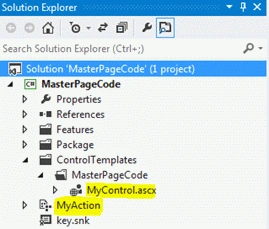
Add a User Control item to the project and name it MyControl. We will place our JavaScript code here.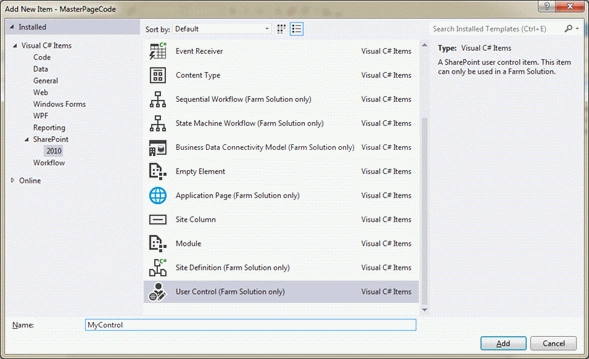
In the appearing user control, place the following code that says "Hello World" using JavaScript.
<script type="text/javascript">
alert('Hello World');
The user control looks as in the following:
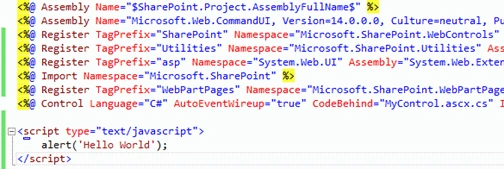
Now we need to include this user control code in the MasterPage. We can do this in the next step.
Step 3: Add Deployment Element
Choose "Add new item" and select the Empty Element option and name it MyAction.

Replace the contents of the file with the following code. (Please ensure the folder and file names are correct.)
<?xml version="1.0" encoding="utf-8"?>
<Elements xmlns="http://schemas.microsoft.com/sharepoint/">
<Control Id="AdditionalPageHead" Sequence="150"
ControlSrc="~/_CONTROLTEMPLATES/MasterPageCode/MyControl.ascx">
</Control>
</Elements>
Now the Solution Explorer looks as in the following:
Step 4: Deploy Solution
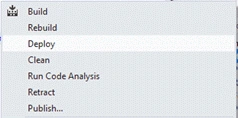
Now right-click on the solution and choose the Deploy option. Wait a few seconds and your solution will be deployed and activated automatically.
During runtime, the Java Script code will be appended to the MasterPage.
Step 5: Testing Solution
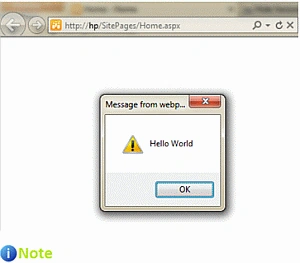
Open the default SharePoint site and you should receive the following JavaScript message box.
I thought of adding some important points:
- The default MasterPage of SharePoint pages is default.master and it resides in the 14 Hive > Templates > Layouts folder.
- The AdditionalPageHead tag ensures the user control code is added to the MasterPage. We can have multiple user controls rendered in this way.
- The MyAction.xml file ensures the user control is deployed through the WSP file.
References
http://msdn.microsoft.com/en-us/library/ms470880(v=office.14).aspx
Summary
In this article we explored a real world scenario. I hope the code will be useful in real-word scenarios of integrating Java Script or Custom Controls to every page.
I have attached the source code along with this article.

Join the conversation! Your thoughts help the community grow.